CZ
CZ SK
SK HU
HU AT
AT DE
DE ES
ES SI
SI HR
HR
Nothing in the basket.

- Search
-
Login

-
0
Comparison
Add products to compare, then they will appear here and you can compare parameters.
-
0
0 €
Blackmagic Design ATEM SDI Extreme ISO
SKU: SWATEMMXEPCEXTISO
ATEM SDI Extreme ISO is the largest 3G-SDI version of the popular ATEM Mini HD switchers. Its eight SDI inputs feature standards conversion and re-sync, two USB-C ports work as a webcam and for disk recording, and four SDI aux outputs carry the program, multiview and returns to the cameras. The extended panel carries buttons for sources and effects, recording…
Promotion: -13%
1 652.86 €
1 433.44 € with VAT
1 184.66 € without VAT
Availability
on request
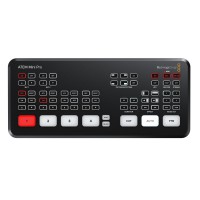
Blackmagic Design ATEM Mini Pro
To be sent 1 pcs439 €without VAT 362.81 €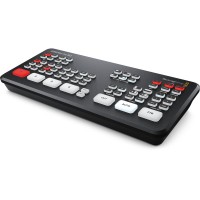
Blackmagic Design ATEM Mini Pro ISO
To be sent 1 pcs558.34 €without VAT 461.44 €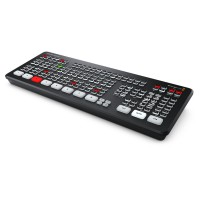
Blackmagic Design ATEM Mini Extreme
1 062.04 €without VAT 877.72 €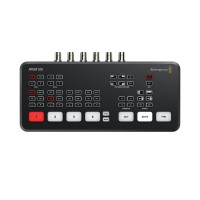
Blackmagic Design ATEM SDI
To be sent 1 pcs361.14 €without VAT 298.46 €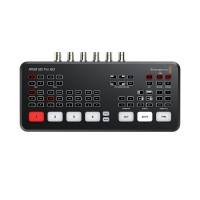
Blackmagic Design ATEM SDI Pro ISO
To be sent 1 pcs850.04 €without VAT 702.51 €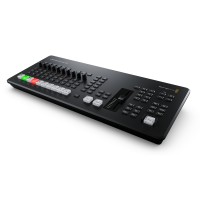
Blackmagic Design ATEM Mini Extreme ISO G2
In stock 2 pcs3 479 €without VAT 2 875.21 €Top accessories for Blackmagic Design ATEM SDI Extreme ISO
Blackmagic Design ATEM Micro Panel
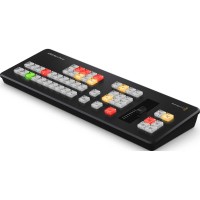
ATEM Micro Panel is an affordable hardware control panel for ATEM Software Control,
749 €
In stock > 5 pcs
Blackmagic Design ATEM Streaming Bridge
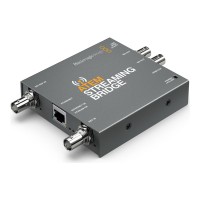
ATEM Streaming Bridge decodes an H.264 stream from compatible ATEM Mini and ATEM
290 €
In stock > 5 pcs
Blackmagic Design ATEM Micro Camera Panel
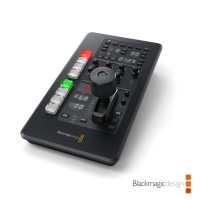
ATEM Micro Camera Panel is a portable camera control panel (CCU) with high-end broadcast
669 €
To be sent 2 pcs
Blackmagic Design ATEM Camera Control Panel
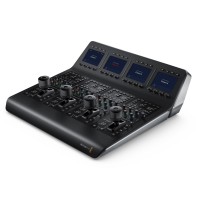
ATEM Camera Control Panel is a broadcast camera control unit (CCU) for ATEM switchers
3 269 €
on request
Feelworld Seetec ATEM156S 15.6" Multiview Monitor HDMI/SDI
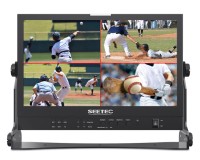
The ATEM156S is the HDMI/SDI variant of the popular ATEM156 HDMI multiview monitor
989 €
on request
Infinitek L-5.5CUHWS 5m FLEX 12G-SDI cable BNC-BNC
Coaxial cable specially designed for mobile 12G-SDI applications with excellent resistance
49 €
on request
Infinitek L-5.5CUHWS 2m FLEX 12G-SDI cable BNC-BNC
Coaxial cable specially designed for mobile 12G-SDI applications with excellent resistance
30 €
on request
Product description
ARTICLES
SPECIFICATIONS
PACKAGE CONTENT
Product description
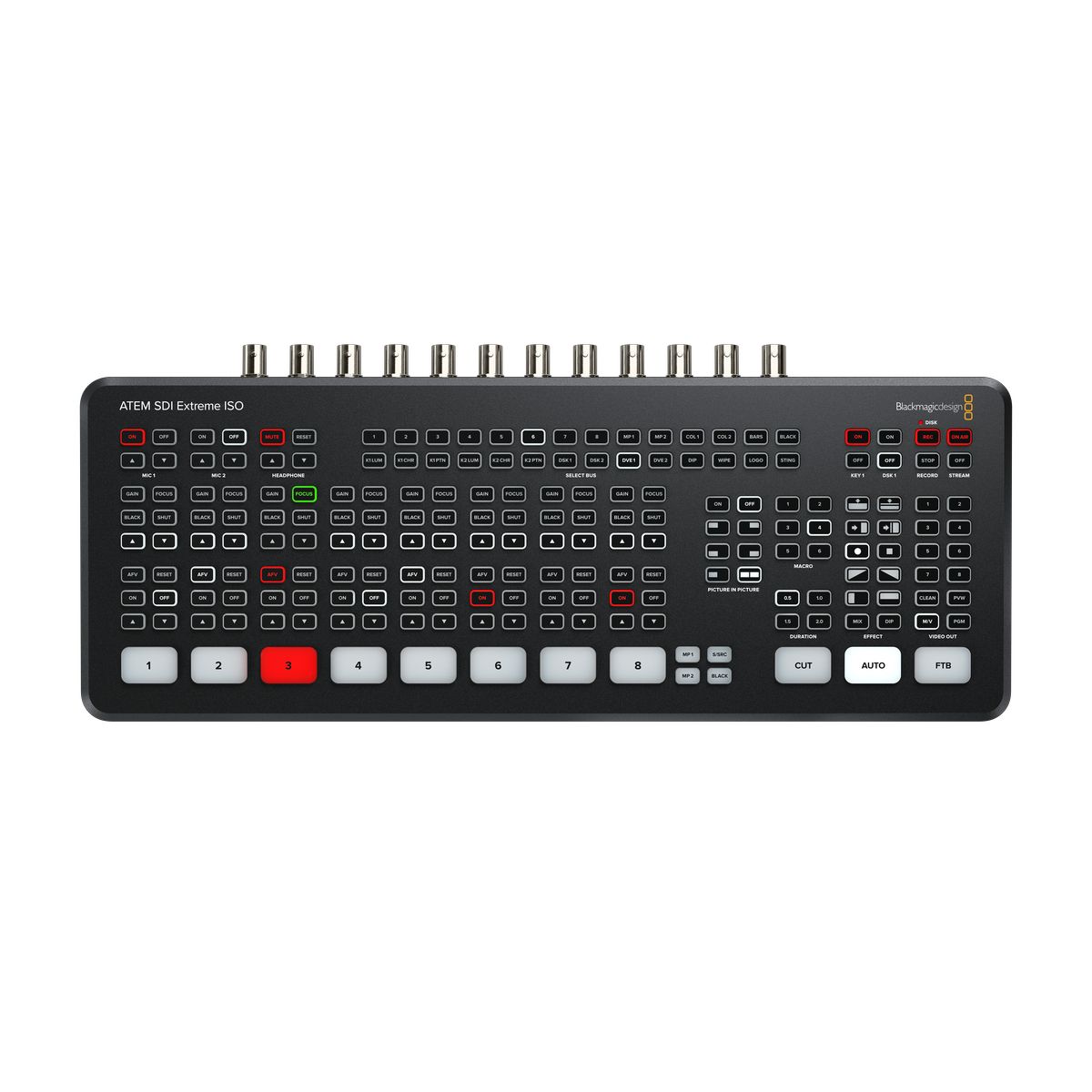
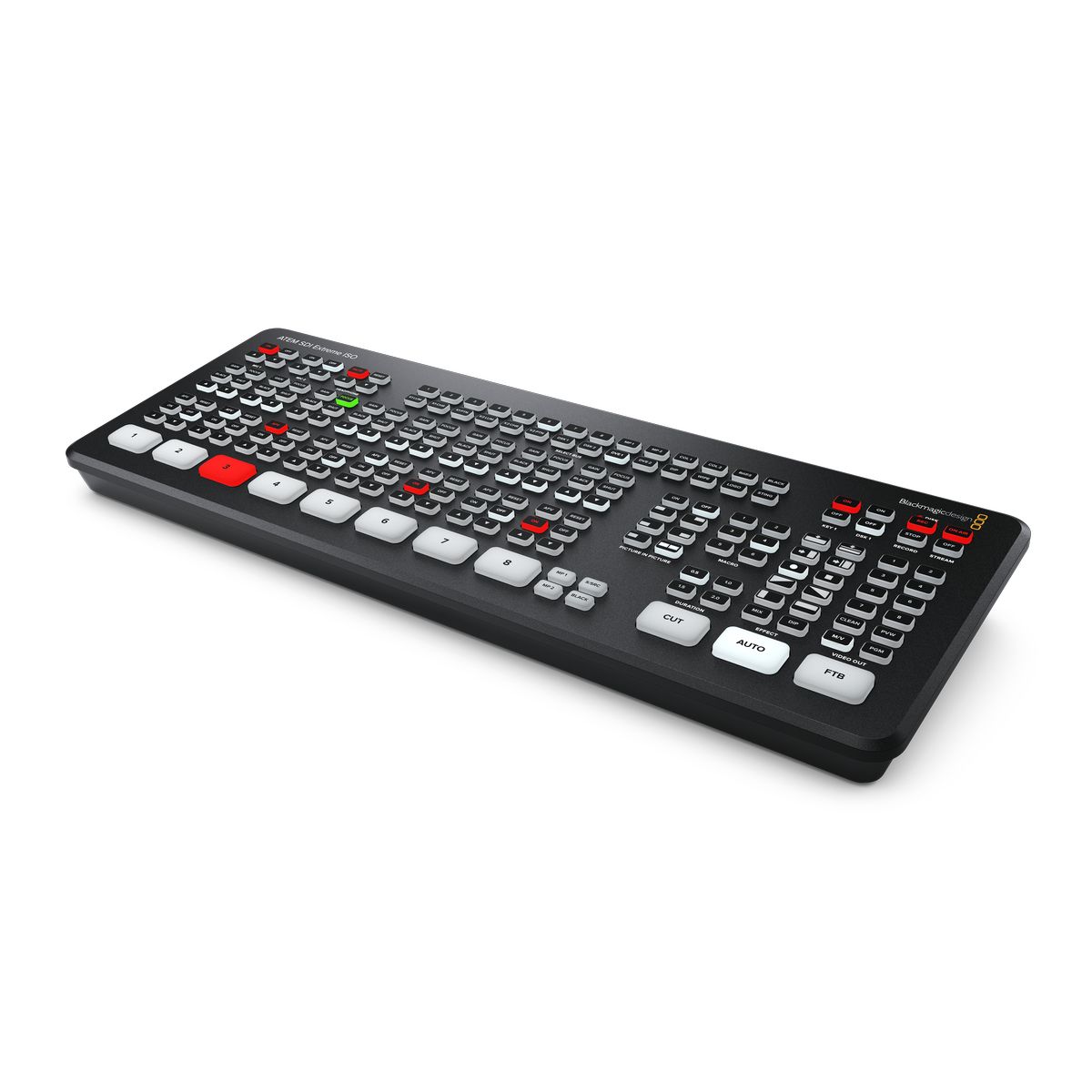
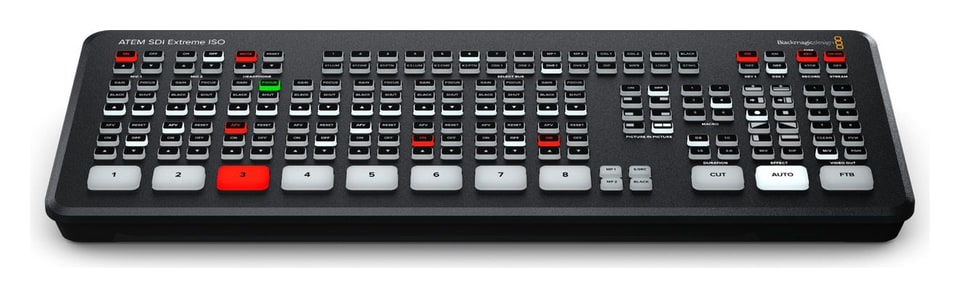
ATEM SDI Extreme ISO is the largest 3G-SDI version of the popular ATEM Mini HD switchers. Its eight SDI inputs feature standards conversion and re-sync, two USB-C ports work as a webcam and for disk recording, and four SDI aux outputs carry the program, multiview and returns to the cameras. The extended panel carries buttons for sources and effects, recording and streaming, camera and audio control and output selection; ISO recording captures all nine streams.
Eight 3G-SDI inputs and nine recording streams
ATEM SDI Extreme ISO expands the portable SDI switcher to eight inputs, four outputs, nine simultaneous H.264 recordings and professional multi-layer effects.
8× 3G-SDI input4× SDI aux outputISO recording of 9 streams16-view multiviewSuperSourceRTMP / SRT streaming
Big-studio effects in a portable console
Four upstream and two downstream keyers, up to four ATEM Advanced Chroma Keys, two DVEs, SuperSource, two media players and a Fairlight mixer with 6-band EQ.
Free ATEM Software Control
The Mac and Windows app gives access to every switcher feature over USB or Ethernet; over the network several users can connect at the same time.
Two USB-C ports
Both USB-C ports handle disk recording, webcam output, control and panel connection, so you can record and send the program to a computer at the same time.
Mobile production for bigger events
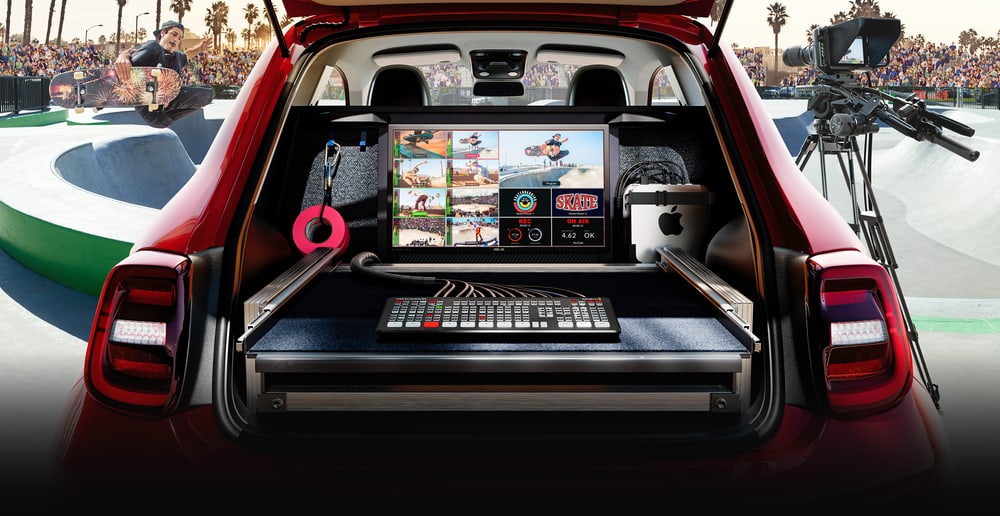
Eight synchronised 3G-SDI inputs with standards conversion handle multi-camera events, sport or location broadcasts, and the whole setup even fits in the boot of a car. Four independent SDI aux outputs make monitoring, program feeds and returns to the cameras easy.
Nine ISO recordings and a DaVinci Resolve project
The switcher records all eight clean SDI inputs as separate H.264 files at up to 70 Mb/s and the program at streaming quality, the audio of ten stereo inputs as WAV files and the switching as a DaVinci Resolve project. Open the live show as an edit and fine-tune or replace shots.
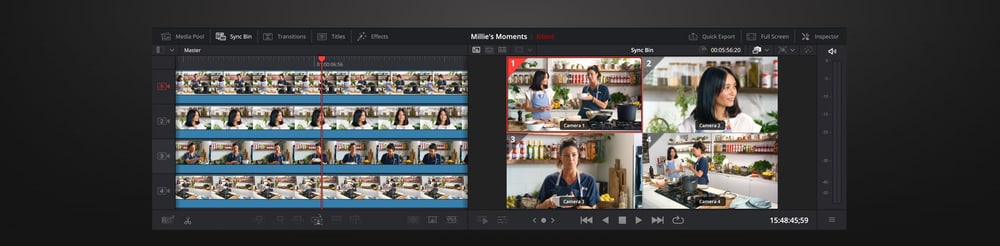
Multiview with up to 16 views
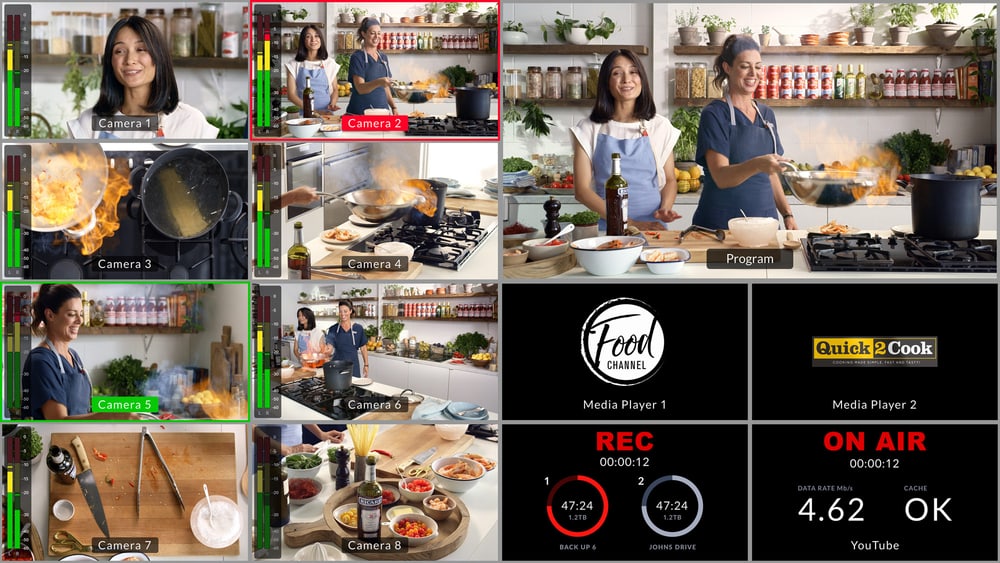
The multiview can be set to 16, 13, 10, 7 or 4 views: program, preview, eight SDI inputs, SuperSource, clean feed, media players, streaming and recording status and audio meters. Press M/V to route it to an SDI output.
SuperSource and two DVEs
Alongside two independent DVEs, SuperSource adds four more DVE layers over a custom media pool background and appears to the switcher as an extra source. It suits interviews with several guests side by side while both main DVEs stay free.
Virtual sets with four keyers
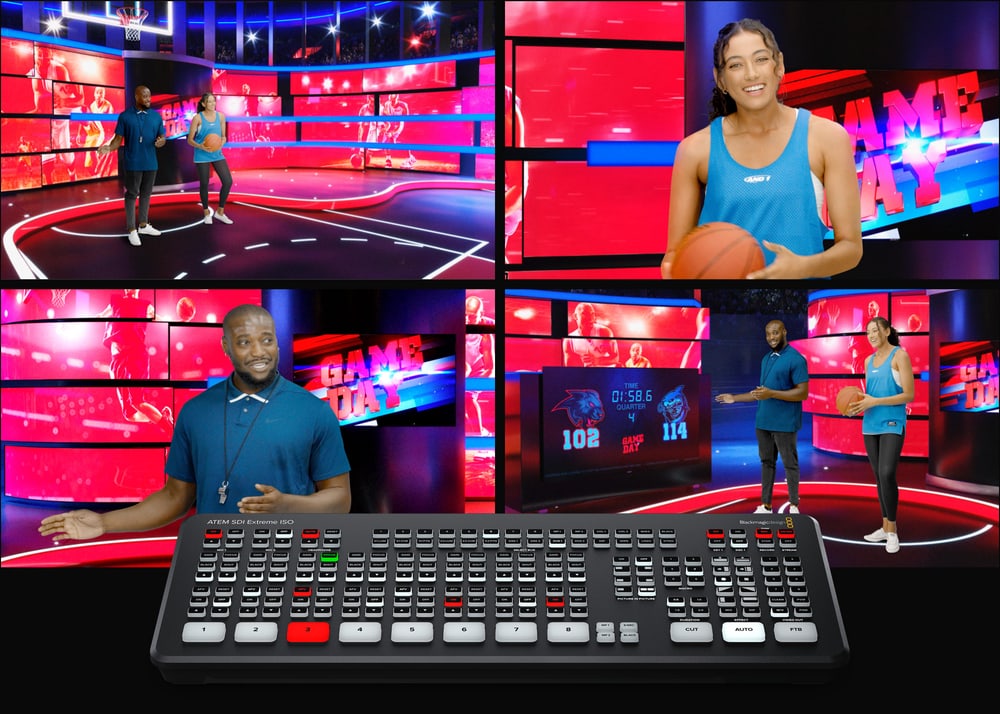
Four upstream keyers with ATEM Advanced Chroma Key give every camera its own keyer, so you can build a virtual set for up to four cameras: four inputs for cameras and four for backgrounds from a computer. With fixed cameras, stills from the media players serve as backgrounds.
Camera control from the panel and over SDI
On the panel every input has buttons for gain, focus, black level and shutter of Blackmagic cameras; the commands travel with tally over the SDI outputs. For fine color matching connect an ATEM Camera Control Panel or ATEM Micro Camera Panel.
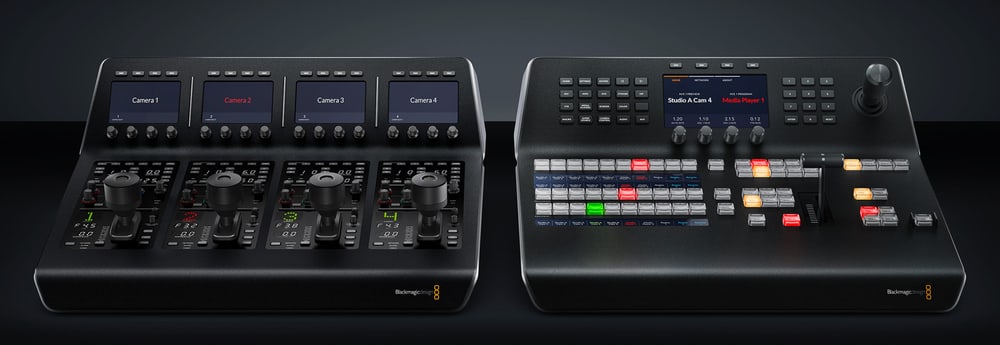
Streaming over Ethernet and mobile data
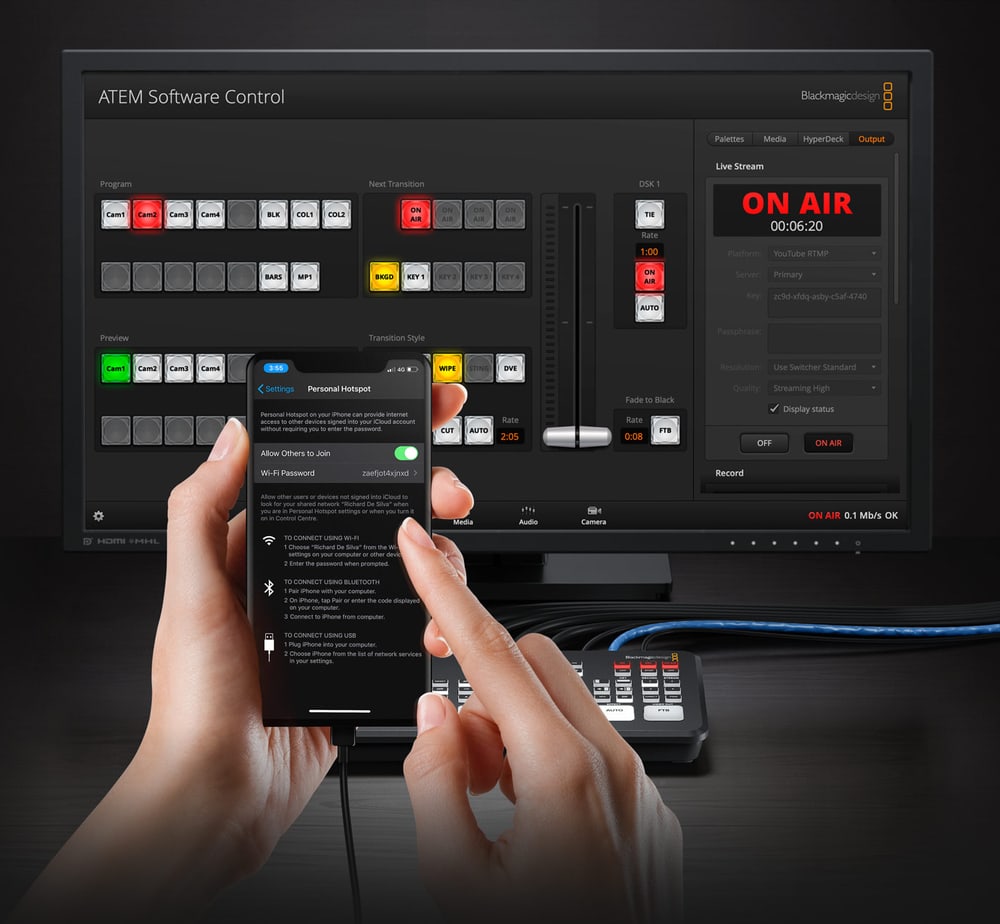
The hardware encoder streams via RTMP or SRT to YouTube, Facebook, Twitch and other platforms without a computer. A 4G or 5G phone connected via USB-C serves as a mobile connection or an Ethernet backup, and the switcher keeps it powered.
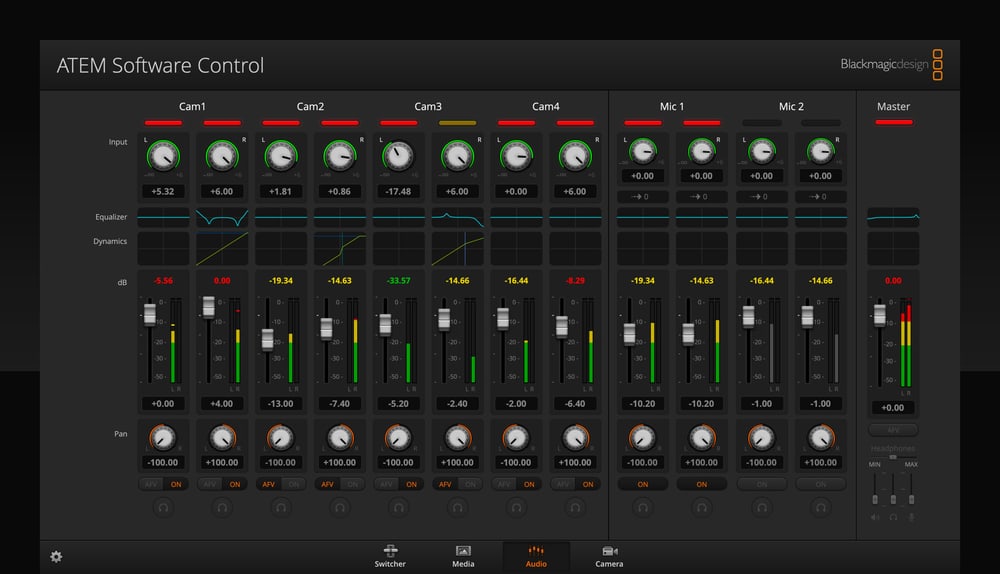
Fairlight mixer and headphone output
All eight SDI inputs and both 3.5mm microphone inputs get their own mixer channels with 6-band parametric EQ, compressor, limiter, expander, noise gate and panning. A 3.5mm headphone output with its own panel buttons handles monitoring.
Control panel and connections
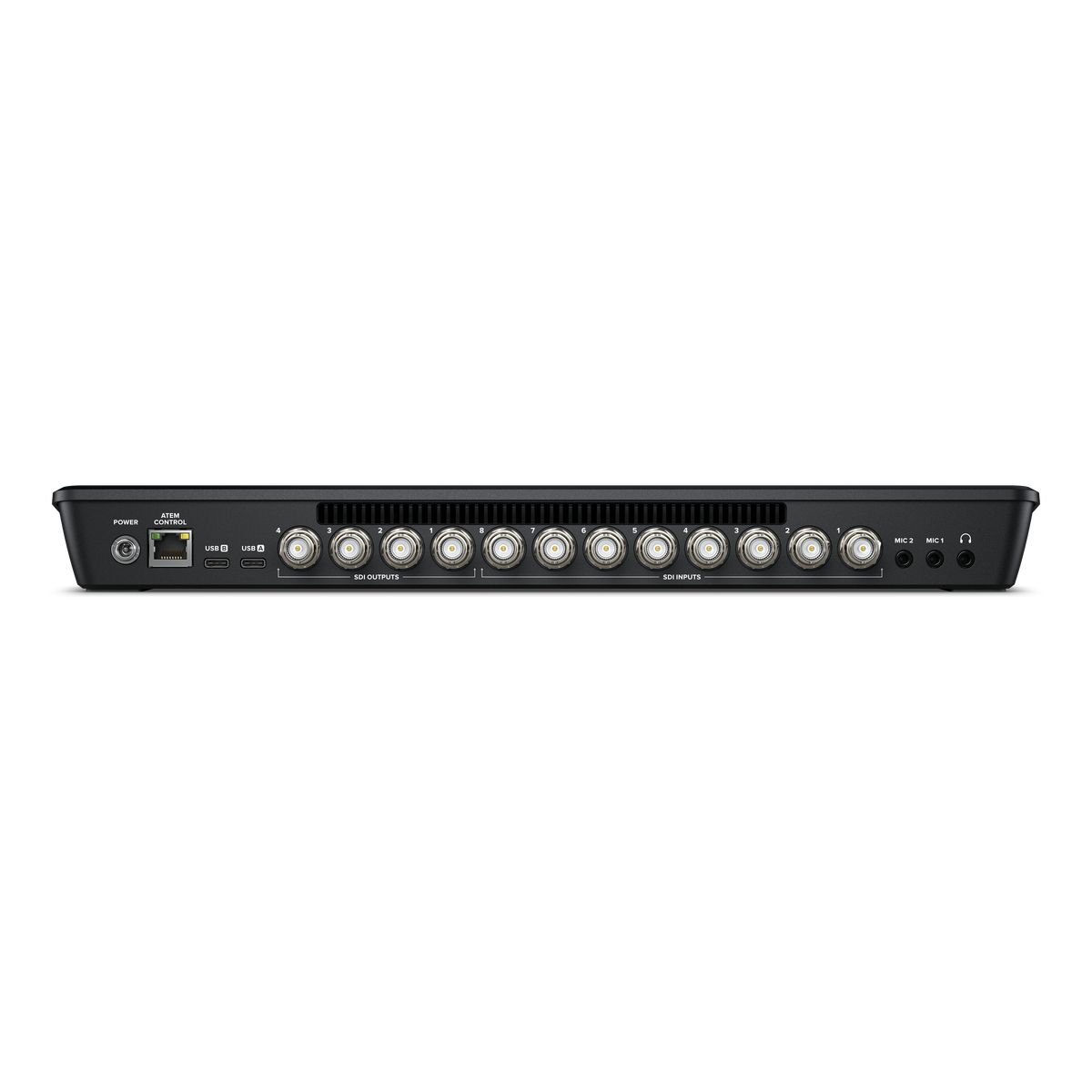
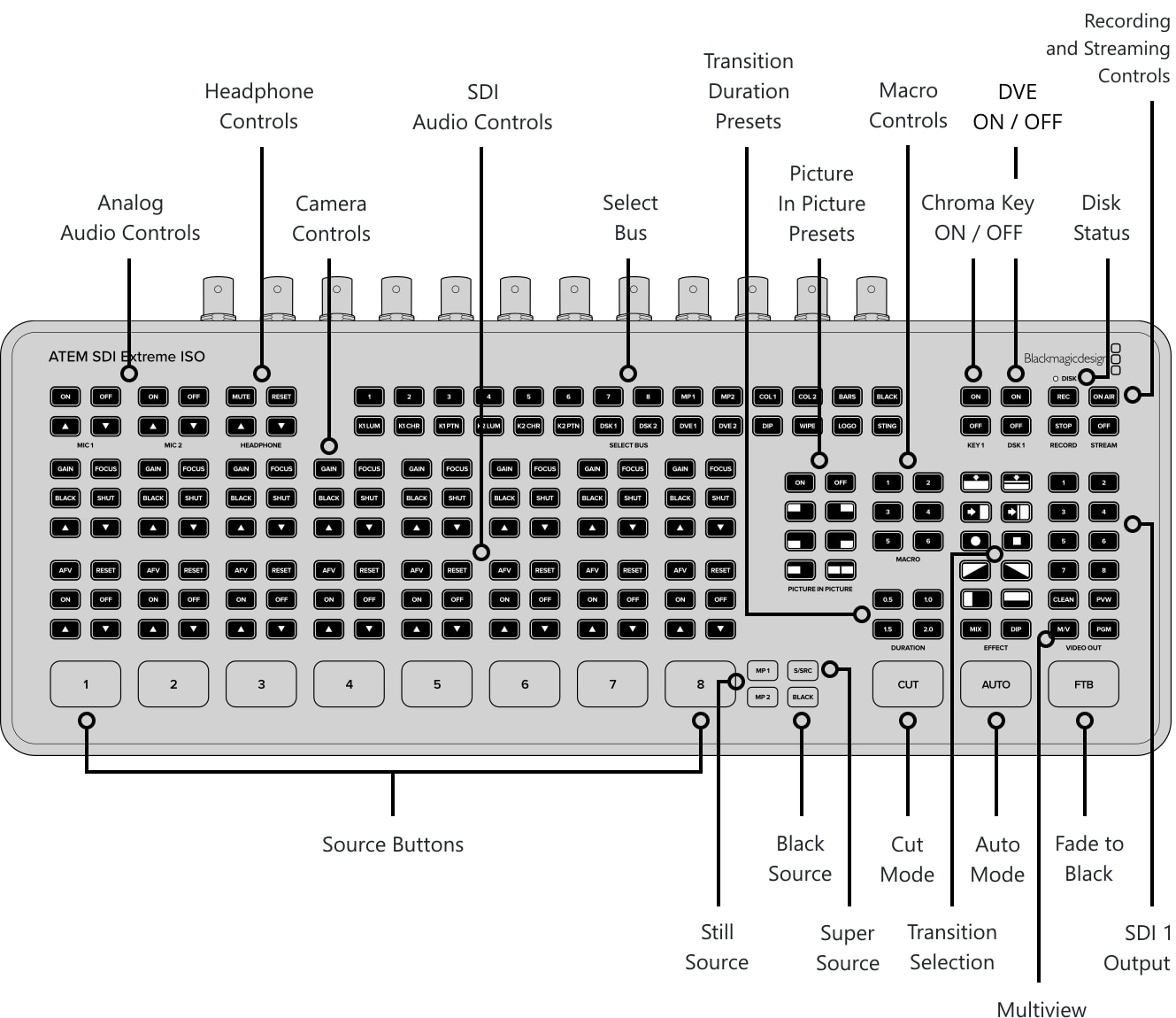
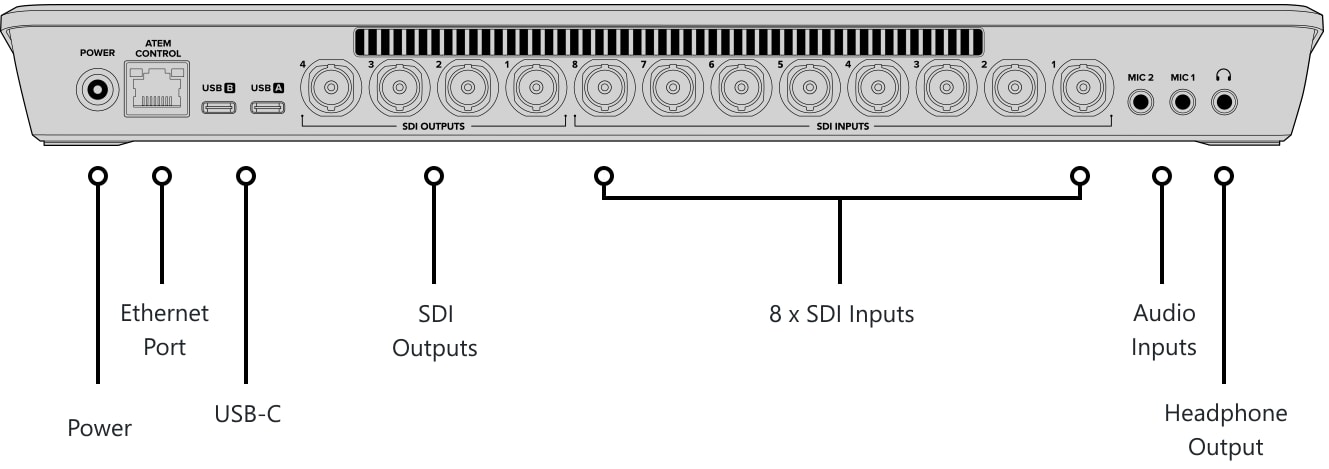
The front carries the source, transition, effects, macro, camera, audio, recording and streaming buttons; the rear has power, Ethernet, two USB-C, four SDI outputs, eight SDI inputs, two 3.5mm microphone inputs and a headphone output.
More information
Customers get 4 SDI inputs on the ATEM SDI and ATEM SDI Pro ISO models and 8 SDI inputs on the ATEM SDI Extreme ISO model. Plus all SDI inputs feature standards converters and re-sync. Customers even get DVEs for picture in picture effects. The USB works as a webcam for connecting video to computers, while the Pro and Extreme models feature built in streaming.
ATEM SDI’s compact all in one design includes both a control panel as well as connections. The front panel includes easy to use buttons for selecting sources, video effects and transitions. The source buttons are large so it’s possible to use it by feel, letting the presenter do the switching. Customers even get buttons for audio mixing. The ATEM SDI Pro ISO and Extreme ISO models have buttons for recording and streaming control, as well as output selection buttons that let customers change the video output between program, direct camera feeds and the multiview. On the rear panel there are SDI connections for cameras, extra microphone inputs, USB for webcam plus multiple SDI "aux" outputs for program video.
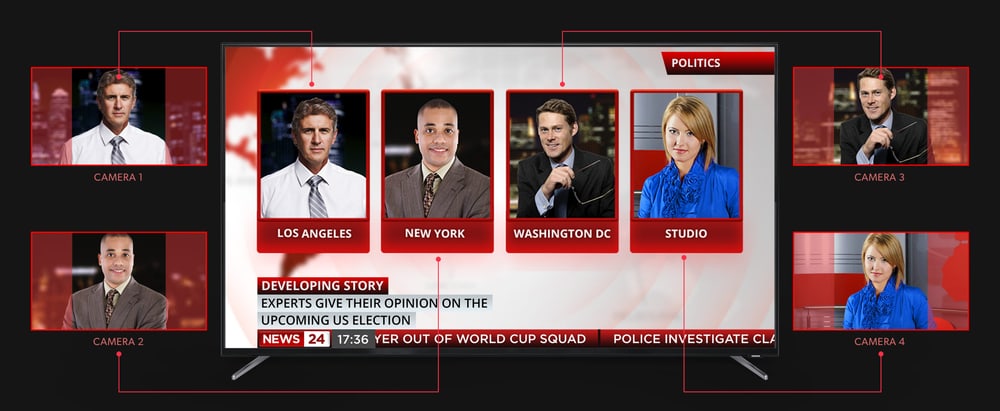
With 4 or 8 video inputs, depending on the model, ATEM SDI lets customers connect multiple cameras for different views of the performance. All video sources will re-sync to the switcher, even if they operate at different video standards. Everything just works so setup on location is easy and customers don't have to worry about technical problems.
ATEM SDI Pro ISO and ATEM SDI Extreme ISO models have a built in hardware streaming engine for live streaming via their ethernet connections. That means customers can live stream to YouTube, Facebook and Twitch in better quality, without dropped frames and with simpler settings. Just select the streaming service and enter the streaming key. There are palettes in ATEM Software Control for streaming setup, plus streaming status is also displayed in the multiview. Streaming status is easy to understand as the data rate indicator shows internet speed required for the video format users are using.
If users are doing live production on location then the ATEM SDI Pro ISO and Extreme ISO models support connecting an Apple or Android phone to the USB port to use mobile data. It's also a great backup for the main Ethernet connection.
The ATEM SDI Pro ISO and Extreme ISO models also support direct recording of their streaming data to USB flash disks. That means customers get very long recordings in the same H.264 video files with AAC audio that customers streamed, so customers can direct upload to any online video site, such as YouTube or Vimeo. Recording to multiple disks is also supported via a USB hub so when a disk fills, recording can continue to a second disk so customers get non-stop recording. Record settings and disk selection are set up in ATEM Software Control and customers can also display the recording status in the multiview.
The ATEM SDI Pro ISO and Extreme ISO models allow customers to edit their live event as they can record multiple video streams, including clean feeds of all inputs and program, all at the same time. Media pool images used are also saved with the video files. The video files include metadata tags such as synced timecode and camera numbers. Imagine re-editing their show with new color grades, effects and graphics. Even the audio sources are all recorded so customers can professionally remix their audio.
The ISO models also save a DaVinci Resolve project file, so with a single click customers can open their live production as a video edit. All cuts, dissolves and media pool graphics will be loaded. This means customers can fine tune edit points or even completely replace shots. The DaVinci Resolve Sync Bin lets customers edit shots via a multiview interface, so it's easy to use and fast. All ISO files will be automatically aligned by timecode, so customers can scroll along and see all camera angles perfectly synced.
Each 3G-SDI video input features its own dedicated standards converter. That means ATEM SDI will automatically convert 1080p, 1080i and 720p sources to the switcher video standard. The SDI outputs are a true "aux" outputs so customers can independently customize the source video routed to each SDI output. All outputs can be connected to cameras as they include camera control and tally information. On the more powerful ATEM SDI Pro ISO and ATEM SDI Extreme ISO models, the SDI output can also be selected to display the built in multiview.
The ATEM Software Control app unlocks the hidden power of ATEM SDI and allows access to every feature in the switcher. ATEM Software Control features a visual switcher user interface with parameter palettes for making quick adjustments. Although customers can normally connect via USB, if customers connect using Ethernet it's possible for multiple users to connect to ATEM SDI using separate copies of ATEM Software Control on different computers. Customers can even save the switcher state as an XML file. If customers need clip playback, customers can even control HyperDeck disk recorders via Ethernet.
The ATEM SDI Extreme ISO model includes 4 upstream chroma keyers and this allows customers to build exciting virtual sets. With 4 independent chroma keyers, customers get a keyer per camera so customers can build a virtual set for up to 4 cameras. With ATEM SDI Extreme ISO customers have 8 inputs, 4 to use for cameras and the other 4 can be connected to a virtual set computer for the rendered backgrounds. Or if customers don't need to move their cameras, customers can do fixed camera virtual sets by loading pre rendered still image backgrounds from the media players and media pool. Customers can setup macros to change cameras and load the correct background into the media players.
In addition to 2 independent DVEs in the ATEM SDI Extreme ISO model, there's also a powerful SuperSource multi layer processor with 4 extra DVE layers plus a background layer, that all appear to ATEM SDI Extreme ISO as an additional input source. Any ATEM SDI Extreme ISO video input can be used for each SuperSource DVE, then it’s all layered together over a media pool custom background.
When doing larger live productions with multiple cameras, it’s very useful to see all their video sources at the same time on a single monitor. The ATEM SDI Pro ISO and ATEM SDI Extreme ISO models include a professional multiview that lets customers see all video inputs, preview and program on a single SDI monitor. Each camera view includes tally indicators so customers know when each source is on-air, and each view also has custom labels and audio meters. Plus the ATEM SDI Extreme ISO model allows customers to select up to 16 custom views. Multiview even includes status for recording, streaming and the audio mixer.
ATEM SDI Switchers Features
- Features miniaturized control panel based design.
- Supports connecting up to 8 cameras or computers.
- Live stream via Ethernet on ATEM SDI Pro ISO and Extreme ISO models.
- Phone tethering for remote streaming via mobile data on ATEM SDI Pro ISO and Extreme ISO models.
- Records to USB disks in H.264 on ATEM SDI Pro ISO and Extreme ISO models.
- Automatically standards converts and re-syncs all SDI inputs.
- Includes free ATEM Software Control for Mac and Windows.
- 4 upstream ATEM Advanced Chroma keyers on ATEM SDI Extreme ISO model.
- Up to 6 independent DVEs on ATEM SDI Extreme ISO model.
- Customizable 16 way multiview on ATEM SDI Extreme ISO model.
PACKAGE CONTENT
- ATEM SDI Extreme ISO
- External 12V DC power supply with international socket adapters
SPECIFICATIONS
- Video inputs: 8× 3G-SDI, 10-bit HD, standards conversion and re-sync on all inputs, 2-channel embedded audio
- Video outputs: 4× 3G-SDI program/aux (including multiview) with camera control and tally
- Computer interface: 2× USB-C 3.1 Gen 1 for disk recording, webcam, control, updates and panel connection
- Ethernet: 10/100/1000BASE-T for streaming, control and panel connection
- Audio inputs: 2× 3.5mm stereo mini jack (unbalanced, mic plug-in power)
- Audio output: 1× 3.5mm stereo mini jack for headphones
- Streaming: hardware encoder, RTMP and SRT over Ethernet or a shared connection via USB-C; Blackmagic Cloud Stream Router
- ISO recording: 8 clean SDI inputs (H.264 .mp4 up to 70 Mb/s) and the program at streaming quality, AAC audio
- Audio recording: 10 stereo WAV tracks, 24-bit / 48 kHz (2 analog and 8 SDI inputs)
- Project: program switching saved as a DaVinci Resolve .drp project; exFAT or HFS+ media
- Multiview: 16, 13, 10, 7 or 4 views: program, preview, 8 SDI inputs, SuperSource, clean feed, media players, streaming and recording status, audio meters
- Maximum standard: HD up to 1080p60; inputs 720p50–60, 1080p23.98–60 and 1080i50–60
- Keyers and effects: 4 upstream, 2 downstream, up to 4 ATEM Advanced Chroma Key, up to 4 linear/luma, 2 DVEs with borders and drop shadow, SuperSource
- Media pool: 2 media players, 20 stills with fill and key (PNG, TGA, BMP, GIF, JPEG, TIFF)
- Audio mixer: 11 inputs × 2 channels, 6-band parametric EQ, compressor, limiter, noise gate; digital audio output over USB-C
- Control: built-in panel and ATEM Software Control (Mac, Windows); optional ATEM hardware panels
- Power: external 12V power supply, 36 W
- Dimensions: 370 × 151 × 39.6 mm
- Weight: 1.42 kg
- Operating temperature: 5 to 40 °C
- Storage temperature: −10 to 60 °C
- Relative humidity: 0 to 90%, non-condensing
- Warranty: 1 year
ARTICLES
WE RECOMMEND
The following accessories go with the Blackmagic Design ATEM SDI Extreme ISO.
ATEM control panels – Panels for hands-on control of the switcher and cameras.
- Blackmagic Design ATEM Camera Control Panel
- Blackmagic Design ATEM Micro Panel
- Blackmagic Design ATEM Micro Camera Panel
Stream decoder – Decoder that receives an H.264 stream over Ethernet and outputs it as SDI and HDMI.
Multiview monitors – Feelworld Seetec monitors with multiview for watching several sources at once.
SDI cables – Coaxial cables for carrying SDI signals.
Parameters
| Manufacturer: | Blackmagic Design |
| Category: | Switchers |
Main parameters
| Encoder video input | 3G-SDI |
| Number of inputs | 8 |
| Streaming services | YouTube Live · Facebook Live |
| Switcher inputs | 3G-SDI |
| Streaming services | RTMP · Twitch · SRT |
| Switcher outputs | 3G SDI · USB |
| Internal recording | Yes |
| Scaler on inputs | Yes |
| Resolution | HD |
| Features | Virtual studio · Streaming · Recording · DSK · AUX · Chroma Key · Audio mixing · Media player · Multiviewer · ISO recording 9 streams |
| Control panel | Yes |
Blog and news
Date: 13. 03. 2025, Category: Blog
Blackmagic Design: Replay workflow
Replay workflow with Blackmagic Design With its DaVinci Resolve Replay Editor, Blackmagic Design provides a reliable solution for professional slow…
Date: 07. 03. 2025, Category: Blog
Selected ATEM ISO models on sale!
We have a unique discount promotion on selected ATEM ISO products from Blackmagic Design, which you can now get at a discount of up to 23%! The…
ACCESSORIES (7)
ACCESSORIES (7)
Blackmagic Design ATEM Micro Panel
ATEM Micro Panel is an affordable hardware control panel for ATEM Software Control,
749 €
In stock > 5 pcs
Blackmagic Design ATEM Streaming Bridge
ATEM Streaming Bridge decodes an H.264 stream from compatible ATEM Mini and ATEM
290 €
In stock > 5 pcs
Blackmagic Design ATEM Micro Camera Panel
ATEM Micro Camera Panel is a portable camera control panel (CCU) with high-end broadcast
669 €
To be sent 2 pcs
Blackmagic Design ATEM Camera Control Panel
ATEM Camera Control Panel is a broadcast camera control unit (CCU) for ATEM switchers
3 269 €
on request
Feelworld Seetec ATEM156S 15.6" Multiview Monitor HDMI/SDI
The ATEM156S is the HDMI/SDI variant of the popular ATEM156 HDMI multiview monitor
989 €
on request
Infinitek L-5.5CUHWS 5m FLEX 12G-SDI cable BNC-BNC
Coaxial cable specially designed for mobile 12G-SDI applications with excellent resistance
49 €
on request
Infinitek L-5.5CUHWS 2m FLEX 12G-SDI cable BNC-BNC
Coaxial cable specially designed for mobile 12G-SDI applications with excellent resistance
30 €
on request
Alternative (8)
Alternative (8)
Blackmagic Design ATEM Mini Pro
ATEM Mini Pro offers everything of the popular ATEM Mini and adds features for recording,
439 €
To be sent 1 pcs
AVMatrix SHARK S8X
AVMATRIX Shark S8X is a professional 8-channel SDI/HDMI video switcher for live production,
1 699 €
In stock 5 pcs
Blackmagic Design ATEM Mini Pro ISO
Promotion: -3%
ATEM Mini Pro ISO is a switcher for four HDMI cameras that records up to five video
558.34 €
578.38 €
To be sent 1 pcs
AVMatrix SHARK S6 PLUS
AVMATRIX Shark S6 Plus is a professional 6-channel SDI/HDMI video switcher for live
1 459 €
Backordered > 5 pcs
Blackmagic Design ATEM Mini Extreme ISO G2
ATEM Mini Extreme ISO G2 is a compact live switcher for eight HDMI cameras with ISO
3 479 €
In stock 1 pcs
Blackmagic Design ATEM SDI Pro ISO
Promotion: -4%
ATEM SDI Pro ISO is the 3G-SDI version of the popular ATEM Mini HD switchers with
850.04 €
882.09 €
To be sent 1 pcs
Blackmagic Design ATEM SDI
Promotion: -5%
ATEM SDI is the 3G-SDI version of the popular ATEM Mini HD switchers. Its four SDI
361.14 €
381.15 €
To be sent 1 pcs
Blackmagic Design ATEM Mini Extreme
Promotion: -12%
ATEM Mini Extreme is the largest model in the ATEM Mini range of compact live switchers
1 062.04 €
1 208.79 €
on request
To this product (5)
To this product (5)
Blackmagic Design Pocket Cinema Camera 6K Pro
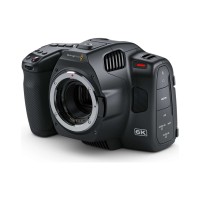
The Blackmagic Pocket Cinema Camera 6K Pro is the most advanced Pocket model, with
2 669 €
In stock 1 pcs
Blackmagic Design Pocket Cinema Camera 6K G2
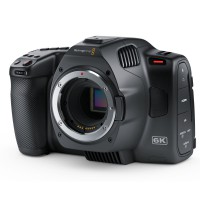
A next generation model of the Blackmagic Pocket Cinema Camera 6K. The Blackmagic
2 179 €
In stock 2 pcs
Blackmagic Design Studio Camera 4K Pro
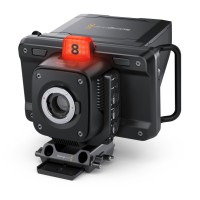
A new family of Blackmagic Studio Cameras for live production. The new compact all-in-one
2 149 €
No longer available
Blackmagic Design Studio Camera 4K Plus
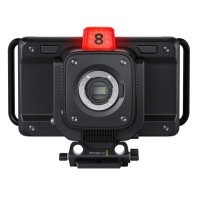
A new family of Blackmagic Studio Cameras for live production. The new compact all-in-one
1 489 €
No longer available
Blackmagic Design Studio Camera 4K Plus G2
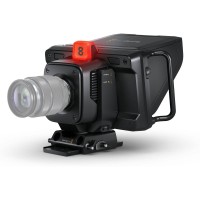
Blackmagic Studio Camera 4K Plus G2 is a compact 4K studio camera with an active
1 459 €
on request
News, training, and discounts from Syntex
Special offers and discounts for subscribers only · Free audio & video workshops · News and tips from the world of filmmaking
- Show all
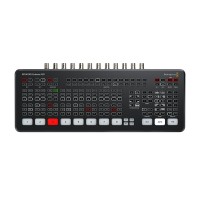
Blackmagic Design ATEM SDI Extreme ISO
Promotion: -13%ATEM SDI Extreme ISO is the largest 3G-SDI version of the popular ATEM Mini HD switchers.1 433.44 €1 652.86 €on request
ATOMOS AC Power Supply for Sumo19 /19SE
The ATOMOS AC Power Supply is designed to power the Sumo 19 and Sumo 19SE monitors96 €on request
Datavideo VP-929 4K HDMI Repeater
Datavideo VP-929 is a 4K HDMI repeater for extending cable runs in fixed installations.108 €14-30 days