STARDOM announces a new 2 bay USB 3.1 Gen 2 Type C storage – ST2-B31+, comes with USB Type C connector, can support the data transmission speed up to 10Gbps, provide 24 W USB Power Delivery and also provide one Mini DisplayPort to extend the 2nd monitor.
ST2-B31+ can support two 3.5” or 2.5” hard drive or Solid State Drive (SSD) and comes with USB 3.1 Gen2 interface, the data transfer rate up to 10Gbps!! User could enjoy searching data, editing high resolution photos or watching videos with extreme high speed. ST2-B31+ is also built in four RAID Modes, including RAID 1 (Safe Mode) / RAID 0 (Speed Mode) / JBOD (Two Independent volume) / BIG Mode, which can be set according to the different user needs. Besides, ST2-B31+ supports USB Type C connector with plug and play, users could easily insert any sides of USB cable without distinguish front or back side.
LightWave 3D 2019.1.3 is available now in the Registration system as a free update for registered LightWave 2019 users. The fix that will affect the largest number of users is a change required for Layout/Modeler/Hub proper linking by OS changes introduced in recent Windows 10 updates that impacted the launch timing of the applications. Fixes in Layers Panel, Network Render Controller, Modeler LScript and for copying the License Key during Mac installs round out this maintenance release.
New beta update for DaVinci Resolve Studio 16.1 improves editing and snapping behavior on the Cut page, features redesigned timeline rulers, more accurate waveform drawing and introduces interface refinements that make it easier to see small cuts on the upper timeline. In addition, this update dramatically improves render speed for unchanged DNxUncompressed clips, includes additive compositing options to the Light Rays and Glow Resolve FX plug-ins, improves sound library searches, addresses playback issues for clips with different sample rates, and more. New support for encoding AVC Intra 50, 100 and 200 has also been added to DaVinci Resolve Studio. Get it here.
Blackmagic Design announced ATEM Mini a new low cost live production switcher specifically designed to allow live streaming to YouTube and business presentations via Skype. ATEM Mini will be available in November 2019 for 289 EUR ex. VAT.
The new ATEM Mini makes it easy to create professional multi camera productions for live streaming to YouTube or innovative business presentations using Skype. Simply connect ATEM Mini and customers can switch live between 4 high quality video camera inputs in dramatically better quality images. Customers can even connect to a computer to present PowerPoint slides or add a gaming console. The built in DVE allows exciting picture in picture effects, perfect for live commentary. There's loads of video effects too. To live stream, ATEM Mini has a USB output that works like a webcam, so customers can connect to any video software. There's also HDMI video out for projectors. Microphone inputs allow high quality desktop and lapel mics for interviews and presentations.
ATEM Mini features a compact control panel based design with all video, audio and control connections on the rear panel. The front panel includes easy to use buttons for selecting sources, adjusting audio inputs, as well as selecting video effects and transitions. The rear panel includes HDMI inputs for connecting cameras or computers, plus additional microphone inputs. The ATEM Mini program is output via an HDMI video out as well as a USB for webcam output. The front panel buttons are large and easy to use by feel, so its even possible to use the switcher while presenting. Customers also get audio mixer buttons for live audio mixing.
ATEM Mini is very easy to use, as customers simply press any of the input buttons labelled 1 to 4 on the front panel to change or cut between video sources. Customers can choose between cut transitions or effects transitions by selecting the cut or auto buttons on the panel. Unlike cut, the auto button tells ATEM Mini to use a selected video effect when switching between inputs. Customers can select from exciting transitions such as a commonly used dissolve, or more dramatic effects such as dip to color, DVE squeeze and DVE push. The DVE is perfect for picture in picture effects and customers can instantly set up different picture positions from the buttons on the control panel. There is even a still store for titles and graphics accessible via external software control.
With 4 independent HDMI inputs, customers can connect up to 4 high quality consumer video cameras. All connected sources will re-sync to the switcher if they operate at different video standards, which means all inputs just work and customers can handle unknown equipment if customers are visiting new venues or locations. Imagine using the low light capability of professional cameras for theater production and music videos.
To ensure the maximum compatibility possible, ATEM Mini features a USB connection that operates as a simple webcam source. That means customers can plug in and instantly get working with any video software. The software is tricked into thinking the ATEM Mini is a common webcam, but it's really a live production switcher. That guarantees full compatibility with all software in full resolution 1080HD quality. Choose any software customers like, such as Open Broadcaster for live streaming, or Skype for point to point presentations. ATEM Mini works with software and platforms such as Open Broadcaster, XSplit Broadcaster, YouTube Live, Facebook Live, Skype, Twitch TV, Periscope, Livestream, Wirecast and more.
The HDMI program output is perfect for connecting ATEM Mini into an external recorder or monitor. ATEM Mini supports recorders such as the HyperDeck Studio Mini and Blackmagic Video Assist. Customers get a high quality output with switcher program video, plus live audio from the internal audio mixer. The HDMI output can even be connected to video projectors in large venues. If customers connect the ATEM Software Panel customers can even change the HDMI output direct from any of the video inputs. There's also a low latency setting allowing output of connected gaming consoles on the HDMI output. If customers enable broadcast style mix effects switching, the HDMI output can be used to preview sources before a transition.
With two independent 3.5mm stereo audio inputs, customers can connect desktop and lapel microphones. With 2 extra stereo audio inputs, customers can ensure a host and guest both have lapel microphones when doing interviews. All audio inputs to ATEM Mini include buttons on the panel for adjusting audio level and enabling inputs into the audio mixer.
The ATEM Software Control app unlocks the hidden power of the ATEM Mini as customers get total control over the switcher features, plus the software is included free for Mac and Windows. ATEM Software Control features a visual switcher user interface with parameter palettes for making quick adjustments. Although customers can normally connect via USB, if customers connect using Ethernet it's possible for multiple users to connect to ATEM Mini using separate copies of ATEM Software Control on different computers. Customers can even save the switcher state as XML files. If customers need clip playback, customers can even control HyperDeck disk recorders via Ethernet.
The built in "media pool" allows loading of up to 20 separate broadcast quality RGBA graphics for titles, opening plates and logos. Customers can even use still frames for complex effects such as graphic wipes. ATEM Mini can even grab stills from the video output and add them to the internal media pool. Customers can easily manage the still store graphic using the included ATEM Software Control app, or customers can download directly from Photoshop software using the ATEM Photoshop plug-in. The Photoshop Plug-in is perfect for graphics that need to change often, such as scoreboards, as customers can update the text and download directly into the switcher, allowing graphics to get on-air fast.
For news or on-set presentation work, ATEM Mini is the perfect choice as it features an ATEM Advanced Chroma Key for high quality chroma or luminance keying, plus an additional downstream linear keyer. Customers can even use it for title overlays simply by using PowerPoint or other software with a green or blue background and the keyer will knock out the green and make the background transparent.
With a built in Fairlight audio mixer, the ATEM Mini makes it possible to do extremely complex live sound mixing. The internal mixer features a total of 12 channels so customers get the ability to mix audio from all sources. 8 mixer channels are de-embedded from the HDMI inputs, while an extra two stereo audio channels are input via the 3.5mm microphone connections on the rear panel. Each input channel features the highest quality 6 band parametric EQ and compressor, limiter, expander and noise gate as well as full panning.
The HDMI output is a true "aux" output so customers can clean switch each of the 4 HDMI inputs or the program feed to this output. Customers can even "direct" switch input 1 to the HDMI output for low latency for eSport. If customers select broadcast style mix effects switching, customers can also output a preview feed, allowing verification of the source before transitioning to it.
Grass Valley released version 9.50 of its EDIUS editing solution, which has been extended by a large number of particularly requested features. As always, EDIUS 9 users get the update to version 9.50 free of charge.
In addition, Grass Valley launched an attractive EDIUS 9 "Plus" Promotion that will be available until the release of the next version of EDIUS. Anyone purchasing EDIUS 9 from 13 September 2019 will receive a free upgrade to the next version, which is expected in 2020. Entitled are EDIUS Pro 9 or Workgroup 9 full versions as well as (Jump) upgrades from version 8 and older EDIUS versions - except for the discounted EDU versions and the Home Edition. As with EDIUS 8 and 9, EDIUS 9 and the next version can be installed in parallel on the same PC.
EDIUS 9.50 includes the following new features, amongst others:
Multicam Audio Sync
The synchronization of multi-camera recordings is now also possible via audio - as desired by many users. The new function is used when shooting with multiple cameras - or even when adding sound recording by a Field Recorder. Synchronization is possible both before editing and during editing, if, for example, further recordings are added to the project. Ultra-fast audio analysis is achieved by supporting clip brands. Another innovation is the automatic adjustment of the number of cameras in the multicam preview. When synchronizing to a new multicam sequence, EDIUS automatically selects the optimal view according to the number of cameras.
Import of Blackmagic RAW clips
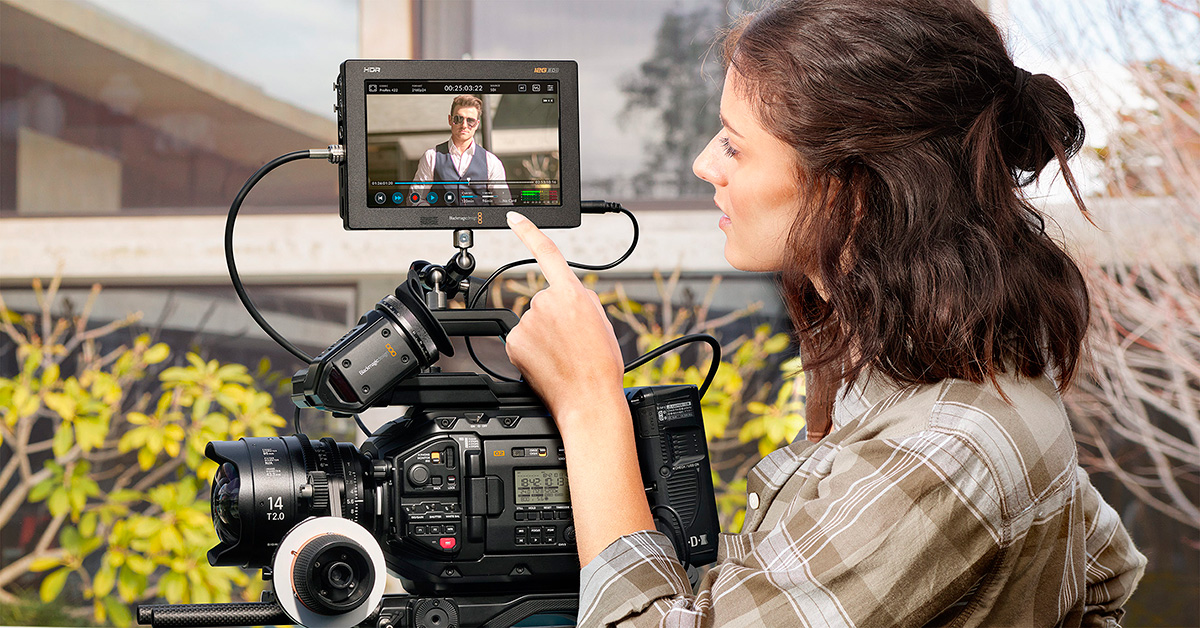
EDIUS 9.50 supports the import of the new Blackmagic RAW format. Thus, EDIUS is probably the only editing software on the market that supports all popular RAW formats. BRAW files of the URSA Mini Pro and the Pocket Cinema 4K/6K can thus be imported directly via the bin window.
In addition, Workgroup users also benefit from the draft mode optimized for Blackmagic RAW. Finally, EDIUS 9.50 now supports the special color spaces of the Blackmagic cameras.
Export of Apple ProRes 4444 clips with alpha channel
Unlike many other editing systems, EDIUS allows the export of videos with alpha channel. New in EDIUS 9.50 is the export including alpha channel in the format ProRes 4444. EDIUS Pro 9.50 allows the ProRes 4444 export as MOV file, EDIUS Workgroup 9.50 also offers MXF file in addition.
Import of other RAW camera formats (Canon and Sony)
EDIUS 9.50 now supports the import of Canon Cinema Raw Light material from the recently introduced Canon EOS C500 Mark II. In addition, the Sony Raw support has been updated to version 3.3. The import of Sony X-OCN material is now also possible in EDIUS 9.50.
New Features in Mync
The Media Management Software Mync now supports, amongst others, the decoding of Blackmagic RAW material. The color spaces of the Blackmagic Design cameras are also available. With the new loop playback function clips are automatically played as an endless loop.