
 CZ
CZ SK
SK HU
HU AT
AT DE
DE ES
ES SI
SI HR
HR
Nothing in the basket.

- Search
-
Login

-
0
Comparison
Add products to compare, then they will appear here and you can compare parameters.
-
0
0 €
News
This year Blackmagic Design announced DaVinci Resolve 15, a massive update which now has Fusion built in, the new Blackmagic Pocket Cinema Camera 4K, ATEM Television Studio Pro 4K, Cintel Film Scanner 2, a new HD multiview, new video converters, HyperDeck software updates and much more!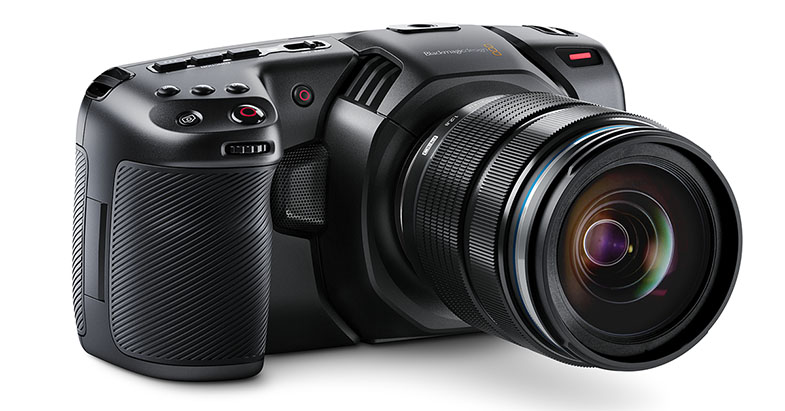
Date: 10. 04. 2018,
Category: News
FULL ARTICLE
Livestream announced two new products at this year's NAB, new compact desktop encoder Studio One, and version 5 of Studio Software that includes hardware acceleration and Vimeo integration:
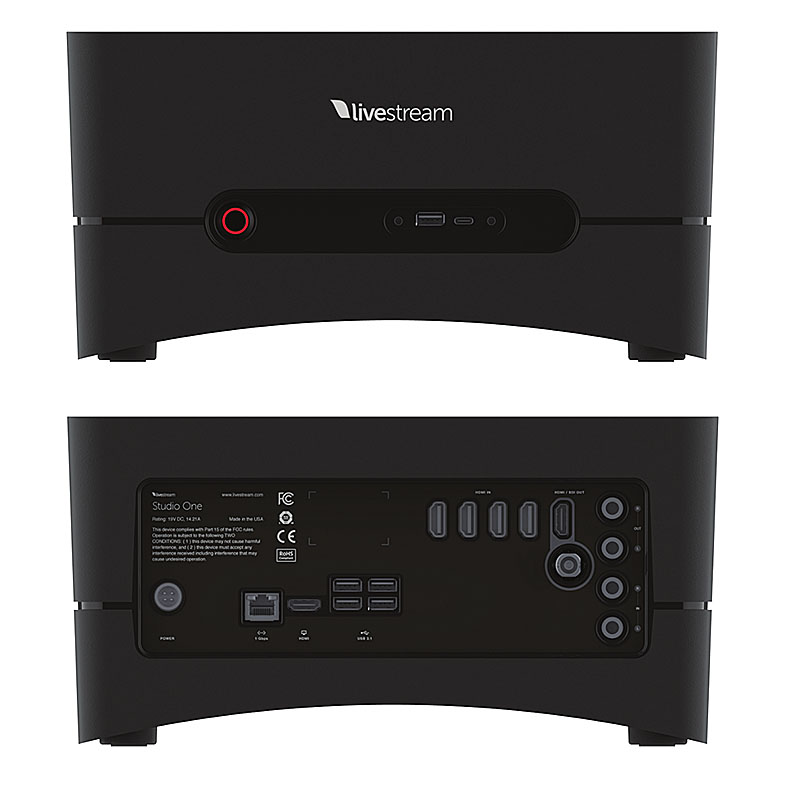
Livestream Studio One
Livestream is developing their newest Studio product, a compact desktop encoder that doesn't spare on horsepower. Livestream is currently showing prototypes for the product at their NAB booth, and it will be ready to ship about 12 weeks after NAB. There will be three versions of Studio One: Studio One 4K (2xHDMI); Studio One HD (4xSDI); and Studio One HD (4xHDMI). Studio One will also feature 1x HDMI and SDI output; 2x 1/4” analog audio inputs; hardware-accelerated encoding and decoding; 1x 1G Ethernet + 802.11ac Wi-Fi; and 20 hours of broadcast quality recording (ISO at 1080).
Livestream Studio 5
New Livestream Studio 5 implements hardware acceleration for encoding/decoding on consumer-grade computers; a new Simple Mode user experience designed for beginners or users with a simplified workflow; the ability to log in to Studio using your Vimeo account and stream to multiple social destinations via the Vimeo simulcast service; and Studio for Mac (beta version).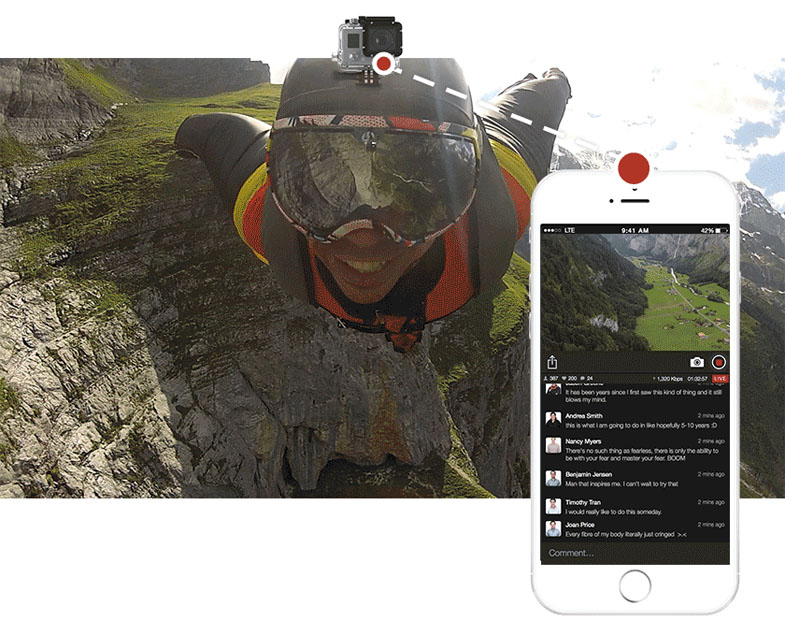
Date: 10. 04. 2018,
Category: News
FULL ARTICLE
SmallHD is debuting 5 new monitors during the NAB Show 2018, April 9-12. The new products drastically expand the FOCUS monitor family, by adding OLED, SDI, and wireless into the mix. SmallHD introduced FOCUS OLED HDMI, FOCUS OLED SDI, FOCUS SDI, FOCUS Bolt TX, and FOCUS Bolt RX. All the new models will become available May 31, 2018, with the exception of FOCUS OLED HDMI and FOCUS SDI that should come a month sooner.
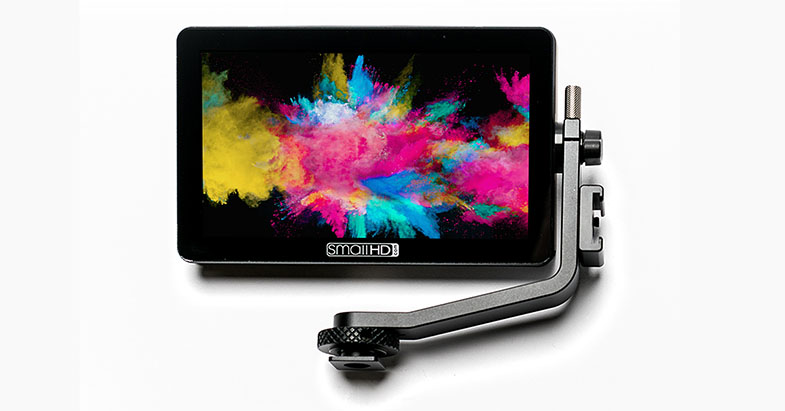
FOCUS SDI
Complementing the SmallHD FOCUS is the FOCUS SDI. This daylight viewable LCD offers the same functionality and portability as the original FOCUS but offers a full-size SDI input as opposed to a Micro HDMI. The FOCUS SDI ships with the SmallHD Tilt Arm, which will attach quickly atop a camera handle via shoe mount. High resolution Scopes, customizable False Color, real-time 3D LUTs and many more professional software tools are easily accessible on the FOCUS SDI's 800 nit bright touchscreen.
575EUR
Expected availability: April 30
FOCUS OLED HDMI
The FOCUS OLED HDMI is a 1920×1080 resolution, 5-inch OLED touchscreen with a Micro HDMI input. Similar to the original FOCUS monitor, this wide color gamut display has a 7.2v power output to power DSLR/mirrorless cameras.
650EUR
Expected availability: April 30
FOCUS OLED SDI
The FOCUS OLED SDI is identical to the HDMI version, except it has a full-size SDI input. Both have an edge-to-edge bonded glass display, include the SmallHD Tilt Arm mounting solution, and are equipped with the OS3 software suite.
750EUR
Expected availability: May 31
FOCUS Bolt TX
The FOCUS Bolt TX is a 5-inch, daylight viewable touchscreen LCD with a built-in Teradek transmitter. The 500ft transmitter is compatible with the FOCUS Bolt RX, 703 Bolt monitor/receiver, Teradeck Bolt 500 and Sidekick II receivers.
1250EUR
Expected availability: May 31
FOCUS Bolt RX
The FOCUS Bolt RX is perhaps the lightest wireless monitor/receiver available. Shipping with the 5-inch touchscreen are the lightweight (extra grippy) monitor handles and Sony L Series battery. The FOCUS Bolt TX/RX add a layer of convenience and creative freedom to wireless workflow.
1250EUR
Expected availability: May 31
Date: 09. 04. 2018,
Category: News
FULL ARTICLE
At the NAB 2018 show, Grass Valley introduced version 9.20 of its EDIUS editing solution, which now includes additional HDR video control tools, new color spaces and a floating license model. As always, EDIUS 9 users will benefit from the update free of charge as part of the regular product enhancement program by Grass Valley.
New video scopes for HDR
With the latest updates, EDIUS has been provided with more and more options for professional color grading, new color spaces and HDR processing. The new video scopes from EDIUS 9.20 offer comprehensive control and analysis functions to achieve the optimal dynamic range. In addition to REC.709, the video scopes now also support new color spaces and offer the nits display essential for HDR. In addition to the Waveform Monitor and Vectorscope, EDIUS 9.20 now also offers the display as an RGB parade, as well as an RGB histogram, which, together with the primary color correction, enable particularly efficient fine tuning.
New color spaces, new color management
EDIUS 9.20 now also supports the color spaces ARRI-ALEXA Wide Gamut / Log C and DJI-D-Gamut / D-Log. Applying the newly introduced color space templates manager, the user can simply deselect any presets not needed and thus obtains an optimal overview with the option to further modify settings to individual needs. Modified template lists can be exported for use with other EDIUS systems.
Floating license model
The "Floating License" model allows the installation of EDIUS 9 onto an unlimited number of workstations within a facility. As a purchase and not a rental model the licensee benefits from only paying for the desired maximum numbers of concurrent active EDIUS users independent from the number of installations. The license model is available starting from five EDIUS Pro 9 or Workgroup 9 licenses. For educational institutions, as with the regular EDIUS version, reduced rates apply.
HDR support in Mync
The Mync Media Manager now supports an HDR workflow including preview, storyboard editing and export. intel Quicksync systems of the 6th, 7th or 8th generation allow an H.265 export.
Further improvements in EDIUS
EDIUS 9.20 now supports the import of Apple ProRes MXF and Sony VENICE RAW. The processing of Canon Cinema RAW Light material of the Canon C200 has been optimized and thus considerably accelerated.
Date: 09. 04. 2018,
Category: News
FULL ARTICLE
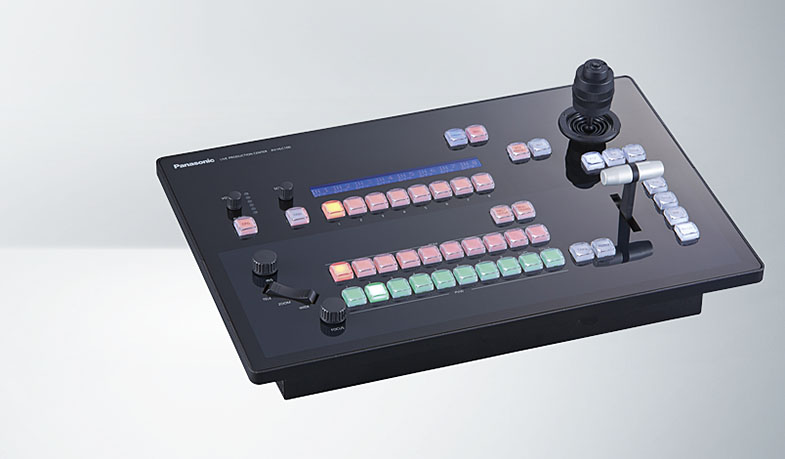
Panasonic has announced April availability of the AV-HLC100 Live Production Center that combines a 1 M/E switcher, remote camera controller (up to eight cameras), graphics overlays, streaming/recording and audio mixer functions to enable easy live streaming with one-person operation.
The Live Production Center facilitates video and audio creation where a limited number of operators are available, such as university sports, webcasting, live streaming and live event video production. The Center makes one-person operation possible for remote camera shooting to streaming transmission.
NDI Technology
NDI, or Network Device Interface, a technology of NewTek Inc. is an advanced video over IP production workflow, allowing distribution of video across network infrastructure rather than specialized video hardware. The AV-HLC100 acts as a hybrid device, bridging baseband (SDI and HDMI) inputs and outputs, with NDI inputs and outputs allowing users to easily transition to the world of IP.
The HLC100 supports a wide range of both NTSC and PAL video formats including 3G-SDI video in 1080/59.94p and 1080/50p (the 1080/59.94p and 1080/50p formats are not supported for HDMI input), and enables cross-conversation on inputs. Eight total inputs are available with the choice of SDI or HDMI for input 1, SDI for inputs 2-4, and NDI for input 5-8. Alternatively, one can utilize NDI for up to all eight inputs so that a system can be configured to match the production environment. There are two SDI outputs, with associated NDI outputs.
PTZ Cameras
The HLC100 Center works directly with Panasonic PTZ and systems cameras, discovering and deploying them automatically using IP video transport (although SDI may be used as well). It will work with all NDI and NDI|HX capable video sources. Compatible cameras include: the new AW-HN38, AW-HN40, AW-UN70, and AW-HN130 integrated PTZs with NDI|HX, and the AW-HE38, AW-HE40, AW-UE70, AW-HE130 PTZ cameras with available upgrade to NDI|HX.
Remote Camera Operation
For remote camera operation, the HLC100's connection and settings can be easily executed using the Easy IP connection function (fully automatic if the connection is to an NDI-enabled camera), and pan, tilt, zoom, and focus operations can be performed with one hand using the large joystick or two hands in combination with dedicated zoom lever and focus/iris knobs. Up to 100 camera presets can be executed from the hardware panel or on the user interface. Commonly accessed camera control functions such as white balance are available for quick access. For advanced settings, a quick short-cut to the camera web interface is provided, allowing access of almost any setting in a Panasonic PTZ camera.
RTMP Streaming
The HLC100 also supports RTMP (Real-Time Messaging Protocol), enabling footage to be directly uploaded simultaneously to multiple live streaming services such as YouTube Live and Facebook Live. Most common streaming destinations are pre-configured in a simple menu, with many customization options. Streamed footage can be streamed and recorded at the same time for easy archiving.
Effects
A wide range of video effects is available for quick and easy live production work, including a title function with a design template, a clip player in which video and still image data can be used as materials, still image storage, PinP, and more than 190 transition patterns including 3D-DVE patterns. The built-in titling/CG includes the ability to load built-in preset looks and styles, the easy manipulation of title components, and eight preset slots to quickly move between looks. Skype TX, a specialized video production version of Skype, can be used for remote interviews, providing an effective technique for live events, webinars, lectures and presentations.
Audio Mixer
The audio mixer functionality is characterized by a maximum of nine inputs, which can be assigned as a combination of embedded audio on SDI or NDI and mic/line inputs. Each input features a seven-band equalizer, compressor and delay control. The visual mixer interface provides the ability to mix and monitor audio levels and adjust quickly and precisely.
User Friendly
The highly user-friendly panel includes buttons for various functions including camera control and switching, along with audio mixing. Up to eight video systems can be freely assigned to the crosspoint buttons, enabling them to be selected easily. With the capability to handle IP input and output, the HLC100 also allows for live streaming and recording, all over IP. This hardware panel for camera control and switching is complemented with a newly-designed software user interface that enables Multiview monitoring, graphics overlay insertions, media players, audio mixers and much more. This user interface focuses on simplicity and quick and easy operation of advanced settings.
Date: 06. 04. 2018,
Category: News
FULL ARTICLE