
 CZ
CZ SK
SK HU
HU AT
AT DE
DE ES
ES SI
SI HR
HR
Nothing in the basket.

- Search
-
Login

-
0
Comparison
Add products to compare, then they will appear here and you can compare parameters.
-
0
0 €
News
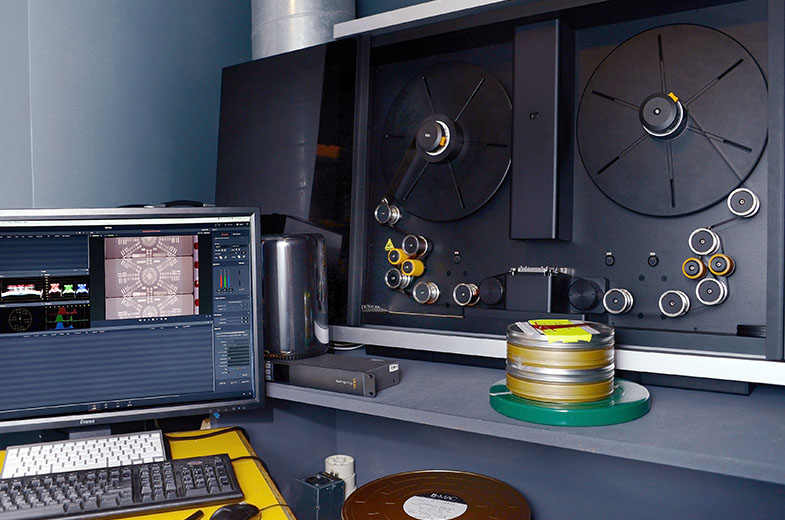
Blackmagic Design announced a free Cintel 2.1 software update which adds powerful new features such as compressed RAW recording, live audio preview and small film reel support, as well as enhanced film stabilization and more to Cintel Scanners. The new Cintel 2.1 Update can be downloaded free from the Blackmagic Design website.
The Cintel 2.1 Update adds incredible new fully automatic image stabilization with sub pixel accuracy to Cintel Scanners. The new stabilization even works if source film has badly damaged or missing film perforations. This update also adds two new features designed to reduce file sizes. Images can now be cropped so only the active image area is saved in the file. In addition, Cintel film scanner customers can now choose to save images using Blackmagic Design’s visually lossless compressed RAW format. The combination of these two features results in dramatically smaller file sizes.
When used with the Cintel Audio and KeyKode reader, customers will now get a live audio preview while scanning. This works similar to a traditional tape recorder where customer can scrub back and forth and hear the audio speed up and slow down. In addition, this update adds new optical audio equalization for flatter response and a new slow advance feature so customers can slowly advance the film by simply holding down the frame advance buttons.
Cintel 2.1 Update also improves artifact handling in the highlight areas of negative images, supports small film reels, better keykode alignment so now keykode is aligned to the back edge of code instead of the front, and an image flipping option when reading audio from negative.
“Cintel film scanners are being used around the world to convert precious film libraries into Ultra HD,” said Grant Petty, Blackmagic Design CEO. “The new Cintel 2.1 Update is exciting because it gives customers incredibly powerful new features, such as smaller files and incredible stabilization that will help them save even damaged film. Plus, the update is totally free of charge which means customers don’t have to pay for these new features!”
Availability and Price
Cintel 2.1 Update is available now for free download from the Blackmagic Design website.
Press Photography
Product photos of the Cintel Scanner and accessories, along with all other Blackmagic Design products, are available at www.blackmagicdesign.com/media/images.
About Blackmagic Design
Blackmagic Design creates the world’s highest quality video editing products, digital film cameras, color correctors, video converters, video monitoring, routers, live production switchers, disk recorders, waveform monitors and real time film scanners for the feature film, post production and television broadcast industries. Blackmagic Design’s DeckLink capture cards launched a revolution in quality and affordability in post production, while the company’s Emmy™ award winning DaVinci color correction products have dominated the television and film industry since 1984. Blackmagic Design continues ground breaking innovations including 6G-SDI and 12G-SDI products and stereoscopic 3D and Ultra HD workflows. Founded by world leading post production editors and engineers, Blackmagic Design has offices in the USA, UK, Japan, Singapore and Australia. For more information, please go to www.blackmagicdesign.com.
Date: 05. 04. 2018,
Category: News
FULL ARTICLE
Certified SSDs
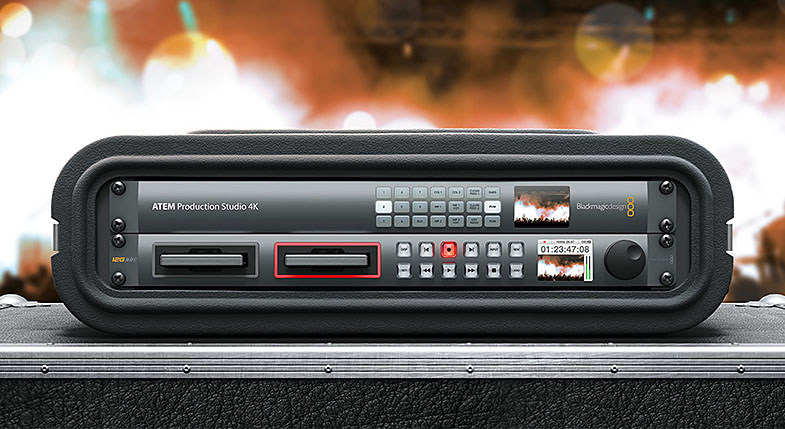
SSDs which are qualified for Uncompressed 10-bit video capture will also work well for compressed video capture. There are some SSDs which Blackmagic has tested and found to drop frames when capturing Uncompressed 10-bit video. However, they still work well when capturing compressed video. New in the list are the Angelbird AV PRO XT models, new Kingston KC400 SSDs, Samsung 850 PRO 2TB, as well as new Sony G series Professional SSDs coming in 480GB (Model: SONY SSD SV-GS48) and 960GB (Model: SONY SSD SV-GS96) sizes.
The following SSDs are recommended for Uncompressed 10-bit or compressed video capture:
ADATA XPG SX900 256 GB (ASX900S3-256GM-C)
Angelbird 250 GB AV Pro (not compatible with HyperDeck Shuttle)
Angelbird 500 GB AV Pro (not compatible with HyperDeck Shuttle)
Angelbird AVP250MK3 AP2A4CT 250 GB
Angelbird AVP500MK3 A2GMX52 500 GB
Angelbird AV PRO XT 500GB
Angelbird AV PRO XT 1T
Angelbird AV PRO XT 2T
Digistor 1TB SSD 4K Professional Video Series (DIG-PVD1000, pre-formatted ExFat) - not compatible with HyperDeck Shuttle
Digistor 240 GB SSD Professional Video Series (DIG-PVD240S, pre-formatted ExFat)
Digistor 480 GB SSD Professional Video Series (DIG-PVD480S, pre-formatted ExFat)
Intel 335 Series 240 GB SSD (SSDSC2CT240A4K5)
Intel 520 Series 240 GB SSD (SSDSC2CW240A310)
Intel 520 Series 480 GB SSD (SSDSC2CW480A310)
Intel 530 Series 180 GB SSD (SSDSC2BW180A401)
Intel 530 Series 240 GB SSD (SSDSC2BW240A401)
Kingston 240 GB HyperX 3K (SH103S3/240G)
Kingston 240 GB SSD Now KC300 (SKC300S37A/240G)
Kingston 480 GB HyperX 3K (SH103S3/480G)
Kingston 480 GB SSD Now KC300 (SKC300S37A/480G)
Kingston HyperX Savage 120 GB (SHSS37A/120G)
Kingston HyperX Savage 240 GB (SHSS37A/240G)
Kingston HyperX Savage 480 GB (SHSS37A/480G)
Kingston HyperX Savage 960 GB (SHSS37A/960G)
Kingston KC400 128 GB
Kingston KC400 256 GB
OWC 120 GB Mercury Extreme Pro 6G (OWCSSD7P6G120)
OWC 240 GB Mercury Extreme Pro 6G (OWCSSD7P6G240)
OWC 480 GB Mercury Extreme Pro 6G (OWCSSD7P6G480)
PNY Prevail 240 GB (SSD9SC240GCDA-PB)
PNY Prevail 480 GB (SSD9SC480GCDA-PB)
PNY XLR8 480 GB (SSD9SC480GMDA-RB)
Samsung 1TB 850 Pro (MZ-1T0BW, spacer required) - not compatible with HyperDeck Shuttle
Samsung 256 GB 850 Pro (MZ-7KE256BW, spacer required)
Samsung 512 GB 850 Pro (MZ-7KE512BW, spacer required)
Samsung 850 PRO 2TB
Sandisk Extreme 240 GB (SDSSDX-240G-G25)
Sandisk Extreme 480 GB (SDSSDX-480G-G25)
Sandisk Extreme Pro 240 GB (SDSSDXPS-240G-G25)
Sandisk Extreme Pro 480 GB (SDSSDXPS-480G-G25)
Sandisk Extreme Pro 960 GB (SDSSDXPS-960G-G25)
Sony G series Professional SSD 480GB (Model: SONY SSD SV-GS48)
Sony G series Professional SSD 960GB (Model: SONY SSD SV-GS96)
Transcend 256 GB SSD370 (TS256GSSD370BM)
In addition to the above, these SSDs work ONLY for compressed video capture:
Crucial 256 GB M4 (firmware 000F) (CT256M4SSD2)
OCZ Agility 3 240 GB (AGT3-25SAT3-240G)
Sandisk Extreme 120 GB (SDSSDX-120G-G25)
The following SSDs are either discontinued or only supported as part of a legacy configuration and may no longer be available with the required firmware:
Crucial 256 GB C300 (CTFDDAC256MAG-1G1) - (discontinued)
Digistor 128 GB SSD Professional Video Extreme (DIG-PVD128E, pre-formatted ExFat)
Kingston 120 GB SSD Now V+200 (SVP200S3/120G) - (discontinued)
Kingston 128 GB SSD Now V+100 (SVP100S2/128G) - (discontinued)
Kingston 240 GB SSD Now V+200 (SVP200S3/240G) - (discontinued)
Kingston 480 GB SSD Now KC300 (SKC300S37A/480G)
Kingston 512 GB SSD Now V+100 (SVP100S2/512G) - (discontinued)
Kingston 64 GB SSD Now V+100 (SVP100S2/64G) - (discontinued)
Kingston HyperX 240 GB (SH100S3/240G) - (discontinued)
OCZ 240 GB Deneva 2 (firmware 2.22) (D2CSTK251M21-0240) - (discontinued)
OCZ 240 GB Vertex 3 (VTX3-25SAT3-240G) - (discontinued)
OCZ 480 GB Vertex 3 (VTX3-25SAT3-480G) - (discontinued)
OWC 120 GB Mercury Extreme Pro 6G (Firmware Rev 5.0.7) (OWCSSDMX6G120T) - (discontinued)
OWC 240 GB Mercury Extreme Pro 6G (Firmware Rev 5.0.6) (OWCSSDMX6G240T) - (discontinued)
OWC 480 GB Mercury Extreme Pro 6G (Firmware Rev 5.0.6) (OWCSSDMX6G480) - (discontinued)
OWC Mercury Extreme Pro 6G SSD (firmware 5.0.2) (OWCSSDMX6G240T) - (discontinued)
Sandisk Extreme Pro 240 GB (SDSSDXPS-240G-G25)
Sandisk Extreme Pro 480 GB (SDSSDXPS-480G-G25)
Sandisk Extreme Pro 960 GB (SDSSDXPS-960G-G25)
The following SSDs are known only to work with specific firmware versions:
Crucial 512 GB M4 (firmware 009 only) (CT512M4SSD2)
Important Notes About SSD Speed
Some models of SSD can’t save video data at the speed the manufacturer claims. This is due to the disk using hidden data compression to attain higher write speeds. This data compression can only save data at the manufacturer’s claimed speed when storing data such as blank data or simple files. Video data includes video noise and pixels which are more random so compression will not help, therefore revealing the true speed of the disk.
Some SSDs can have up to 50% lower write speed than the manufacturer’s claimed speed. So even though the disk specifications claim an SSD has speeds fast enough to handle video, in reality the disk isn’t fast enough when used to store video data for real time capture. However, this mostly affects HD capture and often these disks can still be used for playback.
Use Blackmagic Disk Speed Test to accurately measure whether your SSD will be able to handle uncompressed video capture and playback. Blackmagic Disk Speed Test uses data to simulate the storage of video so you get results similar to what you’ll see when capturing video to a disk. During Blackmagic testing, we have found newer, larger models of SSD and larger capacity SSDs are generally faster.
Date: 04. 04. 2018,
Category: News
FULL ARTICLE
Panasonic released a free firmware upgrade for the AU-EVA1 cinema camera that greatly enhances the camera's recording capabilities, including ALL-Intra frame recording formats, RAW data output, timelapse recording, HD 4:2:2 interlaced formats and more. These additions expand the camera’s abilities so fundamentally that Panasonic refers to the upgrade as EVA 2.0.
The free firmware upgrade is now available for download from the Panasonic website.
EVA 2.0 allows uncompressed RAW output via 6G SDI. Formats include 5.7K at 1fps to 30fps, 4K at 1fps to 60fps, and 2K at 1fps to 240fps. Atomos has announced that its Shogun Inferno and Sumo monitor/recorders will capture RAW-to-ProRes from the EVA1 in 4K up to 60fps and 2K up to 240fps. Additional announcements for RAW support are to be released soon. A key feature of EVA 2.0 is ALL-Intraframe (ALL-I) codec recordings, offering 10-bit 4:2:2 at up to 400Mbps. Intraframe recordings require less post processing than the LongGOP codecs also available in the EVA1, enabling real-time editing on more cost-effective high-performance computers.
Ver. 2.02 new features:
Additional recording formats
4096x2160(4K) – 422Intra 400M 29.97p,24p,25p,23.98p
3840x2160(UHD) – 422Intra 400M 29.97p,25p,23.98p
2048x1080(2K) – 422Intra 200M 59.94p,50p; 422Intra 100M 29.97p,24p,25p,23.98p
1920x1080(FHD) – 422Intra 200M 59.94p,50p; 422Intra 100M 29.97p,25p,23.98p,59.94i,50i; 422LongGOP 50M 59.94i,50i
Support for VFR
4K / UHD – 422Intra 400M Max 30fps
2K / FHD – 422Intra 200M/100M Max 120fps (equivalent to 400M)
Support for Interval REC
Support for RAW Output – 5.7K/30p, Crop 4K/60p, Crop 2K/240p
Output of camera metadata (info about sensor, lens, etc.) superimposed on SDI
Output of information displayed on LCD so as to be able to use HDMI output for VF purpose (Focus Assist and HOME Screen)
Improvement in HOME Screen operability
Switching of VFR ON/OFF, SHUTTER ON/OFF and ISO/GAIN
Improvement of WFM
Transmittance of WFM display is lowered for improvement in readability.
WFM can be switched directly from Focus Square.
Compatibility with 3rd-party wired remote controls
Improvement – When SDI OUT menu is at OFF, mounting/dismounting of LCD causes REC S/S button on the Grip to no longer work. This problem is fixed.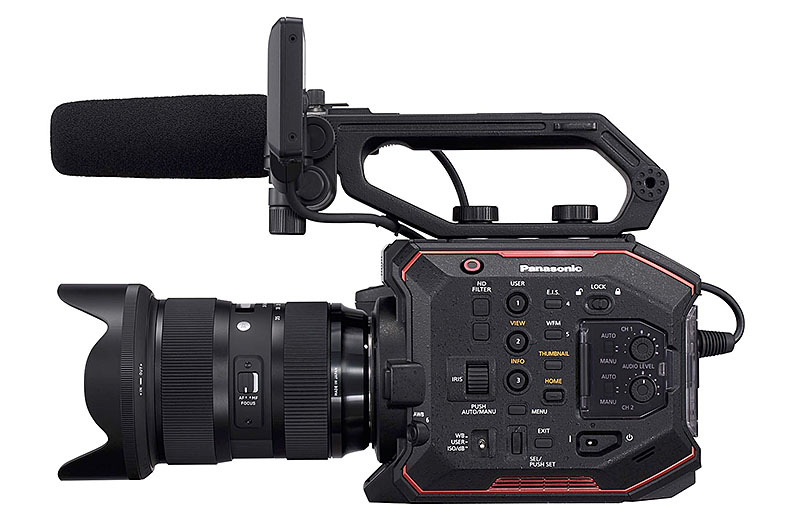
Date: 03. 04. 2018,
Category: News
FULL ARTICLE
ZBrush 2018 includes the following new key features:
Sculptris Pro Mode
This major new feature is an enhanced version of the dynamic tessellation system from our popular Sculptris application. It enables the artist to ignore the constraints of polygon distribution and simply – sculpt! Sculptris Pro will dynamically add (tesselate) and remove (decimate) polygons wherever and whenever it’s needed. It actually does this during your brush stroke in a real-time process called Tessimation. This frees you to focus entirely on the look you’re trying to achieve.
Sculptris Pro is the perfect tool for concept artists and creative users who simply want to get an idea formed without worry about things like polygon distribution. It is also ideal for anyone using CAD, point cloud and other imported models without having to first retopologize the model or switch to DynaMesh. It is also perfect for refining a model after Live Boolean has been used, where variation in polygon density and triangulation can be a challenge with traditional methods. Additionally, it allows 3D printing users to edit models which have already been optimized before being imported back into ZBrush for quick edits.
The beauty of Sculptris Pro is that it is a mode that can be enabled whenever you want and is compatible with the majority of the hundreds of sculpting brushes that ZBrush is famous for.
Deformers Extended
ZBrush 4R8 introduced the Gizmo 3D manipulator system which included utilities such as FFD Box, Multislice and several powerful Deformers. In ZBrush 2018 we are increasing this to a total of 27 deformers. Each deformer has a unique feature set to allow quick shape alterations that would not be possible through brush strokes.
Of special note is the new Project Primitive deformer. This gives the ability to use multiple primitives to reshape a mesh, cut into a surface, build up from another mesh and much more. Not only does Project Primitive offer a new, unique way to blend multiple pieces of geometry together it also empowers you to take something as simple as a sphere and turn it into a rocket ship, automobile, plane, human bust, or nearly anything else you might imagine.
PolyGroupIt
This is an entirely new way to create the polygon groupings that are so essential to a smooth ZBrush workflow. PolyGroup It accurately evaluates the surface of a model in real-time, generating intelligent groupings with a single button click. Creating PolyGroups has never been so easy! What’s more, with PolyGroup It you can add or delete, copy & paste, grow or shrink, create PolyGroups symmetrically and even use PolyPaint to trace out exactly what you want your PolyGroups to look like.
Other Additions
Elastic and Liquid options for Curve Mode.
Insert Meshes can now be rotated or smoothed along a curve.
Equidistant Mesh Duplication using the Gizmo 3D.
Remember Draw Size and Dynamic Mode for Brush options.
New PolyGroup by Normals option.
Increased output size for 3D Print Hub.
Snake Hook brushes for use with Sculptris Pro.
Option to save Startup Default Material.
Tessimate can also be used as a stand-alone feature, outside of Sculptris Pro.
QuickSaves can now be saved to any hard drive.
New Activation and License Management System, powered by our My Licenses web portal.
All licenses are now dual platform for both Windows and macOS.
ZBrush 2018 is being released in the English, Spanish, Japanese, Chinese (Simplified), Korean, German and French languages.
<
Date: 29. 03. 2018,
Category: News
FULL ARTICLE
RED introduced the new GEMINI™ 5K S35 sensor for the RED EPIC-W camera. GEMINI 5K S35 leverages dual sensitivity modes to provide creators with greater flexibility for a variety of shooting environments. Whether capturing with GEMINI's Standard Mode for well-lit conditions or its Low Light Mode for darker environments, RED EPIC-W 5K S35 delivers incredible dynamic range and produces cinema-quality images.
The GEMINI 5K S35 sensor provides exceptional low-light performance, allowing for cleaner imagery with less noise and better shadow detail. Operators can easily switch between modes through the camera’s on-screen menu with no down time and experience an increased field of view at 2K and 4K resolutions compared to the higher resolution HELIUM sensor. In addition, the sensor’s 30.72 mm x 18 mm dimensions allow for greater anamorphic lens coverage than with the HELIUM or RED DRAGON sensor.
Built on the compact DSMC2 form factor, the RED EPIC-W 5K camera and sensor combination captures 5K full format motion at up to 96 fps, boasts incredibly fast data speeds of up to 275 MB/s, and provides in-camera support of RED’s enhanced image processing pipeline, IPP2. Like all cameras in the DSMC2 line up, EPIC-W 5K is able to shoot simultaneous REDCODE RAW and Apple ProRes or Avid DNxHD/HR recording and adheres to RED’s dedication to OBSOLESCENCE OBSOLETE—a core operating principle that allows current RED owners to upgrade their technology as innovations are unveiled without having to purchase all new gear.
“While the GEMINI sensor was developed for low-light conditions in outer space, we quickly saw there was so much more to this sensor,” says Jarred Land, President of RED Digital Cinema. “In fact, we loved the potential of this sensor so much, we wanted to evolve it to make it have a broader appeal. As a result, the EPIC-W GEMINI now sports dual-sensitivity modes. It still has the low-light performance mode, but also has a default, standard mode that allows you to shoot in brighter conditions.”
Beginning at 24725 EUR ex. VAT, the new RED EPIC-W with GEMINI 5K S35 sensor is now available for purchase. Alternatively, WEAPON Carbon Fiber and RED EPIC-W 8K customers will have the option to upgrade to the GEMINI sensor at a later date.
Date: 28. 03. 2018,
Category: News
FULL ARTICLE