
 CZ
CZ SK
SK HU
HU AT
AT DE
DE ES
ES SI
SI HR
HR
Nothing in the basket.

- Search
-
Login

-
0
Comparison
Add products to compare, then they will appear here and you can compare parameters.
-
0
0 €
News
This snap ON/OFF quick release plate enables smooth attachment/release while holding a camera. The Manfrotto/Sachtler compatible plate allows users to quickly interchange shots without changing quick release plates. The adapter plate could be attached to various camera supports with 1/4" and 3/8" screw holes on the back side.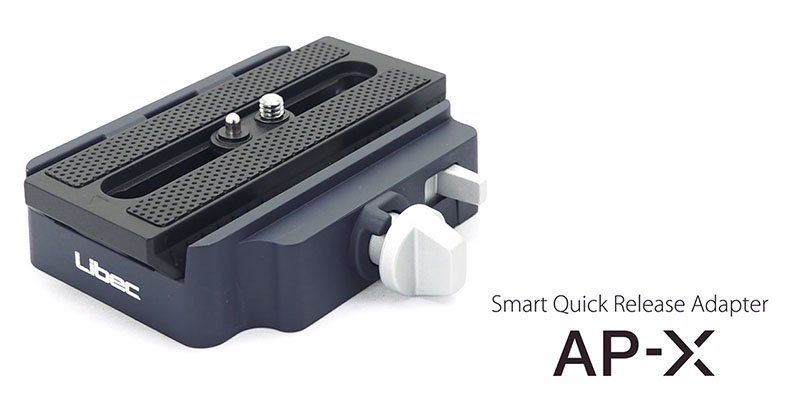
Date: 06. 06. 2018,
Category: News
FULL ARTICLE
Panasonic announced the AU-EVA1 “Share Your Vision” Video Contest, open to video professionals throughout the United States and European Union countries.
To participate, contestants should register at https://eva1contest.hscampaigns.com/ and submit videos shot with the EVA1 cinema camera from 25 seconds to five minutes in length from June 1st through August 24th, 2018.
A distinguished panel of judges including cinematographers William Wages, Elle Schneider, Johnny Derango, and Matthias Bolliger will select two winners, one in the Fiction and Nonfiction categories. The two winners will be announced on September 14, 2018 at the International Broadcasting Conference (IBC) in Amsterdam. The winner from Europe will be awarded € 5000 .
Contestants will be asked to submit proof that their project was shot with the EVA1 camera (e.g., a behind-the-scenes video or photos showing the camera in action on the submitted piece). Video must be uploaded in one of the following file formats: mp4, mov, avi (H264), The submission may previously have been publicly posted on YouTube, Vimeo or Dailymotion. Participants can submit multiple videos, but each entry must be submitted separately.
Participants must be at least 18 years old. The Contest is not open to Panasonic employees, their family members or anyone professionally connected with the Promotion.
Date: 05. 06. 2018,
Category: News
FULL ARTICLE
This software update is for HyperDeck Studio Mini and adds H.264 recording and playback in all 720p and 1080p HD formats, as well as extending the RS-422 control protocol to include new advanced media protocol commands for appending clips, querying the timeline and clearing the timeline.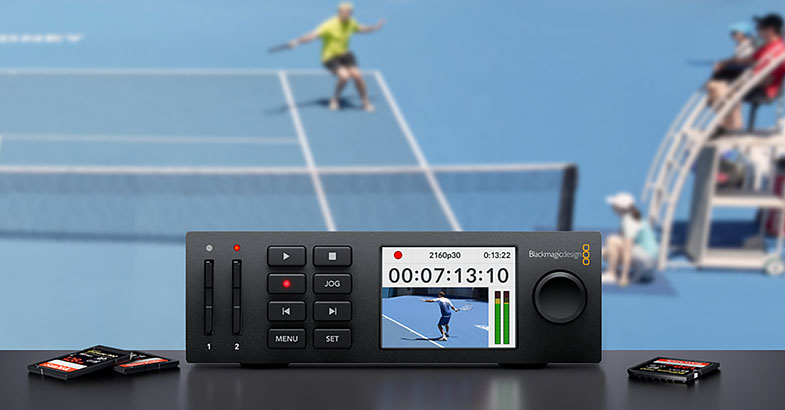
Date: 04. 06. 2018,
Category: News
FULL ARTICLE
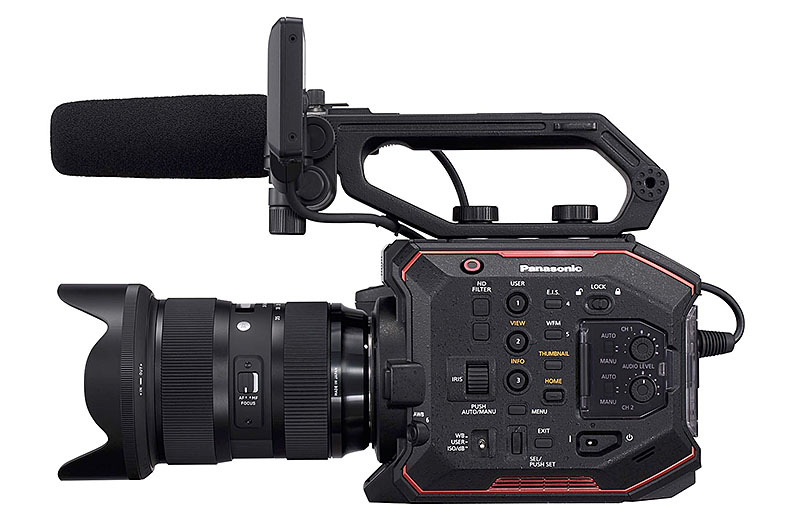
Panasonic continues to release updates for its professional cameras: after the recently updated DC-GH5/GH5S (and DC-G9) there is a new firmware version for the AU-EVA1! The 2.5 update implements a new noise reduction mode, compatibility with new lenses (e.g. Canon EF 24-105mm F4L IS USM, Canon EF-S 17-55mm F2.8 IS USM, TAMRON SP 35mm F/1.8 Di VC USD) and minor fixes
New features in version 2.5
Low lightnoise reduction
Added "SMOOTH" item in the "NR" menu (now renamed "NOISE REDUCTION") for higher noise reduction
[Related Menu] CAMERA SETTINGS
-> NOISE REDUCTION
-> ISO800/ISO2500: SMOOTH, NORMAL2, NORMAL1, OFF (basic settings)
Lens compatibility
- Canon CN-E series lenses (compatibility with "ONE PUSH AF"). Other lenses tested:
- Canon EF 24-105mm F/4L IS USM
- Canon EF-S 17-55mm F/2.8 IS USM
- TAMRON SP 35mm F/1.8 Di VC USD
- TAMRON SP 90mm F/2.8 Di MACRO 1:1 VC USD
Other improvements
- Basic "FOCUS EXPAND MODE" setting changed from "HOLD" to "10SEC"
- In the "COLOR SETTING" menu, not only the "SCENE FILE" numbers are displayed, but also their names
- Aperture of some lenses (e.g. Canon EF17-40mm F4L USM) was not functional at higher frame rates (75+ fps and 90+ fps at the device's system frequency of 50 and 60 Hz respectively)
Date: 01. 06. 2018,
Category: News
FULL ARTICLE
New software update fixes a bug which causes the menu to freeze when selecting 3K Anamorphic or 4.6K 2.4:1 after updating to Blackmagic Camera 5.1 software. Recommended for all URSA Mini Pro cameras.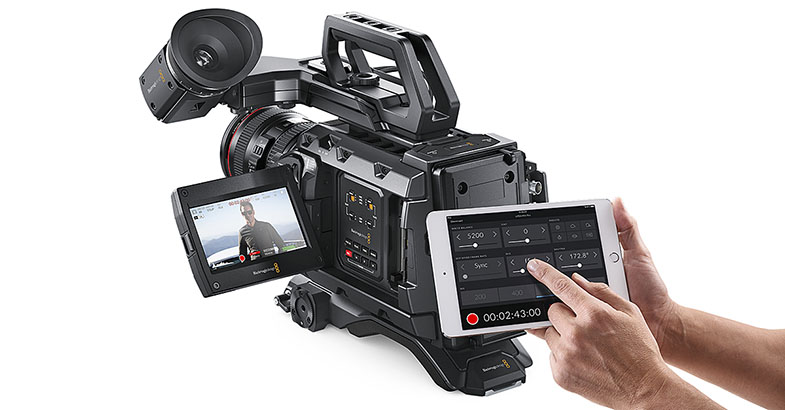
Date: 01. 06. 2018,
Category: News
FULL ARTICLE