
 CZ
 SK
 HU
 AT
 DE
 ES
 SI
 HR

Nothing in the basket.

- Search
-
Login

-
0
Comparison
Add products to compare, then they will appear here and you can compare parameters.
-
0
0 €
Document camera with optical zoom: Joyusing V1XS-4K and V2XP
Document camera with optical zoom: 12× V1XS-4K vs 14× V2XP for teaching and fine detail.
A document camera is not a flatbed scanner: it is a camera on an arm above your desk that captures a document, book or object and sends the picture to a computer, or straight to a projector or TV. The Joyusing V1XS-4K and the V2XP add optical zoom, which keeps fine detail sharp.
This guide is based on manufacturer data. We explain what optical zoom brings over digital, how the two models differ, when the cheaper V500-4K is enough and who each camera suits.
 1 / 8
Why optical zoom, not just digital
Digital zoom simply crops the centre of the picture and stretches it, so fine print or paper texture breaks up into grain. Optical zoom changes the angle of view through the lens, so the detail stays sharp. On a document camera that matters: you show a whole A3 page, then close in on one paragraph or one component without lifting the camera or refocusing.
The basic V500 models have only 100× digital zoom. It is fine for a quick enlargement, not for fine detail. The 12× optics of the V1XS-4K and the 14× of the V2XP are a different league, and you notice it straight away when showing small things.
 2 / 8
Joyusing V1XS-4K: 12× optics and a zoom dial
The Joyusing V1XS-4K is the entry point to optical zoom. According to the manufacturer it offers 12× optical and 10× digital zoom, controlled by a rotary dial. You can set the magnification smoothly with one hand while the other holds the original. The built-in 5″ LCD shows a live preview.
The manufacturer gives the 4K version a 13 Mpx sensor and 4K at 30 fps or 1080p at 60 fps. Photos and videos can be saved to an SD card, a flash drive or internal memory, so you can record without a computer. Choose 4K at 30 fps for sharp document detail and 1080p at 60 fps when you move your hands or objects.
 3 / 8
Joyusing V2XP: 14× optics for demanding work
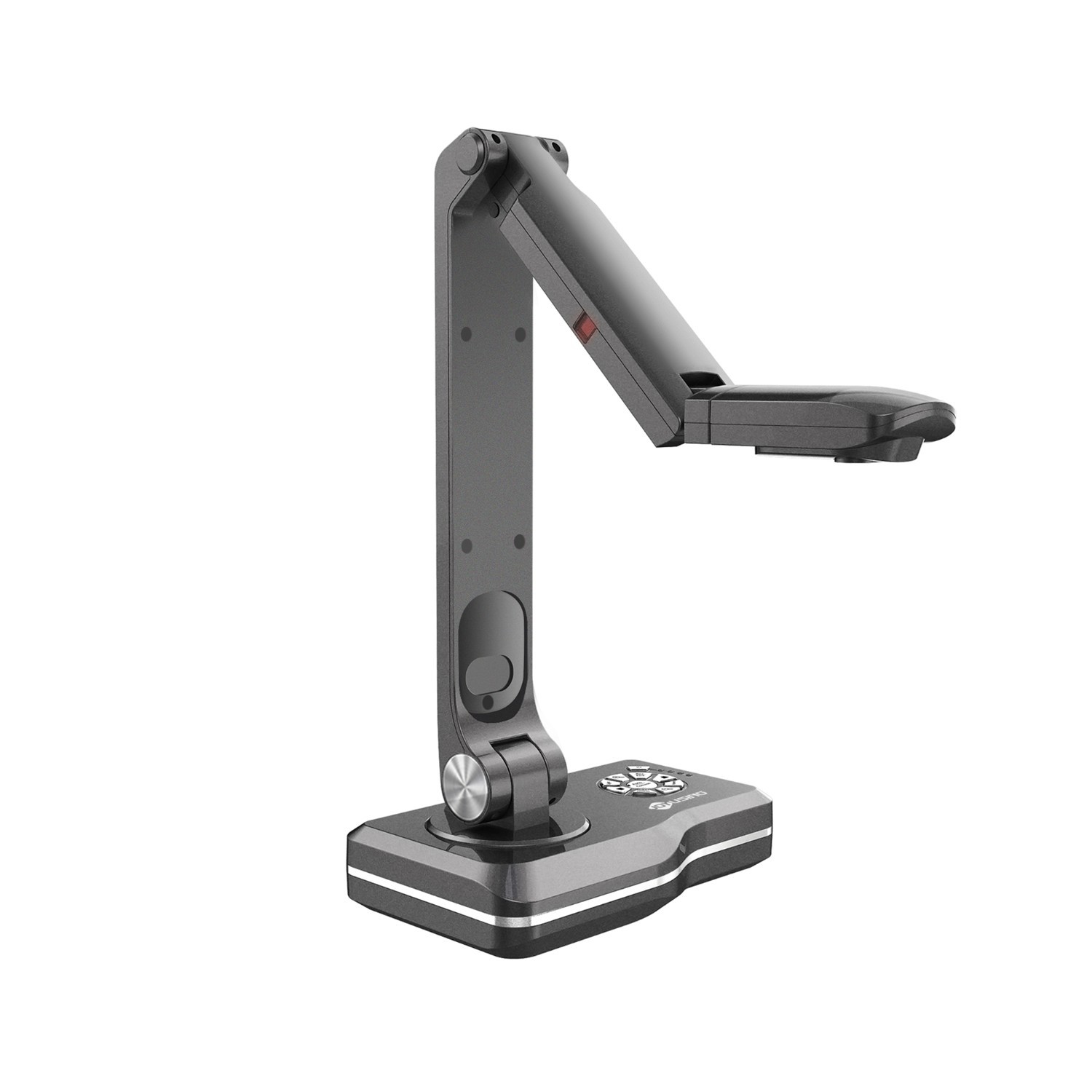
The Joyusing V2XP is the higher class. It has a Sony 1/3.2″ 8 Mpx sensor, 14× optical and 10× digital zoom, a 5″ LCD and an A3 capture area. Two more steps of optical zoom mean that from the same arm height you see even smaller detail, such as a stamp on a document or a solder joint on a board.
The rear panel offers HDMI and VGA inputs and outputs, USB, an SD slot and audio input and output. That makes the camera suitable for a larger setup with a projector and an external display. Controls combine a rotary zoom dial with touch buttons, and the arm folds away to take little space.
 4 / 8
No computer needed: PC-free use and the LCD preview
Both cameras work without a computer. Connect them by cable to a projector, TV or display and the picture appears on the screen, with no laptop, drivers or boot-up wait. In a classroom that is a real advantage.
The built-in 5″ LCD works as a preview: you align and focus the original right on the camera, without turning to look at the screen. It helps when you plug in at the last minute and need to check quickly that the framing is right. Connect it to a computer over USB only when you want to share the picture online or save it.
 5 / 8
Where optical zoom really pays off
Teaching. An atlas map, a science experiment, a physics model or a fossil: pupils see on the screen what the teacher holds in their hand, and optical zoom brings the detail closer without moving the camera.
Workshops. The manufacturer gives the example of a painting teacher showing colour and brushwork through the camera. Ceramics, jewellery making, calligraphy or model building work in the same way.
Small objects and documents. A number on a component, a stamp, a fabric pattern or fine print. This is where optics pay off most. A practical tip: with glossy paper, turn the arm or the light so the LED does not reflect straight into the lens.
 6 / 8
Connecting, the remote and Visualizer
Setup is simple: power adapter, an HDMI cable to the projector or display, done. A USB cable goes to the computer. According to the manual, plug it directly into a port rather than through a USB hub, where the camera may not work properly.
The V1XS series manual also describes a remote control: menu, light, video source switching, freeze, rotate, video recording, snapshot, resolution change and autofocus. Freeze is handy when you show a page and swap it at once. The remote control is included in the V1XS-4K box. The Joyusing Visualizer software on a computer adds live annotations, a magnifier, side-by-side comparison and OCR with PDF export.
 7 / 8
A cheaper alternative: V500-4K without optics
Do you not need optical zoom? The Joyusing V500-4K is the cheaper alternative. It has a PC-free mode over HDMI or VGA, USB, an SD card slot, a remote control in the box and a 13 Mpx sensor with 4K at 30 fps. But it magnifies only digitally (100×) and has no LCD, so you check the framing on the connected screen.
For repeatedly showing pages, prints and three-dimensional objects it is usually enough. As soon as you need to show fine detail sharply, especially across a larger area, you lose the reserve that optics give. The decision is simple: the more detail you will show, the more optics you need.
 8 / 8
V1XS-4K or V2XP: who each is for
The V1XS-4K is a sensible choice for an ordinary classroom, study or workshop: 12× optical zoom, an LCD, saving to SD and flash drive and smooth control with the dial. In terms of equipment it is a level that most users will find enough. You can find it here.
Choose the V2XP when the camera is your main working tool: longer 14× optics, a richer interface with HDMI and VGA inputs and outputs, audio and an SD slot. It suits a lecture hall, lab or workshop where you zoom in every day and the camera sits within a larger kit.
And if you do not need optics, stay with the V500-4K.
Who it makes sense for
The V1XS-4K makes sense for most classrooms and workshops that want 12× optical zoom and an LCD preview at a sensible equipment level. The V2XP is for people who use the camera daily and need 14× optics and a richer interface. If you do not need to zoom in on sharp detail, the V500-4K will do.
What we like about the design: 12× or 14× optical zoom keeps detail sharp across an A3 area, and the built-in 5″ LCD with PC-free operation simplifies work in a classroom.
What to bear in mind: For the V2XP we rely on the product card alone because the manufacturer's site does not list it.
View Joyusing V1XS Optical Zoom Document Camera — current price and availability →
Syntex.
Syntex editorial team. The comparison is based on technical data and documentation from Joyusing and on Syntex product materials; we did not test the products ourselves for this article. Photos are product materials.
Date: 19. 11. 2026,
Category: Reviews
Related products
Joyusing V2XP optical document camera

The Joyusing V2XP is an 8 MP document camera with a Sony 1/3.2-inch sensor, 14× optical
1 259 €
In stock > 5 pcs
Joyusing V1XS-4K Optical Zoom Document Camera
The Joyusing V1XS-4K document camera uses a 13 MP 1/3.0-inch CMOS sensor and captures
549 €
In stock > 5 pcs
Joyusing V500-4K Document Camera
The Joyusing V500-4K is a PC-free document camera for presenting pages and objects
241 €
Backordered > 5 pcs