
 CZ
CZ SK
SK HU
HU AT
AT DE
DE ES
ES SI
SI HR
HR
Nothing in the basket.

- Search
-
Login

-
0
Comparison
Add products to compare, then they will appear here and you can compare parameters.
-
0
0 €
Blog
Florida-based broadcasters faced a multitude of challenges during Category 4 Hurricane Irma, one of the strongest hurricanes ever recorded in the Atlantic, from transmitting the news in volatile weather to keeping viewers without power abreast of crucial information via social media.
ABC affiliate WFTV-TV, the Cox Media Group (CMG) station serving the Orlando, FL market, relied on Panasonic’s P2 Cast cloud-based news production system throughout the super-charged storm to get news to air/on-line quickly and to keep its reporters safe. And the station’s storm coverage continues, showing Floridians grappling with power outages, residual flooding and clean-up, and preparing for more storms during an active hurricane season.
CMG’s Director of News Technology Dave Sirak, described ENG operations during the storm, “Our crews were scattered in safe locations around central Florida, assigned 12 hours on - 12 hours off shifts and staying at their location to avoid travel on roadways. Conditions varied from full exposure to rain and wind to internal locations inside emergency operations centers. We sent our crews with food and first aid kits, and we delivered fuel and other supplies in a roving fuel truck before and after the storm.”
He continued, “We had approximately half of our AJ-PX800 AVC-ULTRA camcorders using P2 Cast system. In some case our crews were working in traditional live trucks or with bonded cellular backpacks, but the automatic upload of the proxy video allowed us to keep our laptops stored and safe and to keep the cards in the cameras, which were tightly wrapped and protected from water intrusion. Removing the cards would have disrupted the protective rain gear, and wet hands on electronics should be avoided due to exchange of moisture on the cards, which can fog the camera internally, which is fatal.”
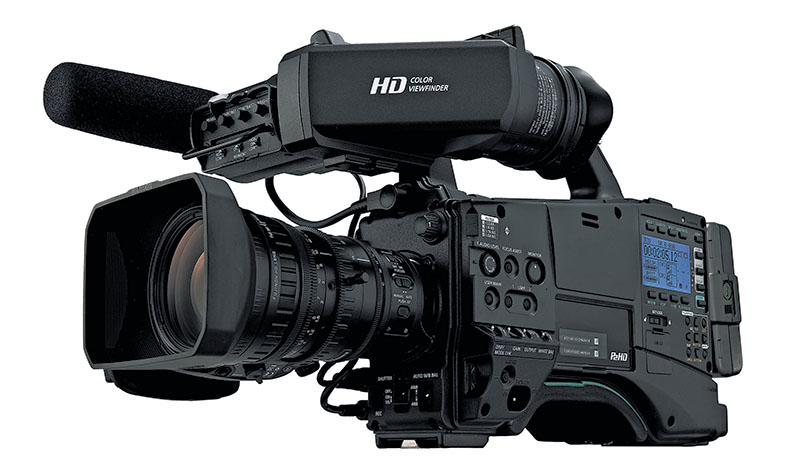
The P2 Cast system leverages the advanced features of Panasonic's P2 HD AVC-ULTRA camcorders, integrating their networking capabilities so content uploaded to the cloud is immediately available for reviewing and editing on the web. P2 Cast expedites the delivery of news to air, while also expanding the editing function to any device connected to the internet. A significant P2 Cast advantage is its ability via the cloud to move low bit rate, yet high-quality proxy video off a camcorder in the field, create a video sequence of the desired clips, and then allow newsroom systems to automatically pull back high-resolution video for air from the camera.
“When the eye of Irma moved across central Florida we were forced to put our satellite and microwave dishes down, but with the P2 Cast system our crews were able to continue to shoot and send back reports during the peak period of the storm,” Sirak recounted. ““Our crews could literally stay in the gather mode since their content was being shared automatically. A ‘look live’ would take about 5 -10 minutes to get to air depending on bandwidth and the length of the report. We also limited the exposure of our crew waiting in extreme conditions to be taken live—and when a hurricane is in your backyard you have a lot of crews stacked waiting to be taken live.”
Discussing pushing proxy video clips onto WFTV social media platforms, Sirak added, “Social media is a huge factor in covering a disaster. Orlando was hosting thousands of evacuees from south Florida whose only connection was social media as they traveled in their cars and stayed in hotel rooms. Once Orlando was hit, our viewers were now dependent on social media when their power went out and throughout the lengthy recovery period while we waited for power to be restored.”
Elaborating on his crews’ versatility, Sirak said, “P2 Cast allowed our crews to minimize their exposure to hazardous conditions since they were not connected with cable or other devices. At any time, our crews could change locations and seek areas with better cover from the weather while shooting and sending clips back. What’s more, while our sister station WSB-TV was covering Hurricane Irma from Houston, the WSB crews were deploying P2 Cast to share video with our WFTV crews, both in the field on opposite sides of the storm. This is first time we have used P2 Cast to share content with other crews who were also in the field.”
“P2 Cast is a shoot-and-forget tool for sharing video--when the camera is connected to high-speed internet, the results are remarkable,” he added. “It’s part of our DNA now, and it would be very difficult to do without it.”
Date: 05. 10. 2017,
Category: News
FULL ARTICLE
Press Release
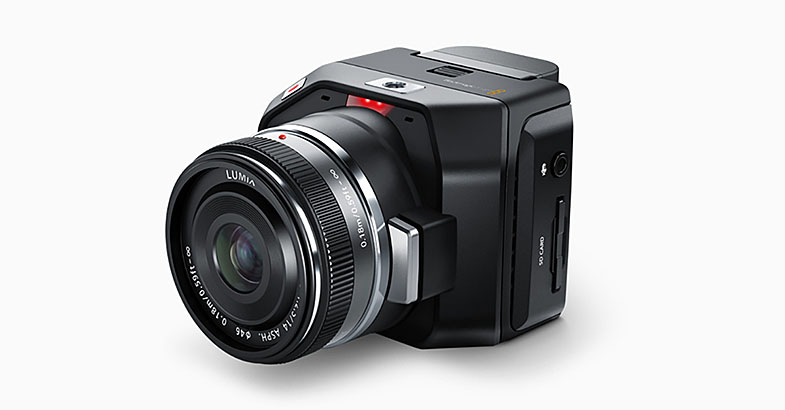
Blackmagic Design announced that multiple Blackmagic Micro Cinemas and Video Assists were used to shoot the web movie for new LEXUS car, LC500. It was shot by Kei Takahashi, a Cameraman and founder of Tokyo-based KID Co. Ltd., on location on and above the highways of California.
With power and comfort, the LC500 was born as a luxury coupé which symbolizes LEXUS’s next generation. To bring out the attractiveness of the car, the production shot the car driving along the stunning Angeles Crest Highwayin California. Shot using a number of cameras, including six Micro Cinema Cameras, the movie captured the intense nature of California and the LC500 powerfully running through the curvy road from various angles. Along with the Micro Cinema Cameras, Takahashi used two Video Assists for monitoring.
Takahashi said: “We temporarily blocked about 4 km of the road for the shoot, and let the LC500 run the 4 km. When the car came back to the starting point, we started shooting again. We repeated this several times. It took 15 to 20 minutes for each round, and we only had one day to shoot the entire movie. And since we were at an external location, we had to finish while the sun was out. It was a very tight schedule, so we wanted to capture as many angles as we could.”
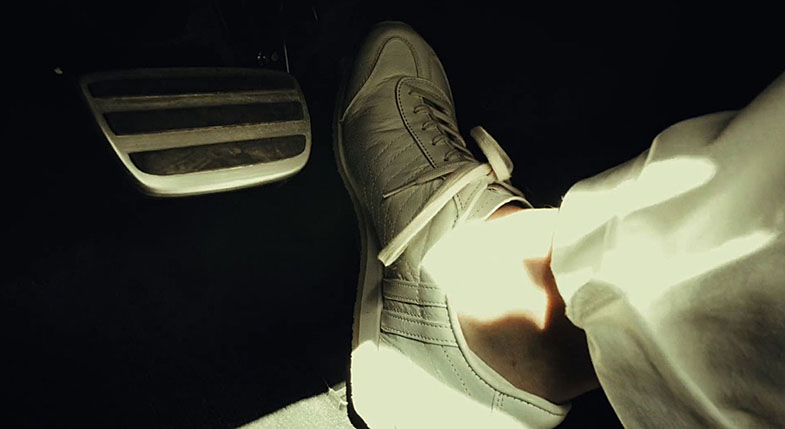
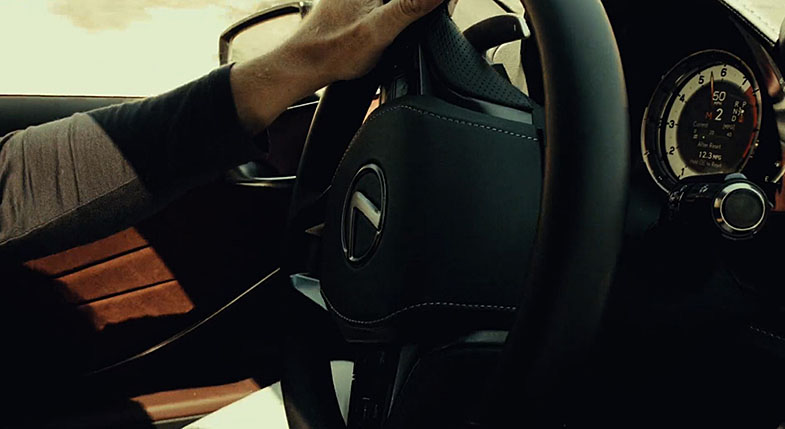
The Micro Cinema Cameras were set using a single pipe across the car with grips. Tripod mounts were installed via the grips, where three Micro Cinema Cameras were mounted. Another Micro Cinema Camera with a suction cup was stuck to the window on the driver’s side, while the last was installed near the driver’s foot. With this setup, Takahashi was able to shoot five angles such as the spedometer, the driver’s hand, gas pedal and a number of other specific features of the car in action. Takahashi used another Micro Cinema Camera to shoot a vertical size movie.
“The director and I were thinking that it would be interesting if we put the Micro Cinema Camera rotated in 90 degrees on top of another camera when shooting the LC500 from the camera car. The idea just came up and we decided to shoot the vertical size movie in case we could use the footage for something,” said Takahashi.
Also, DaVinci Resolve was used for on set grading, with the final post production process completed in Japan.
“The Micro Cinema Camera’s advantage is its compact size. It can be installed where regular cameras cannot fit. The main advantage that allowed me to shoot the vertical size movie was that it can be rotated in 90 degrees. As the schedule for this project was very tight, it was very beneficial to shoot many angles at a time”
The Video Assists were used to set up the Micro Cinema Cameras. Takahashi talked about Video Assist: “It’s easy to connect and easy to see. It’s easy to use and compact and I like that I can use the Canon battery. The Video Assist is versatile.”
“I work with Murakami, the director of this project, for other projects. The Micro Cinema Camera has become a real stable for us for use on car related jobs. For car commercials, small cameras are often used by installing them in a car like this project or mounted on a head. However, the picture quality of those cameras usually did not look good, and is missing richness in the picture. We are shooting something luxurious, so we want the image to match that. The Micro Cinema Camera, on the other hand, can capture a rich image and is easy to match with other cameras,” concluded Takahashi.
Press Photography
Product photos of all Blackmagic Design products, are available at www.blackmagicdesign.com/press/images.
About Blackmagic Design
Blackmagic Design creates the world’s highest quality video editing products, digital film cameras, color correctors, video converters, video monitoring, routers, live production switchers, disk recorders, waveform monitors and real time film scanners for the feature film, post production and television broadcast industries. Blackmagic Design’s DeckLink capture cards launched a revolution in quality and affordability in post production, while the company’s Emmy™ award winning DaVinci color correction products have dominated the television and film industry since 1984. Blackmagic Design continues ground breaking innovations including 6G-SDI and 12G-SDI products and stereoscopic 3D and Ultra HD workflows. Founded by world leading post production editors and engineers, Blackmagic Design has offices in the USA, UK, Japan, Singapore and Australia. For more information, please go to www.blackmagicdesign.com.
Date: 04. 10. 2017,
Category: News
FULL ARTICLE
The DSMC2 Gold Mount Battery Module Pro is a low profile cable-free module that enables you to power your DSMC2 BRAIN and camera accessories using standard Gold Mount batteries. The Gold Mount and protected release button ensure ongoing power even during mobile shoots. The module offers a P-Tap connector on top and an auxiliary port on the side for powering peripherals and accessories. Together the P-Tap and auxiliary connectors support a maximum combined current of 3.8 Amps. This module also offers a DC IN power port that can be used to power the camera system when the module is attached to the BRAIN. When DC IN power is supplied to the module, and the camera is turned off, this module can also trickle charge a wide variety of attached Gold Mount batteries.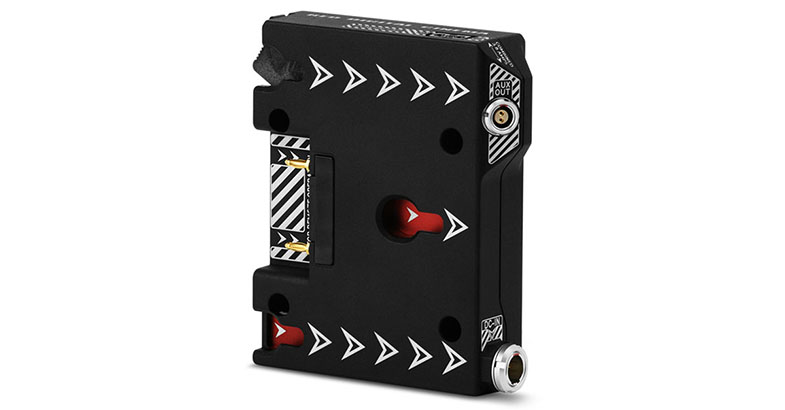
Date: 02. 10. 2017,
Category: News
FULL ARTICLE
Tutorials in the new EDIUS Basics series describe basic functionality of the Grass Valley EDIUS Pro 8 and Workgroup NLE applications.

Date: 29. 09. 2017,
Category: News
FULL ARTICLE
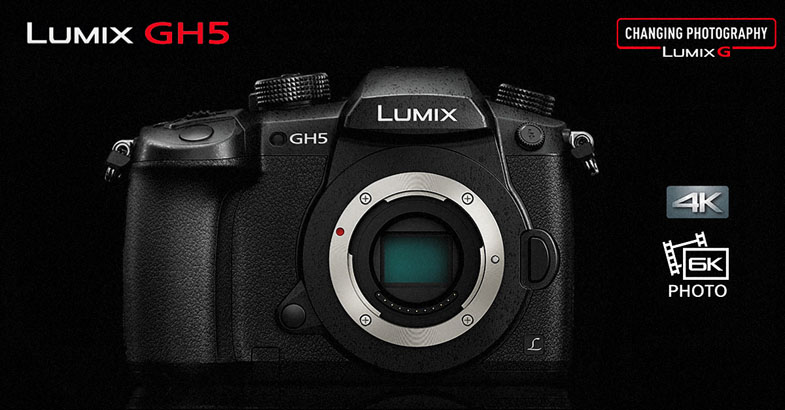
Panasonic has updated its GH5 and GH4 mirrorless cameras. Firmware version 2.7 for the DMC-GH4 fixes a bug in VFR (Variable Frame Rate) shooting mode, where, in some cases, the image stabilization did not operate when non-Panasonic interchangeable lens was used. Firmware version 2.0 for the DC-GH5 models includes numerous fixes and enhancements, including:
1. Compatibility with "LUMIX Tether" PC software
This new firmware enables GH5 tethered shooting via USB, using “LUMIX Tether" PC software. Users can control the camera by connecting it to a PC via USB. Click here to the LUMIX Tether Program.
2. Improved auto focus performance
- Auto focus performance for subjects with low contrast in photo shooting is improved.
- Tracking auto focus performance in video recording is improved.
- The customized AF area can be continuously displayed in [Multi AF] and [Custom Multi AF] during live-view.
- The AF area in [Multi AF] can be moved to the other edge (side, top or bottom) when it reaches one edge.
- The start point of AF lock can be set on the live view screen in advance in [AF Tracking].
- The AF area can be moved while the shutter button is half-pressed or while recording in [Burst Mode], [6K PHOTO] and [4K PHOTO].
3. Improved performance in [6K PHOTO] and [4K PHOTO]
- The waiting time to start the next burst shooting sequence after [6K Burst] and [4K Burst] is shortened to less than half the time.
- [Loop Rec] is available in [6K PHOTO]. Use of Panasonic SD Memory Card with Video Speed Class 90 is recommended for [Loop Rec] of [6K PHOTO].
4. An additional ALL-Intra Video Recording mode
- 4:2:2,10-bit ALL-Intra video recording mode is added to 4K/FHD video recording. Use of SD Memory Card with Video Speed Class 60 or higher is recommended for 4K ALL-Intra video recording. Operation is confirmed with Panasonic SD Memory Card with Video Speed Class 90.
5. 4K HDR video recording
- [HLG] (Hybrid Log Gamma) is added to [Photo Style]. HDR (High Dynamic Range) is a mode to reproduce both bright part and dark part in an image, making it look just as human eyes see. The camera records video with a designated gamma curve compatible with ITU-R BT.2100, and you can now choose Hybrid LogGamma (HLG) in [Photo Style].
- A low-bit-rate recording mode 4K HEVC for HLG was added. This enables playback on AV equipment compatible with the HEVC compression format, such as Panasonic 4K HDR TVs.
6. Enhancement of the Anamorphic video recording mode
- High-Resolution Anamorphic mode, which enables video recording in 18-mega effective pixels, is added. (Recorded in HEVC.)
- [Anamorphic Desqueeze Display] was added, which lets you view an enlarged image in Cinescope size while recording with 2.0x and 1.33x Anamorphic lens.
- [Video Guide Line] is added to display the image in a variety of aspects, such as Cinescope, 16:9 and 1:1 while recording video. This can be used not only in Anamorphic mode but also in other video recording mode.
7. Enhancement of Body I.S. (Image Stabilizer)
- [I.S. Lock(video)] is added. This powerfully compensates for handshake when the viewing angle is fixed.
- A new handshake correction mode is added, which provides optimum correction when using 2.0x and 1.33x Anamorphic lens.
- In VFR (Variable Frame Rate) shooting mode, there were cases where the image stabilization did not operate when non-Panasonic interchangeable lens is used. This bug has been fixed.
8. Correction of white balance setting
- When the K (Kelvin) value was changed after adjusting the color temperature with 2-axis white balance compensation, the setting was reset. This bug has been fixed.
9. Improved usability of Time Lapse Shot
- The time to finish shooting and the number of recordable pictures are displayed on the stand-by screen.
10. Improved usability of Power Save LVF
- Power Save LVF can now be used during all stand-by display options.
11. Wireless functions
- The Bluetooth Remote Control function can be used with Image App, which will also be updated at the same timing with the GH5 firmware release.
- If the camera has not completed image transmission when it is turned off, it restarts transmission when it is turned on with the [Auto Transfer] function.
12. Other improvements
- A rating function using a Fn button is available in Playback Zoom and Multi Playback.
- The following functions can be assigned to Fn buttons - [Constant Preview] [6K/4K PHOTO Bulk Saving] [Min. Shtr Speed] [RAW Processing] [Rec/Playback Switch] [Destination Slot] and [Mic Level Adj.].
- The DISP.Button can be locked.
- In Relay Rec, there were cases where the video file number was not able to be reset. This bug has been fixed.
- In Relay Rec, there were cases where the video file number was reset after formatting the SD Memory Card. This bug has been fixed.
- In Backup Rec, there were cases where the file number was not reset even after applying resetting. This bug has been fixed.
- The image quality when applying the following settings is improved: Extended low ISO, [i.Dynamic] (Intelligent D-range Control) and Highlight Shadow.
Date: 27. 09. 2017,
Category: News
FULL ARTICLE