Blog

Press Release

Blackmagic Design today announced that DaVinci Resolve Studio has been used throughout production and post production on 20th Century Fox’s “Kingsman: The Golden Circle,” including SDR and HDR delivery. Joshua Callis-Smith was responsible for the onset dailies while the online edit and final DI were completed by Goldcrest Post.

The second installment of the Kingsman comic book adaption saw cinematographer George Richmond reunite with DIT Callis-Smith and Goldcrest senior colorist, Rob Pizzey following their work together on“Kingsman: The Secret Service” in 2014.

“Our goal with ‘The Golden Circle’ was to maintain the same slick, rich overall aesthetic as the first film,’ while also ensuring we gave the sequel its own unique look,” begins Callis‑Smith.

“Building on our use of Resolve on the first Kingsman film, I ran all of the images into 25 inch OLED monitors which were calibrated to match the DI suite at Goldcrest, and used a Smart Videohub to route pictures to the video operator, who would in turn distribute those images to everyone else.”

Blackmagic Design DaVinci Resolve Studio Kingsman: The Golden Circle

The onset DIT cart also incorporated a Blackmagic UltraStudio 4K capture and playback device along with multiple SmartScope Duo 4K preview monitors. The first grading pass was subsequently completed in DaVinci Resolve with the help of look up tables (LUT) created ahead of time by the colorist, Rob Pizzey.

“‘Kingsman: The Golden Circle’ was a much bigger proposition than ‘Kingsman: The Secret Service,’ with more ambitious VFX shots as well as an HDR deliverable to consider,“ Pizzey explains. “Along with the fact that we were delivering multiple HDR versions including Dolby Vision for theatrical and HDR10 for domestic viewing, we also had a larger number of VFX set pieces, all of which Resolve handled smoothly.”

The conform and online edit was also completed in Resolve Studio by Goldcrest’s Daniel Tomlinson, which allowed the in house team to turn around any edit changes and visual effects updates that took place quickly and efficiently.

Blackmagic Design DaVinci Resolve Studio Kingsman: The Golden Circle

“Working from the RAW rushes gave us maximum flexibility. As for all our deliveries, the HDR grade would originate from the live DI timeline, so we could access any part of the original grade and finesse to achieve the best results in HDR,” adds Pizzey. “Grading the HDR is not just about reproducing the REC 709 version on a HDR monitor. It all boils down to how the original material was shot in the first place. On The Golden Circle we could justify sensitively opening up the contrast ratio as we had the dynamic range to work with. Used in a controlled approach, the results can be stunning.”

He concludes: “Our color pipeline has certainly evolved since the first ‘Kingsman,’ we all worked on together, but one piece of the puzzle has remained the same: DaVinci Resolve. Resolve was central to the successful delivery of post production on ‘Kingsman: The Golden Circle.’ Using it ensured color management remained consistent throughout the entire editorial pipeline, from DIT through to the final results.”

Press Photography
Product photos of all Blackmagic Design products, are available at
www.blackmagicdesign.com/press/images.

About Blackmagic Design
Blackmagic Design creates the world’s highest quality video editing products, digital film cameras, color correctors, video converters, video monitoring, routers, live production switchers, disk recorders, waveform monitors and real time film scanners for the feature film, post production and television broadcast industries. Blackmagic Design’s DeckLink capture cards launched a revolution in quality and affordability in post production, while the company’s Emmy™ award winning DaVinci color correction products have dominated the television and film industry since 1984. Blackmagic Design continues ground breaking innovations including 6G-SDI and 12G-SDI products and stereoscopic 3D and Ultra HD workflows. Founded by world leading post production editors and engineers, Blackmagic Design has offices in the USA, UK, Japan, Singapore and Australia. For more information, please go to www.blackmagicdesign.com.

Date: 26. 09. 2017, Category: News
FULL ARTICLE

Chaos Group released V-Ray 3.6 for Maya, a major update to its Academy Award-winning production renderer. Used on television and film projects like Guardians of the Galaxy 2, Spider-Man: Homecoming, and Stranger Things, this update introduces a new hybrid rendering system that maximizes GPUs and CPUs on high-end VFX productions. V-Ray's new hybrid rendering technology adds CPU support to its NVIDIA CUDA-powered GPU renderer. Now, with V-Ray Hybrid artists will have greater flexibility to render a scene using GPUs, CPUs or a combination of both. The rendered images will be identical, regardless of hardware. This allows artists to use any and all computing power, from high-performance GPU workstations to CPU render nodes. The new version also adds Maya 2018 compatibility. V-Ray 3.6 for Maya is a free update for all V-Ray 3.x customers. Login at chaosgroup.com to download.

V-Ray for Maya 3.6

Date: 25. 09. 2017, Category: News
FULL ARTICLE

Panasonic has released an official video shot on the upcoming, newly-developed AU-EVA1 digital video camera that combines high-quality technology and a lightweight, compact design, ensuring flexibility and professionalism in every filmmaking situation. Director of Photography Filippo Chiesa, colour grading by Frédéric Savoir, Amazing Digital Studios. Apart from the official video (https://youtu.be/Lgn4deS4huc), Panasonic has also published two short films, "Radio 88" Johnny Derango (https://youtu.be/Hnqq9nAM-3E), and "Near to Superstition" by Elle Schneider (https://youtu.be/vgfCNO9-PBk). All the films and their accompanying Behind the Scenes footage can be seen here: https://www.youtube.com/channel/UCiTi9owcTE9QbEnt5w2vkDA/featured.


Date: 22. 09. 2017, Category: News
FULL ARTICLE

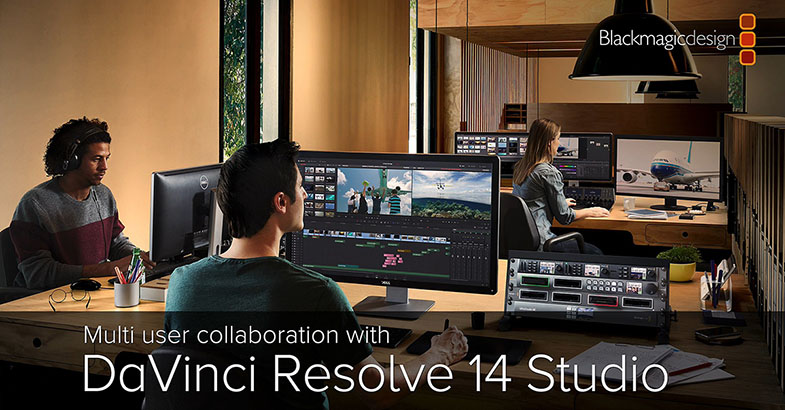
With the release of Mac OS "High Sierra" this month, Apple's Final Cut Pro 7 software will no longer be supported. Final Cut Pro 7 users who are looking for alternative edit software will find that switching to DaVinci Resolve 14 is very easy and only takes a few minutes. DaVinci Resolve 14 can import timelines from Final Cut Pro 7, shares many of the same keyboard shortcuts, uses a similar editing and trimming model, and gives users far greater audio and color tools. For customers looking to make the switch to DaVinci Resolve 14, Blackmagic Design has made a video to help show how quick and simple it is to change from FCP 7 to DaVinci Resolve. See it here.


Date: 20. 09. 2017, Category: News
FULL ARTICLE

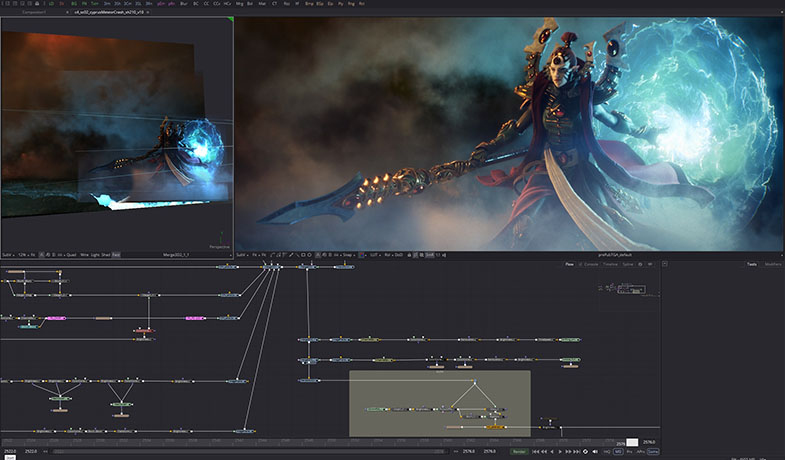
This update includes many bug fixes as well as over 50 performance and stability improvements including better OpenCL performance, improved camera tracker and QuickTime metadata support, and much more:

Blackmagic Design Fusion Studio 9.0.1

New & Improved

  • OpenCL Enable and Caching prefs now apply to individual comps.
  • The Use OpenCL checkbox in Common Controls is now a three-way button, Disable/Auto/Enable (defaults to Auto).
  • When OpenCL is set to Auto (in Prefs/OpenCL and in each tool), Fusion is now more nuanced about which tools use OpenCL, to get better results with slower systems.
  • OpenCL Caching pref is reset to Full.
  • Prefs/OpenCL status text is now formatted and copyable.
  • Significant speedups for OpenCL mask blurs, DeltaKeyer and others.
  • CameraTracker: "Previous Export/Clear" button now works.
  • CameraTracker: Limit the number of tracks used to select seed frames, to improve performance.
  • CameraTracker: Lower the default detection threshold a little.
  • FileRequester: Comp path maps are now shown.
  • Improved progress display when rendering stereo or spherical cameras.
  • Improved performance of TimeSpeed and TimeStretcher in some simple non-interpolating cases.
  • No longer saves default Gradient params to the comp.
  • Improved out-of-range extrapolation of 3D LUTs.
  • Added image clipping modes to DeltaKeyer. The default is 'Frame'.
  • Added hover scrubbing to bin items.
  • Added Bins View Mode scripting/action.
  • Added Bins buttons strip.
  • Added images & tooltips for Player buttons.
  • Added script menu to Bins and Reel View.
  • Tools are now shown in their own special library, which will be automatically re-created such that it stays in-sync with Fusion updates and plugin additions.
  • If playing a single clip (rather than a reel), the entire player closes when pressing esc.
  • Show the play view when opening an item/reel.
  • Support alpha channel output for MXF, QuickTime, FFmpeg, YUV, DNX.
  • Added support for 10bit 422 Planar YUV with full range color.
  • QuickTime and MXF formats now support choosing between multiple decoders.
  • Improved QuickTime metadata support for ColorSpace etc.
  • Added user override of default Data level for H.264 videos in MXF loader.
  • Added more Setup and Inter expressions to CustomVertex.
  • Added help support for 2D & 3D viewer types & subviews.
  • Added a simple stamp creation progress indicator.
  • Add TimeCode and FrameRate to MXF metadata.
  • Drag/drop script files to ConsoleView now executes them.
  • Don't initialise Fuses with invalid IDs, and display a warning.
  • Added Defragment(<filespec>) function to FuServer (Windows only, requires Admin privileges).
  • Added RequestFile()/RequestDir() script funcs to Fusion.
  • Add UIIcon, UIFont, UIWidget classes to UIManager.
  • UIManager windows can now be located by ID.
  • Events can now be sent to any Widget via UIManager::QueueEvent().
  • Various UIManager Widgets now allow their font and icon to be specified.
  • Added a couple of Lua libs (dkjson, lj2curl).
  • Added GetMousePos() script function to Fusion
  • Added bmd.readstring() and bmd.writestring() to Python support.
  • Added extra hostname arg to pinghosts() in python.
  • Added script ExpandShape() and GetPoints() shape funcs.
  • Added fusion:RequestFile()/fusion:RequestDir() script commands..
  • Added StartUndo()/EndUndo()/UpdateControls() FFI functions.
  • Added External Mask Saver.fuse for Resolve Connect integration.
  • Added gettime()/getuptime() script functions
  • Added GetUndoStack() and GetRedoStack() script commands.
  • Added FFI functions to get Valid and Image windows.
Date: 19. 09. 2017, Category: News
FULL ARTICLE