
 CZ
CZ SK
SK HU
HU AT
AT DE
DE ES
ES SI
SI HR
HR
Nothing in the basket.

- Search
-
Login

-
0
Comparison
Add products to compare, then they will appear here and you can compare parameters.
-
0
0 €
News
Press Release
Blackmagic Design today that Intelligent Creatures used Fusion Studio on the highly acclaimed horror film “The Witch.” Led by Compositing Supervisor Eric Doiron and VFX Supervisor Geoff Scott, the Toronto-based post house used Fusion Studio as its main software for all of the film’s VFX. In addition, Intelligent Creatures used DaVinci Resolve Studio to pull VFX plates and do selective color grading during its VFX sequences.
“The Witch” is a supernatural indie thriller that first made waves at the Sundance Film Festival 2015, where writer and director Robert Eggers won Best Director in the U.S. Dramatic category. The suspenseful film tells the story of a 17th Century Puritan family that leaves their community and ventures into the unknown of New England. Tragedy begins to befall the family and suspicions of witchcraft grow as unsettling events happen in the woods surrounding the family’s farm.
Doiron, Scott and the team at Intelligent Creatures helped create the eery New England folk tale that was recently released by A24. Whether it was correcting and capturing the spirit of Black Phillip, the goat at the center of some of the family’s supernatural happenings, or creating the occult elements of the film’s final climatic scene, Intelligent Creatures used Fusion Studio to enhance the film through VFX.
“'The Witch’ was a fun project to work on because we got to really play up some of the spookiness,” said Doiron. “We added supernatural elements to the film to fully capture the dark spirit of witchcraft and the accompanying paranoia of the times.
“For example, we added levitation to a scene using Fusion Studio’s rotoscoping, paint and keying tools. With one plate shot on location and the other on a blue screen stage, we used standard wire rigs as well as a jib rig to lift and rotate things simultaneously. We used Fusion Studio to key each of the six levitating objects and perform extensive wire and rig removal and blue screen composites. In some cases Fusion Studio’s grid warp tool was used to animate patches of skin over the rigs.”
We also used Fusion Studio in a pivotal scene that involved an actor being hit by a cascade of logs. We started with a plate of logs falling onto a dummy which allowed us to get a natural interaction of the logs hitting, bouncing off and coming to rest. We then filmed a clean plate of the actor leaning against the pile and reacting. Using Fusion Studio, we painstakingly rotoscoped each of the falling logs to combine the two plates. Black Phillip was in the scene as well, so we filmed a plate of the goat whose lead and handler had to be removed and then used Fusion Studio's paint and roto tools to composite the goat into the final shot. Then the finishing touch was a gash and blood trickle on the actor’s forehead to really sell the impact.”
Additionally, Intelligent Creatures also used DaVinci Resolve Studio for select color grading on some of their VFX sequences.
“Fire was at the center of the levitation scene and we needed to use DaVinci Resolve Studio to balance it. The scene was shot with practical fire to get natural interactive lighting. While this was invaluable to get the look right, it proved difficult in the comp since the levels were constantly changing due to the flicker. Ultimately, we had to remove the interactive flicker and then add it back in through DaVinci Resolve Studio,” said Doiron. “That, along with using Fusion Studio to add smoke and atmosphere, really enhanced the scene and its spook factor.”

Press Photography
Product photos of Blackmagic Micro Studio Camera 4K, Video Assist, DaVinci Resolve Studio, Teranex Mini, UltraStudio Express and all other Blackmagic Design products are available at www.blackmagicdesign.com/press/images.
About Blackmagic Design
Blackmagic Design creates the world’s highest quality video editing products, digital film cameras, color correctors, video converters, video monitoring, routers, live production switchers, disk recorders, waveform monitors and real time film scanners for the feature film, post production and television broadcast industries. Blackmagic Design’s DeckLink capture cards launched a revolution in quality and affordability in post production, while the company’s Emmy™ award winning DaVinci color correction products have dominated the television and film industry since 1984. Blackmagic Design continues ground breaking innovations including 6G-SDI and 12G-SDI products and stereoscopic 3D and Ultra HD workflows. Founded by world leading post production editors and engineers, Blackmagic Design has offices in the USA, UK, Japan, Singapore and Australia. For more information, please go to www.blackmagicdesign.com.
Date: 31. 03. 2016,
Category: News
FULL ARTICLE
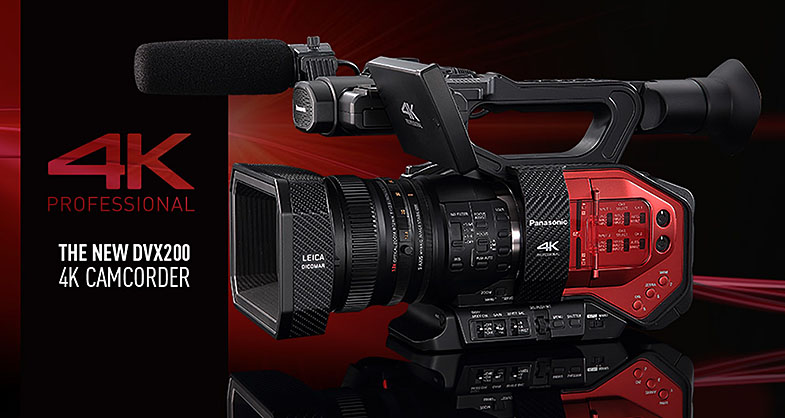
New updated to Panasonic's DVX200 4K camera introduced two changes. First, there is a change to a “NATURAL” color reproduction, enabling the camera to reproduce a more natural color tones (esp. skin tones) even when affected by lighting or shooting conditions. It is also easier to adjust the color tone to other models. Due to this change, a menu OTHER FUNCTION -> COLOR TONE is added to switch the settings for color tone. Please select the [Ver.1.4 ] setting when you need to shoot in the color tone of previous version. A second modification reduces the sense of noise on black-colored parts of an image shot in FHD. The new firmware is available here.
AG-DVX200 Firmware Update Procedure
1. Version display method
1-1. The version of system in camera recorder
The version of system in this camera recorder is displayed in MAINTENANCE menu screen.
1. Turn the power on.
2. Press MENU button to display the setting menu.
3. Select the MAINTENANCE menu and touch “MAINTENANCE” to open the MAINTENANCE menu.
4. Select the item “VERSION” (Touch “VERSION”) to display the version of system in this camera recorder.
1-2. Preparation
CAUTION: Before Updating Software
Do not power down or pull card while upgrading. If the program quits during loading, the data will be erased or part writing condition and the restart is not made.
< External Power >
Please use the AC adapter.
< Preparation for SD memory card >
1. Buffer memory size in SD memory card more than 4GB (SDXC, SDHC).
2. Use an SD Memory Card which has already been formatted for this unit.
NOTE: Be sure to format SD memory card on this unit.
< Copy the update file >
1. Accept the software usage agreement and download the update file data “TC58NYG0N15K.zip” for the AG-DVX200 firmware from the following support web site: http://pro-av.panasonic.net/en/
2. Copy the file “TC58NYG0N15K.zip” to hard disk of your PC and extract the file.
3. Insert the formatted SD memory card into the PC's card slot. Then copy the extracted update file
“UPDATE.HDC” to the root directory of the card. For example, if the SD Card folder is on D\ drive, the file’s location will be described as D\UPDATE.HDC.
2. Update procedure
1. Turn the power on. Set the MODE SW to RECORDING side.
2. Insert the SD memory card into the SD memory card slot 1.
3. Press the MENU button to display the setting menu.
4. Select the item “UPDATE” on the MAINTENANCE menu. (Touch “UPDATE”.)
NOTE: When the update file is not recognized on SD memory card etc., the message “CHECK CARD.” is displayed as follows. Please confirm whether the update file is correctly written on the SD memory card.
5. It takes a few seconds to check the file. While checking it, the message “Please wait.” is displayed. If the update can be executed, the versions of the camera recorder and the update file on the SD card are displayed.
6. Select the “ENTER” button. (Touch the “ENTER” button.)
7. The update confirmation screen is displayed. When “YES” is selected, the update process will start. (Touch the “YES” button.) When “NO” is selected, the screen will return to the OTHER FUNCTION menu screen.
8. The progress bar appears in LCD screen when shifting to the update processing.
Software update takes approx. 1 to 2 min. Do not power down while updating.
9. When the update is completed, the power automatically turns OFF / ON and the message “Update is completed.” is displayed. After the power is ON again, Status indicator is ON.
10. Select the “OK” button. (Touch the “OK” button.) The normal “Recording” mode screen is displayed.
< How to recover from irregular situations while updating >
Solutions are introduced against both Card Plug-Out and Power Interruption troubles to execute the update again.
|
Process |
Card Plug-Out |
Power Interruption |
|
Data Readout from SD Card. |
The process of Update is stopped. |
The camera recorder starts up normally. Restart from selection of “UPDATE” |
|
Updating. (Update of Flash ROM Data.) |
Plug-Out is ignored. Update is continued. (Because the update file data is already transferred to the camera recorder.) |
At the power-on, the camera recorder starts up in UPDATE mode. Update is continued. |
3. Confirm the version number is renewed
Follow the procedure of “Step1”, confirm the version number is renewed. If it succeeded to update, the update file in the SD memory card is not need anymore.
Date: 30. 03. 2016,
Category: News
FULL ARTICLE
Panasonic announced a new firmware update program ver. 2.5 for GH4 cameras to further enhance its performance. The new firmware Ver.2.5 includes following functional updates:
Post Focus
The Post Focus is a special function that enables users to select in-focus point even after shooting. It has been integrated in the new LUMIX cameras such as GX8. With this function, users can enjoy changing perspectives for wider photographic expression or choose best in-focus shot in macro shooting.
4K PHOTO (4K Burst / 4K Burst (Start/Stop) / 4K Pre-burst)
In 4K PHOTO, three dedicated modes -- 4K Burst / 4K Burst (Start/Stop) / 4K Pre-burst -- are newly available on LUMIX GH4. Addition of these modes further enhance the usability of 4K PHOTO to capture the fleeting photo opportunities at 30p.
External Flash Burst
Consecutive shooting with flash burst is available when Panasonic External Flash DMW-FL580L / DMW-FL360L is attached.
Red Eye Correction
The accuracy of digital red eye correction in the RAW development is improved.
HDMI Transmission
The time lag of stop signal transmission through HDMI is adjusted to make the length of the recorded contents same either on the SD Memory Card or on the external recorder via HDMI.
The new GH4 firmware Ver 2.5 us available here.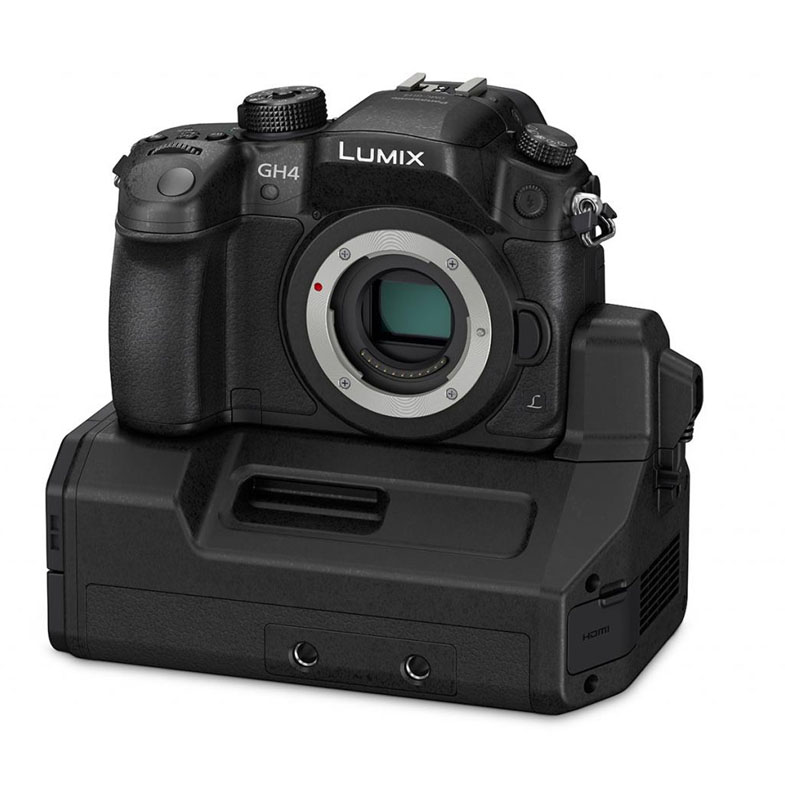
Date: 30. 03. 2016,
Category: News
FULL ARTICLE
This update adds support for start/stop record trigger via SDI for backup recording to external devices and ProRes 444 to URSA Mini 4K, as well as optimizing camera performance at start up in very cold temperatures. Also adds B4 lens control support for analog zoom servos on URSA Mini 4K PL, and performance improvements and enhancements for Blackmagic URSA Viewfinder.
What's new in Blackmagic Camera Setup 3.1
New support for URSA Mini 4.6K
New support for Micro Cinema Camera
Blackmagic URSA Mini 4K
Adds B4 lens control support for analog zoom servos on Blackmagic URSA Mini 4K PL
Adds ProRes 444 codec support
Adds Camera start stop record trigger via SDI for backup recording to external devices
Optimized camera performance when starting in cold temperatures
Blackmagic URSA Viewfinder
Performance improvements and enhancements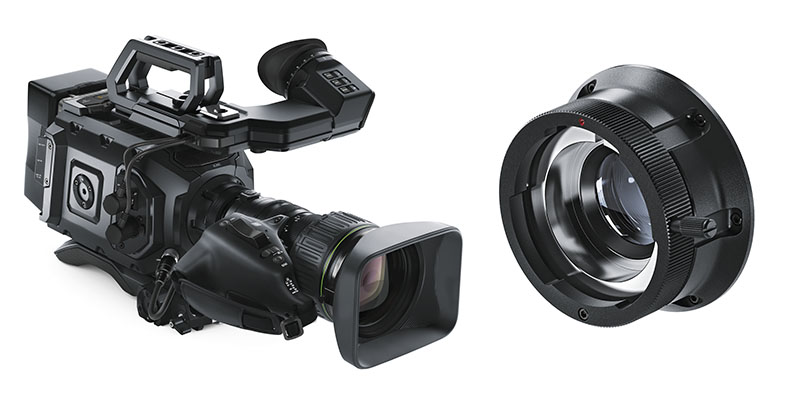
Date: 29. 03. 2016,
Category: News
FULL ARTICLE
Press Release
Blackmagic Design announced that Micro Studio Camera 4K and Video Assist were used for live video feeds and video introductions on Sir Elton John’s “All the Hits” world tour. Blackmagic Design Teranex Mini, UltraStudio Express and DaVinci Resolve Studio were also used for concert production on the tour.
With a career spanning almost 50 years, award winning music legend Elton John is one of the world’s top selling artists of all time. His “All the Hits” tour, which spanned North America, Europe and Oceania for much of 2015, featured performances of hits like “Tiny Dancer” and “Your Song,” as well as iconic songs like “Candle in the Wind” and “Bennie and the Jets” from his highly acclaimed album Goodbye Yellow Brick Road, which recently celebrated its 40th anniversary.
The video team behind the tour included Video Director John Steer, Drum and Percussion Technician Chris Sobchack and Automation, LED and Programming Technician Lars Kristiansen. John initially chose to use the Micro Studio Camera 4K and Video Assist to help facilitate an electronic press kit and impromptu video messages from Elton to help promote the tour, but the products ended up helping him with so much more.
“I used the Micro Studio Camera 4K as a POV camera to give me more live shots and angles, hence greater video coverage of each show,” said John. “The Video Assist helped me check lines to see if I was getting the correct signal and frequency into our media server. Or I’d use it at the end of a long cable run or to see if a bit of kit was operating correctly. I also used it as a recorder and was able to get ISO recordings.”
He continued, “The Micro Studio Camera 4K is so small and versatile. It’s amazing how much you can push the camera protocols without it being detrimental to the image. I also like the fact that it has interchangeable batteries and that it is so easy to dial in the color temperature and choose what codec you want to record in. The onboard microphone is also very good. And what can I say about the Video Assist, except that it is so versatile and light, you can use it anywhere and anyhow. We toured throughout the Far East, Australia and New Zealand, with shows in seven countries, so it was a Godsend during the show set up.”
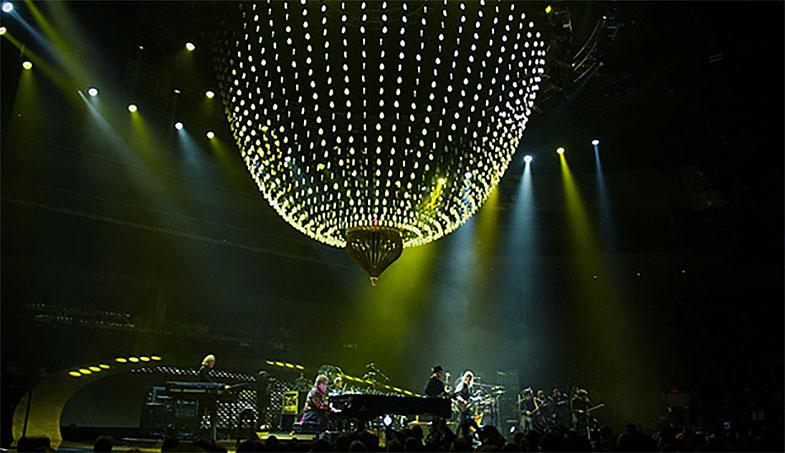
The tour’s stage setup also featured an impressive 40 foot computer controlled LED chandelier running a combination video presentation on the custom designed LED video wall that curved up the back of the stage floor. The chandelier was the focal centerpiece of the set, changing formation throughout the show, in sync with the songs being played and their respective lighting schemes. Lars Kristiansen used an UltraStudio Express and two Teranex Mini HDMI to 12G-SDI models with Smart Panels to receive inputs from the cameras and send SDI feeds from the media server out to the video wall and the chandelier.
“The dual output of SDI on the Teranex Mini was very helpful as it allowed me to send the signal to both the video screen and the chandelier simultaneously, and it eliminated the potential need for an SDI distribution amplifier,” said Lars. “The Teranex Minis have also been very reliable and user friendly. The Smart Panel on the front of each unit includes a color display and user controls so we could quickly monitor video and make sure that a signal was received, as well as change settings right from the front of the converter. On top of everything else, they are also very portable, making it easy for us to transport them from country to country.”
For any video on the tour that required post production work, such as video introductions for the openers or messages from Elton to the audience, Chris Sobchack turned to DaVinci Resolve Studio.
“DaVinci Resolve Studio is like the can opener of all editing programs,” Chris said. “I used it to help re edit, resize and recodec bits of our production video content. It has been amazing when we need to do a high quality, quickly produced video introduction or testimonial that must be shot under less than ideal situations. Resolve’s color correction suite is nothing short of miraculous. Because of the intelligent controls and user friendly layout, I was able to do all of this in one program, in less than 10 minutes, in a crowded production office, in a press box on a 15” MacBook Pro, and that is pretty amazing.”
Press Photography
Product photos of Blackmagic Micro Studio Camera 4K, Video Assist, DaVinci Resolve Studio, Teranex Mini, UltraStudio Express and all other Blackmagic Design products are available at www.blackmagicdesign.com/press/images.
About Blackmagic Design
Blackmagic Design creates the world’s highest quality video editing products, digital film cameras, color correctors, video converters, video monitoring, routers, live production switchers, disk recorders, waveform monitors and real time film scanners for the feature film, post production and television broadcast industries. Blackmagic Design’s DeckLink capture cards launched a revolution in quality and affordability in post production, while the company’s Emmy™ award winning DaVinci color correction products have dominated the television and film industry since 1984. Blackmagic Design continues ground breaking innovations including 6G-SDI and 12G-SDI products and stereoscopic 3D and Ultra HD workflows. Founded by world leading post production editors and engineers, Blackmagic Design has offices in the USA, UK, Japan, Singapore and Australia. For more information, please go to www.blackmagicdesign.com.
Date: 29. 03. 2016,
Category: News
FULL ARTICLE