
 CZ
CZ SK
SK HU
HU AT
AT DE
DE ES
ES SI
SI HR
HR
Nothing in the basket.

- Search
-
Login

-
0
Comparison
Add products to compare, then they will appear here and you can compare parameters.
-
0
0 €
News
Operating Systems
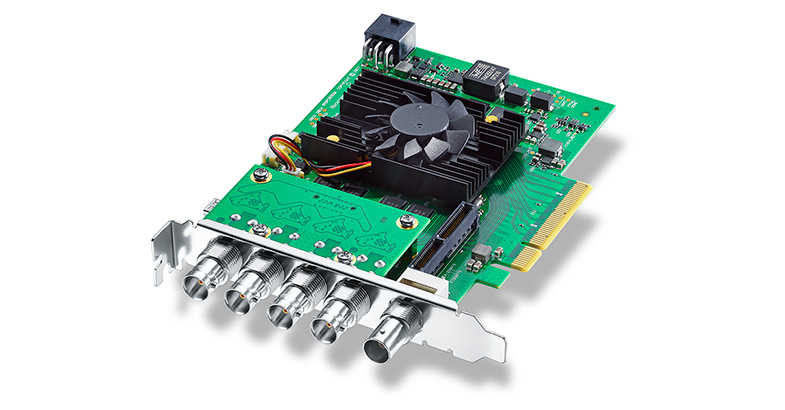
Blackmagic Design Capture cards are compatible with the following Windows & Linux operating systems:
Windows 7 64 bit
Windows 8 64 bit
Windows 10 64 bit
Ubuntu 18.04 64 bit
CPU Requirements
In general, you should choose a CPU that meets or exceeds the system requirements of the software application you are planning on using. Please check with software vendor for additional information.
Memory
Blackmagic Design recommends a minimum of 8GB of memory for all systems.
Graphics
For optimal performance, an accelerated graphics card is recommend for use with DeckLink, Multibridge and Intensity cards. Please see the Graphics Card Requirement Tech note regarding appropriate graphics cards for our products.
Storage
You will require hard drive storage with your Blackmagic card that can provide a data rate greater than that of the video compression you are using. For further information about this, please see the Recommended Disk Arrays for Uncompressed Video Tech note for a list of Storage solutions that have been tested for use with Blackmagic Design products.
Physical Installation
Requires a computer with available PCI Express slot with adequate number of PCI Express lanes and PCI Express generation. Blackmagic PCI Express Cable Kit (available separately) is recommended for use with UltraStudio 4K Extreme 3 when connecting to a computer via PCI Express. DeckLink SDI Micro requires an M.2 connector.
Supported Hardware
Certified Workstations for Microsoft Windows
The following workstations are recommended for use with the DeckLink 8K Pro:
Dell Precision Rack 7910
Dell Precision 7920 Tower
Hewlett Packard Z6G4
Hewlett Packard Z8G4
Hewlett Packard Z800
Hewlett Packard Z820
Hewlett Packard Z840
The following workstations are certified for use with DeckLink and Intensity capture cards:
Dell Precision 7910
Dell T7610
Hewlett Packard Z420
Hewlett Packard Z440
Hewlett Packard Z620
Hewlett Packard Z640
Hewlett Packard Z820
Hewlett Packard Z840
Hewlett Packard Z6 G4
Hewlett Packard Z8 G4
Precision 7920 Tower
Precision 7920 Rack (not recommended for DeckLink Quad card)
The following workstations have been discontinued but are known to work in legacy configuration:
Hewlett Packard XW8600 (not recommended for DeckLink PCI or PCI-X cards)
Hewlett Packard XW9300
Hewlett Packard Z400
Hewlett Packard Z600
Hewlett Packard Z800
Recommended Motherboards for Microsoft Windows
The following motherboards are recommended for use with DeckLink 8K Pro:
Gigabyte X99-UD4-CF
Gigabyte X299 UD4
Gigabyte X399 AORUS Gaming 7
Gigabyte Z97X-UD7 TH
Supermicro C7X99-OCE-F
The following motherboards are recommended for use with DeckLink, Multibridge and Intensity capture cards:
ASRock H270M-ITX/ac
ASRock-Z370M-ITX/ac (Recommended for DeckLink SDI Micro)
ASRock Z87 Extreme 6
ASRock Z87 Extreme11/ac
ASRock Z87 Extreme4/TB4
ASRock Z87 Extreme4 (not recommended for DeckLink Studio 4K)
ASRock Z87E-ITX
Asus Prime B250M-Plus (Recommended for DeckLink SDI Micro)
Asus Z87 Deluxe/Quad
Asus Z87-Expert
Asus Z87-Gryphon
Asus Z87-A
Asus Z87-PLUS
Asus Z87-PRO
Gigabyte H81-D3
Gigabyte GA-H87M-D3H (not recommended for DeckLink Duo)
Gigabyte H370M D3H (Recommended for DeckLink SDI Micro)
Gigabyte Q87M-D2H
Gigabyte X170 Extreme ECC
Gigabyte X99-UD4-CF
Gigabyte Z68X-UD3H-B3
Gigabyte Z77MX-D3H TH
Gigabyte Z77X-UP4 TH
Gigabyte Z77X-UP5 TH
Gigabyte Z87X-UD4H
Gigabyte GA-Z87X-UD7 TH
Gigabyte Z97-UD5H
Gigabyte Z97-WIFI
Gigabyte Z97X-UD7 TH
Gigabyte Z170X GAMING 5 (Recommended for DeckLink SDI Micro)
Gigabyte Z270X-UD3
MSI B360M Mortar Titanium (Recommended for DeckLink SDI Micro)
MSI Z77A-G45 Thunderbolt
SuperMicro C7H170-M
SuperMicro C7X99-OCE
SuperMicro C7X99-OCE - F
SuperMicro C7Z170-SQ
SuperMicro C7Z87-OCE
SuperMicro C7Z97-OCE (not recommended for DeckLink Studio 2)
SuperMicro X10SAT (not recommended for DeckLink Studio 4K)
SuperMicro X10SLV (not recommended with DeckLink SDI)
SuperMicro X10SLV-Q (not recommended with DeckLink SDI)
The following motherboards have been discontinued but are known to work in legacy configuration.
3DBoxx 4920
Asus P5B
Asus P5E
Asus P5Q Pro Turbo
Asus P6T
Asus P6X58D
Asus P6X58D-E WS
Asus P8P67 PRO (Rev 3.1)
Asus P9X79 WS
Gigabyte EP45-DS3
Gigabyte G1.Sniper (X58 chipset)
Gigabyte GA-P67A-UD7-B3 (rev. 1.0)
Gigabyte x48DQ6
Gigabyte X79-UD5
Intel D975XBX
Intel DX58SO
Supermicro C7Z97-M
XFX 790i Ultra
Certified Workstations for Linux
Dell Precision 7920 Tower
Hewlett Packard Z6 G4
Hewlett Packard Z8 G4
Recommended Motherboards for Linux
ASRock Z370M-ITX/ac (Recommended for DeckLink SDI Micro)
ASUS Prime B250M-Plus (Recommended for DeckLink SDI Micro)
Gigabyte H370M D3H (Recommended for DeckLink SDI Micro)
Gigabyte Z170X GAMING 5 (Recommended for DeckLink SDI Micro)
MSI B360M Mortar Titanium (Recommended for DeckLink SDI Micro)
Date: 03. 01. 2019,
Category: News
FULL ARTICLE
Have any last minute holiday-related animations you need to get done? This holiday season, Red Giants give you the gift of time. Enjoy these awesome free Trapcode-based After Effects templates.
Date: 19. 12. 2018,
Category: News
FULL ARTICLE
Keeping track of all your Boris FX products is about to get a whole lot easier. Get ready to start 2019 with an even more streamlined experience from Boris FX. Introducing the Application Manager. Easily and quickly manage all your Boris FX products (Continuum, Sapphire, Mocha Pro & more) within one simple new time-saving tool.
See what products, versions & license types you are currently running
Activate and deactivate licenses between workstations with just one click
Stay up-to-date with the newest releases & instantly install
Download a free trial of any product
Read the latest release notes to see new features & improvements
Quickly access diagnostic log files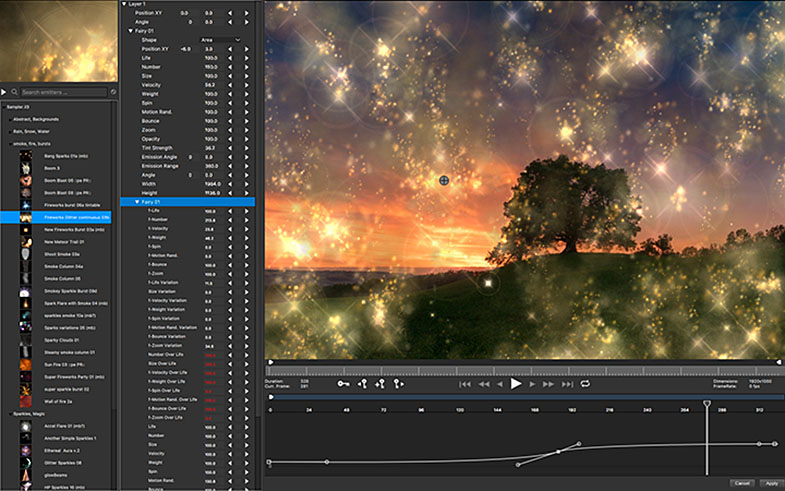
Date: 19. 12. 2018,
Category: News
FULL ARTICLE
New update for Blackmagic Design’s Cintel Film Scanner adds support for HDR (high dynamic range) scanning along with improved sub-pixel image stabilization, the ability to save Cintel settings with projects in DaVinci Resolve 15 and bi-phase timecode support. Cintel 3.0 update also adds Linux support for Cintel Scanners in Blackmagic Desktop Video Setup and DaVinci Resolve 15.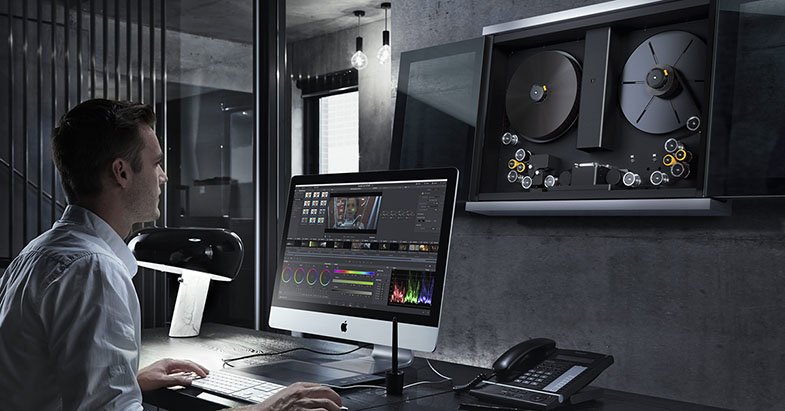
Date: 18. 12. 2018,
Category: News
FULL ARTICLE
New DaVinci Resolve 15 Introduction to Editing video! This official training video is perfect for both new editors and anyone switching to DaVinci Resolve. Learn how to import and organize media, edit, trim, add transitions, effects, titles and more! Plus the new DaVinci Resolve Mini Panel training video will teach you how to adjust multiple parameters simultaneously and how to grade without using a mouse. You’ll learn how to work faster and see how using a panel gives you more creative options!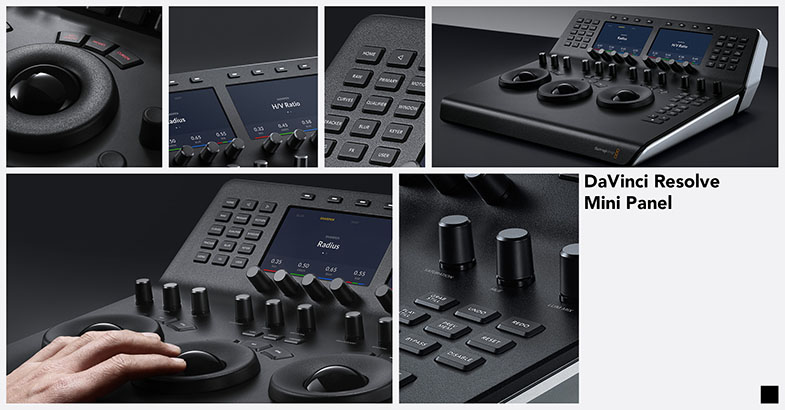
Date: 18. 12. 2018,
Category: News
FULL ARTICLE