
 CZ
CZ SK
SK HU
HU AT
AT DE
DE ES
ES SI
SI HR
HR
Nothing in the basket.

- Search
-
Login

-
0
Comparison
Add products to compare, then they will appear here and you can compare parameters.
-
0
0 €
Blog
Q: Which plug-ins are running with EDIUS 9?
A: All which run with EDIUS 8.
Q: How long will Titler Pro 5 be for free for EDIUS 9 users?
A: There is no time limit for the promotion. All existing and new EDIUS 9 customers can download and use Titler Pro 5 for free.
Q: Is the Pro 8 Home Edition, which was actually not eligible for an upgrade, now eligible for upgrade?
A: Yes, but only with the Pro 9 Jump Upgrade, not the cheaper Pro 9 Upgrade.
Q: Why is my Blackmagic Design editing card no longer running on EDIUS 9?
A: Because the drivers have to be updated, EDIUS 9 uses the newer driver structure of Blackmagic Design. Please use the latest driver.
Q: Why is my EDIUS NX or HD Storm not running on EDIUS 9 anymore?
A: That is indeed the case. EDIUS NX, EDIUS SP, EDIUS HD, EDIUS SD, HD Storm and HD Storm plus are no longer supported by EDIUS 9. HD Spark and HD Spark Pro are supported and of course all the latest editing cards like Storm 3G (Elite), Storm Pro (Bay) and Storm Mobile.
Q: Can I have EDIUS 8 and 9 on the same system?
A: EDIUS 8.53 (but not older version than that) and EDIUS 9.00 can easily be installed and operated in parallel. In this way, EDIUS 8 users can easily test EDIUS 9.
Q: Is EDIUS 9 faster than EDIUS 8?
A: Yes! The application starts faster and H.264 software encoding on a system with lots of cores is much faster now (up to +150% faster!) 
Date: 26. 01. 2018,
Category: News
FULL ARTICLE
The new firmware version 6.0 for Panasonic VariCam LT is scheduled for release end of February, 2018. It will add new functionality for live vide.
Ready for Live
- Shading mode
- Full control from AK-HRP1000/1005
- Return video
- TALLY
Date: 26. 01. 2018,
Category: News
FULL ARTICLE
New Features of Version 9.10.3086 EDIUS
- Support AVC Proxy clip recorded by XAVC equipment
- Support to display progress of certain process (timeline rendering, file export, batch export) on EDIUS icon
- Support to export H.265 (HEVC) clip on Intel 6th or 7th Generation Core i processor based system using Intel Quick Sync Video. Note: for the 6th generation only 8 bit out is supported because of the hardware design. From the 7th generation and up 10 bit is also supported.
Mync
- Support Author metadata in JPEG clip
- Support to create a sub clip on Storyboard
- Support "Lens Model" information in still clip shot by Canon EOS 5D Mark II
- Preserve original "Date taken" for snapshot
- Support keyboard shortcut to add/remove tag
- Support simultaneous preview for multiple still image
Date: 25. 01. 2018,
Category: News
FULL ARTICLE
Today's DSLR and mirrorless cameras are capable of taking high resolution video. Unfortunately, the microphones built into these cameras are woefully inadequate, and there is little question that the audio quality can't keep pace with the video. A simple way to upgrade your audio is with an external microphone. First, you'll want to make sure that your camera has an external microphone jack. This jack is typically an 1/8″ (3.5 mm) mini-plug and will usually be marked as “MIC” on the camera.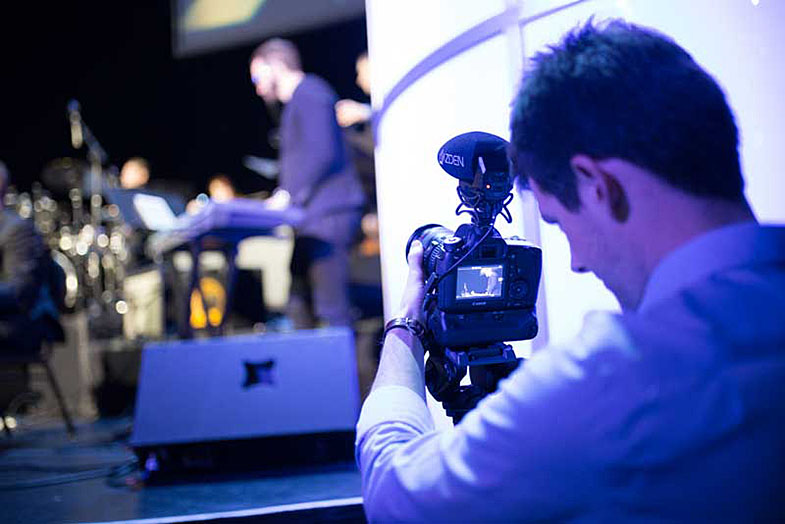
When shopping for a microphone you'll notice there are basically two types: monaural (often shortened as “mono”) which has one audio track, and stereo which has two. You might think that stereo is the better choice, but there are many instances where a mono microphone will be the best option.
Mono Microphones
Directional mono microphones, often called shotguns, have a single microphone element. The microphone element is normally placed at the back end of a barrel, which has cancellation vents on both sides. This gives the microphone a narrow pickup pattern that is called super-cardioid. The result is a microphone that is most sensitive to sound coming from the direction it is pointed, while being less sensitive to sounds from the sides and rear. This directional type pickup is preferable for most dialogue and voice over applications. For example, when recording dialogue, you want the sound pickup focused on your subject, and all extraneous sounds to be reduced. This will make your subject's voice and your recording more intelligible. Mono microphones can also pick up sounds at a greater distance than stereo microphones, again because their pickup pattern is more focused and extraneous noise is reduced.
Stereo Microphones
Stereo microphones have two microphone elements, and are designed to give you a wider, more immersive sound field than mono microphones. A wide pickup pattern is preferable for most live events and when shooting outdoors. For example, if you're recording a band with a stereo microphone, the individual musicians will be positioned in your recording as they were on the stage. With a mono microphone, all the musicians would be centered in the sound field, as if they were all playing on stage in the same exact spot. Any type of outdoor video, from a city street to a beach setting, would be enhanced with a stereo microphone. The large sound field will replicate what is being seen and heard in the video where all directional clues would be lost with a mono microphone.
Choosing a Microphone
So, which should you choose: a mono or stereo microphone? If your budget allows, you may want to consider both, or you may want to consider the Azden SMX-30 Stereo/Mono Switchable Microphone. It combines the best that a mono and stereo microphone have to offer. Since the SMX-30 is really two microphones in one it can satisfy most of your on-camera audio needs.
Date: 24. 01. 2018,
Category: News
FULL ARTICLE
This software update includes over 50 stability and general performance improvements, and is recommended for all DaVinci Resolve 14 Studio users. DaVinci Resolve 14.2.1 Studio features better performance on the edit page while generating thumbnails, correct output of 5.1 and 7.1 WAV files, a more reliable progress indicator when generating optimized proxy media, over a dozen Fairlight audio improvements, better Multicam viewer performance, the ability to change multiple clip properties at the same time, new Power Window tracking indicators for frame mode, improved stability for rendering Cineform and H.264, faster ProRes encoding, faster XAVC-I decoding and much more.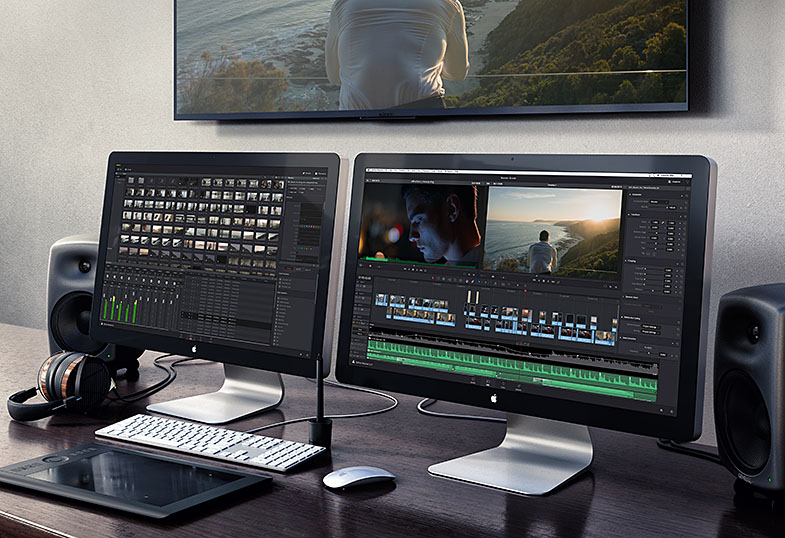
Date: 23. 01. 2018,
Category: News
FULL ARTICLE