
 CZ
CZ SK
SK HU
HU AT
AT DE
DE ES
ES SI
SI HR
HR
Nothing in the basket.

- Search
-
Login

-
0
Comparison
Add products to compare, then they will appear here and you can compare parameters.
-
0
0 €
Blog
Blackmagic Camera 6.0 Public Beta software update adds support for Blackmagic RAW public beta to URSA Mini Pro plus Generation 4 Color Science, new LUTs, improved lens support and more.
What's new in Blackmagic Camera Setup 6.0 Beta
New features for URSA Mini Pro
Add new Blackmagic RAW codec support.
Add new demosaic algorithm.
Add Generation 4 color science.
Add Constant Bitrate 3:1, 5:1, 8:1, 12:1 recording.
Add Constant Quality Q0 and Q5 recording.
Add Blackmagic RAW clip based metadata.
Add Blackmagic RAW per-frame metadata.
Add '4.6K Film to Extended Video' LUT.
Add '4.6K Film to Rec 2020 Hybrid Log Gamma' LUT.
Add '4.6K Film to Rec 2020 PQ Gamma' LUT.
Add Level A support for 3G SDI.
Add support for SDI tally over-ride.
Add codec options in SDI Camera Control Protocol.
Add Blackmagic RAW info to URSA Mini Manual.
Improved lens support for servo zoom lenses.
New applications and SDK resources
Add Blackmagic RAW Player for Mac.
Add Blackmagic RAW QuickLook plugin.
Add Blackmagic RAW SDK Developer information.
Add support for .braw file format.
Add support for .sidecar files.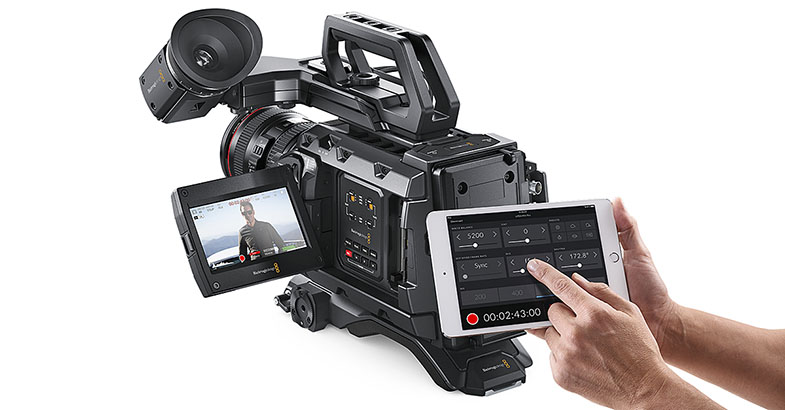
No new features in 6.0 Beta for other camera products.
DaVinci Resolve 15.1 Studio
This software update adds support for the new Blackmagic RAW format to DaVinci Resolve. In addition, DaVinci Resolve 15.1 update also adds new audio ducking features using sidechain compression, support for Fusion compositions outside of the edit timeline, Fusion loader nodes, audio bouncing with effects, source timecode overlays, keywords for markers and more. You can now round trip audio clips to third party audio processing applications from the Fairlight timeline, cache audio clips, deliver supplemental IMF packages, Netflix certified IMF packages, work with stereoscopic 3D EXR files, access frame based metadata and much more. DaVinci Resolve 15.1 Studio adds new collaboration indicators on the edit timeline for clips with color grade changes and Fusion composition updates in collaborative projects, and more.
Date: 14. 09. 2018,
Category: News
FULL ARTICLE
Particle Illusion is a major new addition to the Continuum package. The completely redesigned high-end motion graphics generator (sparkles, smoke, fireworks) features a speedy GPU-accelerated engine in a simple, easy-to-use interface. The new Particle Illusion plug-in will be released later in 2018 as part of Continuum 2019 and the Continuum Particle Unit. In addition to Particle Illusion, Continuum’s Title Studio adds the ability to apply GPU-accelerated effects (image processing shaders) directly inside its interface along with 150+ new professionally designed templates; broadcast monitor support (Blackmagic only in initial release) for external applications like Particle Illusion and Title Studio; and the new Mocha Essentials interface featuring the new Magnetic Spline Tool.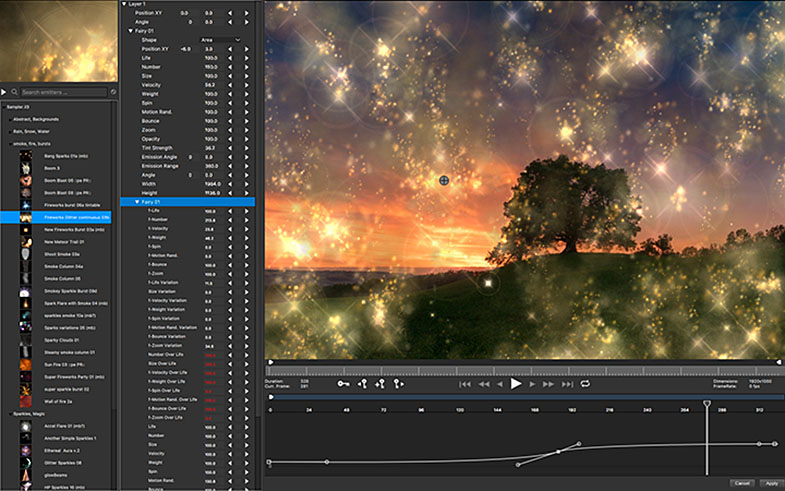
Continuum 2019 highlights:
- Adds Particle Illusion for quick and easy real-time particle creation
- Title Studio adds the ability to apply GPU-accelerated Image Processing Shaders directly inside its interface, includes 150+ new professionally designed templates, a useful new grids and guidelines feature, on-screen Text Tools for even faster and accurate placement, and more
- New Mocha Essentials interface with a new Magnetic Spline Tool and new geometric shape presets makes tracking and masking even easier before. Point trackers like spotlights, rays, and lens flare can now be tracked by Mocha.
- Preview to External Monitor Support (Blackmagic Design only in initial release) for Title Studio and the FX Browser
- Simplified Avid Effect list: Say goodbye to “blue dot” effects thanks to the addition of Mocha’s parameter-based tracking, plus cleaner parameter layouts
Date: 12. 09. 2018,
Category: News
FULL ARTICLE
Based on the Optimo 44-440 A2S lens, which was introduced in April 2016, and after some customers’ suggestions, the new Optimo 42-420 A2S has a different focal length and has even less distortion than the 44-440, which already was minimal. The lens provides the specifications that made the Optimo 44-440 A2S lens so popular and some different image characteristics.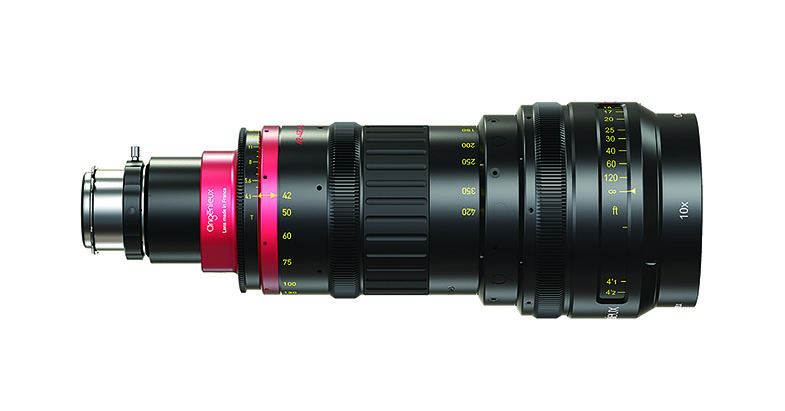
Date: 10. 09. 2018,
Category: News
FULL ARTICLE
Compatible with any HDMI / SDI camera, Sphere is the most flexible 360º monitoring and streaming solution for 4-camera VR rigs! Its 4 USB ports offer an integrated power solution for GoPro rigs and its stereo analog audio input allows you to embed the output of your soundboard right into the live feed. Sphere also includes twin Lemo power connectors for redundant power and dual 10/100 Ethernet ports for Internet connectivity and attaching a second Sphere unit.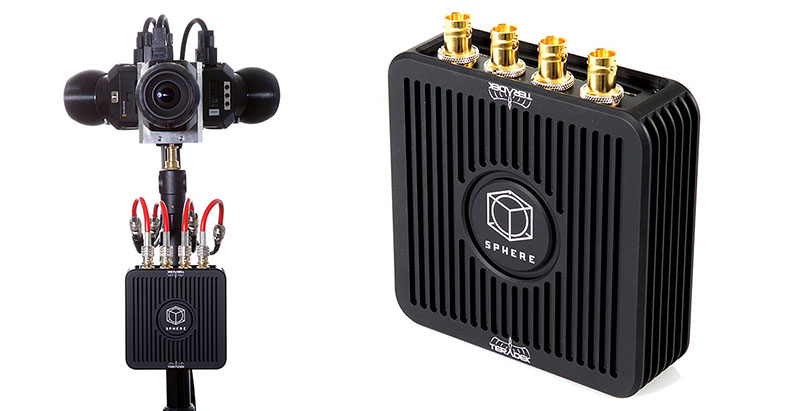
Date: 07. 09. 2018,
Category: News
FULL ARTICLE
Blackmagic Pocket Cinema Camera 4K original files now available! Now you can download a selection of camera original media files from Mark Wyatt, John Brawley and Andreas Neumann’s test shoots. These clips are available now at http://bmd.link/qNnJcK. In addition, Blackmagic Design has published two new tests: „Bugs“ from DP Peter Nearhos (https://youtu.be/OvcTDeOUCv8) shot using a Laowa Probe lens for macro filmmaking and; and „Mountain Bike“ from Joey Knox (https://youtu.be/7U_O5YBret0) testing the camera’s high speed performance.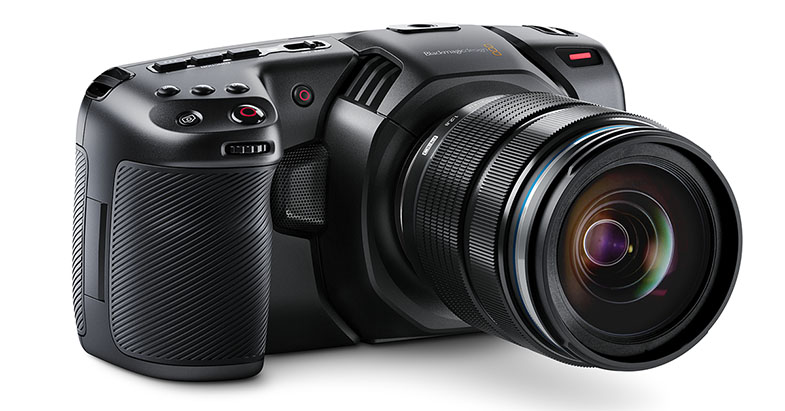
Date: 05. 09. 2018,
Category: News
FULL ARTICLE