News

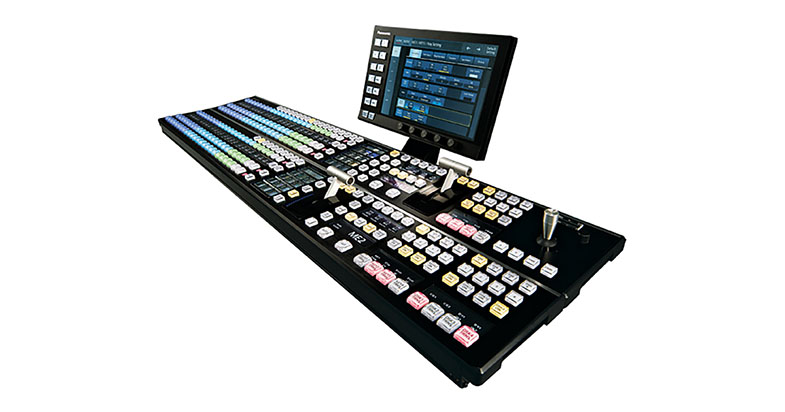
New firmware 6.0 for Panasonic's VariCam digital cinema camera adds:

  • Menu to match the file name of clips recorded in MAIN and SUB recorder is added.
  • New expressP2 card "B series" support
  • New wireless module "AJ-WM50" support
  • ProRes HQ codec support 1080/60i, 50i
  • LUT/CDL recorded with each clip can applied in playback mode
  • LUT/CDL can be saved in SD card
  • "2.201:1" frame marker is added
  • "BEEP" sounds can be played at REC START/STOP
  • Each of VF and VF-SDI can separately have different color
  • Resolution is improved when MAIN recording is selected "V-709"
  • AUDIO VOLUME can be adjusted by menu dial
  • New USER SW function which open AUDIO VOLUME display directly is added
  • WFM can show in "YGBR"
  • Area marker which shows expanded area in EXPAND mode is added
  • MENU structure of "Audio Setting" and "Output Setting" is improved
  • Surround View function has menu to extend whether upper or lower
  • Changed the name of menu item from "FLIP FLOP" to "IMAGE INVERT"
  • New function to display the lists of functions which is assigned to USER SW


Panasonic VariCam 35

Date: 15. 06. 2016, Category: News
FULL ARTICLE

Certified SSDs for Blackmagic Cinema Camera

SSDs which are qualified for 2.5K RAW CinemaDNG video capture will also work well for compressed video capture. There are some SSDs which Blackmgic Design tested and found to be dropping frames when capturing 2.5K RAW CinemaDNG video. However, they still work well when capturing compressed video.


The following SSDs are recommended for 2.5K RAW CinemaDNG capture or compressed video capture:

  • ADATA XPG SX900 256 GB (ASX900S3-256GM-C)
  • Angelbird 240 GB AV Pro mkll
  • Angelbird 500 GB AV Pro mkll
  • Digistor 240 GB SSD Professional Video Series (DIG-PVD240S, pre-formatted ExFat)
  • Digistor 480 GB SSD Professional Video Series (DIG-PVD480S, pre-formatted ExFat)
  • Digistor 1 TB SSD 4K Professional Video Series (DIG-PVD1000, pre-formatted ExFat)
  • Kingston HyperX Savage 120 GB (SHSS37A/120G)
  • Kingston HyperX Savage 240 GB (SHSS37A/240G)
  • Kingston HyperX Savage 480 GB (SHSS37A/480G)
  • Kingston HyperX Savage 960 GB (SHSS37A/960G)
  • OWC 120 GB Mercury Extreme Pro 6G (OWCSSD7P6G120)
  • OWC 240 GB Mercury Extreme Pro 6G (OWCSSD7P6G240)
  • OWC 480 GB Mercury Extreme Pro 6G (OWCSSD7P6G480)
  • OWC 960 GB Mercury Extreme Pro 6G (OWCSSD7P6G960)
  • Samsung 256 GB 850 Pro (MZ-7KE256BW, spacer required)
  • Samsung 512 GB 850 Pro (MZ-7KE512BW, spacer required)
  • Samsung 1 TB 850 Pro (MZ-1T0BW, spacer required)
  • Samsung 2 TB 850 Pro (MZ-7K32T0BW, spacer required)
  • Sandisk Extreme Pro 240 GB (SDSSDXPS-240G-G25)
  • Sandisk Extreme Pro 480 GB (SDSSDXPS-480G-G25)
  • Sandisk Extreme Pro 960 GB (SDSSDXPS-960G-G25)
  • Transcend 256 GB SSD370 (TS256GSSD370)
  • Transcend 512 GB SSD370 (TS512GSSD370)
  • Transcend 1 TB SSD370 (TS1TSSD370)


In addition to the above, these SSDs work ONLY for compressed video capture:

  • Crucial 256 GB M4 (firmware 000F) (CT256M4SSD2)
  • OCZ Agility 3 240 GB (AGT3-25SAT3-240G)
  • Sandisk Extreme 120 GB (SDSSDX-120G-G25)


Important Notes About SSD Speed

Some models of SSD can’t save video data at the speed the manufacturer claims. This is due to the disk using hidden data compression to attain higher write speeds. This data compression can only save data at the manufacturer’s claimed speed when storing data such as blank data or simple files. Video data includes video noise and pixels which are more random so compression will not help, therefore revealing the true speed of the disk. Some SSDs can have up to 50% lower write speed than the manufacturer’s claimed speed. So even though the disk specifications claim an SSD has speeds fast enough to handle video, in reality the disk isn’t fast enough when used to store video data for real time capture. However, this mostly affects HD capture and often these disks can still be used for playback. Use Blackmagic Disk Speed Test to accurately measure whether your SSD will be able to handle uncompressed video capture and playback. Blackmagic Disk Speed Test uses data to simulate the storage of video so you get results similar to what you’ll see when capturing video to a disk. During Blackmagic testing, we have found newer, larger models of SSD and larger capacity SSDs are generally faster.

Blackmagic Cinema Camera

Date: 14. 06. 2016, Category: News
FULL ARTICLE

The following CFast 2.0 cards are recommended for 4K ProRes 422 HQ (up to 60 fps)

  • Lexar Professional 64GB 3500x
  • Lexar Professional 32GB 3400x
  • Lexar Professional 64GB 3400x
  • Lexar Professional 128GB 3400x
  • Lexar Professional 256GB 3400x
  • Lexar Professional 128GB 3500x
  • Lexar Professional 256GB 3500x
  • Transcend 128GB CFX650
  • Transcend 256GB CFX650
  • Wise CFast 2.0 128GB 3400x
  • Wise CFast 2.0 256GB 3400x


Note: the following cards are recommended but have been discontinued by the manufacturer

  • Lexar Professional 32GB 3400x
  • Lexar Professional 64GB 3400x
  • Lexar Professional 128GB 3400x
  • Lexar Professional 256GB 3400x


The following CFast 2.0 cards are recommended for 4K RAW (up to 30 fps)

  • Lexar Professional 64GB 3400x
  • Lexar Professional 128GB 3400x
  • Lexar Professional 256GB 3400x
  • Lexar Professional 128GB 3500x
  • Lexar Professional 256GB 3500x
  • Lexar Professional 256GB 3600x
  • Transcend 128GB CFX650
  • Transcend 256GB CFX650
  • Wise CFast 2.0 128GB 3400x
  • Wise CFast 2.0 256GB 3400x


Note: the following cards are recommended but have been discontinued by the manufacturer

  • Lexar Professional 64GB 3400x
  • Lexar Professional 128GB 3400x
  • Lexar Professional 256GB 3400x


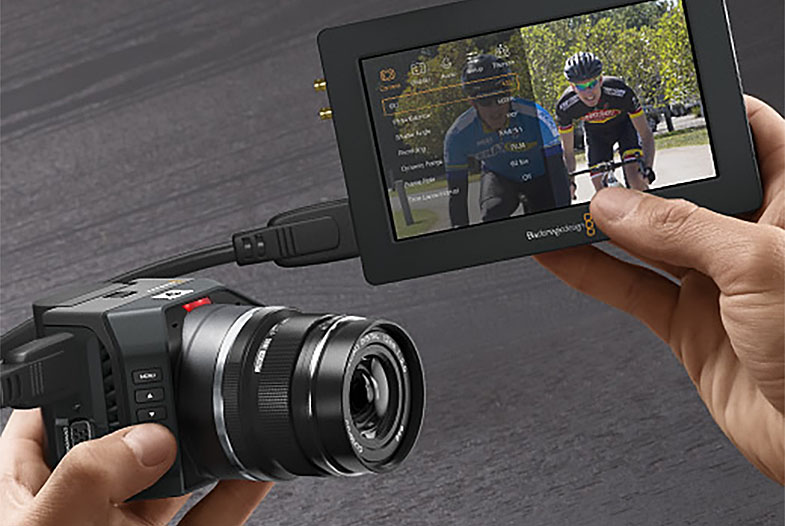
Blackmagic URSA Mini

Date: 14. 06. 2016, Category: News
FULL ARTICLE

New update for Blackmagic Design's video capture and playback devices DeckLink, UltraStudio and Intensity is numbered 10.6.8 and contains improvements and fixes for DeckLink Studio 4K and DeckLink Quad models:


What's new in Desktop Video 10.6.8


New features and fixes on DeckLink Studio 4K

Support for keying in 1080p50, 1080p59.94 and 1080p60

Support for 3G-SDI level A in 1080p23.93 to 1080p30

Fix audio playback compatibility issue with some monitors


Fixes for DeckLink Quad

Fix intermittent audio corruption during playback


Fix occasional crash on Haswell and later Intel CPUs with recent Linux distributions. General performance and stability improvements for all models.

Blackmagic Design DeckLink Studio 4K Quad

Date: 13. 06. 2016, Category: News
FULL ARTICLE

Convergent Design released Firmware 2016.06, the largest, most comprehensive ever offered by Convergent Design, for its monitors/recorders Apollo and Odyssey. 23 new features plus 22 fixes and improvements to current functions cover the Apollo, Odyssey7Q+, Odyssey7Q, and Odyssey7 models. All of these updates are free to the owners of the Apollo and Odyssey products.

Convergent Design Apollo

Apollo Double Master Recording. Double Master Recording captures files to two SSDs simultaneously for instant backup. Hand one off to production and hold the other for safe keeping.

Apollo A/V Align. Intermix cameras with different signal latency and keep both audio and video in sync. Mix cameras from different manufacturers and with different signal processing and compensate for their delays in outputting signals.

3:2 Pulldown Removal. Intermix HD 3:2 Pulldown video cameras with 24p cameras. Mix cameras that output 24p as 1080i60 with embedded 3:2 pulldown and cameras that output 1080p24, all on the fly with matching timecode.

Live Switching Dissolves. Three speeds of dissolves available in live switching. A shortcut button allows alternating between cuts and dissolves for a more professional live edit.

Eight-Channel Audio. Eight tracks of audio for each SDI video input. Apollo Dual-4K offers up to 16 total audio tracks and Apollo Quad-HD offers up to 32 audio tracks. (All Odyssey models and Apollo).

Odyssey RAW Bundle

Sony FS5 RAW. Sony PXW-FS5 RAW Recording in CinemaDNG or Apple ProRes. 4K60p, 4K120p Burst, 2K240p. Odyssey provides the most complete support of Sony FS cameras in the industry. (Odyssey7Q/Odyssey7Q+ w/ Odyssey RAW Bundle).

IO Flare 4K RAW. IO Flare 4K RAW Recording in CinemaDNG. 4K60p. The only portable RAW recorder for the IO Industries cameras. (Odyssey7Q/Odyssey7Q+w/ Odyssey RAW Bundle).

Eight-Channel Audio. Eight tracks of audio for each SDI video input. Apollo Dual-4K offers up to 16 total audio tracks and Apollo Quad-HD offers up to 32 audio tracks. (All Odyssey models and Apollo).

New Software

CD Apple ProRes Transfer Tool v2.4 (New Version). For Apollo multitrack files, select which tracks to transfer. Offload a Live-Switch or Quad-Split quickly to give to a client and then later offload all of the files.


Date: 10. 06. 2016, Category: News
FULL ARTICLE