
 CZ
CZ SK
SK HU
HU AT
AT DE
DE ES
ES SI
SI HR
HR
Nothing in the basket.

- Search
-
Login

-
0
Comparison
Add products to compare, then they will appear here and you can compare parameters.
-
0
0 €
News
We would like to invite you to a Sony Masterclass focused on current and new Sony camera
models. Throughout the day, individual cameras will be available and, in addition to trying out each model, there will also be technology lectures.
Programme:
- 9:45 - Registration
- 10:00 - 12:00 - Sony camera workflow (PXW-Z150 and PXW-FS7 II)
- 12:15 - 13:15 - Live production (MCX-500, HXR-NX5R, RM-30BP)
- 14:30 - 15:30 - Wireless workflow and streaming (PXW-FS5)
- 15:30 - 16:30 - Q&A, testing of cameras, conclusion
Lectures will be in English.
Registration is required for the Masterclass, see. below.
Date: 21. 11. 2016,
Category: News
FULL ARTICLE
Press Release
Blackmagic Design announced Video Assist 2.3, a major new update for Blackmagic Video Assist customers that adds 3D LUTs to both models. This update also adds features to the 5” Blackmagic Video Assist including improved DNxHD and DNxHR support, false color monitoring, expanded focus options and new screen rotation features. The Video Assist 2.3 update is available for download now from the Blackmagic Design website and is free of charge for all Blackmagic Video Assist customers.
Customers using the Video Assist 2.3 update can now load up to six 3D LUTs when monitoring video on set with their 5” or 7” Blackmagic Video Assist. 3D LUTs have become an important part of digital filmmaking because they transform the camera images into a look that closely approximates the final look the director wants. The benefit of monitoring with 3D LUTs is that the crew can see the footage as the director intends it, and it’s completely non destructive because the original camera footage remains untouched. The six x 3D LUTs can be stored and recalled at any time by the user and this new feature is available on both the 5” Blackmagic Video Assist model and the 7” Blackmagic Video Assist 4K model.
For customers using the 5” Blackmagic Video Assist model, this update adds new features that were previously released only on the 7” Blackmagic Video Assist 4K model. These new features include the ability to record to DNxHD and DNxHR files in MXF format which improves compatibility with Avid systems running on Windows. In addition, customers can now choose between DNxHD 220, 145 and 45 bit rates, or between DNxHR HQ, SQ and LB formats when recording.
In addition, Video Assist 2.3 update also expands the options for focus assist so customers can now choose whether they want to see red, green, blue, black, white or traditional focus peaking indicators. This makes it easier for customers to accurately adjust focus in a wider range of scenes and under a variety of different lighting conditions. Customers will now also have the ability to manually control the screen orientation and turn off the auto rotate feature which makes it easier for customers to use the 5” Blackmagic Video Assist model with handheld gimbals and other equipment designed to move the camera and rig simultaneously.
The Video Assist 2.3 update also adds false color monitoring exposure tools to the 5” Blackmagic Video Assist model. False color exposure tools make it easier to properly set exposure in different parts of the image by highlighting specific color ranges of luminance with a solid color overlay. For example, green indicates neutral grey, while pink tones are good references for skin, which is typically one stop over neutral grey. Using false color helps camera operators keep exposure consistent from shot to shot.
Press Photography
Product photos of all Blackmagic Design products, are available at www.blackmagicdesign.com/press/images.
About Blackmagic Design
Blackmagic Design creates the world’s highest quality video editing products, digital film cameras, color correctors, video converters, video monitoring, routers, live production switchers, disk recorders, waveform monitors and real time film scanners for the feature film, post production and television broadcast industries. Blackmagic Design’s DeckLink capture cards launched a revolution in quality and affordability in post production, while the company’s Emmy™ award winning DaVinci color correction products have dominated the television and film industry since 1984. Blackmagic Design continues ground breaking innovations including 6G-SDI and 12G-SDI products and stereoscopic 3D and Ultra HD workflows. Founded by world leading post production editors and engineers, Blackmagic Design has offices in the USA, UK, Japan, Singapore and Australia. For more information, please go to www.blackmagicdesign.com.
Date: 21. 11. 2016,
Category: News
FULL ARTICLE
Fifth generation of NewBlueFX's titling software, Titler Pro 5, incorporates extensive feedback from editing professionals. The new Titler Pro 5 gives you a faster, easier and more powerful experience than ever before. There are over 60 improvements in Titler Pro 5 to make your titling experience more seamless and to help you get the results you need for your production. 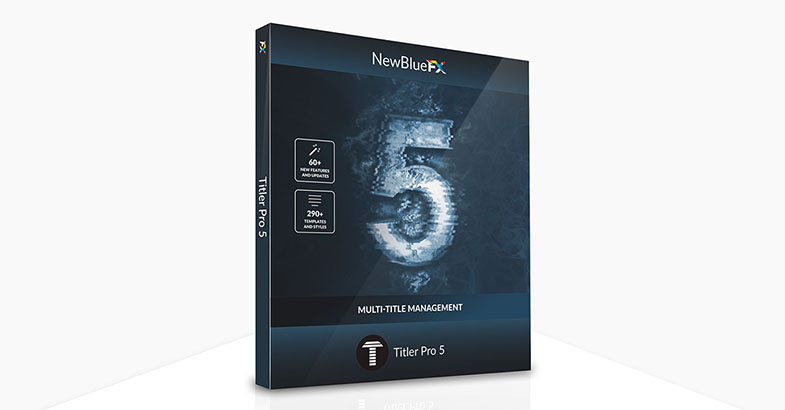
Date: 18. 11. 2016,
Category: News
FULL ARTICLE
Grass Valley released and update 8.3 for its popular EDIUS NLE software. The biggest new feature is the optical flow interpolation technology for frame rate changes or video slow downs, followed by the ability to burn non-standard projects (25p or 50p, e.g.) to DVD/Blu-ray discs with automatic frame rate conversion. The new version also implements new resolution settings for proxy files, GUI optimizations for high resolution displays, timecode display in the bin window, static frame capture during video preview, and DNxHD MXF 60/59.94/50p, 8 or 10-bit video import/export in EDIUS Workgroup edition.
Date: 17. 11. 2016,
Category: News
FULL ARTICLE
New Desktop Video 10.8.3 update for Blackmagic Design's DeckLink, UltraStudio and Intensity video capture and playback cards fixes issues with installation on Windows 10 Anniversary Update edition. It also contains general performance and stability improvements for all models. Download it here.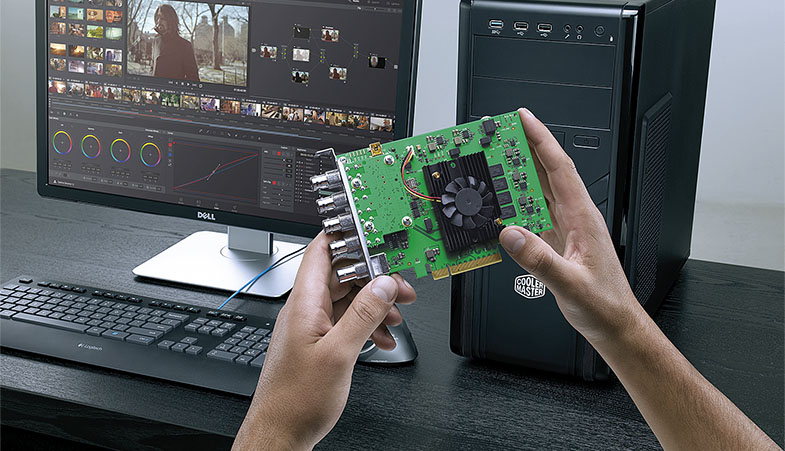
Date: 16. 11. 2016,
Category: News
FULL ARTICLE