
 CZ
CZ SK
SK HU
HU AT
AT DE
DE ES
ES SI
SI HR
HR
Nothing in the basket.

- Search
-
Login

-
0
Comparison
Add products to compare, then they will appear here and you can compare parameters.
-
0
0 €
News
Blackmagic Video Assist 4K
It is important to use high speed UHS-II SD cards. These are some SD cards which Blackmagic Design has tested using ProRes HQ. The following SD cards will record at a maximum of 2160p30 and are recommended when using HFS+ or exFAT:
- Delkin Devices SD SDHC UHS II 250MB/s
- Lexar 64GB SDXC UHS II 2000x300MB/s
- Lexar SDHC UHS I 633x 95MB/s 32GB
- Lexar SDHC UHS I 633x 95MB/s 64GB
- Lexar SDHC UHS II 1000x 150MB/s 32GB
- Lexar SDHC UHS II 2000x 300MB/s
- Lexar SDXC UHS II 1000x 150MB/s 128GB
- Lexar SDXC UHS II 1000x 150MB/s 256GB
- Lexar SDXC UHS II 1000x 150MB/s 64GB
- SanDisk Extreme Pro SDXC UHS II
- SanDisk Extreme Pro UHS I 95MB/s
- Toshiba Excreta Pro SDxC UHS II
- Transcend 64GB SDXC UHS II 180MB/SDXC
Blackmagic Video Assist (11/2016)
It is important to use high speed UHS-1 SD cards. These are some SD cards which Blackmagic Design has tested using ProRes HQ. The following SD cards will record at a maximum of 1080p60 and are recommended when using HFS+ or exFAT:
- SanDisk Extreme Pro 16GB SDSDXP-016G-A46
- SanDisk Extreme Pro 32GB SDSDXP-032G-A46
- SanDisk Extreme Pro 64GB SDSDXP-064G-A46
- SanDisk Extreme Pro 128GB SDSDXP-128G-A46
- SanDisk Extreme Pro 256GB SDSDXP-256G-A46
- SanDisk Extreme Pro 512GB SDSDXP-512G-A46
The following SD cards will record at a maximum of 1080i60 using HFS+ or exFAT:
- Lexar Professional SD XC 600x 128GB
- DelkinDevices 633x 8GB
The following SD cards will record at a maximum of NTSC using HFS+ or exFAT:
- SanDisk Ultra SD HC 8GB
- SanDisk SD HC 8GB
- Transcend SD HC 8GB
The following SD cards are discontinued and are not recommended for recording on Blackmagic Video Assist:
- Panasonic SDHC Gold Series 16GB
- Panasonic SDHC Gold Series 32GB
Important Notes About SD Card Speed
Please ensure your chosen SD card is UHS-1 only (for Video Assist) or UHS-II (for Video Assist 4K). The above list are the SD cards we have currently tested, however there are many other available SD cards which will be compatible. It’s worth testing your card’s speed using Blackmagic Disk Speed Test to accurately measure whether your SD card will be able to record at the rate you require. Blackmagic Disk Speed Test uses data to simulate the storage of video so you can get results similar to what you’ll see when capturing video to an SD card.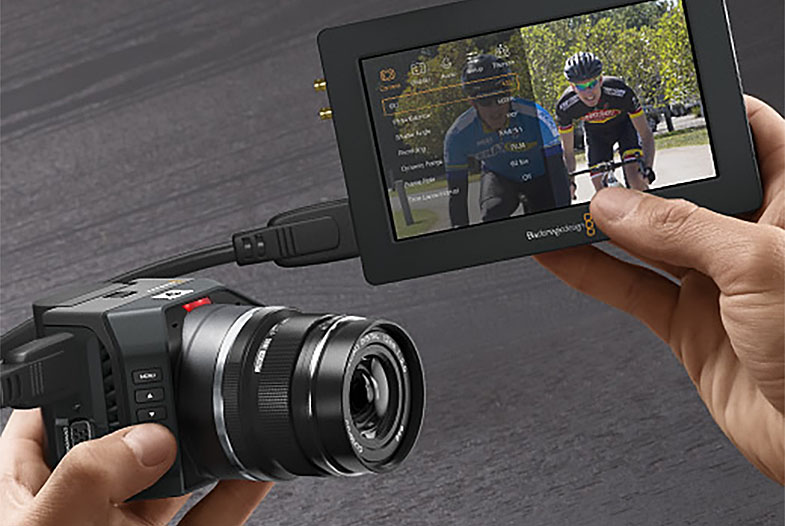
Date: 15. 11. 2016,
Category: News
FULL ARTICLE
Certified SSDs for Blackmagic Production Camera 4K (November 2016)
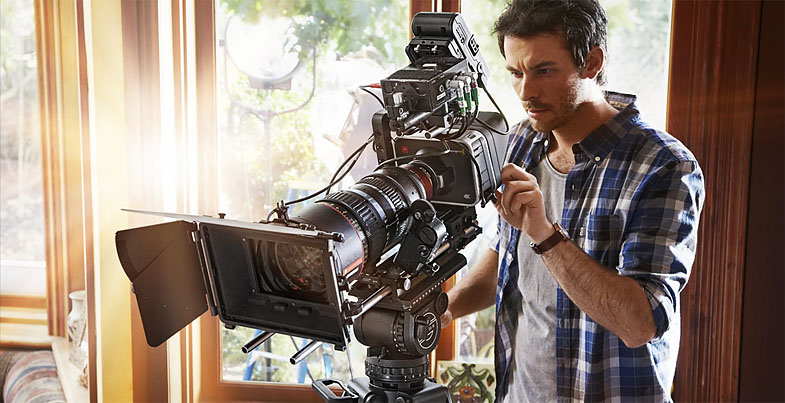
The following SSDs are recommended for 4K RAW and ProRes capture:
- Angelbird AV Pro 250 GB
- Angelbird AV Pro 500 GB
- Digistor 1 TB SSD 4K Professional Video Series (DIG-PVD1000, pre-formatted ExFat)
- Kingston HyperX Savage 120 GB (SHSS37A/120G)
- Kingston HyperX Savage 240 GB (SHSS37A/240G)
- Kingston HyperX Savage 480 GB (SHSS37A/480G)
- Kingston HyperX Savage 960 GB (SHSS37A/960G)
- OWC 960 GB Mercury Extreme Pro 6G (OWCSSD7P6G960)
- Samsung 256 GB 850 Pro (MZ-7KE256BW, spacer required)
- Samsung 512 GB 850 Pro (MZ-7KE512BW, spacer required)
- Samsung 1 TB 850 Pro (MZ-7KE1T0BW, spacer required)
- Sandisk Extreme Pro 240 GB (SDSSDXPS-240G-G25)
- Sandisk Extreme Pro 480 GB (SDSSDXPS-480G-G25)
- Sandisk Extreme Pro 960 GB (SDSSDXPS-960G-G25)
- Wise Cinema CMS-0240 240 GB
The following SSDs are recommended 4K and 1080 Apple ProRes (HQ) 422 capture:
- ADATA XPG SX900 256 GB (ASX900S3-256GM-C)
- Angelbird 240 GB AV Pro
- Angelbird 480 GB AV Pro
- Digistor 240 GB SSD Professional Video Series (DIG-PVD240S, pre-formatted ExFat)
- Digistor 480 GB SSD Professional Video Series (DIG-PVD480S, pre-formatted ExFat)
- Intel 530 Series 180 GB SSD (SSDSC2BW180A401)
- Intel 530 Series 240 GB SSD (SSDSC2BW240A401)
- Kingston 240 GB HyperX 3K (SH103S3/240G)
- Kingston 480 GB HyperX 3K (SH103S3/480G)
- Kingston 240 GB SSDNow KC300 (SKC300S37A/240G)
- Kingston 480 GB SSDNow KC300 (SKC300S37A/480G)
- OWC 120 GB Mercury Extreme Pro 6G (OWCSSD7P6G120)
- OWC 240 GB Mercury Extreme Pro 6G (OWCSSD7P6G240)
- OWC 480 GB Mercury Extreme Pro 6G (OWCSSD7P6G480)
- PNY CL4100 240 GB (SSD7SC240GCL4)
- PNY CL4100 480 GB (SSD7SC480GCL4)
- PNY Prevail 240 GB (SSD9SC240GCDA-PB)
- PNY Prevail 480 GB (SSD9SC480GCDA-PB)
- PNY XLR8 480 GB (SSD9SC480GMDA-RB)
- Sandisk Extreme 240 GB (SDSSDX-240G-G25)
- Sandisk Extreme 480 GB (SDSSDX-480G-G25)
- Transcend 256 GB SSD370 (TS256GSSD370BM)
- Transcend 512 GB SSD370 (TS512GSSD370BM)
- Transcend 1 TB SSD370 (TS1TSSD370BM)
- Transcend 256 GB SSD720 (TS256GSSD720)
Important Notes About SSD Speed
Some models of SSD can’t save video data at the speed the manufacturer claims. This is due to the disk using hidden data compression to attain higher write speeds. This data compression can only save data at the manufacturer’s claimed speed when storing data such as blank data or simple files. Video data includes video noise and pixels which are more random so compression will not help, therefore revealing the true speed of the disk.
Some SSDs can have up to 50% lower write speed than the manufacturer’s claimed speed. So even though the disk specifications claim an SSD has speeds fast enough to handle video, in reality the disk isn’t fast enough when used to store video data for real time capture. However, this mostly affects HD capture and often these disks can still be used for playback.
Use Blackmagic Disk Speed Test to accurately measure whether your SSD will be able to handle uncompressed video capture and playback. Blackmagic Disk Speed Test uses data to simulate the storage of video so you get results similar to what you’ll see when capturing video to a disk. During Blackmagic testing, we have found newer, larger models of SSD and larger capacity SSDs are generally faster.
Date: 15. 11. 2016,
Category: News
FULL ARTICLE
Certified SSDs
SSDs which are qualified for Uncompressed 10-bit video capture will also work well for compressed video capture. There are some SSDs which Blackmagic has tested and found to drop frames when capturing Uncompressed 10-bit video. However, they still work well when capturing compressed video.
The following SSDs are recommended for Uncompressed 10-bit or compressed video capture:
- ADATA XPG SX900 256 GB (ASX900S3-256GM-C)
- Angelbird 250 GB AV Pro
- Angelbird 500 GB AV Pro
- Digistor 1TB SSD 4K Professional Video Series (DIG-PVD1000, pre-formatted ExFat) - not compatible with HyperDeck Shuttle
- Digistor 240 GB SSD Professional Video Series (DIG-PVD240S, pre-formatted ExFat)
- Digistor 480 GB SSD Professional Video Series (DIG-PVD480S, pre-formatted ExFat)
- Intel 335 Series 240 GB SSD (SSDSC2CT240A4K5)
- Intel 520 Series 240 GB SSD (SSDSC2CW240A310)
- Intel 520 Series 480 GB SSD (SSDSC2CW480A310)
- Intel 530 Series 180 GB SSD (SSDSC2BW180A401)
- Intel 530 Series 240 GB SSD (SSDSC2BW240A401)
- Kingston 240 GB HyperX 3K (SH103S3/240G)
- Kingston 240 GB SSD Now KC300 (SKC300S37A/240G)
- Kingston 480 GB HyperX 3K (SH103S3/480G)
- Kingston 480 GB SSD Now KC300 (SKC300S37A/480G)
- Kingston HyperX Savage 120 GB (SHSS37A/120G)
- Kingston HyperX Savage 240 GB (SHSS37A/240G)
- Kingston HyperX Savage 480 GB (SHSS37A/480G)
- Kingston HyperX Savage 960 GB (SHSS37A/960G)
- OWC 120 GB Mercury Extreme Pro 6G (OWCSSD7P6G120)
- OWC 240 GB Mercury Extreme Pro 6G (OWCSSD7P6G240)
- OWC 480 GB Mercury Extreme Pro 6G (OWCSSD7P6G480)
- PNY Prevail 240 GB (SSD9SC240GCDA-PB)
- PNY Prevail 480 GB (SSD9SC480GCDA-PB)
- PNY XLR8 480 GB (SSD9SC480GMDA-RB)
- Samsung 1TB 850 Pro (MZ-1T0BW, spacer required)- - not compatible with HyperDeck Shuttle
- Samsung 256 GB 850 Pro (MZ-7KE256BW, spacer required)
- Samsung 512 GB 850 Pro (MZ-7KE512BW, spacer required)
- Sandisk Extreme 240 GB (SDSSDX-240G-G25)
- Sandisk Extreme 480 GB (SDSSDX-480G-G25)
- Sandisk Extreme Pro 240 GB (SDSSDXPS-240G-G25)
- Sandisk Extreme Pro 480 GB (SDSSDXPS-480G-G25)
- Sandisk Extreme Pro 960 GB (SDSSDXPS-960G-G25)
- Transcend 256 GB SSD720 (TS256GSSD720)
In addition to the above, these SSDs work ONLY for compressed video capture:
- Crucial 256 GB M4 (firmware 000F) (CT256M4SSD2)
- OCZ Agility 3 240 GB (AGT3-25SAT3-240G)
- Sandisk Extreme 120 GB (SDSSDX-120G-G25)
The following SSDs are either discontinued or only supported as part of a legacy configuration and may no longer be available with the required firmware:
- Crucial 256 GB C300 (CTFDDAC256MAG-1G1) - (discontinued)
- Digistor 128 GB SSD Professional Video Extreme (DIG-PVD128E, pre-formatted ExFat)
- Kingston 120 GB SSD Now V+200 (SVP200S3/120G) - (discontinued)
- Kingston 128 GB SSD Now V+100 (SVP100S2/128G) - (discontinued)
- Kingston 240 GB SSD Now V+200 (SVP200S3/240G) - (discontinued)
- Kingston 512 GB SSD Now V+100 (SVP100S2/512G) - (discontinued)
- Kingston 64 GB SSD Now V+100 (SVP100S2/64G) - (discontinued)
- Kingston HyperX 240 GB (SH100S3/240G) - (discontinued)
- OCZ 240 GB Deneva 2 (firmware 2.22) (D2CSTK251M21-0240) - (discontinued)
- OCZ 240 GB Vertex 3 (VTX3-25SAT3-240G) - (discontinued)
- OCZ 480 GB Vertex 3 (VTX3-25SAT3-480G) - (discontinued)
- OWC 120 GB Mercury Extreme Pro 6G (Firmware Rev 5.0.7) (OWCSSDMX6G120T) - (discontinued)
- OWC 240 GB Mercury Extreme Pro 6G (Firmware Rev 5.0.6) (OWCSSDMX6G240T) - (discontinued)
- OWC 480 GB Mercury Extreme Pro 6G (Firmware Rev 5.0.6) (OWCSSDMX6G480) - (discontinued)
- OWC Mercury Extreme Pro 6G SSD (firmware 5.0.2) (OWCSSDMX6G240T) - (discontinued)
The following SSDs are known only to work with specific firmware versions:
- Crucial 512 GB M4 (firmware 009 only) (CT512M4SSD2)

Important Notes About SSD Speed
Some models of SSD can’t save video data at the speed the manufacturer claims. This is due to the disk using hidden data compression to attain higher write speeds. This data compression can only save data at the manufacturer’s claimed speed when storing data such as blank data or simple files. Video data includes video noise and pixels which are more random so compression will not help, therefore revealing the true speed of the disk. Some SSDs can have up to 50% lower write speed than the manufacturer’s claimed speed. So even though the disk specifications claim an SSD has speeds fast enough to handle video, in reality the disk isn’t fast enough when used to store video data for real time capture. However, this mostly affects HD capture and often these disks can still be used for playback.
Use Blackmagic Disk Speed Test to accurately measure whether your SSD will be able to handle uncompressed video capture and playback. Blackmagic Disk Speed Test uses data to simulate the storage of video so you get results similar to what you’ll see when capturing video to a disk. During Blackmagic testing, we have found newer, larger models of SSD and larger capacity SSDs are generally faster.
Date: 15. 11. 2016,
Category: News
FULL ARTICLE
The new 2.6 firmware update for the popular Panasonic GH4 4K camera resolves an issue with the Battery Grip, where an error message pops up if the remaining power of the battery in the Battery Grip is low. Also resolved is an issue with a Panasonic H-RS100400 lens (LEICA DG VARIO-ELMAR 100-400mm / F4.0-6.3 ASPH. / POWER O.I.S.) or some Olympus interchangeable lenses, where the monitor blacks out while the user tries consecutive shooting in manual mode in AFC setting.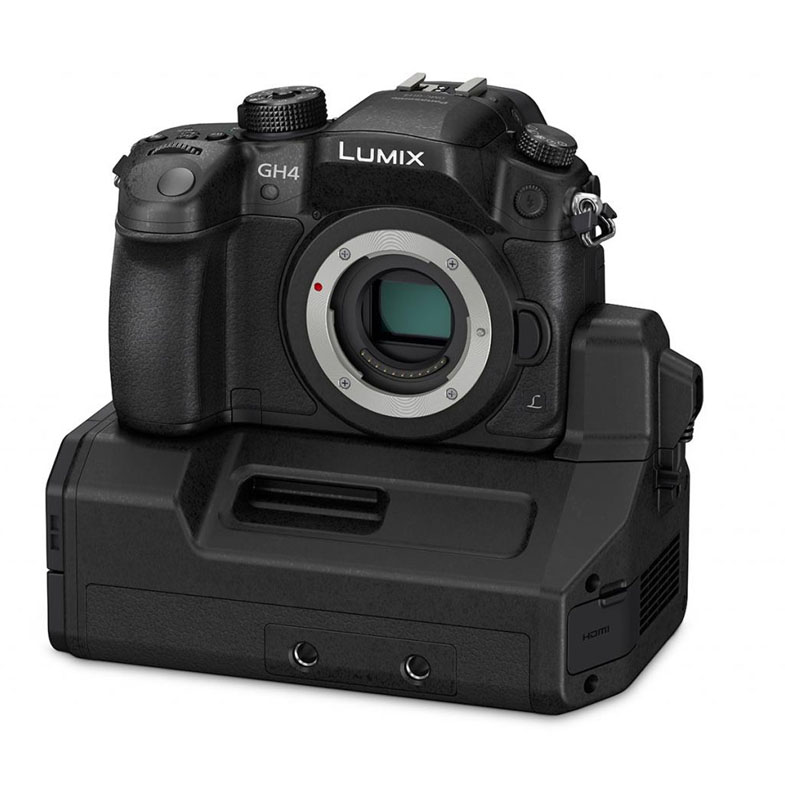
Date: 15. 11. 2016,
Category: News
FULL ARTICLE
Chaos Group announced a major new release of its versatile, all-in-one fluid dynamics plug-in, Phoenix FD 3.0 for 3ds Max. Frequently used to simulate realistic water, fire, and other fluid effects for multiple television series such as Game of Thrones and The Flash, Phoenix FD has been significantly upgraded for fast-paced productions. With its new FLIP liquid solver and improved smoke and fire solver, Phoenix FD is now more powerful and able to bring more realism to visual effects projects.
Phoenix FD 3.0 for 3ds Max has been given a full makeover, with new intuitive controls, presets and GPU-accelerated previews, making it a fast and easy way to tackle tight deadlines. The new Phoenix FD integrates seamlessly into Autodesk 3ds Max and renders with V-Ray, Chaos Group's industry-standard lighting and rendering solution.
Phoenix FD 3.0 is available now for Autodesk 3ds Max and is a free upgrade for all Phoenix FD 2.x customers. A Phoenix FD 3.0 for 3ds Max Workstation license is 600EUR and includes one floating user license and one floating simulation license. Additional simulation licenses are available for 150EUR ex. VAT.

Highlights of Phoenix FD 3.0 for 3ds Max:
Ocean simulations
Infinite ocean – Create infinite ocean waves that never repeat.
Ocean & beach waves – Seamlessly transition from procedural ocean waves to simulated beach waves.
Advanced simulations and controls
FLIP solver – Enables faster, more realistic liquid simulations for splashes, sprays, foam, mist and waves.
Improved fire and smoke solver – Realistic smoke and fire with natural rolling motion and fine details can be created without increasing resolution.
Cascade simulations – Create a series of simulations that trigger and interact with each other.
Refine existing simulations – Add detail and increase resolution without changing simulation shape or behavior.
Simulation retiming – Speed up or slow down simulation playback, perfect for slow motion effects.
Custom emission sources – Use a wide range of emission sources including animated meshes, texture maps, particles and more.
New forces – Influence simulations with forces like wind, spline follow, and mesh attraction.
Pipeline and compatibility
Compatibility – Compatible with top industry tools such as Alembic, Krakatoa, Stoke MX and OpenVDB.
Date: 14. 11. 2016,
Category: News
FULL ARTICLE