
 CZ
CZ SK
SK HU
HU AT
AT DE
DE ES
ES SI
SI HR
HR
Nothing in the basket.

- Search
-
Login

-
0
Comparison
Add products to compare, then they will appear here and you can compare parameters.
-
0
0 €
News
Blackmagic Design announced an exciting new low price for its SmartView 4K and SmartView HD broadcast monitors. The SmartView 4K is the world’s first full resolution Ultra HD broadcast monitor with 12G-SDI inputs and has now been reduced in price to only 905 EUR ex. VAT, while the high definition SmartView HD is now only 725 EUR ex. VAT. The fast adoption and incredible excitement behind Ultra HD technology means that component costs have been drastically improved over the last few months and these reductions can now be passed on to customers. This has allowed Blackmagic Design to dramatically lower the price of the SmartView 4K from 1825 EUR to only 905 EUR ex. VAT.
Date: 31. 03. 2017,
Category: News
FULL ARTICLE
New podcast in the EDIUS Podcast series continues where the previous left off, covering mono/stereo audio wokflows. Most professional cameras allow recording two separate mono channels, while EDIUS expects a stereo audio track. The new podcast shows how to quickly and easily separate two stereo tracks into monaural channels. Visit podcast.edius.net YouTube channel to watch the ongoing podcast series.
Date: 30. 03. 2017,
Category: News
FULL ARTICLE
Schneider-Kreuznach introduced Xenon FF-Prime Cine-Tilt lenses, the world’s first full-frame cine primes to offer dynamic tilt functionality. These groundbreaking new lenses combine a similar form factor and capabilities as the company's popular full-frame primes with an added tilt function up to ±4°. By sustaining the field of view during focus and tilt actions, the new cine-tilt design means that previously unimaginable images can be taken by moving and tilting the focus plane. The new lenses make it possible to capture out-of-focus areas in the frame, especially when using tilt with a large aperture. A 4° tilt angle on the sensor plane corresponds to an 80° focal plane, which varies according to the selected focal length and aperture setting.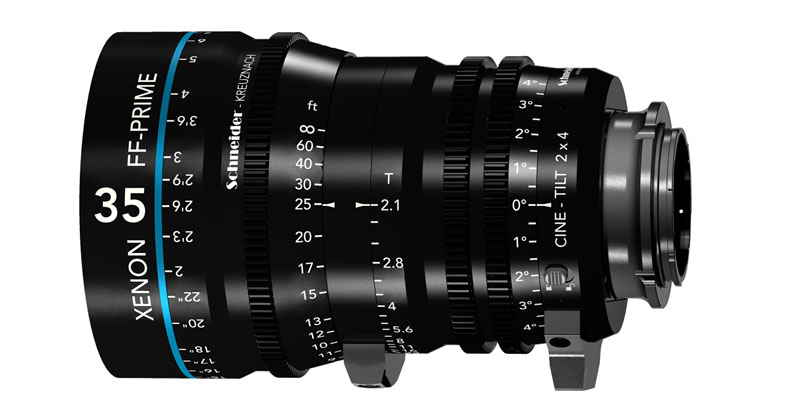
Like Schneider-Kreuznach's standard Xenon FF-Primes, the new version answers today's practical needs for full-frame imagery beyond 4K in a lightweight and compact, uniform housing. The color-matched lenses feature minimized breathing and a bokeh reminiscent of classic Hollywood. Designed and built in Germany, the new design incorporates sophisticated mechanics for smooth and accurate tilt action. The tilt of the lens is controlled via a high-precision ring with 120° rotation that is as intuitive to operate as pulling focus. Thanks to the common 0.8 module gear, the Cine-Tilt can be used with standard follow-focus systems.
Schneider-Kreuznach's Cine-Tilt lenses offer the multifold benefits of standard Xenon FF-Primes plus tilt functionality, so there is no need to swap lenses during a shot. With the tilt set at 0°, the Cine-Tilt lenses provide identical images to the standard FF-Primes. The homogenous set comprises focal lengths of 25mm, 35mm, 50mm, 75mm and 100mm -- all with T2.1. Schneider-Kreuznach’s Cine-Tilt FF-Primes will be available in a Sony E-mount this spring, either individually or as a set.
Date: 30. 03. 2017,
Category: News
FULL ARTICLE
The field-proven accessories from Chrozsiel, custom-made for your Sony PXW-FS7 and PXW-FS7 M2 cameras! Chrosziel's world-renowned matte boxes, lens support, filter holders, follow focus systems, and other accessories have been developed to meet the rigorous demands of today's cinematic productions. Durable, yet light-weight and equipped with a variety of essential features, the Chrosziel matte boxes, follow focus systems and lens support mechanisms are designed for the latest lenses and digital film cameras.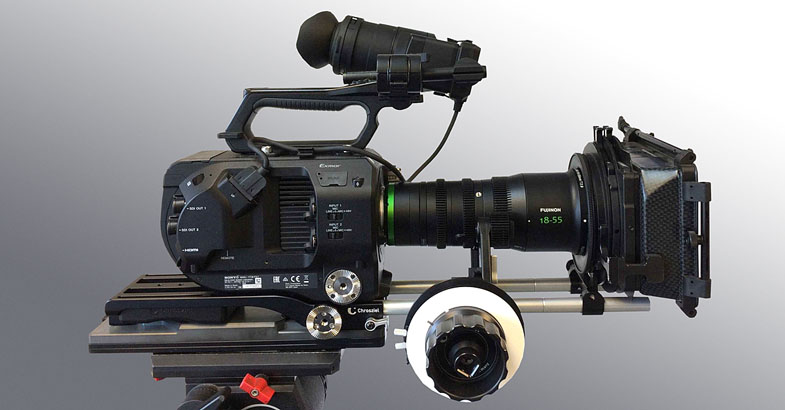
Date: 29. 03. 2017,
Category: News
FULL ARTICLE
The new DC-GH5 camera is abailable now, delivering high-end, hybrid performance to photo enthusiasts and professional videographers looking to capture moments in 4K 60p/50p video and 6K PHOTO!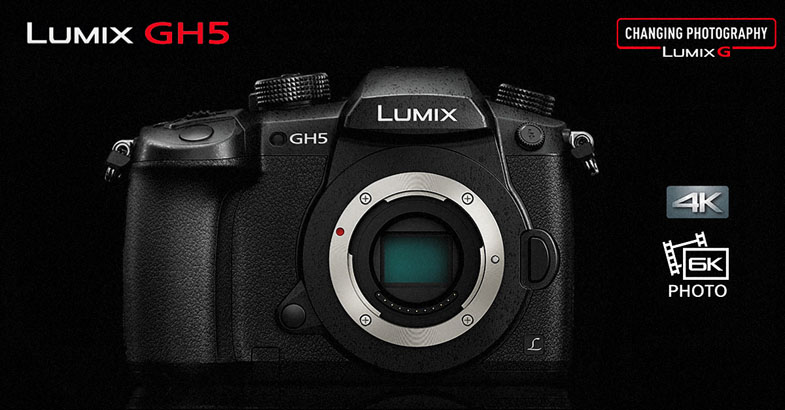
Date: 28. 03. 2017,
Category: News
FULL ARTICLE