
 CZ
CZ SK
SK HU
HU AT
AT DE
DE ES
ES SI
SI HR
HR
Nothing in the basket.

- Search
-
Login

-
0
Comparison
Add products to compare, then they will appear here and you can compare parameters.
-
0
0 €
News
Press Release
Blackmagic Design today announced that award winning Singapore-based short film director Daniel Yam shot his new short film, “Time,” using URSA Mini Pro and completed color correction using DaVinci Resolve. The film marks Viddsee’s first original short film, which was commissioned as part of Viddsee’s partnership with the Singapore Film Commission, a division of Singapore’s Info-Communications Media Development Authority.
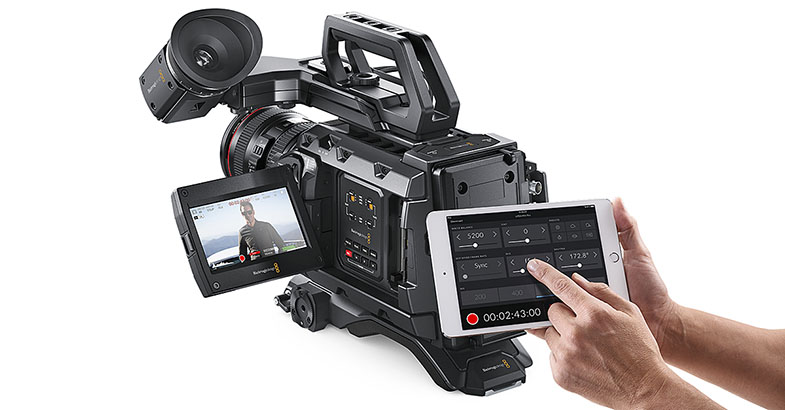
The film follows Grace, a frustrated young mother juggling between the constant demands of her son and her work. She wishes her boy would grow up quickly, just like she did. Unbeknownst to her, time has other plans.
”We knew going in we needed a good portable camera. As the camera needed to be transferred quickly from handheld to a dolly and to tripods, good camera portability would speed up production. We were also shooting indoors and out, so good capture quality for color grading during post production was also a key concern,” said Daniel.
“We only had two days to shoot. There was a scene where the doors would open and daylight would flood into a night lit scene. I thought the camera’s dynamic range held the highlights and shadows extremely well. We were supposed to shoot in the park for the hand holding scene but it rained. So, we chose to shoot indoor below a HDB flat. We were shooting under a shelter out into the open. The high contrast was handled very nicely by the camera,” Daniel recounts.
“We chose to shoot with Blackmagic's URSA Mini Pro and are very happy on how it all turned out. The URSA Mini Pro has spectacular dynamic range, natural colors and a high frame rate. So, it's no surprise that the finished film looks awesome. Well, At least I think so! I especially liked that it was reliable. It did not overheat or give any issues when we were shooting in the sun, so we could focus on getting great shots for the story,” he continued.
To convey the emotional depth of the film and layered scenes, the filmmakers relied heavily on color and tones to set the narrative stage. Using the URSA Mini Pro’s ability to capture 4.6K raw footage, they had ample ability to treat scenes come post production. DaVinci Resolve software was used to achieve the desired visual moods.
Audiences can also watch the short film “Time” on Viddsee.com. “Time” also premieres on May 13, Saturday, 10:35pm as part of a Mother’s Day special on Lifetime, across 15 territories in Asia.
Press Photography
Product photos of all Blackmagic Design products, are available at www.blackmagicdesign.com/press/images.
About Blackmagic Design
Blackmagic Design creates the world’s highest quality video editing products, digital film cameras, color correctors, video converters, video monitoring, routers, live production switchers, disk recorders, waveform monitors and real time film scanners for the feature film, post production and television broadcast industries. Blackmagic Design’s DeckLink capture cards launched a revolution in quality and affordability in post production, while the company’s Emmy™ award winning DaVinci color correction products have dominated the television and film industry since 1984. Blackmagic Design continues ground breaking innovations including 6G-SDI and 12G-SDI products and stereoscopic 3D and Ultra HD workflows. Founded by world leading post production editors and engineers, Blackmagic Design has offices in the USA, UK, Japan, Singapore and Australia. For more information, please go to www.blackmagicdesign.com.
Date: 23. 05. 2017,
Category: News
FULL ARTICLE
Three new podcast in the EDIUS Podcast series show disc burning using the external EDIUS Disc Burner application, manual installation of the Microsoft Legacy FireWire Drivers for older DV/HDV cameras under Windows 8.1/10, and project as well as user settings transfer from one EDIUS installation to another, respectively. Visit podcast.edius.net YouTube channel to watch the ongoing podcast series.
Date: 22. 05. 2017,
Category: News
FULL ARTICLE
The award-winning line of Cube encoders got a major upgrade for NAB 2017. For the first time ever, Cube will be available with both HEVC (H.265) and AVC (H.264) compression and your choice of HD (1080) or UHD (4K) resolution support. Housed in the same ultra-portable Cube 655 chassis and requiring just 6 watts of power, the new Cube series is the smallest and most power-efficient HEVC codec on the market. To complement these new systems, a series of companion decoders will also be available for both 1080 and 4K HEVC/AVC models.
Cube 700 (HD) and 800 (UHD) series highlights:
- Stream high quality video content at half the bandwidth required of AVC compression. Switch between AVC and HEVC compression whenever you like.
- The 700 series supports up to 1080p60 streaming resolution/frame rates.
- The 800 series supports up to 2160p60 streaming resolution/frame rates.
- Cube HEVC decoders support HEVC streams from 3rd party encoders.
- Fully compatible with Core and its new transcoding engine. This allows you to take advantage of HEVC encoding when streaming to Core, while delivering your content in AVC to your destination.
- Dual input (HDMI + SDI), compatible with the new Bond module, and available with GigE and dual band 802.11ac WiFi.
Cube 755 HEVC Encoder Q2 2017 - $2,990 US
Cube 855 4K HEVC Encoder Q4 2017 - $3,990 US
Cube 775 HEVC Decoder Summer 2017 - $2,990 US
Cube 875 4K HEVC Decoder Q4 2017 - $3,990 US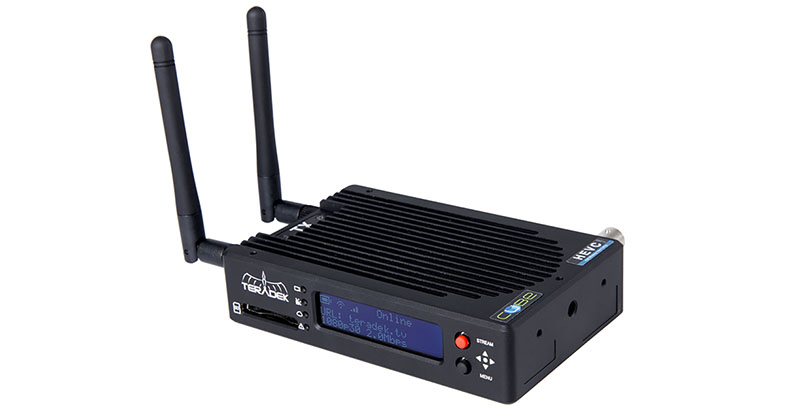
Date: 19. 05. 2017,
Category: News
FULL ARTICLE
Certified SSDs
SSDs which are qualified for Uncompressed 10-bit video capture will also work well for compressed video capture. There are some SSDs which Blackmagic has tested and found to drop frames when capturing Uncompressed 10-bit video. However, they still work well when capturing compressed video. New in the list are the Angelbird AV PRO XT models, new Kingston KC400 SSDs, Samsung 850 PRO 2TB, as well as new Sony G series Professional SSDs coming in 480GB (Model: SONY SSD SV-GS48) and 960GB (Model: SONY SSD SV-GS96) sizes.
The following SSDs are recommended for Uncompressed 10-bit or compressed video capture:
- ADATA XPG SX900 256 GB (ASX900S3-256GM-C)
- Angelbird 250 GB AV Pro
- Angelbird 500 GB AV Pro
- Angelbird AV PRO XT 500GB
- Angelbird AV PRO XT 1T
- Angelbird AV PRO XT 2T
- Digistor 1TB SSD 4K Professional Video Series (DIG-PVD1000, pre-formatted ExFat) - not compatible with HyperDeck Shuttle
- Digistor 240 GB SSD Professional Video Series (DIG-PVD240S, pre-formatted ExFat)
- Digistor 480 GB SSD Professional Video Series (DIG-PVD480S, pre-formatted ExFat)
- Intel 335 Series 240 GB SSD (SSDSC2CT240A4K5)
- Intel 520 Series 240 GB SSD (SSDSC2CW240A310)
- Intel 520 Series 480 GB SSD (SSDSC2CW480A310)
- Intel 530 Series 180 GB SSD (SSDSC2BW180A401)
- Intel 530 Series 240 GB SSD (SSDSC2BW240A401)
- Kingston 240 GB HyperX 3K (SH103S3/240G)
- Kingston 240 GB SSD Now KC300 (SKC300S37A/240G)
- Kingston 480 GB HyperX 3K (SH103S3/480G)
- Kingston 480 GB SSD Now KC300 (SKC300S37A/480G)
- Kingston HyperX Savage 120 GB (SHSS37A/120G)
- Kingston HyperX Savage 240 GB (SHSS37A/240G)
- Kingston HyperX Savage 480 GB (SHSS37A/480G)
- Kingston HyperX Savage 960 GB (SHSS37A/960G)
- Kingston KC400 128 GB
- Kingston KC400 256 GB
- OWC 120 GB Mercury Extreme Pro 6G (OWCSSD7P6G120)
- OWC 240 GB Mercury Extreme Pro 6G (OWCSSD7P6G240)
- OWC 480 GB Mercury Extreme Pro 6G (OWCSSD7P6G480)
- PNY Prevail 240 GB (SSD9SC240GCDA-PB)
- PNY Prevail 480 GB (SSD9SC480GCDA-PB)
- PNY XLR8 480 GB (SSD9SC480GMDA-RB)
- Samsung 1TB 850 Pro (MZ-1T0BW, spacer required) - not compatible with HyperDeck Shuttle
- Samsung 256 GB 850 Pro (MZ-7KE256BW, spacer required)
- Samsung 512 GB 850 Pro (MZ-7KE512BW, spacer required)
- Samsung 850 PRO 2TB
- Sandisk Extreme 240 GB (SDSSDX-240G-G25)
- Sandisk Extreme 480 GB (SDSSDX-480G-G25)
- Sandisk Extreme Pro 240 GB (SDSSDXPS-240G-G25)
- Sandisk Extreme Pro 480 GB (SDSSDXPS-480G-G25)
- Sandisk Extreme Pro 960 GB (SDSSDXPS-960G-G25)
- Sony G series Professional SSD 480GB (Model: SONY SSD SV-GS48)
- Sony G series Professional SSD 960GB (Model: SONY SSD SV-GS96)
- Transcend 256 GB SSD370 (TS256GSSD370BM)
In addition to the above, these SSDs work ONLY for compressed video capture:
- Crucial 256 GB M4 (firmware 000F) (CT256M4SSD2)
- OCZ Agility 3 240 GB (AGT3-25SAT3-240G)
- Sandisk Extreme 120 GB (SDSSDX-120G-G25)
The following SSDs are either discontinued or only supported as part of a legacy configuration and may no longer be available with the required firmware:
- Crucial 256 GB C300 (CTFDDAC256MAG-1G1) - (discontinued)
- Digistor 128 GB SSD Professional Video Extreme (DIG-PVD128E, pre-formatted ExFat)
- Kingston 120 GB SSD Now V+200 (SVP200S3/120G) - (discontinued)
- Kingston 128 GB SSD Now V+100 (SVP100S2/128G) - (discontinued)
- Kingston 240 GB SSD Now V+200 (SVP200S3/240G) - (discontinued)
- Kingston 512 GB SSD Now V+100 (SVP100S2/512G) - (discontinued)
- Kingston 64 GB SSD Now V+100 (SVP100S2/64G) - (discontinued)
- Kingston HyperX 240 GB (SH100S3/240G) - (discontinued)
- OCZ 240 GB Deneva 2 (firmware 2.22) (D2CSTK251M21-0240) - (discontinued)
- OCZ 240 GB Vertex 3 (VTX3-25SAT3-240G) - (discontinued)
- OCZ 480 GB Vertex 3 (VTX3-25SAT3-480G) - (discontinued)
- OWC 120 GB Mercury Extreme Pro 6G (Firmware Rev 5.0.7) (OWCSSDMX6G120T) - (discontinued)
- OWC 240 GB Mercury Extreme Pro 6G (Firmware Rev 5.0.6) (OWCSSDMX6G240T) - (discontinued)
- OWC 480 GB Mercury Extreme Pro 6G (Firmware Rev 5.0.6) (OWCSSDMX6G480) - (discontinued)
- OWC Mercury Extreme Pro 6G SSD (firmware 5.0.2) (OWCSSDMX6G240T) - (discontinued)
The following SSDs are known only to work with specific firmware versions:
- Crucial 512 GB M4 (firmware 009 only) (CT512M4SSD2)

Important Notes About SSD Speed
Some models of SSD can’t save video data at the speed the manufacturer claims. This is due to the disk using hidden data compression to attain higher write speeds. This data compression can only save data at the manufacturer’s claimed speed when storing data such as blank data or simple files. Video data includes video noise and pixels which are more random so compression will not help, therefore revealing the true speed of the disk.
Some SSDs can have up to 50% lower write speed than the manufacturer’s claimed speed. So even though the disk specifications claim an SSD has speeds fast enough to handle video, in reality the disk isn’t fast enough when used to store video data for real time capture. However, this mostly affects HD capture and often these disks can still be used for playback.
Use Blackmagic Disk Speed Test to accurately measure whether your SSD will be able to handle uncompressed video capture and playback. Blackmagic Disk Speed Test uses data to simulate the storage of video so you get results similar to what you’ll see when capturing video to a disk. During Blackmagic testing, we have found newer, larger models of SSD and larger capacity SSDs are generally faster.
Date: 18. 05. 2017,
Category: News
FULL ARTICLE
Grass Valley released an update for EDIUS 8.5 containing a fix for Audio Mixer (fixed issue where a volume is changed by moving TL-Cursor after typing volume value), as well as a fix for a partially corrupted AVC-I clip after export. The update is now online. EDIUS Pro users will receive a notification, EDIUS Workgroup users need to download the update from their account.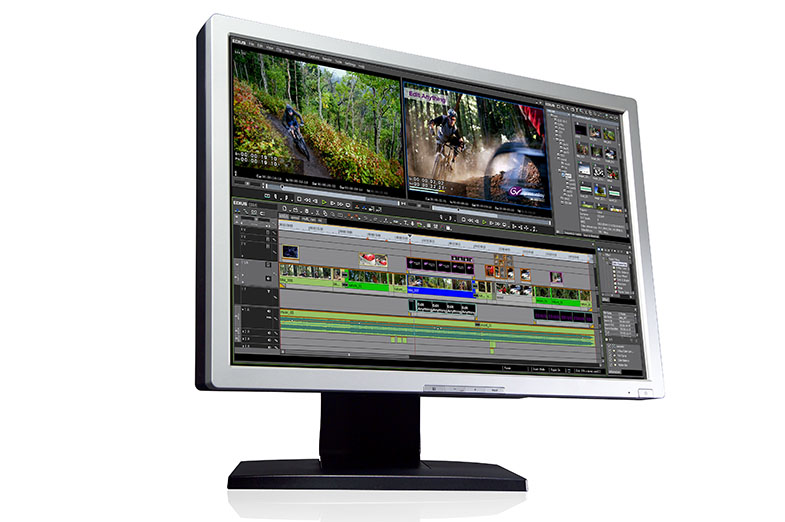
Date: 17. 05. 2017,
Category: News
FULL ARTICLE