
 CZ
CZ SK
SK HU
HU AT
AT DE
DE ES
ES SI
SI HR
HR
Nothing in the basket.

- Search
-
Login

-
0
Comparison
Add products to compare, then they will appear here and you can compare parameters.
-
0
0 €
News
This software update provides macOS Sierra support and improved Teranex support for UltraScope. All customers using UltraScope PCIe, Pocket UltraScope, Teranex 3D Processor, ATEM 1 M/E Production Switcher, Production Camera 4K and Hyperdeck Studio Pro should install this update.
Date: 14. 07. 2017,
Category: News
FULL ARTICLE
Panasonic released firmware updates for two of its 4K camcorders, the AG-UX180 and AG-DVX200 models, fixing issues with Focus Transition functionality and more.
Panasonic AG-UX180 v1.08
The camera may freeze if you perform a Zoom operation while other menu settings are set after Focus Transition is set up. This has been fixed. Focus Transition function enables the Focus to shift to a pre-registered focus position. It is assigned to a USER button before it is used, and can be canceled by operating the Zoom. Download it here.
Panasonic AG-DVX200 v1.83
The camera may freeze if you perform a Zoom operation while other menu settings are set after Focus Transition is set up. This has been fixed.
Indicated remaining storage capacity was not correct in VFR recording. Especially, when the slow motion effect is set (REC Frame rate is greater than Playback Frame rate), the camera has a symptom where the remaining time of the storage media is shorter than indicated.
Several improvement in SDI Audio were implemented: SDI Output (3G-SDI, HD-SDI, SD-SDI) problems such as „the status of Audio CH2 not indicated” are fixed. If the camera is alternately put into Recording Mode and Playback Mode, there may be a difference of a few samples in phase between CH1 and CH2 on rare occasions. This problem is also fixed. Download the new version here.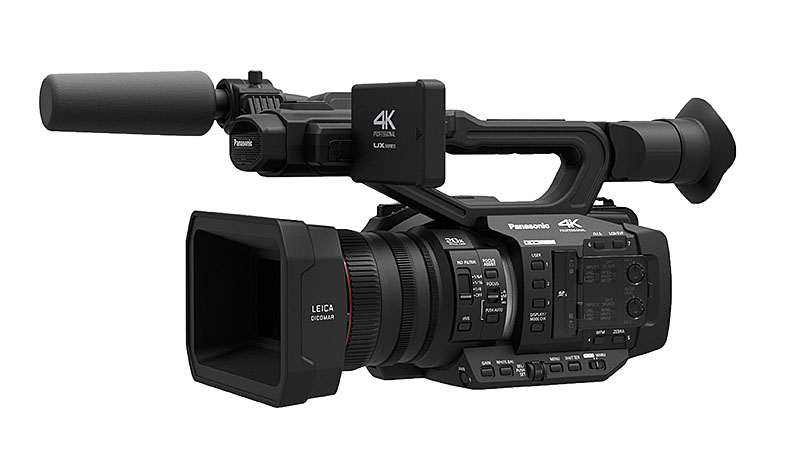
Date: 13. 07. 2017,
Category: News
FULL ARTICLE
Until the end of July, Grass Valley offers EDIUS Pro 8 as Home Edition. This version only costs 209 EUR ex. VAT and is meant for private users, it cannot be used for commercial purposes. Furthermore, it will not be possible to upgrade from this version. Apart from these restictions, the Home Edition has exactly the same features as the regular full version.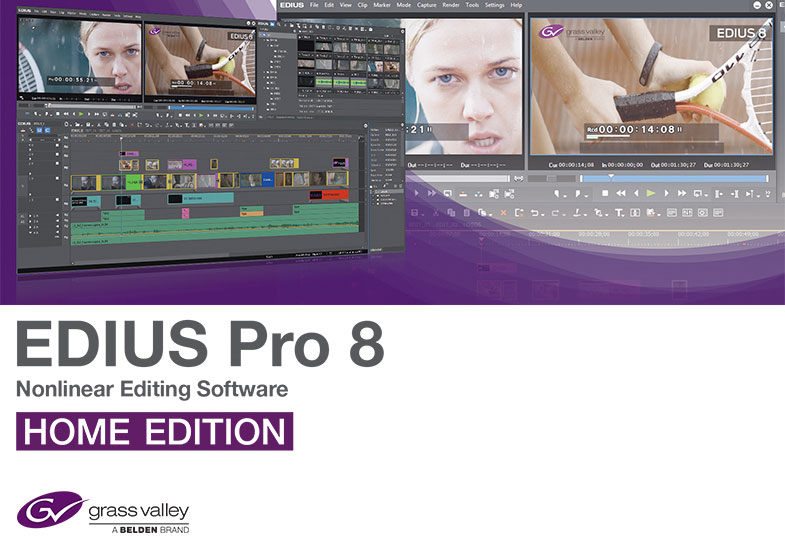
Date: 12. 07. 2017,
Category: News
FULL ARTICLE
Chaos Group released V-Ray 3.6 for 3ds Max, an update to its leading renderer that introduces new hybrid rendering technology, improved compositing output, and compatibility with Autodesk 3ds Max 2018. V-Ray's new hybrid rendering technology adds CPU support to its NVIDIA CUDA-powered GPU renderer. Now, with V-Ray Hybrid artists will have greater flexibility to render a scene using GPUs, CPUs or a combination of both. The rendered images will be identical, regardless of hardware. This allows artists to use any and all hardware, from high-powered GPU workstations to CPU render nodes. V-Ray 3.6 for 3ds Max is a free update for all V-Ray 3.x customers. Login at chaosgroup.com to download.
Date: 11. 07. 2017,
Category: News
FULL ARTICLE
Panasonic has begun deliveries of the AG-UMR20 compact field recorder and companion AG-UCK20 4K camera head, facilitating ultra-flexible, high-quality 4K image capture and advanced IP control and IP streaming.
The UMR20 recorder provides the flexibility of low cost, SD memory card recording, advanced yet high-quality compression, and UHD/FHD resolution capture in a small, portable unit ideal for applications in video production, sports coaching, healthcare, public safety, remote imaging and much more. Equipped with a 3G-SDI input and output, the UMR20 AVCHD recorder is also suitable for back-up FHD recording from any 3G-SDI-enabled camera or for use in studio or event production. The 225 g unit features a lightweight, ergonomic design suited for hand-held use (115 x 37 x 57 mm) and has four 3mm threaded holes for flexible mounting. The UMR20 records FHD (1920 x 1080) 59.94p/50p and high-resolution 4K (3840 x 2160) 29.97p/25p images when used in conjunction with the AG-UCK20. The recorder is equipped with Double SD memory card slots, enabling relay recording and hot swapping. The UMR20's IP streaming/IP control facilitates video/audio streaming and distribution to PCs, tablets and IP decoders. Rec Start/Stop control from an IP controller is supported, and recorded image files can be transferred to an FTP server. The UMR20's core engine for IP control and streaming is similar to that of Panasonic current professional integrated PTZ line-up and will fall right into the same overall system. The UMR20 also features an IP web user interface allowing for remote monitoring, control and configuration. The UMR20 boasts improved recorder operation with a touch-panel monitor with 12 customizable user buttons. A 3.5-inch color LCD monitor displays content in thumbnail images for quick viewing that can be reversely displayed. Additional features include waveform monitor and vectorscope display (LCD only).
The ultra-compact UCK20 camera head is equipped with a wide-angle 20x zoom lens that covers a range from 29.5 mm wide-angle to 612 mm close-ups (35mm equivalent). Intelligent Zoom (i.Zoom) allows shooting up to 30x in HD format (22x in 4K) with high resolution. Combining optical zoom and the intelligent zoom enables zooming up to a maximum of 240x. The UCK20 is equipped with a powerful optical image stabilizer (OIS) system (4K/HD). In HD mode, electronic image stabilization is added to the OIS system to detect and correct motions on five axes. A 16-axis independent color correction function allows fine color adjustment, and an optical ND filter can be manually switched (OFF, 1/4, 1/16, 1/64). Other high-end production features include Slow Shutter and Synchro Scan functions, Dynamic Range Stretch, gain/iris adjustments, variable mode White Balance, and broad image adjustments (detail, skin tone detail, color temperature, chroma level/phase and more). Versatile camera functions include an infrared shooting mode, Auto Focus, Focus Assist, Pre Rec and Rec Check. Camera control (Zoom, Focus, Iris) from an IP controller is supported through a LAN terminal on the UMR20, with various camera adjustments also possible from a PC or tablet. Camera control with fingertip operation is supported through the remote terminal on the recorder. The UCK20 includes a built-in microphone (ON/OFF switchable), and a Scan Reverse mode (horizontal/vertical inversion) for shooting with a ceiling-mounted camera head.
The UMR20/UCK20, which can be connected via optional cables (in 3-meter and 20-meter lengths), are immediately available at suggested list prices of $2395.00 and $1995.00 ex VAT, respectively.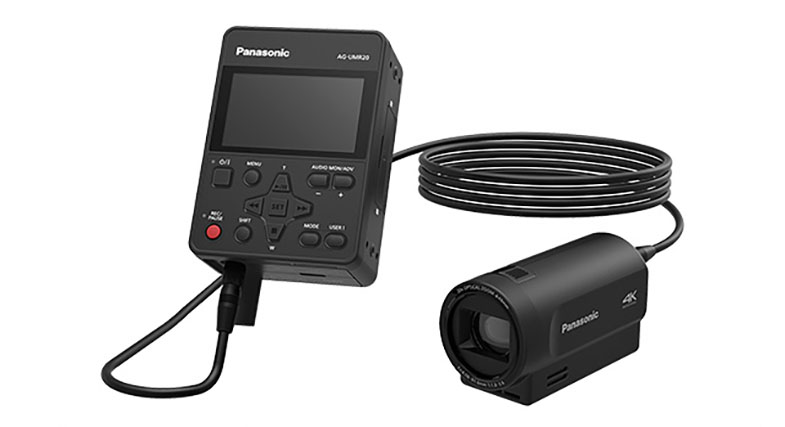
Date: 10. 07. 2017,
Category: News
FULL ARTICLE