
 CZ
CZ SK
SK HU
HU AT
AT DE
DE ES
ES SI
SI HR
HR
Nothing in the basket.

- Search
-
Login

-
0
Comparison
Add products to compare, then they will appear here and you can compare parameters.
-
0
0 €
EDIUS v8.51.2125 & 8.51.2215 Updates
Grass Valley released a new EDIUS v8.51b2125 update quickly followed by an 8.51.2215 hot fix. Download the latest version here.
The 8.51.2125 update provides the following additional features:
New Features of Version 8.51.2125 – EDIUS
Support partial transfer of Canon RAW clip
Support audio loudness normalize for file export(only Workgroup)
Support to import FCP XML with preserving audio volume, panning and audio track volume
New rendering engine for Quick Titler to display machine-dependent character correctly
Support to set any loudness profile (only Workgroup)
Support to display aspect ratio for anamorphic clip in clip properties
New Features of Version 8.51.2125 – Mync (built-in)
Support hardware decode for H.265 (HEVC) clip
Mync allows to select encode quality option when exporting Storyboard to MP4 clip
Support to export all audio tracks when exporting Storyboard to FCP XML
Support to place audio clip into Storyboard for background music
Support to delete selected import history
The following issues are fixed or improved in this version:
Fixes of Version 8.51.2125 – EDIUS
Text size of title clip created by QuickTitler is vary depending on DPI settings
Machine-dependent character is incorrectly displayed in QuickTitler "Search Bin" does not find a clip that has certain file name
Encode parameters for XAVC Intra clip has been optimized to improve encode speed
PinP picture screen is not drawn correctly on 7th generation Core processor's (Kaby Lake) Quick Sync Video environment
Loaded BWF audio clip has shifted In and Out timecode
Misrecognition of field order when importing D10 clip that is generated by K2 or FCP
Replacing from proxy to hi-res does not work while P2 or XDCAM proxy editing
Unexpected color tone appears when converting to Sony -709(800) in Primary Color Correction
EDIUS rejects loading an MXF file whose Essence Container Universal label of audio is unknown
EDIUS freezes when playing over DCI 4K side H.264 clip
Enable only focus clip does not work
Fixes of Version 8.51.2125 – Mync (built-in)
Clip cannot be selected in thumbnail view mode
Mync does not display JPEG clip if unsupported RAW clip is loaded
Duration is unexpectedly changed if still sequence frame rate is changed in Storyboard
Mync application window appears behind EDIUS when choosing [Show in Mync] in EDIUS
Clips are placed in wrong order after undo of removing clip in Storyboard
Mync displays incorrect location when clicking Open Google Maps icon in the metadata pane
Hidden clip can be copied to a folder
EDIUS 8.51.2215 Hot Fix
QuicktTitler can't enter blank line when using ETl2 format - fixed
Mync can't upload YouTube - fixed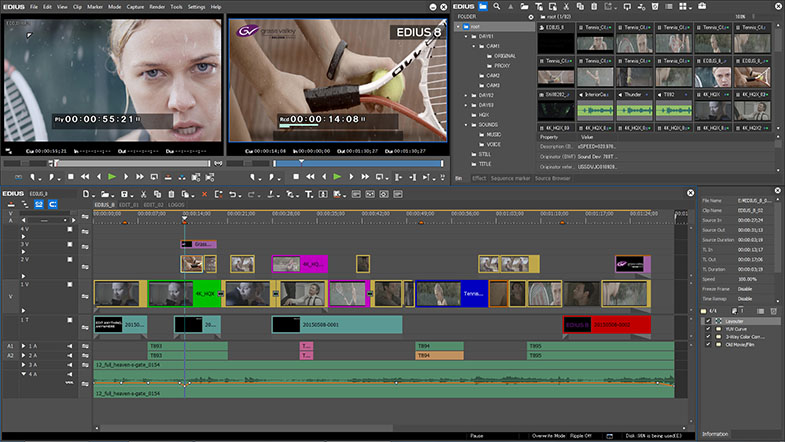
Date: 06. 07. 2017,
Category: News