
 CZ
CZ SK
SK HU
HU AT
AT DE
DE ES
ES SI
SI HR
HR
Nothing in the basket.

- Search
-
Login

-
0
Comparison
Add products to compare, then they will appear here and you can compare parameters.
-
0
0 €
News
Unlike the other versions the Express version of the T2 4K series video recorder is limited to 24/25/30p and 50/60i and does not offer support for 50/60p in HD or UHD. Besides that, it does not get the new feature of 3 HD players - the Pro and Elite versions offer now not only a 1 recorder and 2 players mode, but also a mode for 3 players. But apart from that it has a great value: the Express version is much more affordable.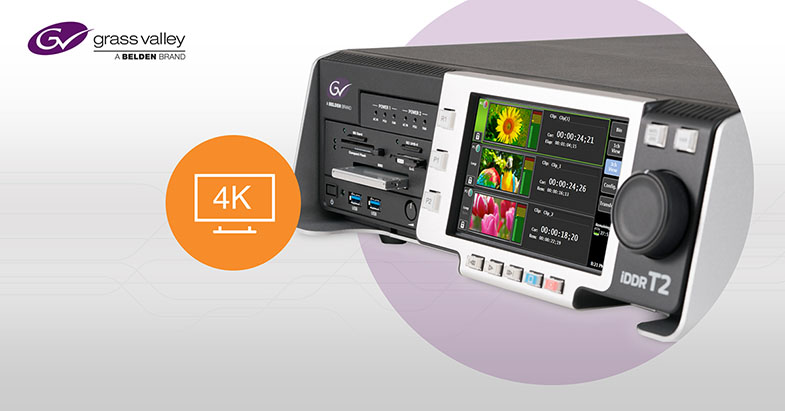
Date: 24. 07. 2019,
Category: News
FULL ARTICLE
Datavideo introduces the NVS-33 an H.264 streaming encoder RTMPS, RTMP, RTSP, and TS) and recorder (MP4 or TS file to an SD card). The NVS-33 has HD-SDI and HDMI inputs for video as well as stereo RCA connections for embedded audio.
The NVS-33 can stream and record at different bit rates simultaneously. It records onto an SD card in NTFS, FAT, or exFAT formats to allow continuous recording without a file size limitation.
Front panel operation with easy-to-use buttons makes this encoder desirable for many applications such as Houses of Worship, Education, Corporations and Live Event Production. In addition to a bit rate selection button on the front panel, the NVS-33 has video input selection, stream, record, and stream + record buttons. Once the NVS-33 is set up initially using a PC/Mac computer or a tablet with a web browser, users can simply press one button to start their streaming (YouTube, Facebook etc.) and recording.
Date: 19. 07. 2019,
Category: News
FULL ARTICLE
Blackmagic Design today announced that Apex Broadcast has built a custom OB truck packed with the ATEM Constellation 8K switcher, ATEM 2 M/E Broadcast Panel, three ATEM Camera Control Panels, 13 URSA Broadcast cameras, Broadcast Videohub router, four HyperDeck Studio recorders and approximately 30 Mini Converter Optical Fiber 12G converters to broadcast the 2019 Blancpain GT World Challenge America. The professional auto racing series airs monthly on CBS Sports Network on Sundays from April to October 2019.
Apex Broadcast has also built a smaller, custom OB truck that is used for motorsports shows and carries two ATEM 4 M/E Broadcast Studio 4Ks, ATEM 1 M/E Broadcast Panel, six additional URSA Broadcasts and Smart Videohub 40x40.
Founded in 2007 by Clark Cambern, Michigan based Apex Broadcast specializes in live broadcast coverage of professional auto racing. Apex Broadcast offers live multi cam video production, field production and post production.


Date: 18. 07. 2019,
Category: News
FULL ARTICLE
DaVinci Resolve Studio 16 Public Beta 6 adds new support for Fairlight consoles on Mac, properly maintains dual screen layouts between restarts, addresses issues with transition levels in color managed projects, improves FLAC waveform drawing, corrects lightbox thumbnail preview errors, improves stability when viewing multiple mask paint tools in Fusion and more. Fusion Studio 16 Public Beta 6 improves stability when viewing multiple mask paint tools, addresses errors with the blur tool on Linux systems, and features multiple general performance and stability improvements. Download here.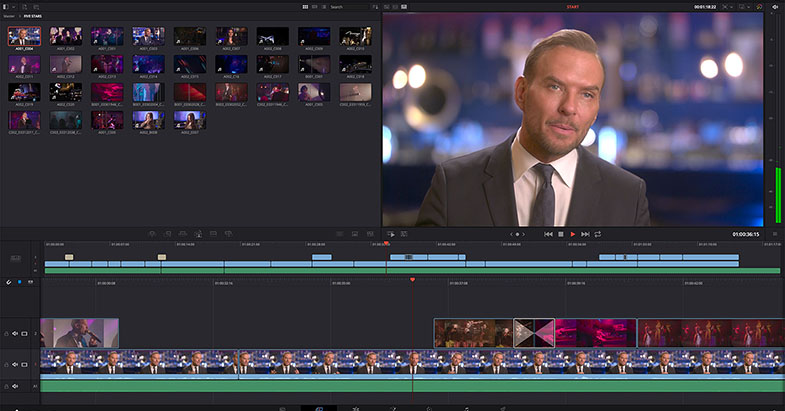
Date: 15. 07. 2019,
Category: News
FULL ARTICLE
The Full Frame Optimo Prime series is a perfect match with the Optimo Ultra 12X, the new long-range zoom reference of the industry. The Optimo Prime series is part of Angénieux’s latest high end lens collection and will be ideal for demanding productions requiring native cinema design. 70-years after the first Angenieux prime series, Optimo Primes are the result of decades of proven experience and know-how in high precision optics and mechanics. Each lens in the 12 piece series (from 18mm to 200mm) was designed to be incredibly compact and lightweight, most of them at a fast T1.8, with Optimo-class mechanics and feel that embodies the legendary Angenieux look.
Date: 12. 07. 2019,
Category: News
FULL ARTICLE