
 CZ
CZ SK
SK HU
HU AT
AT DE
DE ES
ES SI
SI HR
HR
Nothing in the basket.

- Search
-
Login

-
0
Comparison
Add products to compare, then they will appear here and you can compare parameters.
-
0
0 €
News
Introducing Continuum 2020! The newest release of the most comprehensive plugin collection on the market adds 10 new creative effects and transitions, a new Mocha Area Brush paint tool, updates to Particle Illusion and Title Studio, and more.
What’s New In Continuum 2020
Corner Pin Studio: Tasked with tons of cell phone, computer, and sign inserts/replacements? The new Corner Pin Studio will change how you work while saving you precious time. It’s powered by a single Mocha tracker that targets the surface and four offset pins to accurately position your source shot. Create a seamless final composite with blending options galore.
Transitions: Editors, this one is for you. Meet 6 new must-have drag-and-drop dissolve transitions with 50 new professionally-designed presets.
Cast Shadow Effect: Add true 3D shadows using an integrated point or parallel light source positioned in 3D space. Fully-customizable with a built-in 3D camera system or use AE’s native cameras.
Reflection Effect: Instantly generate a reflection in 3D space. No more complicated duplication or layering! Includes a built-in 3D camera system or use AE’s native cameras.
Curl Effect: Distort and warp footage to create trippy psychedelic looks or heat haze, smoky effects, and underwater distortions.
Mocha Area Brush: Get ready to love Continuum’s integrated Mocha tracking and masking, even more, thanks to the new Area Brush paint tool that makes tracking search areas as simple as a brushstroke!
Particle Illusion: You now have new customizable emitter options (Yay!) and tons of added functionality including an improved search, new high-res thumbnails for all emitters, and a new preview toolbar with the ability to choose your background color.
Title Studio: Titles as easy as 1-2-3 with the addition of new professionally-designed templates, new materials and shaders, and big improvements to the overall functionality and user experience.
Date: 29. 10. 2019,
Category: News
FULL ARTICLE
This update adds a new on-screen horizon tool, new anamorphic de-squeeze options, USB PTP control support, and custom frame guide ratios for all Blackmagic Pocket Cinema Camera models. Customers using the Blackmagic Pocket Cinema Camera 4K also get new recording options for Super 16mm and anamorphic formats in Blackmagic RAW. Camera 6.6 update also adds support for the Blackmagic Pocket Camera Grip.
What's new in Blackmagic Camera Setup 6.6
New features in Blackmagic RAW
Blackmagic RAW Avid Media Composer plugin general performance and stability improvements.
Blackmagic RAW Adobe Premiere Pro plugin general performance and stability improvements.
CUDA general performance and stability improvements.
New features for Pocket Cinema Camera 4K
Added support for Blackmagic Pocket Battery Grip.
Added support for language localization.
Added support for built-in camera horizon tool.
Added support for 4K 2.4:1 4096 x 1712 recording in Blackmagic RAW up to 75 fps.
Added support for 2.6K 2688 x 1512 up to 120 fps recording in Blackmagic RAW suitable for Super16mm lenses.
Added support for 2.8K 4:3 2880 x 2160 recording in Blackmagic RAW up to 80 fps for anamorphic lenses.
Added support for 2x desqueeze preview when recording 4K 4:3.
Added support for 1.33x desqueeze preview.
Added support for pinch to zoom up to 8x magnification.
Added USB PTP control support.
Added ability to embed custom 3D LUTs in Blackmagic RAW clips as metadata.
Added common off-speed frame rate options above slider when changing frames.
Added common ISO options above slider when changing ISO settings.
Added 1:1 and 4:5 frame guide options.
Added ability to type in customized frame guide ratios.
Added ability to monitor voltage level when powering via 12V DC connector.
Improved auto focus performance.
New features for Pocket Cinema Camera 6K
Added support for Blackmagic Pocket Battery Grip.
Added support for language localization.
Added support for built-in camera horizon tool.
Added support for pinch to zoom up to 8x magnification.
Added USB PTP control support.
Added ability to type in customized frame guide ratios.
Improved auto focus performance.
Date: 25. 10. 2019,
Category: News
FULL ARTICLE
This software update adds support for Blackmagic Pocket Cinema Camera Presets to Fusion Studio’s Camera 3D and tracker tools, support for ACEScg color gamut options, improves memory management on multi-GPU systems, and features better interactivity and playback performance on single GPU systems. In addition, Fusion Studio 16.1 improves the status display of all render and saver nodes, improves auto arranging of tools in the node editor, makes 3D lighting options in the 3D viewer more reliable, and makes Open FX and Resolve FX plugins more stable when adding images with different resolutions.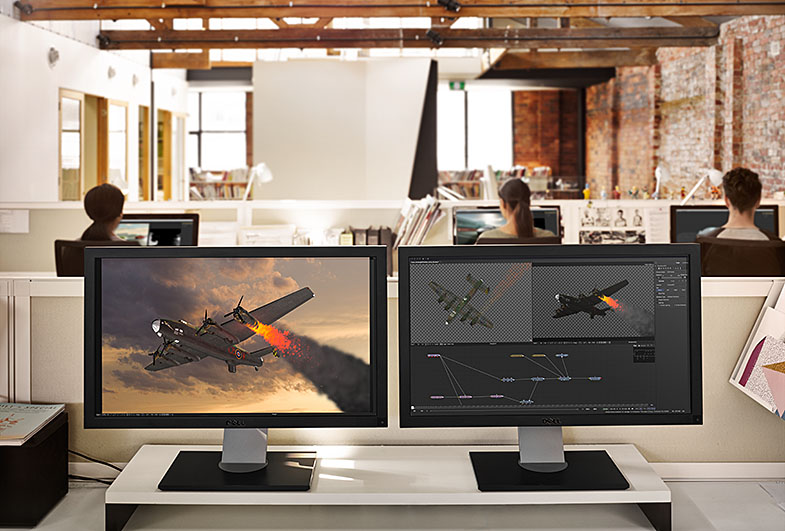
Date: 24. 10. 2019,
Category: News
FULL ARTICLE
The Wave2 has been designed to offer maximum functionality for the minimum of desk space. This means it's equally at home on a desk or on-set. The panel features crisp, easy to read, ice-white OLED displays to label many of the controls which will be used to operate multiple functions. The trackerballs and knobs both use non-contact, high resolution optical pickups for responsiveness and long life. As all controls are designed to be context-sensitive you'll be able to keep your most needed controls at your fingertips. The Wave2 will increase your productivity, leaving you to get on with what you're best at doing - being creative!
Date: 22. 10. 2019,
Category: News
FULL ARTICLE
This update adds a new sync bin for working with multiple angles from different cameras on the cut page, a new boring detector, enhanced close up edits using facial recognition, improved trimming and snapping, redesigned timeline rulers, more accurate waveform drawing and introduces interface refinements on the cut page. DaVinci Resolve 16.1 also features support for Blackmagic Pocket Cinema Camera presets in the Fusion 3D camera tracker, improved adjustment clips, better keyframe smoothing for position animations, improved CIE scopes, support for alpha channels when using ResolveFX and OpenFX plugins, and more.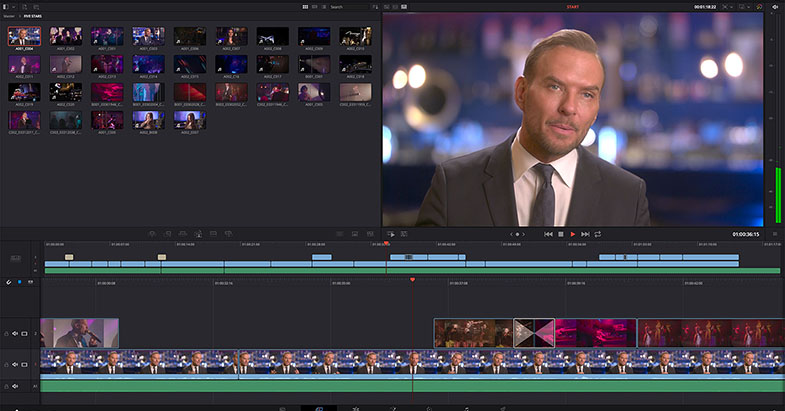
Date: 21. 10. 2019,
Category: News
FULL ARTICLE