News

Header
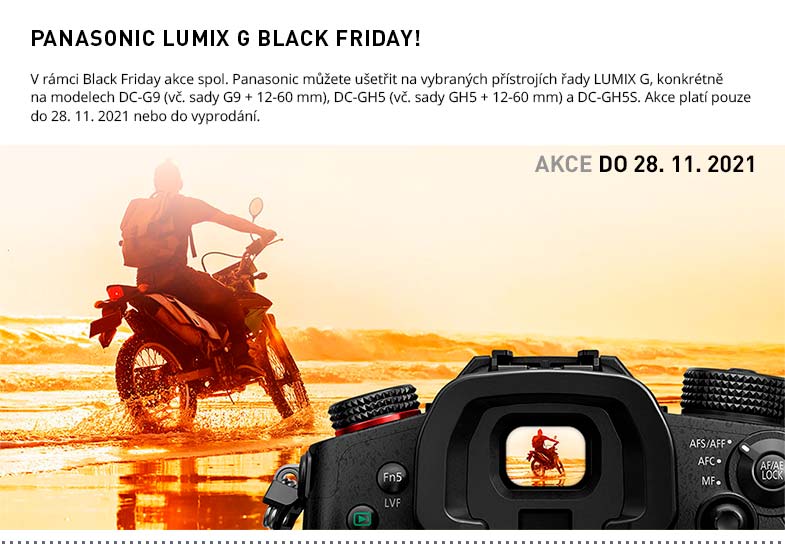
AKCE PANASONIC -15 PROCENT
NOVINKY BLACKMAGIC SKLADEM
RED V-RAPTOR 8K VV
PORTKEYS HS7T II
OBJEKTIVY VILTROX PRO NIKON Z
SOFTBOXY VILTROX WEEYLITE
VILTROX TIMBRECOD DC-80
AKU REDUKCE SMALLRIG SKLADEM
SWIT S-8PE6 AKCE
PANASONIC LUMIX S 24MM
MEIKE 24MM T2.1 FF-PRIME
WISE CFEXPRESS TYPE B PRO
KUFRY HPRC PRO ATEM MINI
DATAVIDEO BDL-1605
EDIUS.NET PODCAST
DAVINCI RESOLVE STUDIO 17.3.1
Footer
Date: 28. 10. 2021, Category: News
FULL ARTICLE
Blackmagic Design announced new lower prices for color correction panels and editor keyboards used with DaVinci Resolve. In addition, they are now ending their DaVinci Resolve Speed Editor bundle. This model will become 345 EUR ex. VAT from today, as a separate product to the DaVinci Resolve Studio software.

The new prices (ex. VAT) are:

  • DaVinci Resolve: Free
  • DaVinci Resolve Studio: 255 EUR
  • DaVinci Resolve Speed Editor: 345 EUR, an increase of 90 EUR
  • DaVinci Resolve Editor Keyboard: 505 EUR, a saving of 340 EUR
  • DaVinci Resolve Micro Panel: 685 EUR, a saving of 180 EUR
  • DaVinci Resolve Mini Panel: 1715 EUR, a saving of 864 EUR

Plus on top of these savings, the DaVinci Resolve Speed Editor, DaVinci Resolve Editor Keyboard, DaVinci Resolve Micro Panel and DaVinci Resolve Mini Panel will now all include DaVinci Resolve Studio. This means each product has an extra 255 EUR value because customers don't need to purchase additional software to use them.

DaVinci Resolve Speed Editor

While the bundle deal for DaVinci Resolve Speed Editor and DaVinci Resolve Studio has now ended, it’s only slightly more money to get both, because the DaVinci Resolve Speed Editor now includes the software. The new combination replaces the previous introduction special offer bundle announced at the launch of the DaVinci Resolve Speed Editor last year.

The DaVinci Resolve keyboards have been designed in conjunction with the cut and edit pages to make editing dramatically faster. Customers get physical controls that they can feel in their hands, making the experience much better than software only editing. Unlike a mouse, the machined metal search dial with soft rubber coating allows very accurate search and positioning of the timeline. It feels just like holding the timeline in your hand. Trim keys allow the search dial to be used for live trimming, which is faster because the search dial is larger and more accurate. Editing and trimming with the search dial is a whole new way to work.

The DaVinci Resolve Speed Editor features dedicated edit function keys on the left and a high quality search dial with electronic clutch and transport controls on the right. Customers can use the search dial and source tape buttons with their right hand to locate shots, while simultaneously marking in and out points, performing edits and live trimming with their left hand. All without touching the mouse. The DaVinci Resolve Editor Keyboard adds a QWERTY keyboard with color coded shortcut keycaps, designed for customers who spend hours each day editing.

DaVinci Resolve Micro Panel and DaVinci Resolve Mini Panel let customers adjust multiple parameters at once so they can create unique looks that are impossible with a mouse and keyboard. The incredibly small DaVinci Resolve Micro Panel is great for customers just getting started or anyone that needs a portable panel. It features three high quality trackballs, knobs for primary adjustment controls and buttons for playback and navigation. The DaVinci Resolve Mini Panel features additional controls and screens for accessing virtually all palettes and tools.

Date: 27. 10. 2021, Category: News
FULL ARTICLE
This update adds support for DriverKit system extensions, which allows customers using Apple M1 Macs to reset security settings. In addition, this update adds support for Premiere Pro on M1 Macs, fixes device detection issue on Windows 10 and multi channel DeckLink cards, fixes infrequent audio corruption issue on DeckLink Duo 2 and Linux, and restores fine control of the video output reference timing on DeckLink Duo 2 and DeckLink Quad 2.

Blackmagic Design DeckLink Quad 2

What's new in Desktop Video 12.2

Mac OS Specific

  • Add support for DriverKit system extension. Instructions can be found in the updated Desktop Video user manual.
  • Add support for Adobe Premiere Pro on M1 Macs.

Windows Specific

  • Fix device detection issue on Windows 10 and multi channel DeckLink cards.

Linux Specific

  • Add support for Linux kernel 5.13 on Fedora 34.
  • Fix infrequent audio corruption issue on DeckLink Duo 2 and Linux.

All Platforms

  • Fix incorrect ordering of HDR display primaries when capturing from some HDMI sources.
  • Fix reference input offset setting on DeckLink Duo 2 and DeckLink Quad 2.
  • General performance and stability improvements for all models.
Date: 27. 10. 2021, Category: News
FULL ARTICLE
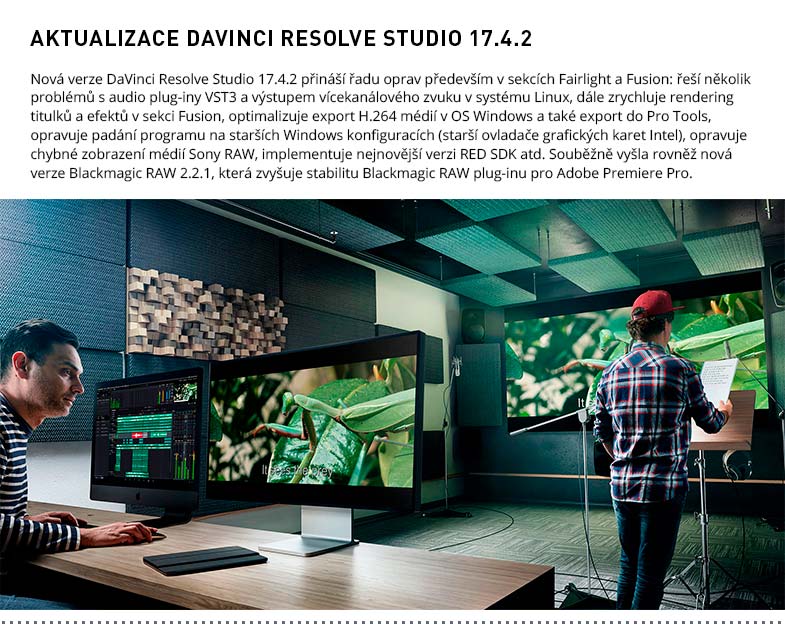
The 17.4 update transforms the speed of DaVinci Resolve to work up to 5 times faster on the new Apple Mac models with the M1 Pro and M1 Max chips. With this massive speed increase, customers can now play back, edit and grade 8K projects even faster, and can work with up to 12 streams of 8K footage.

DaVinci Resolve 17.4 also increases the decoding speed of 12K Blackmagic RAW files, making it over 3 times faster and H.265 rendering is also 1.5 times faster. Plus, DaVinci Neural Engine performance is up to 4 times faster, for real time facial recognition, object detection and smart reframing! Support for ProMotion 120Hz displays makes playback and editing incredibly smooth and HDR viewers are also supported on the new Apple MacBook HDR displays.

DaVinci Resolve 17.4 also adds Dropbox Replay integration. Projects will flow smoothly from DaVinci Resolve Studio directly to Dropbox Replay for easy video review and approval. Frame accurate colored markers, comments and annotations made in Dropbox Replay are almost instantaneously synced to the DaVinci Resolve timeline. Plus with a simple login, customers will only have to sign in once. Other features include quick and easy render set up with dedicated Dropbox and Dropbox Replay presets as well as automatic background uploads that are monitored for status and confirmed when complete.

For subtitling, DaVinci Resolve 17.4 includes automatic resizing of backgrounds and cursor placement when creating captions, as well as nested timeline subtitle tracks now auto-populating the main timeline to speed up creating captions.

There are also improvements to the edit page such as better functionality for position curves in the timeline, so customers can more easily adjust the ease in and out points. This creates a more custom transition from one point to another when applying zoom or image position adjustments. Customers will also now be able to use DaVinci Resolve Speed Editor to switch between cameras in multicam clips on the edit page making it faster to cut programs together. Additional support for asymmetrical trimming allows customers to adjust a transition’s in point without affecting its out point or vice versa, enabling them to fine tune work more quickly.

With Fusion, customers get additional support for languages with combined glyphs and those that may write right to left such as Arabic and Hebrew. Combined with improved vertical layouts, rotation and line direction when working with Text+, this will enable customers to work in a wider range of languages and layouts.

DaVinci Resolve 17.4 adds greater support for automatic color management, making it faster and simpler to set up projects. Additionally, this update adds support for ACES 1.3, including gamut compression, so customers can now more accurately display wide gamut images to be certain they are getting the best representation of the source image.

A new Resolve FX called custom mixer allows customers to combine effects and make adjustments to grades with finer control. Plus, a new 3D keyer adds the ability to make finer adjustments to the key and matte finesse settings to make it easier to create clean masks with more accurate keys and finer edges. For DaVinci Resolve Studio, there’s also a new film halation which will add the effect of a glow or light reflections around high contrast edges, giving images a more filmic look.

Fairlight audio now has support for Steinberg VST3 audio plugins, giving access to more audio effects so customers can create the perfect soundtrack. Plus, there are keyboard shortcuts or click and drag to reorder, move and duplicate effects in the Fairlight mixer, displays single sided audio transitions as fades and added support for multi channel audio outputs.

When finishing projects customers can now export projects with YouTube video chapters, improved encode settings for the YouTube render preset and the ability to use hardware accelerated H.265 on Windows.

Date: 26. 10. 2021, Category: News
FULL ARTICLE
Sony announced new interchangeable-lens camera ALPHA 7 IV (ILCE-7M4) with newly developed 33- megapixel (approx., effective) full-frame image sensor. The ALPHA 7 IV takes ‘basic’ to the next level for full-frame cameras with excellent image quality and performance, redefining the original standard set by the Alpha 7 III. The new model features many of Sony’s most advanced imaging technologies including the latest BIONZ XR™ processing engine and advanced AF (autofocus) capabilities based on the flagship Alpha 1 model, combined with streamlined operability and enhanced reliability for photos and movies, making it the perfect all-around camera for today’s imaging enthusiasts and professionals who shoot all scenarios. The ALPHA 7 IV also boasts 33 MP resolution, rich movie expression and various features to support the growing demand for remote communication, bringing new meaning to what a ‘basic’ camera can accomplish. The new ALPHA 7 IV will be available in December 2021, at a variety of Sony’s authorised dealers, for an estimated retail price of €2,800 for body only and €3,000 for lens kit (SEL2870).

Sony Alpha A7 IV

Date: 25. 10. 2021, Category: News
FULL ARTICLE