
 CZ
 SK
 HU
 AT
 DE
 ES
 SI
 HR

Nothing in the basket.

- Search
-
Login

-
0
Comparison
Add products to compare, then they will appear here and you can compare parameters.
-
0
0 €
Blog
Press Release
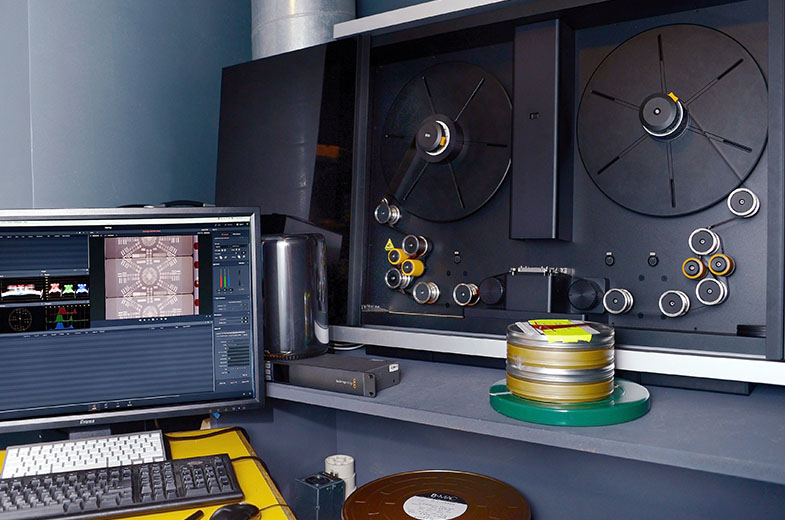
Blackmagic Design announced that Paris post production company Film Factory, which has been working in professional film development and processing for more than 20 years, is now using the Blackmagic Design Cintel Film Scanner for both its dailies and final film scanning workflows.
Installed by MagicHour, the Blackmagic Cintel Film Scanner has been integrated into the Film Factory’s state of the art film processing laboratory. “The Blackmagic film scanner is an incredible piece of hardware,” begins director of research and development at Film Factory, Rip Hampton O’Neil. He explains that the Cintel Film Scanner, which comes bundled together with DaVinci Resolve Studio, has dramatically reduced the time it takes the facility to process film dailies and deliver the scans back to clients on set.
“What it does is produce a lot of data very quickly. I have a great system featuring a Mac Pro and Thunderbolt drive that allows us to pump out 1.5 gigabytes of data per second, scanning the film directly into DaVinci Resolve Studio so that we can go straight into color correction and mastering work without wasting precious time on slow file copying after scanning. It’s a very robust piece of hardware with a simple workflow straight out of the box and I really compliment Blackmagic on that.”
According to O’Neil, the film scanner has also impressed in terms of quality. “Initially, we only envisaged using Cintel in our dailies workflow initially,” he continues. “However, we have been so impressed by the overall quality that we are now looking at how Cintel can be used in our mastering service, helping us to complete the final scans and pre scans on features. It’s really impressive, particularly for a scanner that costs one twentieth of the price of other systems on the market.”
The industry has come full circle in many regards and film is once again a viable medium for filmmakers, according to O’Neil. “Digital is not without its hidden costs. Cameras are run for longer, incurring greater costs in managing all of those rushes in post production. Film production on the other hand tends to be more tightly controlled, and while it is still slightly more expensive to process, the falling price point of new technologies means that price is a rapidly diminishing issue for filmmakers and production companies wanting to blend digital and film,” concludes O’Neil. “The Cintel scanner is a very good system that has a lot of promise for the future. Right now we are able to offer a faster, more cost effective service that allows clients to make decisions about which format they shoot in based on aesthetic rather than cost. Bravo Blackmagic.”
Press Photography
Product photos of the Teranex AV, and all other Blackmagic Design products, are available at www.blackmagicdesign.com/press/images.
About Blackmagic Design
Blackmagic Design creates the world’s highest quality video editing products, digital film cameras, color correctors, video converters, video monitoring, routers, live production switchers, disk recorders, waveform monitors and real time film scanners for the feature film, post production and television broadcast industries. Blackmagic Design’s DeckLink capture cards launched a revolution in quality and affordability in post production, while the company’s Emmy™ award winning DaVinci color correction products have dominated the television and film industry since 1984. Blackmagic Design continues ground breaking innovations including 6G-SDI and 12G-SDI products and stereoscopic 3D and Ultra HD workflows. Founded by world leading post production editors and engineers, Blackmagic Design has offices in the USA, UK, Japan, Singapore and Australia. For more information, please go to www.blackmagicdesign.com.
Date: 22. 09. 2016,
Category: News
FULL ARTICLE
Two new in podcasts in the EDIUS Podcast series cover importing media into the new EDIUS 8 GV Browser, new Primary Color Correction filter, and what to look for when creating 4K projects. Visit podcast.edius.net YouTube channel to watch the ongoing podcast series.
Date: 21. 09. 2016,
Category: News
FULL ARTICLE
Blackmagic Design announced the availability of Blackmagic Camera 4.0 Public Beta 2 featuring a completely new OS for the URSA Mini cameras. The second beta adds new support for image stabilization on EF lenses along with improved focus assist thresholds, better support for Sigma EF lenses, and more reliable lens control when using the broadcast 12-pin connector with Cabrio PL lenses. In addition, this new public beta reduces start up time for the camera, improves playback support and more.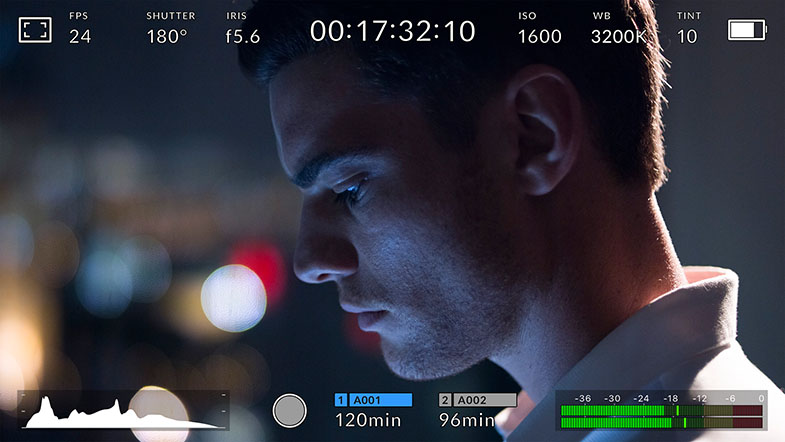
What's new in Blackmagic Camera Setup 4.0 Beta 2
Improvements since 4.0 Beta include:
- Added support for Image Stabilisation (IS) on EF lenses.
- Improved focus assist thresholds.
- Improved support for Sigma EF lenses.
- Improved support for Fujinon Cabrio PL lens control via broadcast 12-pin connector.
- Improved playback support.
- Improved boot up time.
- Fixed bug where camera index in filenames was resetting after power cycle.
- Fixed bug in HD window where power cycle causes misalignment on URSA Mini 4K.
- Fixed bug where URSA Mini 4K allows ISO setting of 1600 which is not supported.
New features in Blackmagic Camera 4.0
Blackmagic URSA Mini 4.6K and 4K
- New URSA Mini OS.
- New heads up display.
- New menu system to allow faster operation.
- New monitoring options separately configurable for different SDI outputs.
- Added ability to load 3D LUTs (Look Up Table) for monitoring.
- Added ability to save and load camera settings presets.
New Heads Up Display Features
- Swipe up or down to show and hide the heads up display.
- Added pan-able focus zoom.
- Added ability to change frame rate directly from heads up display.
- Added ability to change iris from heads up display on electronic lenses.
- Added ability to toggle timecode or duration from heads up display.
- Added ability to toggle favorite off-speed frame rate quickly.
- Added ability to change shutter angle from heads up display.
- Added flicker free shutter angle suggestions.
- Added manual shutter angle option for up to 2 decimal places.
- Added indicators for genlock, timecode status, and sensor window in heads up display.
- Added ability to change ISO from heads up display.
- Added ability to change white balance from heads up display.
- Added white balance presets including daylight, tungsten, fluorescent, mixed lighting, and overcast.
- Added tint control.
- Added auto white balance feature.
- Added audio input and headphone level control from the heads up display.
- Added media status page for formatting cards and media information.
- Added ability to toggle battery indicator from heads up display.
- Added monitoring option controls from heads up display including zebra, focus assist, frame guide and grids.
New Metadata Features
- Improved slate and metadata functionality.
- Added lens data information to slate metadata.
- Added auto-fill lens metadata from electronically controllable lenses.
- Changed slate shortcut from a single tap to a sideways swipe on the LCD.
New Record Features
- Added additional ProRes resolutions for URSA Mini 4.6K including 4.6K 16x9, 4.6K 2.4:1, 4K DCI, 3K Anamorphic, 2K 16x9 and 2K DCI.
- Added additional RAW resolutions for URSA Mini 4.6K including 4.6K 2.4:1, 4K 16x9, 3K Anamorphic, 2K 16x9 and HD.
- Added option to select the preferred card for recording.
New Monitor Features
- Improved screen colorimetry for the built in LCD.
- Added ability to switch 3D LUT on and off for each output individually.
- Added ability to switch false color, zebras, focus assist, frame guides, grids and safe area guide on or off for each output individually.
- Added clean feed toggle for each output.
- Added program tally indicator for the built in LCD and Front SDI when using ATEM.
- Added monitoring option for tally, crosshairs and centre dot as part of grids.
- Added 14:9 frame guides.
- Added configurable safe area guides.
- Expanded options for focus assist to include red, green, blue, black and white as well as peaking.
- Added option for viewing codec and resolution setting instead of meters on the built in LCD.
New Settings Features
- Added ability to program function buttons as a preset for frame rate, iris, white balance, ISO or shutter angle.
- Added ability to program function buttons for Up or Down frame rate, iris, white balance, ISO or shutter angle.
- Added ability to program function buttons as a toggle for clean feed, display LUT, frame guides, focus assist, false color, zebra, grids, safe area guides, off-speed and color bars.
- Added flicker free shutter frequency selection for 50Hz or 60Hz.
- Added support for drop frame timecode.
- Added ability to trigger color bars from camera.
- Added factory reset function.
- Added hardware ID display.
- Added software version display.
New Presets Features
- Added ability to create up to 12 global camera settings presets.
- Added ability import and export camera presets to CFast media.
New 3D LUT Features
- Added ability to monitor with 3D LUTs.
- Added ability to import 3D LUT from CFast media.
- Added ability to store up to 6 custom 17 point or 33 point LUTs into the camera’s internal flash memory.
- Added the ability to export one of the camera’s 3D LUTs to CFast media so you can pass the 3D LUT to a colorist or editor.
- Added ability to delete 3D LUT from camera’s internal memory.
New General Features
- Improved timecode functionality for external timecode and jam timecode.
- Improved white balance performance.
- Added option for single clip or all clip playback.
- Added loop playback feature.
Blackmagic URSA Viewfinder
- Improved colorimetry for viewfinder.
- Improved proximity sensor sensitivity.
- Improved proximity sensor timeout settings.
- Improved frame guide appearance.
- Added support for URSA Mini OS metadata settings.
- Added support for new frame guides, safe area guides and grids.
- Added menu items for configuring overlay settings.
Date: 19. 09. 2016,
Category: News
FULL ARTICLE
The NewTek IP Series merges the power, efficiency, and flexibility of IP with NewTek’s proven software-driven live production approach to define a new workflow paradigm: Interconnected Production. Connecting, communicating, and sharing video and audio across the network using innovative NDITM technology, the NewTek IP Series acts as a single, interconnected production environment. Inputs, outputs, and media assets are readily available and accessible by any user in any location on the network, freeing your storytelling from the limits imposed by conventional production technology and enabling workflows of unprecedented scale and scope.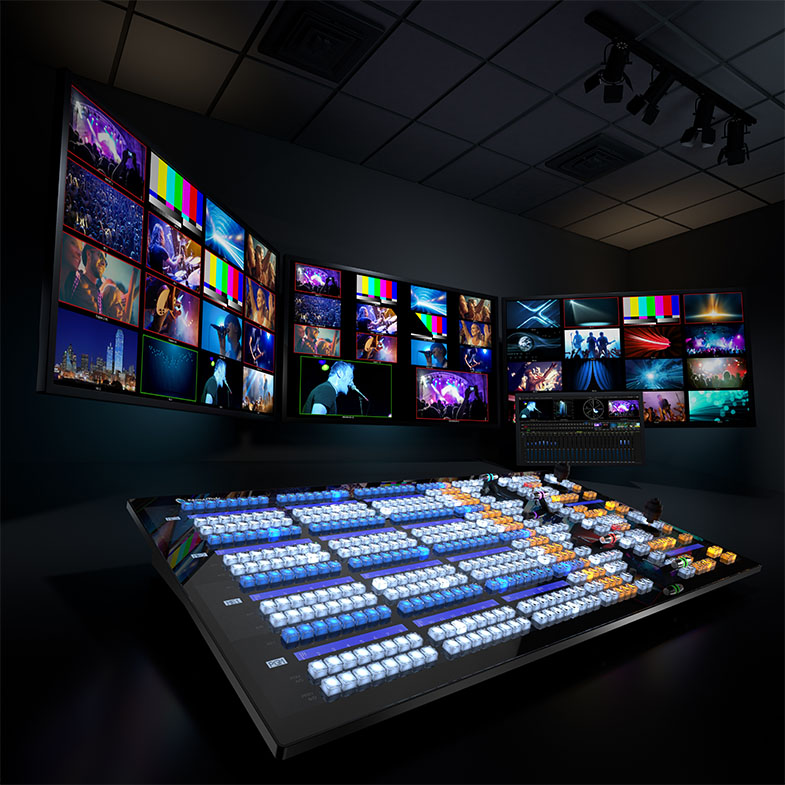
Date: 16. 09. 2016,
Category: News
FULL ARTICLE
Press Release
Blackmagic Design today announced that the final release of Fusion 8.2, its visual effects and motion graphics software, is now available for download from the Blackmagic Design website. Fusion 8.2 and Fusion 8.2 Studio are available on Mac, Windows and now, for the first time ever, on Linux.
Bringing Fusion to Linux is a major announcement for the visual effects industry. Many high end visual effects production companies have built massive custom production pipelines and workflows around Linux. The release of the free Fusion 8.2 on Linux dramatically reduces the cost of creating visual effects at large studios because it gives customers a complete 3D compositing, visual effects and motion graphics solution that can be used on commercial projects without restriction.
The paid edition of Fusion software, called Fusion 8.2 Studio, provides even more powerful features and is available at the low cost of $995. Fusion Studio customers get unlimited free render nodes, stereoscopic 3D tools and other multi user features. The most exciting aspect of Fusion Studio’s paid license is that there are no ongoing subscription, cloud licensing, maintenance fees or additional render node costs.
With full native support of Linux, Mac OS X and Windows, studios can run Fusion projects and workflows in mixed OS environments and easily integrate Fusion in existing studio pipelines using Python and Lua scripting. In addition, Fusion projects can be moved between the Mac, Windows and Linux versions so customers can work on the platform of their choice, or even in studios with mixed platforms.
Fusion has been one of Hollywood’s leading visual effects and motion graphics tools for over 25 years, and has been used on thousands of feature film and television projects, including blockbusters like Thor, Live Die and Repeat, the Hunger Games trilogy, The Martian and more.
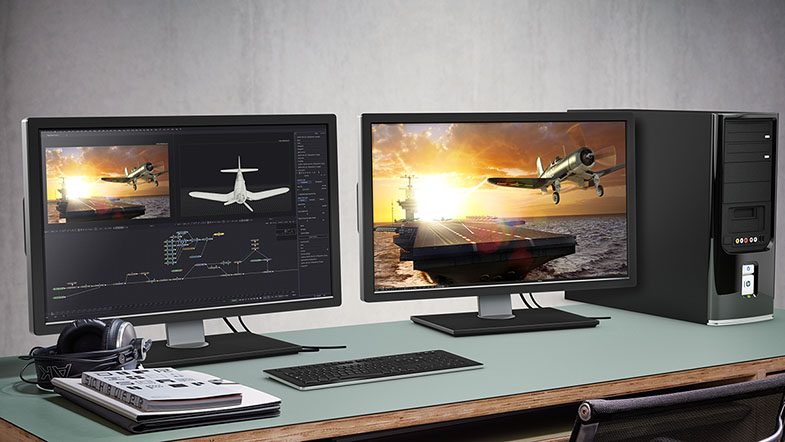
Featuring a powerful node based interface, Fusion makes it extremely easy to build sophisticated visual effects compositions very quickly. Its massive toolset consists of hundreds of built in tools so customers can pull keys, track objects, rotoscope, retouch images, animate titles, create amazing particle effects and much more, all in a true 3D workspace.
Fusion can also import 3D models, point cloud data, cameras or even entire 3D scenes from Maya, 3ds Max or Lightwave and render them seamlessly with other elements. Deep pixel tools can be used to add volumetric fog, lighting and reflection mapping of rendered objects using world position passes so customers can create amazing atmospheric effects that render in seconds, instead of hours.
Since acquiring Fusion over two years ago, Blackmagic Design engineers have massively updated the Fusion codebase making it easier for new users to learn, while maintaining the consistency and familiar workflow that long time users expect. Customers currently working with older visual effects solutions will find it easy to make the transition to Fusion on Linux.
Fusion 8.2 Studio on Linux also features a free render node license that can be installed on an unlimited number of render nodes. This allows large studios to create massive render farms at no additional cost, which drastically reduces the time and money it takes to render thousands of shots for effects heavy blockbuster films and television shows.
Unlike other high end visual effects software, there is no per node render “tax” with Fusion. When customers using Fusion 8.2 Studio need to meet a deadline and render scenes more quickly, they can simply add more render nodes instantly, and at zero cost.
Availability and Price
Fusion 8.2 is available today for Mac, Windows and Linux as a free download from the Blackmagic Design website. Fusion 8.2 Studio is available for 905 EUR ex VAT. Customers with a Fusion Studio version 7.7 dongle or higher can download the update for free from the Blackmagic Design website.
Press Photography
Product photos of all Blackmagic Design products, are available at www.blackmagicdesign.com/press/images.
About Blackmagic Design
Blackmagic Design creates the world’s highest quality video editing products, digital film cameras, color correctors, video converters, video monitoring, routers, live production switchers, disk recorders, waveform monitors and real time film scanners for the feature film, post production and television broadcast industries. Blackmagic Design’s DeckLink capture cards launched a revolution in quality and affordability in post production, while the company’s Emmy™ award winning DaVinci color correction products have dominated the television and film industry since 1984. Blackmagic Design continues ground breaking innovations including 6G-SDI and 12G-SDI products and stereoscopic 3D and Ultra HD workflows. Founded by world leading post production editors and engineers, Blackmagic Design has offices in the USA, UK, Japan, Singapore and Australia. For more information, please go to www.blackmagicdesign.com.
Date: 15. 09. 2016,
Category: News
FULL ARTICLE