
 CZ
CZ SK
SK HU
HU AT
AT DE
DE ES
ES SI
SI HR
HR
Nothing in the basket.

- Search
-
Login

-
0
Comparison
Add products to compare, then they will appear here and you can compare parameters.
-
0
0 €
Blog
Press Release
Blackmagic Design announced that more than 25 of the 2017 summer season’s worldwide film releases used numerous Blackmagic Design products during production and post, including a range of its digital film cameras, Fusion Studio visual effects (VFX) and motion graphics software, DaVinci Resolve Studio editing, color correction and audio post production application and more.
DP Jas Shelton took advantage of the Pocket Cinema Camera’s compact form factor for specialty shots for “The House,” while Editor Alan Edward Bell used Fusion Studio to create performance enhancing VFX while editing “The Dark Tower.” DaVinci Resolve Studio continues to be the go-to application for many of the world’s leading colorists and post production facilities, such as Deluxe’s Company 3 with “Alien: Covenant” and “Wonder Woman” and Goldcrest Post with “My Cousin Rachel,” among others.
The summer films that used Blackmagic Design products include:
- “Beatriz at Dinner” VFX Supervisor George Loucas of BakedFX used DaVinci Resolve Studio for select post work;
- “Blood Feast” DP Roland Freitag used a Production Camera 4K to shoot the film;
- “The Dark Tower” Editor Alan Edward Bell used Fusion Studio for select editing work;
- “A Ghost Story” post team used a Pocket Cinema Camera for several VFX shots;
- “The House” DP Jas Shelton used a Pocket Cinema Camera to shoot select scenes;
- “The Little Hours” Editor Ryan Brown used an UltraStudio Mini Monitor for Thunderbolt-based playback;
- “Spider-Man: Homecoming” used Pocket Cinema Cameras for certain action shots;
- “Un, Deux, Trois” DP Mathieu Gari used a Pocket Cinema Camera to shoot the film; and
- “Unlocked” DP George Richmond used Pocket Cinema Cameras to shoot select scenes.
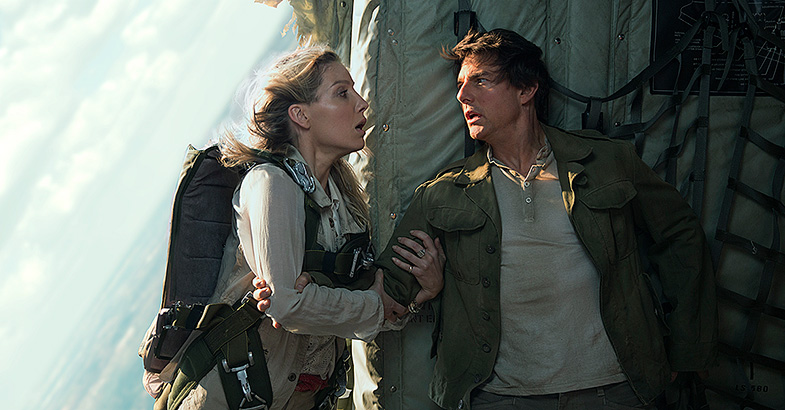
Universal Pictures. Copyright (c) 2017 Universal Studios. All Rights Reserved.
For DIT Work:
- “Beatriz at Dinner” DP Wyatt Garfield used a workflow supported by an UltraStudio for playback, HDLinks for monitoring and a Smart Videohub for routing;
- “The Mummy” DIT Francesco Sauta used DaVinci Resolve Studio, DaVinci Resolve and Smart Videohub 12x12 for on-set grading and film camera matching;
- “Spider-Man: Homecoming” DIT Francesco Sauta used DaVinci Resolve Studio, DaVinci Resolve and Smart Videohub 12x12 for on-set grading and DIT work;
- “Transformers: The Last Knight” DITs Steve Freebairn and Zach Hilton of Freehill Productions used Universal Videohub 72x72 and Smart Videohub 12x12, a SmartScope Duo monitor, DaVinci Resolve Studio, various DeckLink PCIe cards and Mini Converters for engineering, data management and 3D signaling;
- “Unlocked” DIT Joshua Callis-Smith used DaVinci Resolve Studio for on-set grading; and
- “War for the Planet of the Apes” 2nd Unit DIT Mark Allan used an UltraStudio Express capture and playback device, HDLinks and DaVinci Resolve Studio for on-set grading and DIT work.
For Color Grading using DaVinci Resolve Studio:
- “Alien: Covenant” by Colorist Stephen Nakamura of Deluxe’s Company 3;
- “Bad Buzz” by Colorist Guillaume Lips;
- “Beach Rats” by Colorist Nat Jencks;
- “The Big Sick” by Colorist Alex Bickel of Color Collective at Technicolor PostWorks;
- “Blood Feast” by Colorist Mathias Geck;
- “The Book of Henry” by Colorist Stefan Sonnenfeld of Deluxe’s Company 3;
- “Djam” by Colorist Olivier Dassonville for Lumières Numériques;
- “A Ghost Story” by Colorist Joe Malina;
- “Girls Trip” by Colorist Andrew Francis of Sixteen19;
- “The Hero” by Colorist Mike Howell of Color Collective;
- “An Inconvenient Sequel: Truth to Power” by Colorist Leo Hallal;
- “Landline” by Colorist Joe Gawler of Harbor Picture Company;
- “Mil Coses Que Faria Per Tu” by Colorist Toni Anglada of DELA, which also used DaVinci Resolve Studio for conforming and online editing;
- “The Mummy” by Colorist Stefan Sonnenfeld of Deluxe’s Company 3;
- “My Cousin Rachel” by Colorist Adam Glasman of Goldcrest Post, which also used DaVinci Resolve Studio for conforming and online editing;
- “Nur ein Tag” by Colorist Felix Hüsken of Farbkult;
- “Tigermilch” by Colorist Claudia Gittel;
- “Un, Deux, Trois” by Colorist Alexandra Pocquet;
- “Wallay” by Colorist Gadiel Bendelac for Lumières Numériques; and
- “Wonder Woman” by Colorist Stefan Sonnenfeld of Deluxe’s Company 3.
Press Photography
Product photos of Production Camera 4K, Pocket Cinema Camera, Fusion Studio, DaVinci Resolve Studio, DaVinci Resolve, SmartScope Duo, UltraStudio, DeckLink, Videohub, Mini Converters, HDLink and all other Blackmagic Design products are available at www.blackmagicdesign.com/media/images
About Blackmagic Design
Blackmagic Design creates the world’s highest quality video editing products, digital film cameras, color correctors, video converters, video monitoring, routers, live production switchers, disk recorders, waveform monitors and real time film scanners for the feature film, post production and television broadcast industries. Blackmagic Design’s DeckLink capture cards launched a revolution in quality and affordability in post production, while the company’s Emmy™ award winning DaVinci color correction products have dominated the television and film industry since 1984. Blackmagic Design continues ground breaking innovations including 6G-SDI and 12G-SDI products and stereoscopic 3D and Ultra HD workflows. Founded by world leading post production editors and engineers, Blackmagic Design has offices in the USA, UK, Japan, Singapore and Australia. For more information, please go to www.blackmagicdesign.com
Date: 10. 08. 2017,
Category: News
FULL ARTICLE
Blackmagic Design announced that DP Vance Burberry used its URSA Mini Pro digital film camera and Video Assist 4K monitor/recorder to shoot the music video for songwriter and performer Van William's song “Revolution,” which features Swedish folk duo First Aid Kit. Burberry, who has shot music videos for Guns N' Roses, Pearl Jam, Santana, Coldplay and more, also used DaVinci Resolve Studio and the DaVinci Resolve Mini Panel for color grading.
Date: 09. 08. 2017,
Category: News
FULL ARTICLE
If you have worked with the Foundry's Nuke compositing software in the past, and would like to switch to Blackmagic Design's Fusion 9 Studio -- which is now available for an amazingly low price! -- you can use nuke2fusion, a set of defaults for Fusion 9 that makes transitioning from Nuke easier. It is available on GitHub, and includes familiar Layouts from Nuke, a set of symlinked names/nodes for Nuke that creates Fusion equivalent nodes and hot-keys to mimic Nuke's default settings.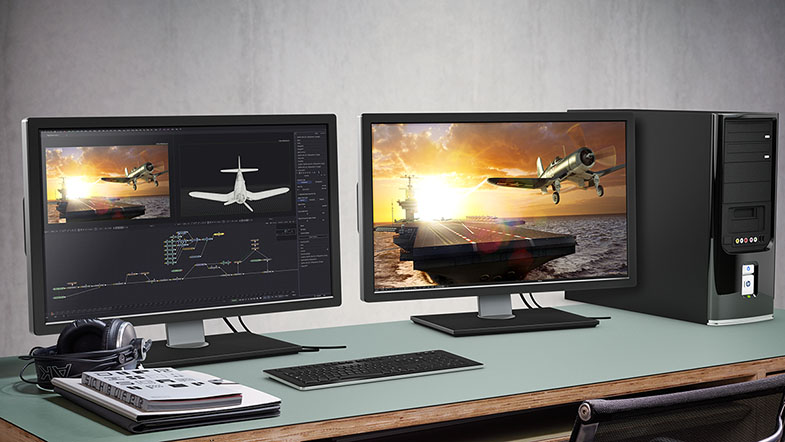
Date: 08. 08. 2017,
Category: News
FULL ARTICLE
Trapcode Suite 14 is a major update to Red Giant's industry standard toolset for creating motion graphics and visual effects in Adobe After Effects. Trapcode Suite 14 includes 11 tools, including new version of Trapcode Particular 3, Trapcode Form 3, and an updated Trapcode Tao plug-in. All of the tools work in Adobe After Effects for Windows or Mac OS X, Trapcode Shine, Starglow, and 3D Stroke also work in Premiere Pro.
Both Trapcode Particular 3 and Trapcode Form 3 feature the newly overhauled Designer. It allows to add adjustable blocks with preset behaviors and styles for emitters, particles, physics and aux particles. Or add complete, customizable particle effects with a single click. The Designer gives instant visual feedback, making the building and previewing of effects an intuitive and creative experience. Both plug-ins also enable to use 3D models and animated OBJ sequences as particle emitters (Trapcode Particular 3) or as particle grids (Trapcode Form 3). Now it's also possible to use any image in your composition as a particle by assigning it to a 2D sprite or textured polygon. Particular 3/Form 3 now include over 270 still and animated sprite images, easily loaded directly within After Effects or in the Designer.
Also new in Trapcode Particular 3 is a GPU acceleration through OpenGL. Depending on your system and setup, you could see speed boosts of up to 4x or more over previous versions. The Particular enables to explore endless creative possibilities when you combine multiple particle systems in the same 3D space. Create beautiful, complex effects through the interaction of different systems, all within one instance of Particular. Emitters in Multi-system setups can share parameter settings (such as turbulence, gravity and more), and can be saved as a single preset.
The updated Trapcode Tao introduces Depth of Field effects, which allow you to create camera-realistic blurs for your Tao objects, based on their distance from the After Effects 3D camera. The new Depth of Field effect makes it easy to integrate Tao into your live action shots and motion graphics.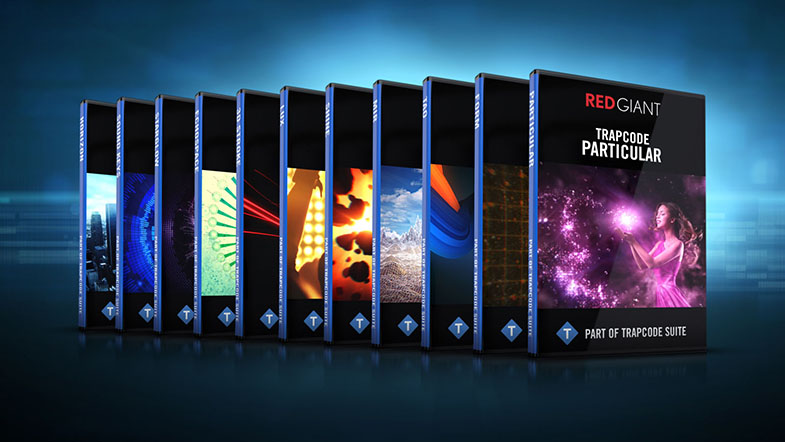
Date: 07. 08. 2017,
Category: News
FULL ARTICLE
This update adds tally support and a new solo view mode to Blackmagic MultiView 4 so you can clearly see which video source is currently “on air” when used with cameras and switchers that support the Blackmagic SDI tally protocol. It also allows you to switch from multi view to full screen view of any connected video source. 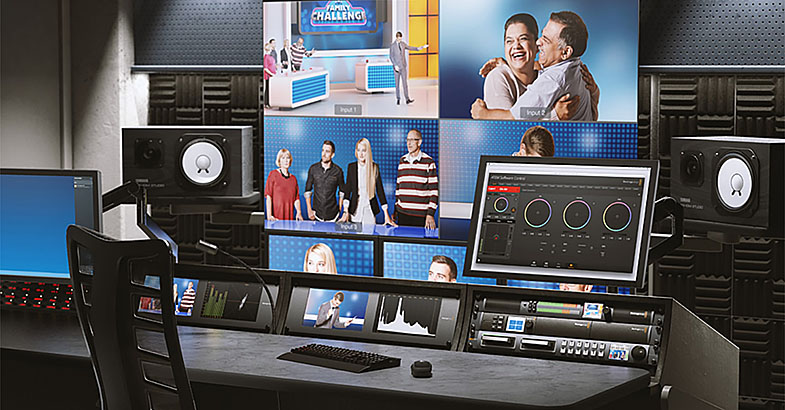
Date: 04. 08. 2017,
Category: News
FULL ARTICLE