
 CZ
CZ SK
SK HU
HU AT
AT DE
DE ES
ES SI
SI HR
HR
Nothing in the basket.

- Search
-
Login

-
0
Comparison
Add products to compare, then they will appear here and you can compare parameters.
-
0
0 €
Blog
Wise Advanced Co., Ltd. announced the 1TB CFast 2.0 memory card (CFA-10240). With this ample space, the videographers are able to record 4K RAW video up to 60 frames per seconds more than 1 hour on Blackmagic RAW 3:1 and 2 hours on the Canon 10-bit Cinema RAW Light. The Wise 1TB CFast 2.0 memory card offers up to 525 MB/s read and 450 MB/s write speed, an will be available in mid-April.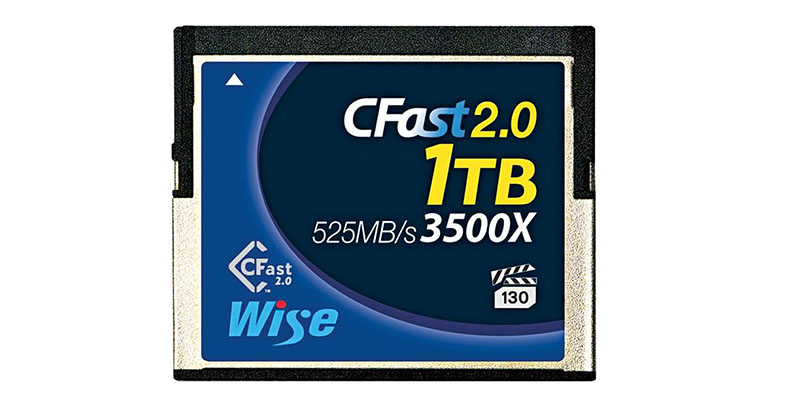
Date: 16. 04. 2019,
Category: News
FULL ARTICLE
Azden has announced a new wireless system due out in early summer of 2019: the PRO-XR, professional grade 2.4 GHz wireless mic system. The PRO-XR uses newly developed and proprietary technology to make an extremely reliable and robust wireless connection in the 2.4 GHz spectrum. Avoiding the common pitfalls in this crowded frequency spectrum, the system uses data stream redundancy and an advanced frequency hopping algorithm to avoid interference and dropouts. The result is a 2.4 GHz wireless kit that is dependable enough for use by professionals.
In keeping with its “professional grade” moniker, the PRO-XR comes with a professional quality lavalier microphone and is able to deliver pro-level sound quality. Transmitter and receiver units are compact, weighing just about 2.5 oz each, with incorporated lithium-ion rechargeable batteries that promise up to 16 hours of continuous usage on a full charge. The receiver unit has a standard size accessory shoe for camera-top mounting, but also a 1/4″-20 female thread for boom-pole and camera cage mounting. The PRO-XR package includes a number of accessories to make it compatible with mobile video shooting right out of the box: a mini-tripod/mobile grip, a clamp-style phone mount with accessory shoe mount, a traditional TRRS adapter cable for smartphones and tablets, and a Lightning-to-headphone adapter for iOS mobile devices without a headphone jack.
The expected retail price of the new PRO-XR is 249 USD.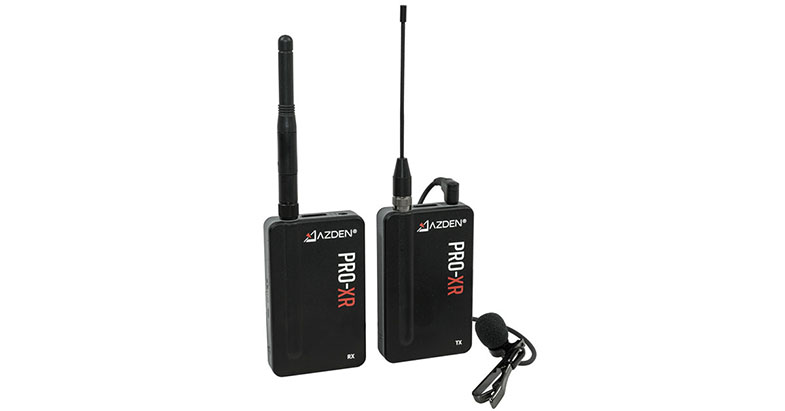
Date: 16. 04. 2019,
Category: News
FULL ARTICLE
Press Release
Blackmagic Design today announced Blackmagic MultiDock 10G, a new rack mount USB-C disk dock with elegant all metal design that lets customers access and move SSD media disks between cameras, HyperDecks and computers by rapid docking! Blackmagic MultiDock 10G will be available in June for 525 EUR ex, VAT.
Blackmagic MultiDock 10G is an advanced SSD dock that lets customers access 4 separate SSDs via a single high speed 10 Gb/s USB-C connection. Unlike cheap consumer adapters, Blackmagic MultiDock 10G has been specifically designed for the film and television industry and features a rack mount design with an independent SATA driver chip on each disk, ensuring much faster data transfer speeds. It can even be used for SSD compatibility on HyperDeck Extreme.
Unlike cheap SSD docking cables, the Blackmagic MultiDock 10G is a compact 1 RU all metal design customers can mount in any professional rack. Each disk slot features an illuminated disk indicator so customers can see when disks are being accessed. The rear panel features 2 USB-C connections and a slide switch to allow selecting between using 4 disk slots on a single USB-C connection, or 2 slots on each USB-C connection for shared use.
Blackmagic MultiDock supports up to 4 independent 2.5 inch SSDs so it’s possible to edit directly from the disks customers recorded onto. Simply plug in their SSDs and they will mount on their Mac OS X and Windows computers like regular hard disks. Because Blackmagic MultiDock features 4 independent disk slots, customers can mount all their media from a shoot all at the same time. Blackmagic MultiDock 10G is perfect for accessing media recorded with the URSA Mini Pro SSD Recorder. It's also the perfect solution to add SSD compatibility to HyperDeck Extreme 8K as it will let customers interchange disks between HyperDeck Studio models.
Blackmagic MultiDock uses advanced USB-C technology so customers get blazingly fast transfer speeds to their computer at up to 10 Gb/s with a single cable connection. That’s more than enough bandwidth to handle the highest resolution video formats including 8K in H.265 from HyperDeck Extreme 8K. MultiDock features a completely independent disk interface chip per disk slot so customers never get slowdowns because of SATA bandwidth issues. Even though customers get all 4 disks connected to a single USB-C connection, customers can also split Blackmagic MultiDock 10G and get 2 disks on one USB-C connection and 2 disks on the second USB-C connection. That's perfect for dual computer use or increased speed.
Unlike consumer disk arrays, Blackmagic MultiDock is a compact and robust 1 rack unit all metal design that can be quickly installed into equipment racks. The built in power supply ensures no power is used from laptop batteries and it has enough power to run 4 high performance disks all at the same time for use in RAID configurations. Blackmagic MultiDock 10G even supports the RAID software built in to most operating systems, so customers can customize their disk array for their needs.
The secret to using Blackmagic MultiDock 10G with HyperDeck Extreme is the high speed USB-C port on the rear panel called External Disk. When customers plug MultiDock into the HyperDeck External Disk port, it can see the SSDs and use them for recording. When using 2 HyperDeck Extreme units mounted side by side it’s possible to switch to 2 channel mode and use 2 disks with each HyperDeck. This also means it's possible to use 2 computers with a single MultiDock, one using each channel, or multiple rack mount servers can access the same MultiDock. When an SSD is inserted in MultiDock, it can be seen on the HyperDeck Extreme on-screen menus and customers can select it for record and playback.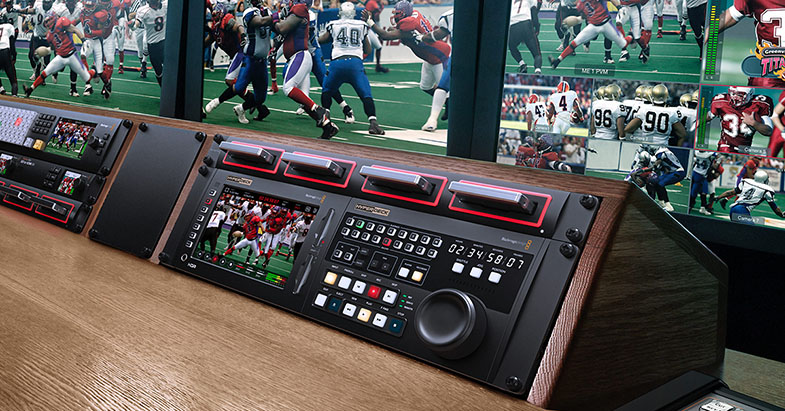
Availability and Price
Blackmagic MultiDock 10G will be available in June for 525 EUR ex. VAT.
Press Photography
Product photos of all Blackmagic Design products, are available at www.blackmagicdesign.com/press/images.
About Blackmagic Design
Blackmagic Design creates the world’s highest quality video editing products, digital film cameras, color correctors, video converters, video monitoring, routers, live production switchers, disk recorders, waveform monitors and real time film scanners for the feature film, post production and television broadcast industries. Blackmagic Design’s DeckLink capture cards launched a revolution in quality and affordability in post production, while the company’s Emmy™ award winning DaVinci color correction products have dominated the television and film industry since 1984. Blackmagic Design continues ground breaking innovations including 6G-SDI and 12G-SDI products and stereoscopic 3D and Ultra HD workflows. Founded by world leading post production editors and engineers, Blackmagic Design has offices in the USA, UK, Japan, Singapore and Australia. For more information, please go to www.blackmagicdesign.com.
Date: 15. 04. 2019,
Category: News
FULL ARTICLE
Press Release
Blackmagic Design today announced Teranex Mini SDI to HDMI 8K HDR, a new advanced 8K HDMI monitoring solution with dual on screen scope overlays, HDR, 33 point 3D LUTs and monitor calibration for professional, color accurate SDI monitoring on HDMI 8K screens. Teranex Mini SDI to HDMI 8K HDR will be available in May 2019 for 1145 EUR ex. VAT.
Teranex Mini SDI to HDMI 8K HDR is an advanced 8K monitoring solution for large screen televisions and video projectors. Unlike basic converters, Teranex Mini can use third party calibration probes to accurately align connected displays for precise color. There are 2 on-screen scopes that can be selected between WFM, Parade, Vector and Histogram. Teranex Mini SDI to HDMI 8K HDR is perfect for film studios and broadcasters who need professional but affordable color accurate monitoring. Customers also get an elegant design with color LCD for monitoring and control of settings.
The front panel feels elegant when placed on a desktop plus it includes buttons and a color display for video monitoring with audio meters and video standard. The rear panel has Quad Link 12G-SDI for HD, Ultra HD as well as 8K formats. There are also 4 HDMI outputs allowing use with 8K televisions that feature quad HMDI inputs, plus a down converter for using 8K sources on Ultra HD or HD televisions. Customers can even convert between 2SI and Square Division all automatically.
Teranex Mini SDI to HDMI 8K has everything for the latest HDR workflows. All that’s required is to connect a HDMI display to get HDR SDI monitoring. Static metadata PQ and Hybrid Log Gamma (HLG) formats in the VPID are handled according to the ST2108-1, ST2084 and the ST425 standards. Teranex Mini SDI to HDMI 8K HDR handles ST425 which defines 2 new bits in the VPID to indicate transfer characteristic of SDR, HLG or PQ. Plus the ST2108-1 standard defines how to transport HDR static or dynamic metadata over SDI. Plus there is support for ST2082-10 for 12G SDI as well as ST425 for 3G-SDI sources. Both Rec.2020 and Rec.709 color spaces are supported and 100% of the DCI-P3 format.
Two fully independent on screen scopes are included so compliance with broadcast standards is easy when doing critical high end work. Scopes are overlaid on screen so customers can customize position, size and opacity. Customers can select from a range of scopes, including waveform for displaying luminance levels of their input signal. The vectorscope display allows customers to see the intensity of color at 100% SDI reference levels. Customers also get RGB and YUV parade displays which are ideal for color correction and checking for illegal levels. Histogram shows the distribution of white to black detail in their images and highlights or shadows clipping.
Teranex Mini SDI to HDMI 8K HDR includes the same high quality 33 point 3D LUTs as used in the film industry. It's even possible to calibrate the connected display by connecting a third party USB color probe and Teranex Mini SDI to HDMI 8K HDR will analyze the monitor and generate a 3D LUT to correct for color differences between displays. Two independent 3D LUTs can be loaded and customers can select between them from the front panel.
It’s always difficult to know if a monitor is the correct color because every display is slightly different, even between the same model. Teranex Mini SDI to HDMI 8K HDR solves this problem as it can use a third party USB probe for automatically aligning their monitor. SpectraCal C6, X-Rite i1 Display Pro or the Klein K10-A probes are supported and plug into the front of the converter. The converter takes care of all the work and will automatically generate test signals on the monitor during the calibration process.
All Quad Link 12G-SDI inputs have outputs for looping to other equipment. Plus all HD, Ultra HD and 8K standards are supported allowing broadcast or film industry use. In 720p customers get support for 50p, 59.94p up to 60p. In 1080i formats, customers get 50i, 59.94i up to 60i. 1080p, 1080PsF as well as 2160p formats are supported from 23.98 to 60 fps. Customers even get support for 2K and 4K DCI film formats from 23.98p to 60p. 4320p 8K formats are supported at 23.98, 24, 25, 29.97, 50, up to 59.94. With 2SI to Square Division conversion built in, an 8K source will be automatically converted for the monitor. Teranex Mini SDI to HDMI even handles both Level A or B 3G-SDI plus YUV and RGB SDI formats.
The front panel LCD provides confidence monitoring with both images and accurate audio level meters. There are menus for all functions and it’s easy to scroll through menus "pages" to find settings that need changing. The 3D LUTs can be enabled just by pressing 1 or 2 buttons. Calibration is also started via the menus and customers simply follow the prompts to calibrate their display. The audio meters can even be switched between VU or PPM ballistics. HDMI instant lock can be enabled to ensure the HDMI display locks instantly if the input video is interrupted. There are settings for configuring scopes, their on screen location or opacity. Customers can even view and edit network settings.
For rack mounting customers can simply add a Teranex Mini Rack Shelf. This consists of a metal tray that holds the converter and allows it to be screwed down before the whole shelf is bolted into the rack. Of course Teranex Mini SDI to HDMI 8K HDR includes rubber feet that customers can attach to the underside of the converter if customers want to place it on a desktop.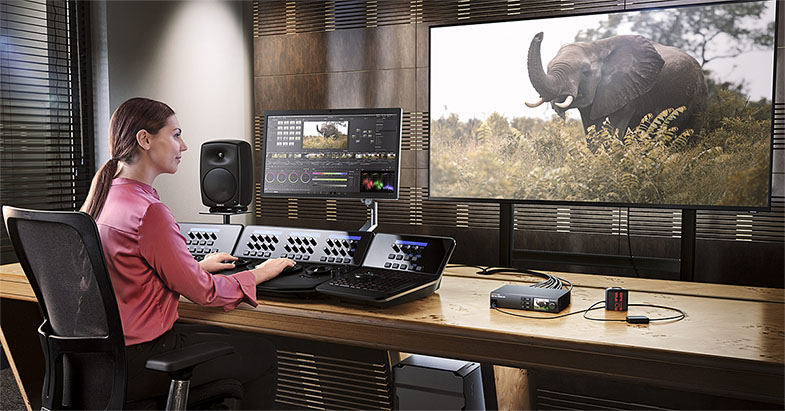
Availability and Price
Teranex Mini SDI to HDMI 8K HDR will be available in May 2019 for 1145 EUR ex. VAT.
Press Photography
Product photos of all Blackmagic Design products, are available at www.blackmagicdesign.com/press/images.
About Blackmagic Design
Blackmagic Design creates the world’s highest quality video editing products, digital film cameras, color correctors, video converters, video monitoring, routers, live production switchers, disk recorders, waveform monitors and real time film scanners for the feature film, post production and television broadcast industries. Blackmagic Design’s DeckLink capture cards launched a revolution in quality and affordability in post production, while the company’s Emmy™ award winning DaVinci color correction products have dominated the television and film industry since 1984. Blackmagic Design continues ground breaking innovations including 6G-SDI and 12G-SDI products and stereoscopic 3D and Ultra HD workflows. Founded by world leading post production editors and engineers, Blackmagic Design has offices in the USA, UK, Japan, Singapore and Australia. For more information, please go to www.blackmagicdesign.com.
Date: 15. 04. 2019,
Category: News
FULL ARTICLE
Panasonic has announced the AW-HE42 Full HD pan/tilt/zoom camera with a wide range of interfaces including 3G-SDI/HDMI/IP. This new, cost-effective integrated PTZ offers significant improvements in lensing, stabilization and interfacing versus prior Panasonic models in this class. The HE42 features a 1080p FHD output, a wide horizontal viewing angle of 65.1 degrees, a 20x optical zoom and 30x i.Zoom. Equipped with a 1/2.3-type FHD MOS sensor, the HE42 provides an increased number of interfaces, including 3G-SDI, HDMI, IP (facilitating streaming and NDI|HX support), and genlock for camera matching in live production.
An Optical Image Stabilizer (OIS) ensures that vibrations of the mounted surface caused by doors opening and closing, audio systems and other installed equipment are automatically corrected. The HE42 is designed to produce high-quality video and precise control and movement for demanding remote production and IMAG uses. It is ideal for conference rooms, events, staging, distance learning and houses of worship. The HE42, in both black and white versions, is slated to be available in June 2019 with a target suggested list price of under $5,000.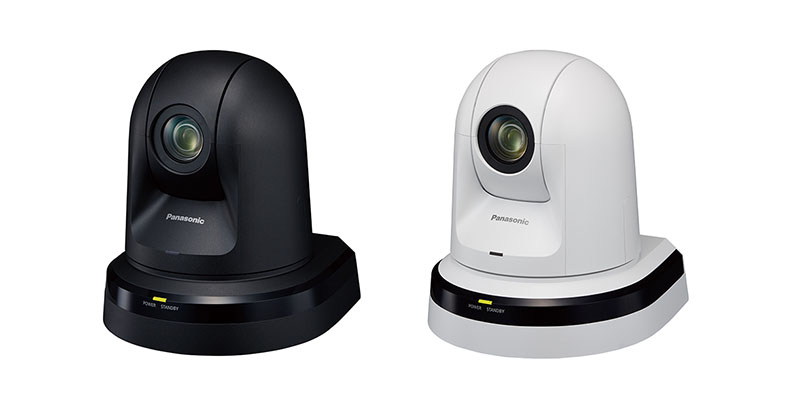
Date: 15. 04. 2019,
Category: News
FULL ARTICLE