
 CZ
CZ SK
SK HU
HU AT
AT DE
DE ES
ES SI
SI HR
HR
Nothing in the basket.

- Search
-
Login

-
0
Comparison
Add products to compare, then they will appear here and you can compare parameters.
-
0
0 €
Blog
Panasonic published a new handbook of 101 pages that thoroughly explains the AG-CX350 camcorder. The handbook is applicable to AG-CX350 with FW version 2.01 and above and also -- due to varying degree of similarities -- to AJ-CX4000 and all models that may follow.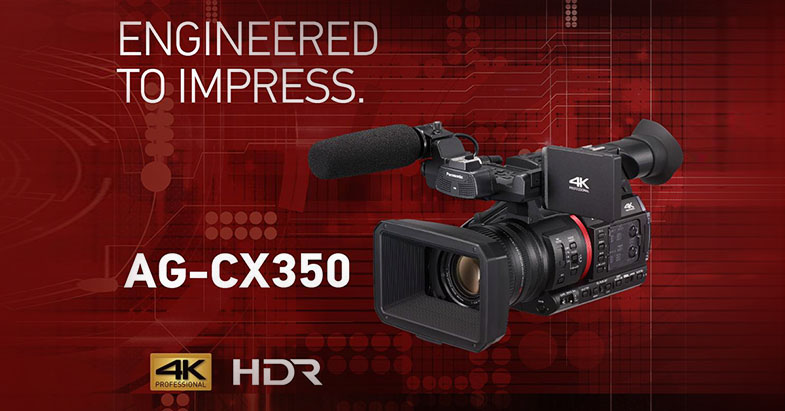
Date: 10. 12. 2019,
Category: News
FULL ARTICLE
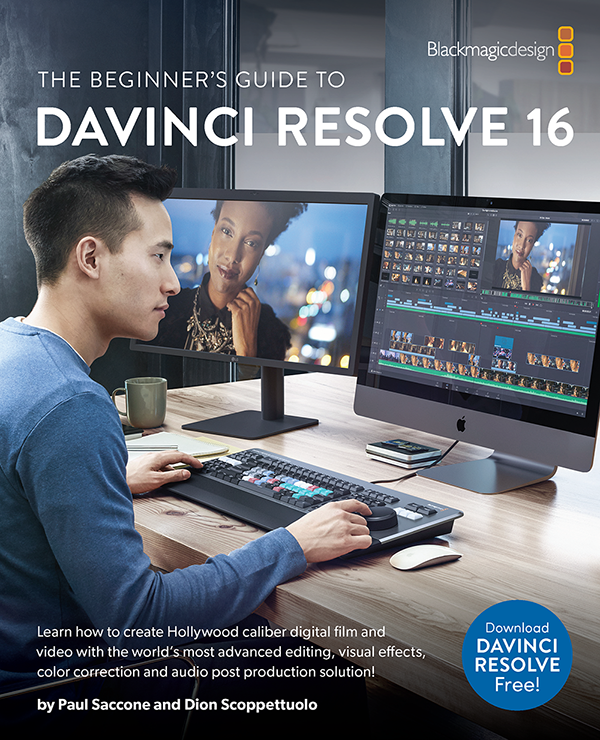
The Beginner’s Guide to DaVinci Resolve 16 now available! This newly updated training guide covers high speed editing on the revolutionary new cut page, which is designed for fast turn around work. Order your copy from Amazon today.
Date: 06. 12. 2019,
Category: News
FULL ARTICLE
This update provides a small fix for a Catalina 10.15.1 AMD GPU driver issue and is recommended for all Mac customers that have AMD GPUs. Download available from https://www.blackmagicdesign.com/uk/support/
Date: 30. 10. 2019,
Category: News
FULL ARTICLE
Introducing Continuum 2020! The newest release of the most comprehensive plugin collection on the market adds 10 new creative effects and transitions, a new Mocha Area Brush paint tool, updates to Particle Illusion and Title Studio, and more.
What’s New In Continuum 2020
Corner Pin Studio: Tasked with tons of cell phone, computer, and sign inserts/replacements? The new Corner Pin Studio will change how you work while saving you precious time. It’s powered by a single Mocha tracker that targets the surface and four offset pins to accurately position your source shot. Create a seamless final composite with blending options galore.
Transitions: Editors, this one is for you. Meet 6 new must-have drag-and-drop dissolve transitions with 50 new professionally-designed presets.
Cast Shadow Effect: Add true 3D shadows using an integrated point or parallel light source positioned in 3D space. Fully-customizable with a built-in 3D camera system or use AE’s native cameras.
Reflection Effect: Instantly generate a reflection in 3D space. No more complicated duplication or layering! Includes a built-in 3D camera system or use AE’s native cameras.
Curl Effect: Distort and warp footage to create trippy psychedelic looks or heat haze, smoky effects, and underwater distortions.
Mocha Area Brush: Get ready to love Continuum’s integrated Mocha tracking and masking, even more, thanks to the new Area Brush paint tool that makes tracking search areas as simple as a brushstroke!
Particle Illusion: You now have new customizable emitter options (Yay!) and tons of added functionality including an improved search, new high-res thumbnails for all emitters, and a new preview toolbar with the ability to choose your background color.
Title Studio: Titles as easy as 1-2-3 with the addition of new professionally-designed templates, new materials and shaders, and big improvements to the overall functionality and user experience.
Date: 29. 10. 2019,
Category: News
FULL ARTICLE
This update adds a new on-screen horizon tool, new anamorphic de-squeeze options, USB PTP control support, and custom frame guide ratios for all Blackmagic Pocket Cinema Camera models. Customers using the Blackmagic Pocket Cinema Camera 4K also get new recording options for Super 16mm and anamorphic formats in Blackmagic RAW. Camera 6.6 update also adds support for the Blackmagic Pocket Camera Grip.
What's new in Blackmagic Camera Setup 6.6
New features in Blackmagic RAW
Blackmagic RAW Avid Media Composer plugin general performance and stability improvements.
Blackmagic RAW Adobe Premiere Pro plugin general performance and stability improvements.
CUDA general performance and stability improvements.
New features for Pocket Cinema Camera 4K
Added support for Blackmagic Pocket Battery Grip.
Added support for language localization.
Added support for built-in camera horizon tool.
Added support for 4K 2.4:1 4096 x 1712 recording in Blackmagic RAW up to 75 fps.
Added support for 2.6K 2688 x 1512 up to 120 fps recording in Blackmagic RAW suitable for Super16mm lenses.
Added support for 2.8K 4:3 2880 x 2160 recording in Blackmagic RAW up to 80 fps for anamorphic lenses.
Added support for 2x desqueeze preview when recording 4K 4:3.
Added support for 1.33x desqueeze preview.
Added support for pinch to zoom up to 8x magnification.
Added USB PTP control support.
Added ability to embed custom 3D LUTs in Blackmagic RAW clips as metadata.
Added common off-speed frame rate options above slider when changing frames.
Added common ISO options above slider when changing ISO settings.
Added 1:1 and 4:5 frame guide options.
Added ability to type in customized frame guide ratios.
Added ability to monitor voltage level when powering via 12V DC connector.
Improved auto focus performance.
New features for Pocket Cinema Camera 6K
Added support for Blackmagic Pocket Battery Grip.
Added support for language localization.
Added support for built-in camera horizon tool.
Added support for pinch to zoom up to 8x magnification.
Added USB PTP control support.
Added ability to type in customized frame guide ratios.
Improved auto focus performance.
Date: 25. 10. 2019,
Category: News
FULL ARTICLE