Blog

Blackmagic Design released DaVinci Resolve 17.1 Beta 1 which adds universal app support for M1 powered Macs! DaVinci Resolve 17.1 Beta 1 offers universal app support for M1 powered Macs to provide better performance on small laptops. Plus the unified memory architecture on M1 enables DaVinci Resolve 17.1 to leverage the power of CPU and GPU processing more effectively, avoiding the need for PCI Express transfers. Significantly, the combination of M1, Metal processing and DaVinci Resolve 17.1 offers up to 5 times better performance when compared to previous generation computers. DaVinci Resolve 17.1 is also compatible with macOS Big Sur, and is initially only available for Mac.


Date: 18. 11. 2020, Category: News
FULL ARTICLE

Another Portkeys treat in stock: the KeygripIntelligent Camera Remote, which features a switch for quick ISO, shutter and aperture settings (on the front of the handle) and a 9-position joystick for easy navigation through the camera menu! Thanks to Bluetooth and Wi-Fi interfaces, many cameras can be controlled wirelessly (e.g. Blackmagic Pocket Cinema Camera 4K/6K!) or use one of the optional cables (LANC etc.) for cameras without BT/Wi-Fi support. The body of the controller is made of durable aluminum alloy and the handle is made of oak wood for maximum durability and comfort. There is also a great readable 0.9" OLED display, battery status display (2x 18650; included with charger), rosette for mounting the controller on cameras, etc. Yum!

Portkeys Keygrip

Date: 16. 11. 2020, Category: News
FULL ARTICLE

Panasonic will launch a new 85mm f/1.8lens for the L-Mount in December, plus three more unspecified f/1.8 lenses with identical size and control positions in the coming months. In addition to these models, a telephoto 70-300mm zoom lens is also in development, which will also expand the LUMIX S series lens line-up in the future.

Panasonic LUMIX S 85mm F1.8 S-S85E

Date: 13. 11. 2020, Category: News
FULL ARTICLE

Panasonic has released firmware updates for its LUMIX S series cameras as well as the ultra-compact G100. Updates for the S1H (2.2), S1R (1.6), S1 (1.6) and S5 (2.0) will be available free of charge from 24 November 2020 and will bring improved autofocus features; the same day's release of FW 1.1 for the DC-G100 will bring compatibility with LUMIX Webcam Software (in beta).

Enhanced autofocus features for the LUMIX S series
Lumix S1, S1R and S1H will gain advanced autofocus technology and performance from the new LUMIX S5. The AF update includes improved person and motion detection technology. In addition to the eye, face and body, the head is now separately identified and tracked in real time. The camera tracks a person even when they move quickly, turn their head, turn their body and tilt their head, even at a great distance from the camera. Innovative DFD technology has refined the continuous autofocus (AFC) system to better track small or fast-moving subjects. All AF enhancements are available in both shooting and movie modes.

Updates also include:

  • People/animal recognition is available in [1-Area] and [1-Area+] AF modes
  • [AF + MF] mode can be used during movie recording
  • AF-Recognition function during V-Log recording has been improved (S1H / S1 / S5)
  • [SS/Gain Operation] function has been added for S1R, S1 and S5 models
  • Recording indicator [Red REC Frame Indicator] has been added to S1R and S1
  • Vertical video playback has been added for S1H, S1R and S1
  • 4K quality videos can now be sent to a smartphone via Wi-Fi (S1H / S1R / S1)
  • S1H and S5 displays can now display a flipped image when the LCD is rotated and the [Horizontal Image Flip (Monitor)] / [Vertical Image Flip (Monitor)] function is activated
  • 5K quality video recording has been added to S1R.
  • 10-bit HDR video recording [Like 2100 / HLG] has been added to S1R
  • Added high-resolution audio recording and settings for DMW-XLR1 adapter to S1R
  • Luminance Level function in S1R now supports 10-bit video recording
  • Added 10-bit video output at 60/50 fps in 4K quality at 4:2:2 aspect ratio via HDMI to S1R
  • C4K quality video recording (4096x2160) has been added to the S5
  • The S5 has been enhanced with 12-bit RAW [5.9K]/[4K]/[Anamorphic (4:3) 3.5K] data output. Apple ProRes RAW format recording is also possible with the Atomos NINJA V (S5)
  • A vectorscope has been added to S5
  • Master Pedestal Level reference added to S5
  • The S5 has been expanded with the addition of Photo Style options [L.ClassicNeo] and [L.Monochrome S]

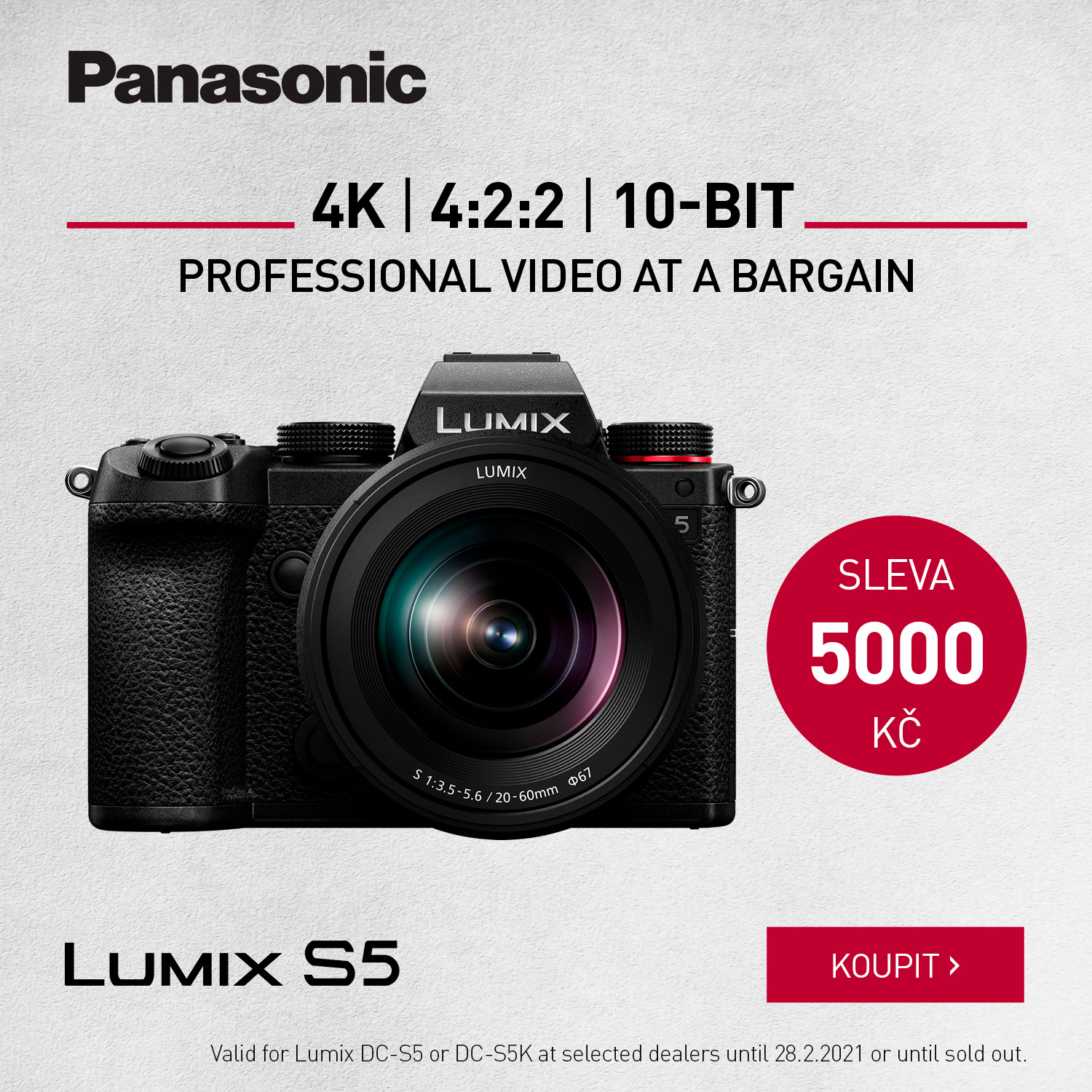
Panasonic LUMIX S5

Next update for LUMIX DC-S1 in the first half of 2021
With the planned FW 2.0 update for LUMIX S1, the user will be able to manually adjust Dual Native ISO values. Further expansion of functions is subject to the purchase of DMW-SFU2. New features will include anamorphic recording mode, time code insertion and V-Log recording. The upgrade will unlock the ability to record in 5.9K/C4K quality and internal 10-bit 4K 60/50p video recording with 4:2:2 color sampling. Another enhancement will be the ability to record video using the Atomos Ninja V monitor/recorder in 5.9K/4K/Anamorphic (4:3) 3.5K 12-bit RAW over HDMI.

Battery compatibility between LUMIX GH5/GH5S and G9
The LUMIX GH5 / GH5S / G9 are now compatible with the new DMW-BLK22 battery type (launched together with the DC-S5). Compatibility with the original DMW-BLF19 battery that was supplied with the above models remains, of course.

DC-G100/G110 FW 1.1
With the free FW update to version 1.1, the DC-G100/G110 gains compatibility with LUMIX Webcam Software (beta).

Date: 13. 11. 2020, Category: News
FULL ARTICLE

PRESS RELEASE

12. november 2020

Blackmagic Design - represented on the Czech and Slovak markets by Syntex - has introduced a new version 17 of DaVinci Resolve

for editing and post-production of audio/video material. DaVinci Resolve 17 is a major update with more than 300 new and improved features including tools for colour correction of HDR material, redesigned functions for primary colour correction, new generation of Fairlight technology for audio editing allowing to work with up to 2,000 tracks in real time, new options for media bin sorting, etc.

The public beta of DaVinci Resolve 17 is available on the Blackmagic Design website.

Blackmagic Design DaVinci Resolve 17

DaVinci Resolve 17 is a major update bringing over 100 new features and over 200 enhancements. The Color section for color correction includes new features for processing HDR videos, redesigned tools for primary color correction, automatic masks based on artificial intelligence algorithms, and many more new features! The Fairlight section offers optimized features for creating selections using keyboard and mouse, as well as the new Fairlight Audio Core architecture including new FlexBus technology supporting over 2,000 tracks. The video editing sections have been enhanced with new metadata displays, zooming on audio tracks for more accurate editing, automatic shot recomposition features, and other new features. You can also now use the Fusion section compositions as subtitles or blending effects in both the Cut and Edit sections, for example.

Color section
DaVinci Resolve 17 includes fantastic new features for colorists, including improved mask creation, better metering tools, support for 17-point LUT tables, and much more! New color editing features for HDR videos allow you to more accurately adjust the ranges of primary color correction tools, including features to adjust exposure and saturation for each zone individually. Also completely new are the deformation grid-based corrections allowing two parameters - color and saturation - to be adjusted simultaneously. The adjustment is done by dragging the grid control points.

Version 17 also brings considerable simplification in the area of selective corrections of human silhouettes. The Magic Mask tool uses the DaVinci Neural Engine core to automatically create masks of entire characters or body parts. Of course, it is possible to manually adjust the mask afterwards, as well as automatically track the movement of the target subject.

The color management system has also seen significant improvements. DaVinci Wide Gamut and DaVinci Intermediate are versatile working color spaces that go beyond BT.2020, ARRI Wide Gamut and ACES AP1 to guarantee completely lossless editing of any material.

Fairlight section
DaVinci Resolve 17 introduces the largest update in the history of the Fairlight section for audio post-production. The audio track editing features have been upgraded along the lines of the Fairlight Audio Editor, as well as the Fairlight Audio Core itself, making better use of the capabilities of the CPU and the optional Fairlight Audio Accelerator card. The result is the ability to process up to 2,000 audio tracks in real time including equalizer, dynamics and up to 6 plug-ins per track! And the new FlexBus architecture introduces up to 26 channels of wide, versatile buses that can be independently layered and linked to process even very demanding projects in a straightforward manner.

The new Transient Analysis tool is able to detect single words of dialogue tracks, percussion instruments or sound effects. The result is vertical markers in the audio track view that can be easily navigated with the cursor keys, making subsequent editing much easier.

Fairlight Audio Core and FlexBus technologies allow large projects with thousands of tracks to be processed on a single workstation. In the past, processing similarly complex jobs was only possible with several linked computers. DaVinci Resolve also offers features for multiple users to collaborate on the same project, including a Fairlight section.

Cut section
The new Cut section for fast cutting of video material guarantees even more efficient work with imported material. A new metadata display in the bin simplifies file sorting based on scenes, shots, cameras, etc. In conjunction with the Source Tape function, this is the fastest way to select material for cutting.

Also new is a larger display of audio tracks during editing, or a function for fast conversion of 16:9 HD or Ultra HD material into square or vertical format for social networks (Instagram, etc.). The DaVinci Neural Engine core automatically identifies faces and changes the shot composition according to the target format.

Searching for effects, interlaces or captions is also now faster thanks to the simultaneous display of multiple icons. To preview an effect in the Viewer window, simply hover your cursor over any item in the effects list...

You can also now import projects created with ATEM Mini Pro ISO and further edit them using the Sync Bin function with multiview display. Of course, you can use imported HD ISO footage or original Blackmagic RAW files from cameras to complete your project in Ultra HD resolution.

Edit section
Among the enhancements to the Edit video editing section are especially new features for creating and managing independent proxy media, for example for easy project portability or performance enhancement. Proxy files can be saved at resolutions up to 1/16 of the original resolution and in H.264, H.265, ProRes or DNxHR codecs. They can be created internally or externally using third-party tools.

The new Auto Align tool can be used to synchronize multi-camera sequences according to both time code and audio track content. In addition, time tracks can be converted into multi-camera and composite clips.

The new HSL and Luma Keyer Resolve FX 3D plug-ins allow direct color/luma keying of material in the Edit and Cut section timelines. Alpha channels of Resolve FX and Open FX plug-ins, integral alpha channel files and external files serving as masks are also supported. The Render in Place command is then used to calculate any portion of the timeline.

Before the material is inserted into the timeline, it can now be pre-edited - e.g., setting RAW parameters, adding LUT corrections, changing audio tracks, image size and frame rate, etc. Users can also import/export individual timelines or bins for wider collaboration possibilities within studios. Timeline and bin files can be easily shared, e.g. via email.

Working with half-shots has also been improved - DaVinci Neural Engine technology is able to reconstruct progressive images from half-shot material or remove 3:2 pulldown in real time.

Fusion section
Post-production Fusion section compositions can now be saved as templates for use in Edit or Cut sections, with which timeline markers can now also be shared. New animation curve modifiers find use when changing the length of sequences. And the ability to view/play audio tracks will make it easier to accurately time animations.

In addition, 27 GPU-accelerated Resolve FX effects have been implemented, including noise reduction or image focus functions taken from the Color section. Bookmarks at the tree structure view will simplify working with large projects; as well as the ability to vertically display the nodal structure. New toolbar customization options allow you to create customized tool templates for different purposes.

Other improvements
DaVinci Resolve 17 includes additional improvements in the areas of format and export support, consistent timeline browsing functionality across all sections of the program, better metadata support, new algorithms for resampling an image when zooming in/out, the ability to share Smart bins, GPU acceleration for other Resolve FX plug-ins, etc. Another major new feature is the implementation of revolutionary multi-user collaboration features in the free version of DaVinci Resolve!

Format support
Extended file format support includes decoding of QuickTime PNG, uncompressed RGB 8-bit and YUV 10-bit AVI or split Panasonic 8K SHV media. DaVinci Resolve 17 also supports metadata for individual frames from Blackmagic, ARRI, RED and Sony cameras, and also decodes and displays EXR metadata for each frame.

Availability
The public beta of DaVinci Resolve 17 is available on the Blackmagic Design website.

Photos for print
For photos of all Blackmagic Design products, visit www.blackmagicdesign.com/press/images.

About Blackmagic Design
Blackmagic Design's products are the industry leaders in video editing, digital cinema cameras, color correctors, video monitoring, signal switchers, disc recorders, waveform monitors and film restoration software, in film, post-production and television. Blackmagic Design's DeckLink series of video recording cards have started a revolution in quality and accessibility. DaVinci's line of color video editing products have dominated the film and television market since 1984 and have been awarded Emmy™ awards, the television equivalent of the Academy Awards. Blackmagic Design continues to create innovative products in the field of stereoscopic production and 4K video processing. Blackmagic Design was founded by specialists in post-production and video editing and has offices in the U.S.A., the United Kingdom, Japan, Singapore and Australia. For more information, visit www.blackmagicdesign.com.

About Syntex
Syntex, a Prague-based company, was founded in 1994 to distribute products and solutions for computer-to-video animation transcription, computer graphics, professional editing and video processing. It is one of the pioneers in the Czech Republic and has established itself as a reliable and strong partner in the field of digital image and sound processing. Syntex is dedicated to product distribution, technical support and consulting in many sectors of video and audio production and post-production. Since 1999, a subsidiary company, based in Bratislava, Slovakia, has been available to customers in Slovakia. Syntex is a distributor of Blackmagic Design products for the Czech and Slovak markets. See www.syntex.cz for more information.

Date: 12. 11. 2020, Category: News
FULL ARTICLE