
 CZ
CZ SK
SK HU
HU AT
AT DE
DE ES
ES SI
SI HR
HR
Nothing in the basket.

- Search
-
Login

-
0
Comparison
Add products to compare, then they will appear here and you can compare parameters.
-
0
0 €
News
The following certified SSDs are recommended for use with the URSA Mini SSD Recorder when shooting on the Blackmagic URSA Mini Pro.
The following SSDs are recommended for 4.6K Lossless RAW up to 30p
Angelbird Pro XT 1TB
Samsung 850 PRO 1TB
Samsung 850 EVO 4TB
Sony G series Professional SSD SVGS48 480GB
The following SSDs are recommended for 4.6K ProRes 444XQ up to 30p
Angelbird Pro XT 1TB
Samsung 850 PRO 1TB
Samsung 850 EVO 1TB
Samsung 850 EVO 4TB
Sony G series Professional SSD SVGS48 480GB
Western Digital WD Blue 1TB
The following SSDs are recommended for 2160p ProRes 422 HQ up to 60 fps
Angelbird Pro XT 1TB
Crucial MX300 2TB
Samsung 850 PRO 1TB
Samsung 850 EVO 1TB
Samsung 850 EVO 4TB
SanDisk SDSSDP-064G 64GB
Sony G series Professional SSD SVGS48 480GB
Western Digital WD Blue 1TB
Wise Cinema 240GB CMS-0240 240GB
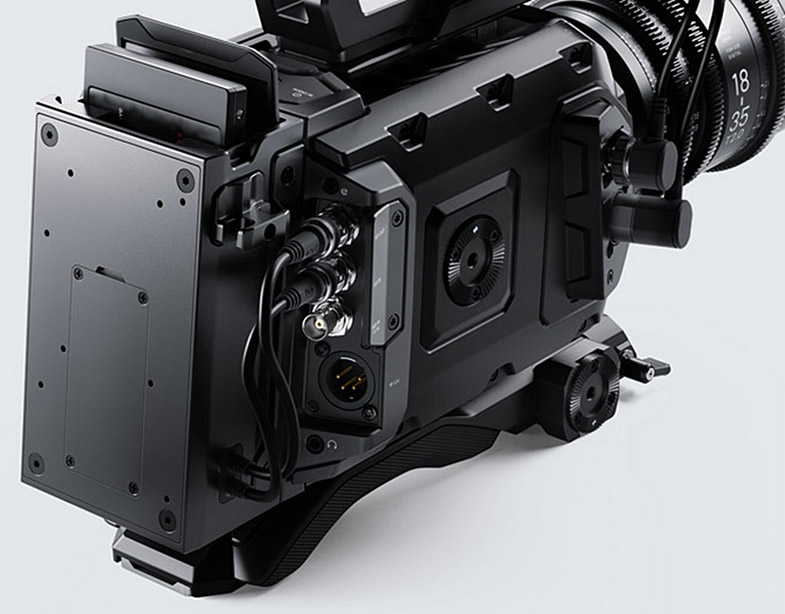
Important notes about SSD speed
Some SSD models cannot save video data at the speed the manufacturer claims. This is due to the disk using hidden data compression to attain higher write speeds. This data compression can only save data at the manufacturer’s claimed speed when storing data such as blank data or simple files. Video data includes video noise and pixels which are more random so compression will not help, therefore revealing the true speed of the disk.
Some SSDs can have up to 50% lower write speed than the manufacturer’s claimed speed. So even though the disk specifications claim an SSD has speeds fast enough to handle video, in reality the disk is not fast enough when used to store video data for real time capture.
Use the Blackmagic Disk Speed Test to accurately measure whether your SSD will be able to handle high data rate video capture and playback. Blackmagic Disk Speed Test uses data to simulate the storage of video so you get results similar to what you will see when capturing video to a disk. During Blackmagic Design’s testing, we have found newer, larger SSD models and larger capacity SSDs are generally faster.
Date: 17. 10. 2017,
Category: News
FULL ARTICLE
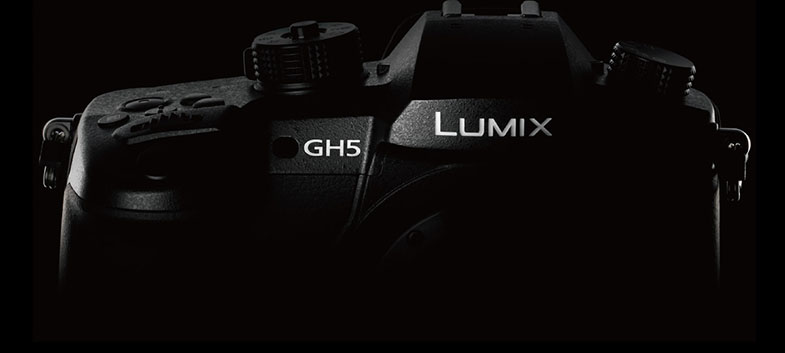
Until 31 December 2017 you can get the Panasonic GH5 professional 4K mirrorless camera for 49.990 CZK incl. VAT, instead of the standard 54.999 incl. VAT! Also on sale is the LUMIX G VARIO 12-60 mm / F3.5-5.6 ASPH body and lens kit, temporarily priced at CZK 54,990 incl. VAT (normal price is 59.999 CZK incl. VAT)!
Date: 13. 10. 2017,
Category: News
FULL ARTICLE
Tutorials in the new EDIUS Basics series describe basic functionality of the Grass Valley EDIUS Pro 8 and Workgroup NLE applications.

Date: 13. 10. 2017,
Category: News
FULL ARTICLE
This software update adds support for the new Blackmagic URSA Mini SSD recorder which records RAW or ProRes onto SSDs. This update improves SDI output latency to less than 1 frame for URSA Mini Pro as well as lowering LCD monitoring latency. This update also improves support for B4 lenses as well as fixing focus and iris control bugs with some Cannon lenses, and more.
What's new in Blackmagic Camera Setup 4.5
New support for Blackmagic URSA Mini SSD Recorder.
New features for URSA Mini SSD Recorder
Added RAW & ProRes record capability to SSD Recorder.
Added playback capability from SSD Recorder.
Added SDI and SSD status LED indicators.
Added ability to use 1TB, 2TB and 4TB SSD’s.
New features for Blackmagic URSA Mini Pro 4.6K
Added support for URSA Mini SSD Recorder.
Added user interface information for SSD Recorder in media status page.
Lowers SDI output latency to less than 1 frame for live production.
Lowers LCD monitoring latency.
Added Program Audio option for prioritising return audio in headset.
Improved support for B4 lenses.
Fixed focus control on Canon EF-S 18-135mm f/3.5-5.6 STM and USM lenses.
Fixed iris control on Canon EF-S 17-55mm f/2.8 IS USM zoom lens.
Fixed bug where audio levels reset after power cycling.
Fixed bug where lens change was not recognised in metadata if powered off.
Updated URSA Mini Manual to include SSD Recorder and F Mount instructions.
Date: 12. 10. 2017,
Category: News
FULL ARTICLE
Press Release
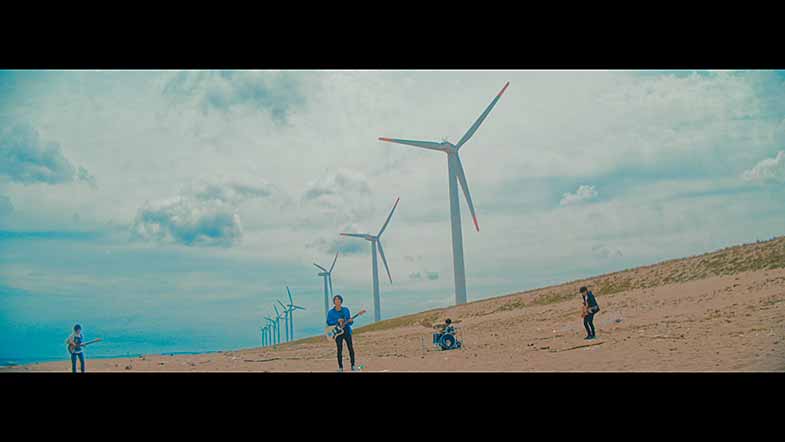
Blackmagic Design today announced that Kei Ikeda, one of Japan’s leading music video DP, videographer and screenwriter, and also the founder of production company ISAI, used Blackmagic URSA Mini Pro 4.6K to shoot a number of music videos. He has used the URSA Mini Pro 4.6K to shot videos for some of Japan’s leading musical acts, including popular artists such as KOTORI and Hysteric Panic.
Ikeda shoots and directs many music videos and concert videos, and has created a large number of award winning short films and a feature films. Since founding ISAI, Ikeda has been recognized as a pioneer who has opened up new ways for the visual expression of music.

“The first time I used the URSA Mini Pro was for the band KOTORI, when making their music video for the song ‘Blue.’ The client first asked me to shoot with a film camera, however we did not have enough budget for a film shoot, so I looked for something we could get in a similar image that was within the budget and we reached to the URSA Mini Pro 4.6K. I shot in 3K anamorphic sensor mode so I used a prime lens for still photography, with an anamorphic adapter, SLR Magic,” said Ikeda. After shooting he used DaVinci Resolve’s Camera RAW setting to create the desired look he wanted for the video.
Around the same time, he also shot a video for Hysteric Panic with the same combination of URSA Mini Pro and still lens with SLR Magic. Then, he shot Japanese Idol group Pass Code’s music video as well. “I used Canon prime lenses to shoot the video. For this video, I was hired as DP. This means I did not edit the video, and I shot in ProRes so that the director could easily cut the footage and gave him a LUT after shooting. I usually shoot in RAW when I do everything, from shooting to post production, but it’s handy to have a ProRes recording option when I don’t have total control of finishing projects.”
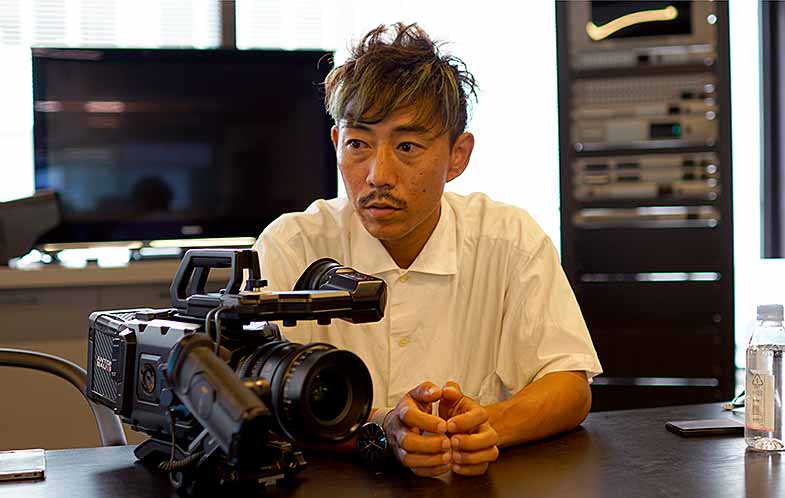
Ikeda continued: “I used this camera for these groups for the first time. What surprised me was the image quality that I could get out of this wide dynamic range. Later, I used the URSA Mini Pro for another song, ‘ROKUGATSU (June)’ from KOTORI. I used it with Canon’s Cine Prime lenses and shot in RAW. I wanted to bring out more clarity in the picture, so I added more contrast on shadows than I did for previous video with Resolve.”
“After that shoot, I did a couple more projects for different artists and clients. The camera gives me more freedom as I can switch EF and PL mounts depending on the project. I also did high speed shooting for many projects. I shot both uncompressed and compressed RAW, and compressed RAW gives me a very nice image which I hardly can tell the difference from the uncompressed one. “
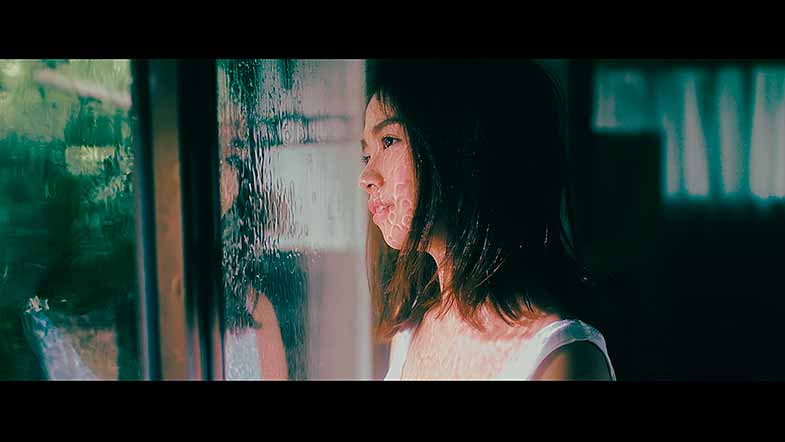
He also used the URSA Mini Pro for a recent web commercial. “I shot the commercial using a Cooke anamorphic lens with the camera. I have worked with the same client before and that time I used a different camera which was way more expensive than the URSA Mini Pro. Of course the client loved the commercial, however, they said they prefer the commercial’s look captured from the URSA Mini Pro and Cooke lens.”
“The benefit of the URSA Mini Pro is of course its dynamic range and picture quality. It also is easy to handle, which I think is another great benefit of this camera. It allows me to shoot as long as I have the camera. I don’t need to add many new peripherals around the camera, so I do not need a bigger production, or add an extra camera assistant. The URSA Mini Pro is just very easy to use,” Ikeda concluded.
Press Photography
Product photos of all Blackmagic Design products, are available at www.blackmagicdesign.com/press/images.
About Blackmagic Design
Blackmagic Design creates the world’s highest quality video editing products, digital film cameras, color correctors, video converters, video monitoring, routers, live production switchers, disk recorders, waveform monitors and real time film scanners for the feature film, post production and television broadcast industries. Blackmagic Design’s DeckLink capture cards launched a revolution in quality and affordability in post production, while the company’s Emmy™ award winning DaVinci color correction products have dominated the television and film industry since 1984. Blackmagic Design continues ground breaking innovations including 6G-SDI and 12G-SDI products and stereoscopic 3D and Ultra HD workflows. Founded by world leading post production editors and engineers, Blackmagic Design has offices in the USA, UK, Japan, Singapore and Australia. For more information, please go to www.blackmagicdesign.com.
Date: 11. 10. 2017,
Category: News
FULL ARTICLE