
 CZ
CZ SK
SK HU
HU AT
AT DE
DE ES
ES SI
SI HR
HR
Nothing in the basket.

- Search
-
Login

-
0
Comparison
Add products to compare, then they will appear here and you can compare parameters.
-
0
0 €
Panasonic AG-UX180 FW v1.06
New firmware update for Panasonic's 4K camcorder AG-UX180 fixes problems with the audio level meter and the audio monitor output. Download the new version here.
AG-UX180 ver. 1.06
1. Audio Level Meter not working, etc.:
A problem is fixed, which occurs in Recording Mode after the camera is operated under the following conditions.
Symptoms:
Audio Level Meter not working
No output of SDI-embedded audio
No output into headphones
There is no problem with recorded audio or playing back videos.
Conditions
Headphone Mode: LIVE
When the output setting is SDI;
Any of the following operations is performed.
- REC CHECK
- Pressing the REC button while a video is being played
- Turning the power OFF -> ON again before LCD is off
- Switching from the thumbnail screen (Playback Mode) to Recording mode while FHD format is selected
A reboot or changing the above-mentioned settings can bring the camera back to normal, but the problem will be back again if the above conditions are met.
2. Damaged clip deleted in repairing process. (MOV/MP4 file only):
If the recording is not completed correctly due to a power interruption or others, the clip will be repaired automatically by rebooting the camera.
But, if the card is in the different slot from the one used in this incomplete recording and the auto-repair process is started, the damaged clip (MOV/MP4 file) will be deleted.
This will not occur on files except MOV/MP4 mode. This problem is fixed.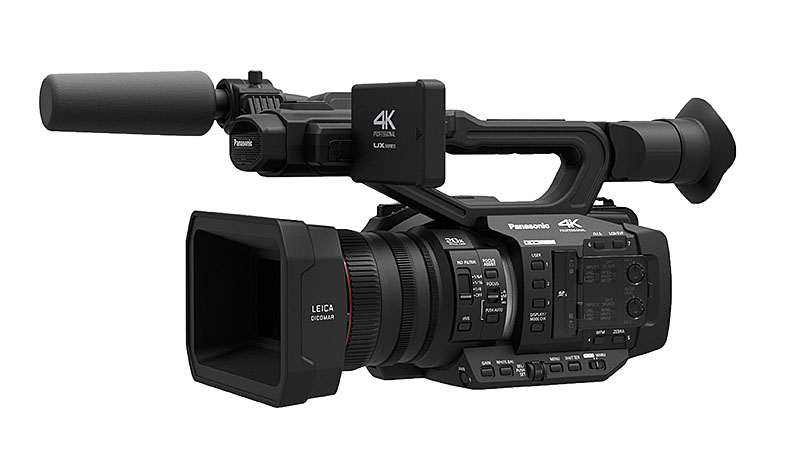
Date: 18. 04. 2017,
Category: News