
 CZ
CZ SK
SK HU
HU AT
AT DE
DE ES
ES SI
SI HR
HR
Nothing in the basket.

- Search
-
Login

-
0
Comparison
Add products to compare, then they will appear here and you can compare parameters.
-
0
0 €
Adobe to unveil new versions of Premiere Pro and After Effects CC at NAB 2016
Ahead of the National Association of Broadcasters (NAB) Show next week, Adobe has revealed new features across its Creative Cloud tools for video editing, motion graphics, audio and collaboration. At NAB, Adobe will demonstrate the updated tools and new workflows at booth #SL3910, South Hall (lower) in the Las Vegas Convention Center and at over 120 partner booths from April 18-21.
Adobe Premiere Pro CC
New Media Management features in both Premiere Pro and Media Encoder give you much greater control over the handling of your files during the ingest process, and allow for more flexibility when working with very large media. You can set Premiere Pro to copy media to a specific location on your machine as it imports, and even begin editing immediately while your media copies in the background. If your workflow requires a transcode, you can easily set Premiere Pro or Media Encoder to handle that step for you too.
This release of Premiere Pro also brings support for more native formats than ever including 6K and 8K files from the RED Weapon camera. For times when the media you need to work with is heavier than your system can manage -- for example, when you want to work on a lightweight portable device -- you can now generate proxies on ingest, automatically associating them with the native full-resolution media. A single click lets you toggle between full-res and proxy.
New features in the Lumetri color panel and Lumetri scopes allow you to be more creative with color than ever. New HSL Secondaries allow for quick, intuitive selection of color ranges within a shot, getting the perfect nuance with a few clicks. And the entire collection of beautiful SpeedLooks linear looks help give your media instant personality. Support for color control surfaces like the Tangent Elements, Wave and Ripple enable even advanced colorists to feel right at home, and enhanced Lumetri scopes give instant feedback, with new control over brightness, improved resolution, and support for monitoring Rec2020 colorspace.
Responding to the enormous excitement around immersive video experiences, Premiere Pro offers powerful support for VR Video workflows. You can import equi-rectangular stitched video media and – with a click of a button in the monitors -- enter VR Video mode, which allows you to use pan and tilt controls to preview the experience inside the sphere. You can even click-drag directly on the video clip and freely pan around so you know what your viewer would be seeing when looking in a given direction. When you're ready to share, you can easily add a metadata flag to ensure you’ll get the full panoramic experience on supported sites like YouTube and Facebook.
Alongside the new media management, transcode and proxy generation capabilities listed above, Adobe Media Encoder contains multiple new features, including the addition of the familiar Media Browser, and a new Publish to Twitter feature for easy sharing with your followers.
Adobe After Effects CC
The next major update to After Effects CC will include enhanced video and audio playback: Adpbes's upcoming release is focused on improving core elements of the application that users touch every day. We’ve made lots of changes under the hood, most notably new video and audio preview architecture that delivers real-time playback of cached frames with synced audio. The new architecture shares its foundation with other Adobe video applications for a more consistent experience across Creative Cloud.
Performance and quality improvements: The next version of After Effects CC is faster and more reliable from file import and project load through to final render. Scrubbing the timeline, working with complex masks, and editing large numbers of keyframes is now more fluid, thanks to accelerated interface interactions.
GPU-accelerated effects: We are GPU-accelerating some of our most commonly used effects, including Lumetri Color and Gaussian Blur. Make changes and see results instantly: testers have reported up to 5x speed increases with accelerated effects. Lumetri Color has also been updated across both After Effects and Premiere Pro CC for an enhanced color grading workflow, including HSL Secondaries and new Looks presets.
Improved MAXON Cinema 4D exporter: Export animated 3D text and shape layers to Cinema 4D for a roundtrip Live 3D motion graphics workflow. Customize your exported elements in Cinema 4D (Cinema 4D Lite is included with After Effects), save your changes, and see them update live in After Effects via CINEWARE.
Faster image sequence import: Image sequences now import up to ten times faster. The speed increase is especially noticeable when importing from shared network storage. Some of these changes were introduced in the recent 13.7.1 patch; our spring release includes further improvements. Apologies to those of you who used large image sequence imports from shared storage as an excuse to go get a cup of coffee.
Adobe Stock and Creative Cloud Libraries: Filter searches for Adobe Stock and Libraries content to find what you need faster. Add Adobe Stock assets to your project — including 4K video — and then license them directly within After Effects. Licensed Adobe Stock assets in your library are now badged for easy identification. Videos in your library are displayed with duration and format information and have links to video previews.
Adobe Character Animator: Preview 4 includes a new visual tagging panel for faster puppet rigging. New Motion Trigger behavior enables your character to respond to directional mouse or touch input. Use Character Animator in a live production environment with Syphon support on Mac OS X, or record your performance and export to video via Dynamic Link to Adobe Media Encoder.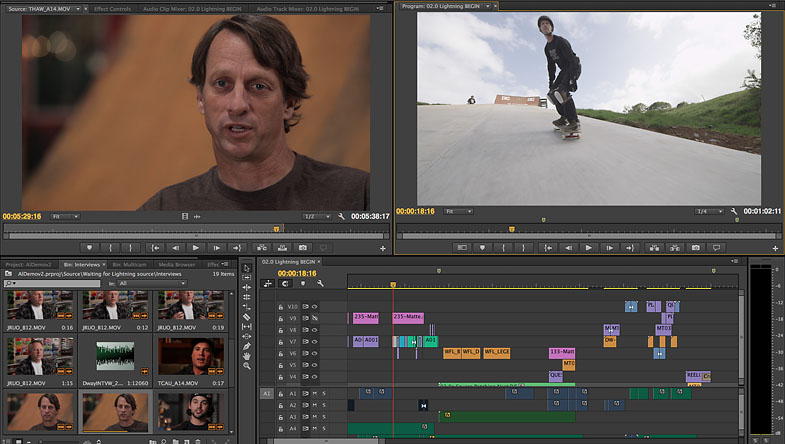
Date: 14. 04. 2016,
Category: News