
 CZ
CZ SK
SK HU
HU AT
AT DE
DE ES
ES SI
SI HR
HR
Nothing in the basket.

- Search
-
Login

-
0
Comparison
Add products to compare, then they will appear here and you can compare parameters.
-
0
0 €
Blackmagic Design DaVinci Resolve Replay Editor
SKU: DV/RES/BBPNLMLEKAR
DaVinci Resolve Replay Editor is a control panel for multicam editing and instant replay in sports and news broadcasts. It combines replay controls – POI, Run, Dump, a speed fader and stingers – with fast editing and camera selection, so the same operator handles the replay and the edit for social media. It works with DaVinci Resolve 19 or later, connects…
Promotion: -20% ends in: 26d: 07h: 38m
531.19 €
424.95 € with VAT
351.2 € without VAT
Personal pickup: Tomorrow from 09:00
Shipment day: Tomorrow
Shipment day: Tomorrow
In stock 1 pcs
Praha 1 pcs, Bratislava 1 pcs, Budapest 1 pcs
Praha 1 pcs, Bratislava 1 pcs, Budapest 1 pcs
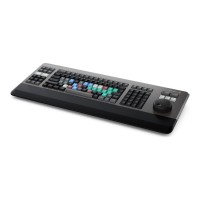
Blackmagic Design DaVinci Resolve Editor Keyboard
In stock 3 pcs518.85 €without VAT 428.8 €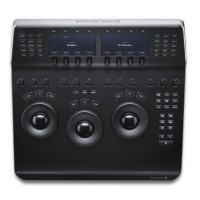
Blackmagic Design DaVinci Resolve Mini Panel
In stock 1 pcs1 789.83 €without VAT 1 479.2 €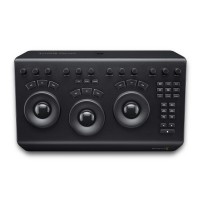
Blackmagic Design DaVinci Resolve Micro Panel
919 €without VAT 759.5 €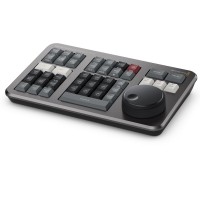
Blackmagic Design DaVinci Resolve Speed Editor
Backordered > 5 pcs337.83 €without VAT 279.2 €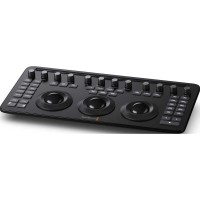
Blackmagic Design DaVinci Resolve Micro Color Panel
Backordered 5 pcs434.63 €without VAT 359.2 €Top accessories for Blackmagic Design DaVinci Resolve Replay Editor
Blackmagic Design DaVinci Resolve Studio - download only
Promotion: -20%
DaVinci Resolve Studio by Blackmagic Design is a professional application for editing,
246.84 €
308.55 €
Backordered 2 pcs
Blackmagic Design DaVinci Resolve Studio
Promotion: -20% ends in: 26d: 07h: 38m
DaVinci Resolve Studio by Blackmagic Design is a professional application for editing,
246.84 €
308.55 €
In stock > 5 pcs
PremiumCord USB-C cable (USB 3.2 generation 2x2, 5A, 20Gbit/s) black, 2m
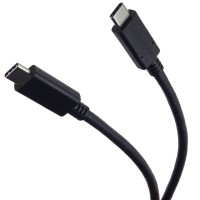
PremiumCord USB-C cable (USB 3.2 generation 2x2, 5A, 20Gbit/s) black, 2m
11 €
In stock 5 pcs
Blackmagic Design DaVinci Resolve Studio USB dongle version
DaVinci Resolve Studio by Blackmagic Design is a professional application for editing,
309 €
To be sent 1 pcs
Product description
ARTICLES
SPECIFICATIONS
PACKAGE CONTENT
Product description
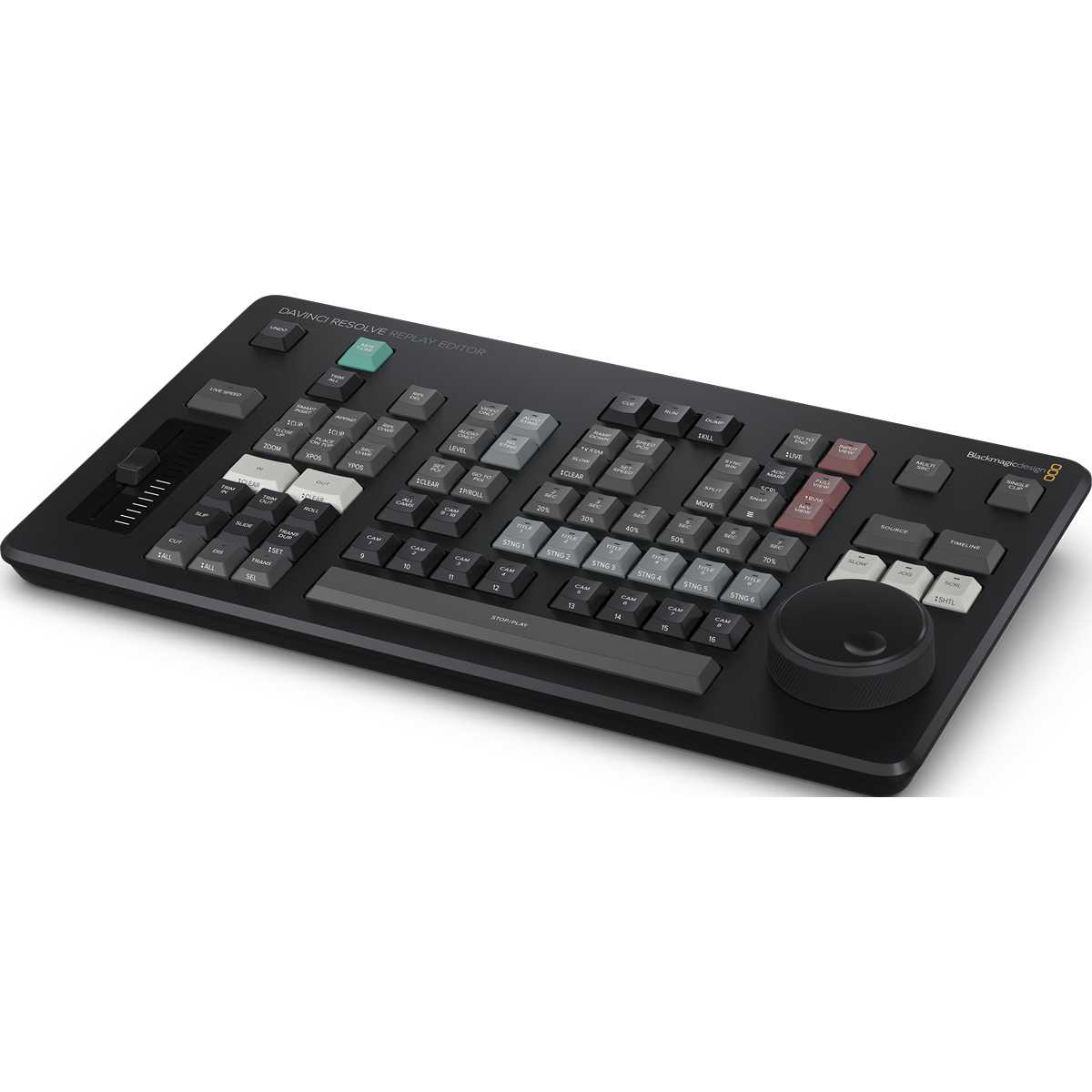
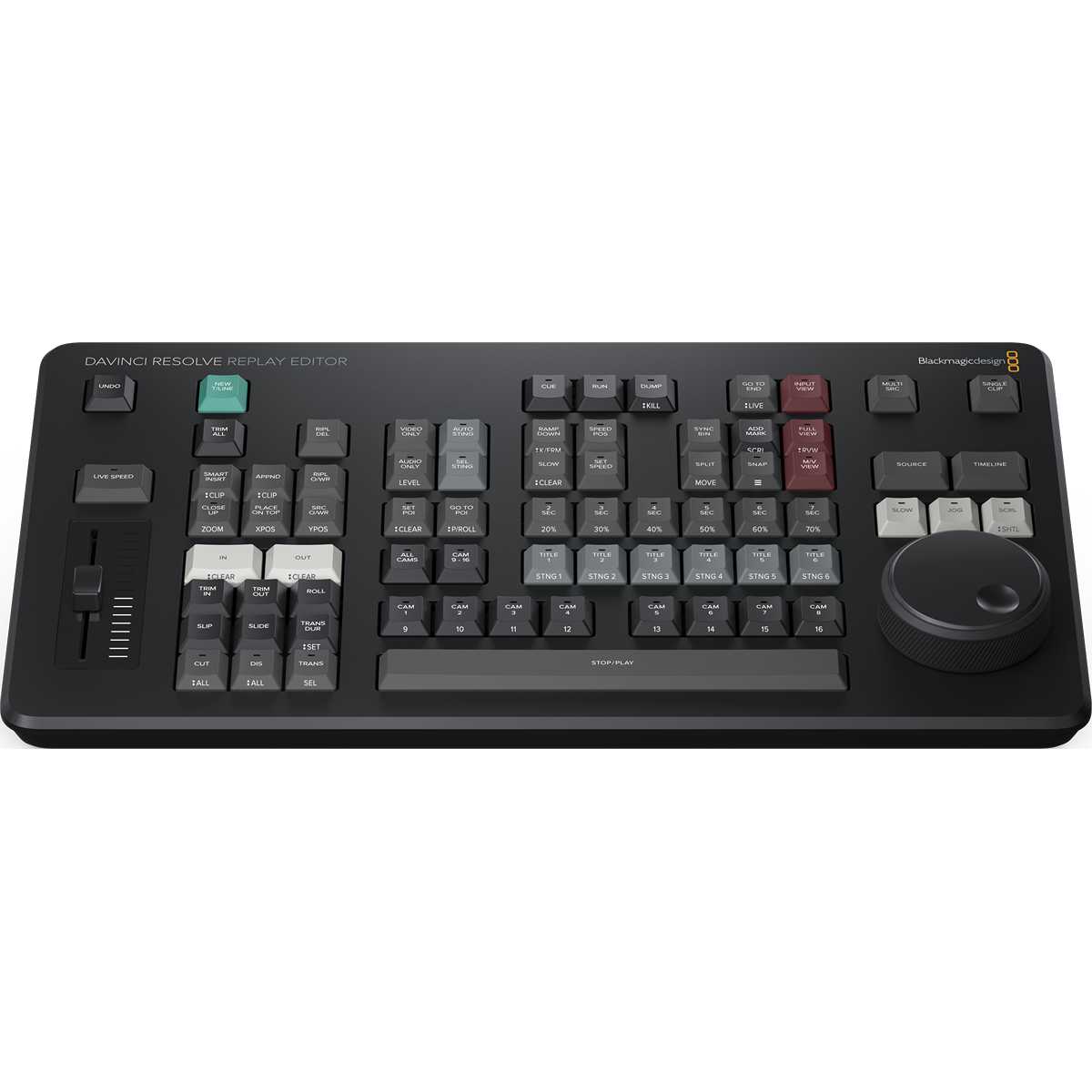
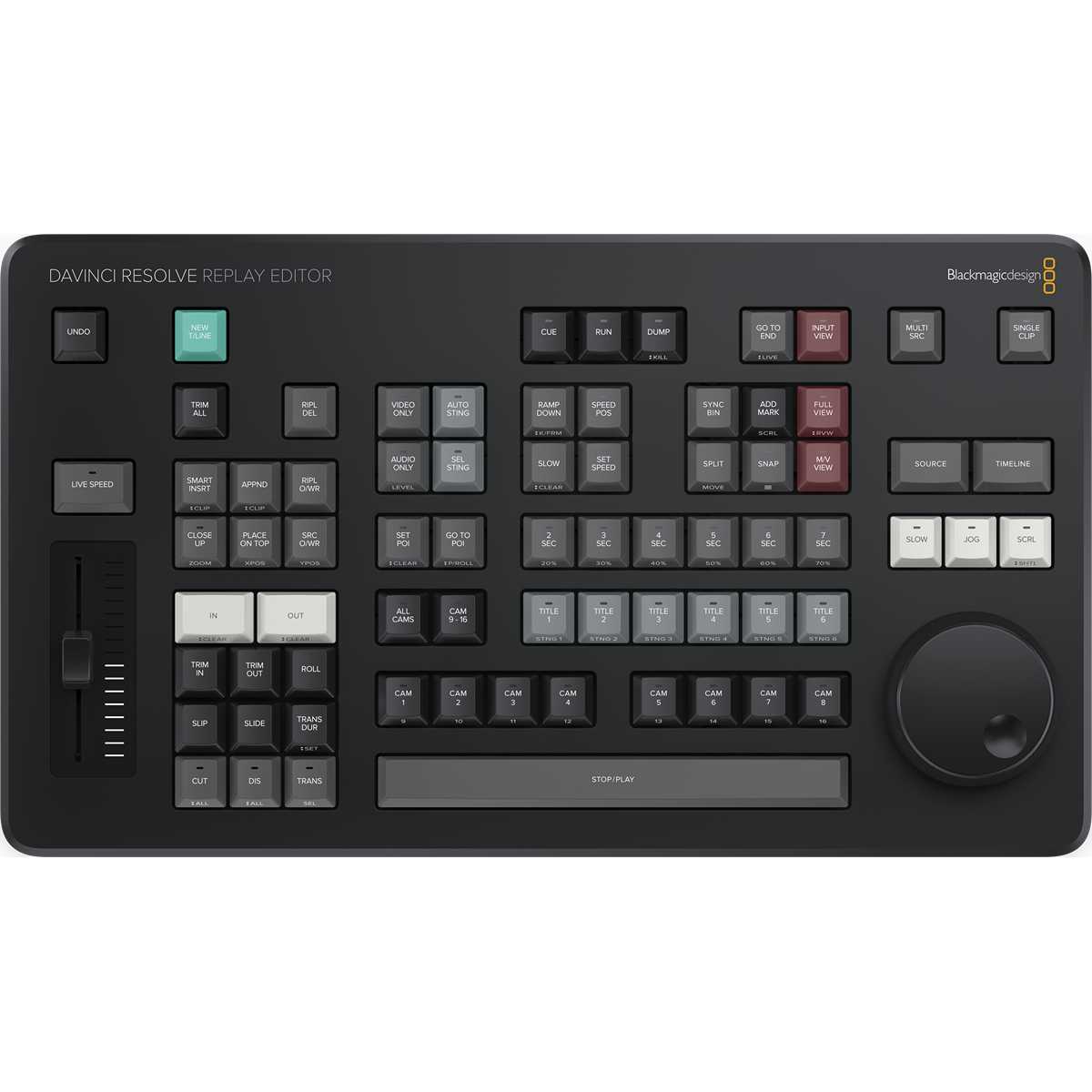
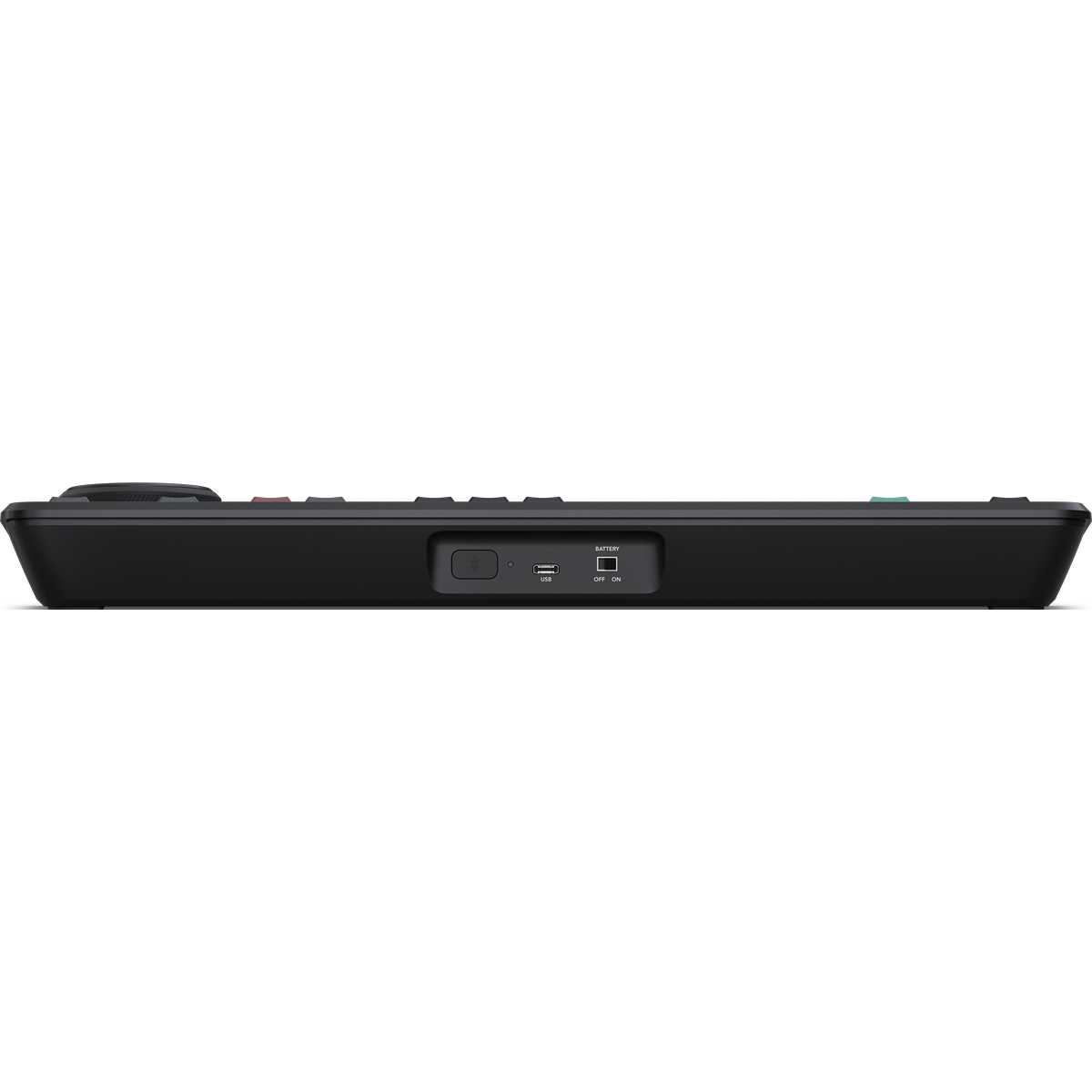
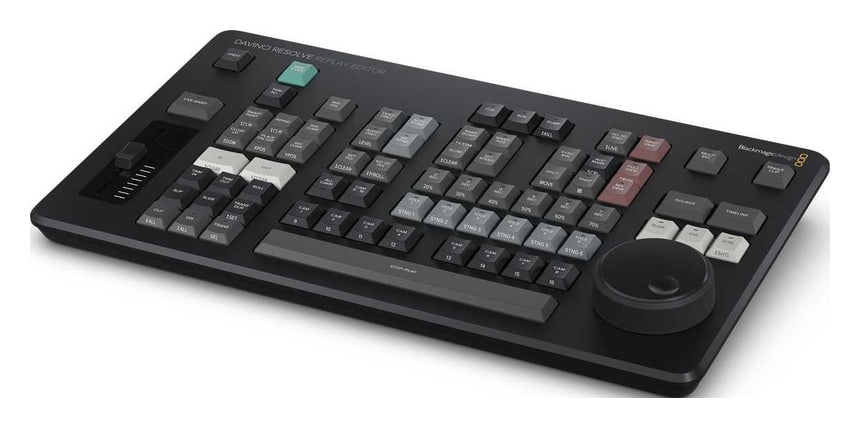
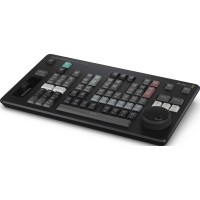
DaVinci Resolve Replay Editor is a control panel for multicam editing and instant replay in sports and news broadcasts. It combines replay controls – POI, Run, Dump, a speed fader and stingers – with fast editing and camera selection, so the same operator handles the replay and the edit for social media. It works with DaVinci Resolve 19 or later, connects via USB-C or Bluetooth and has a built-in battery.
Fast multicam editing and replays at your fingertips
A dedicated panel for sports and news workflows: direct camera selection, editing, and replay control in DaVinci Resolve 19 and later.
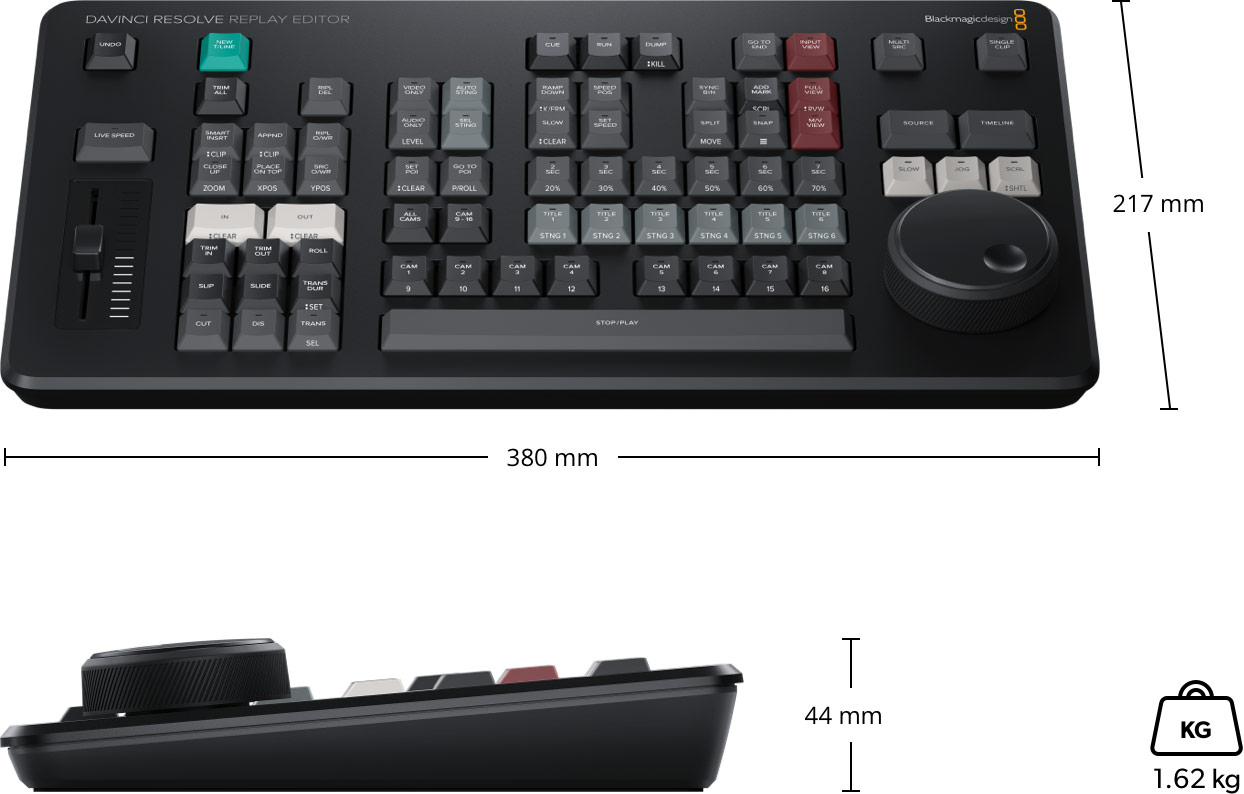
Replay · multicamCameras 1–16Speed faderUSB-C · Bluetooth 5.1Built-in battery380 × 217 × 44 mm
A replay that does not end on air
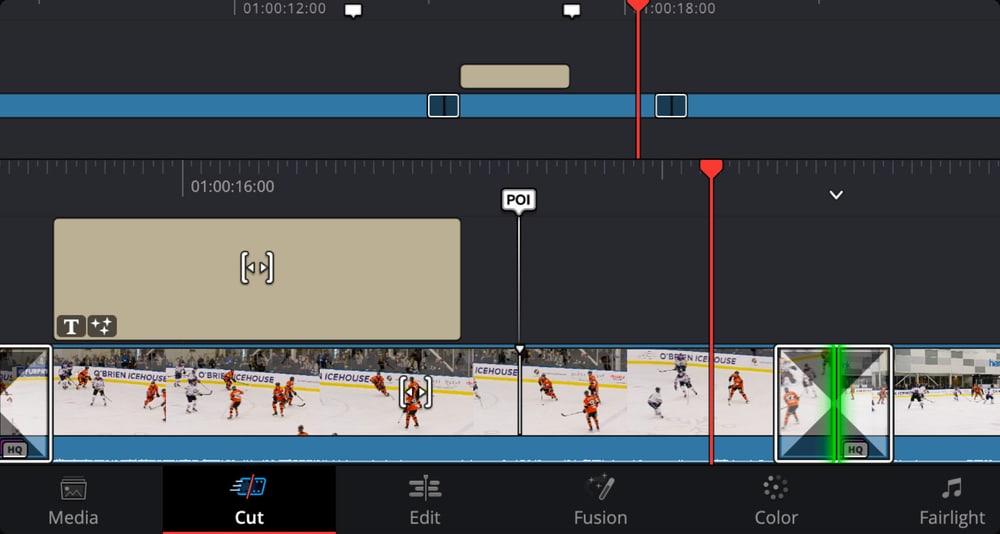
A finished replay is added to the timeline automatically, including transitions and speed changes – in seconds it becomes a social media post.
Gaming keyboard keys
The panel uses the same high quality keys as gaming keyboards, and the buttons are spaced so you can locate them by feel.
Hours on battery
The large built-in battery lasts for hours; USB-C powers and charges the panel.
Replay and editing on one panel
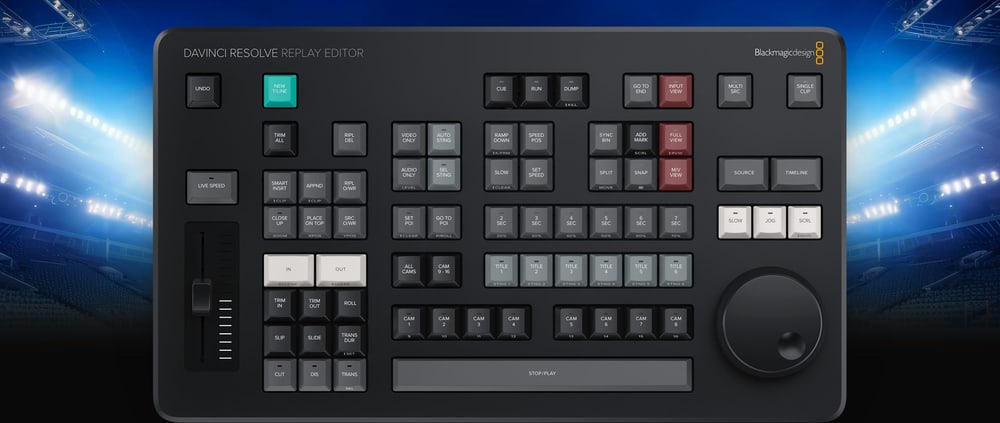
The panel combines replay controls with multicam editing features. The same operator can work on replays while loading them into the timeline with the editing keys. Even the trim keys work with the large search dial for greater speed and accuracy.
A system built on shared storage
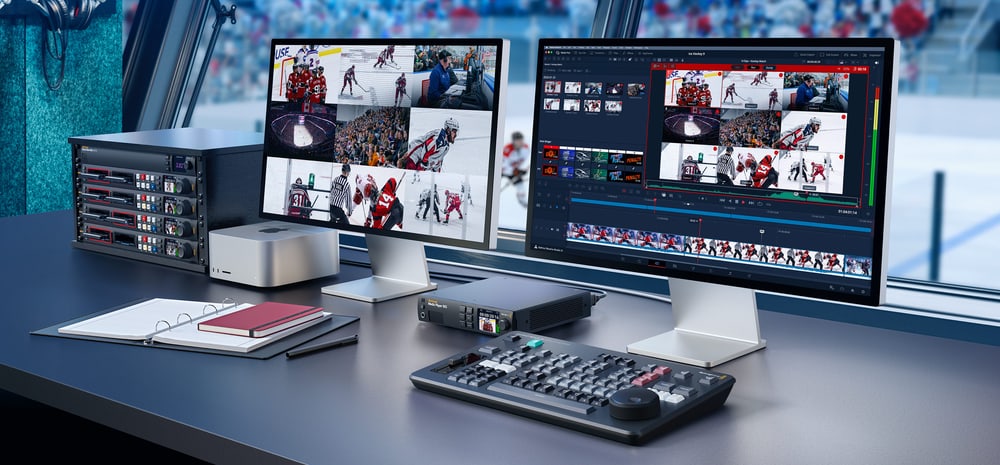
Blackmagic Replay records with multiple HyperDeck recorders into shared storage, while DaVinci Resolve acts as a powerful playback engine. Add channels with more HyperDecks; the system handles HD, Ultra HD and even 8K, and several Resolve systems collaborate via Blackmagic Cloud.
POI, Run and Dump
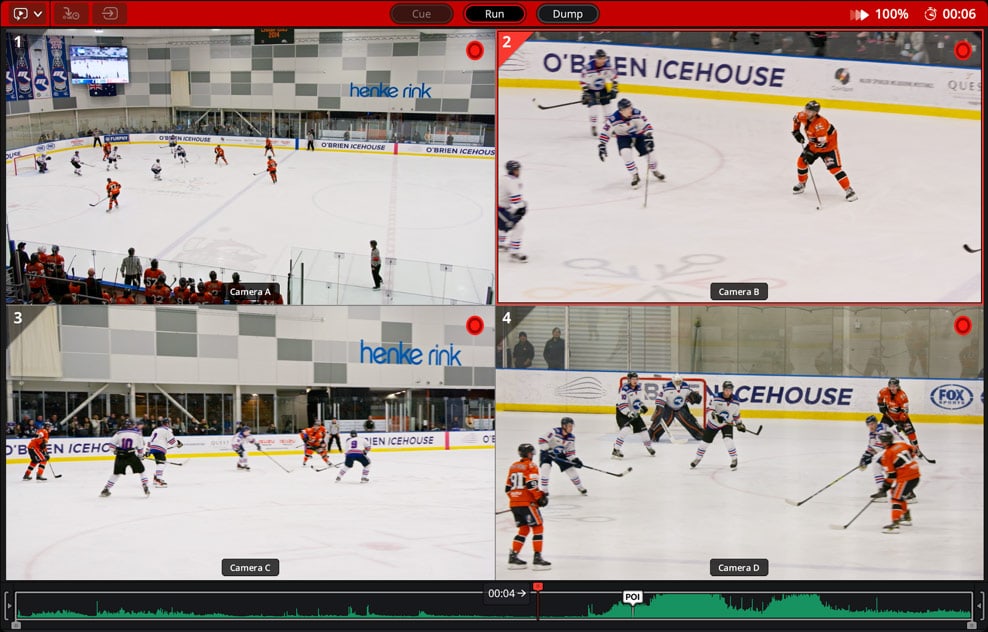
The POI button marks an exciting moment and Resolve switches to the recorded media cued to that point. Run starts the replay of the selected camera, optionally with an auto stinger; Dump stops it and can add the whole replay to the timeline automatically.
Multiview and shot sequencing
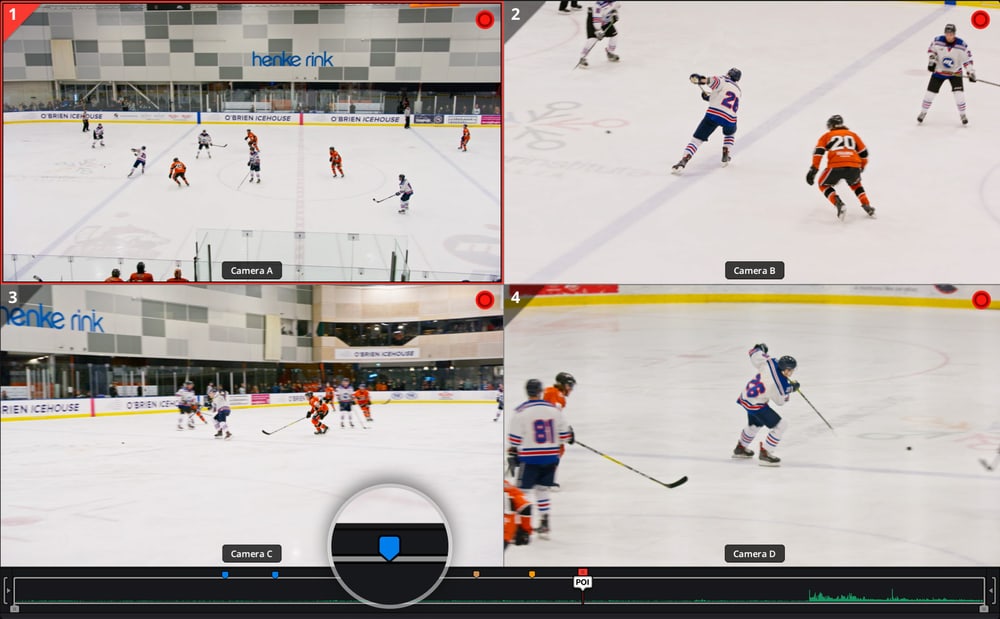
During a replay the viewer shows a multiview of all cameras, so you can choose the next angle. Pressing a time key and a camera key jumps playback back the chosen number of seconds before the POI and continues with the new angle – even with transitions.
Markers for later editing
A dedicated Add Mark key adds a marker at any time during the broadcast. Markers are saved in the project, have custom colours, titles and notes, and can be exported as YouTube chapters.
Slow motion and collaboration
The speed fader slows playback so viewers can see the action in detail; a speed enable key prevents accidental changes. Speed changes are kept in replays added to the timeline, where editors, colourists and graphic artists can keep working on them via Blackmagic Cloud.
Dimensions and weight
Replay Editor measures 380 × 217 mm, is 44 mm high and weighs 1.62 kg.
More information
Controls for Instant Decisions
Tactile buttons shorten the path from recording to a usable clip. The panel is designed to control a specific Resolve replay workflow, not as a replacement for a standard computer keyboard.
A system that scales with the number of channels
Replay works with multiple HyperDeck recorders connected to shared storage; Resolve serves as a powerful playback and editing engine for team collaboration.
Replay Integrated with Full-Scale Post-Production
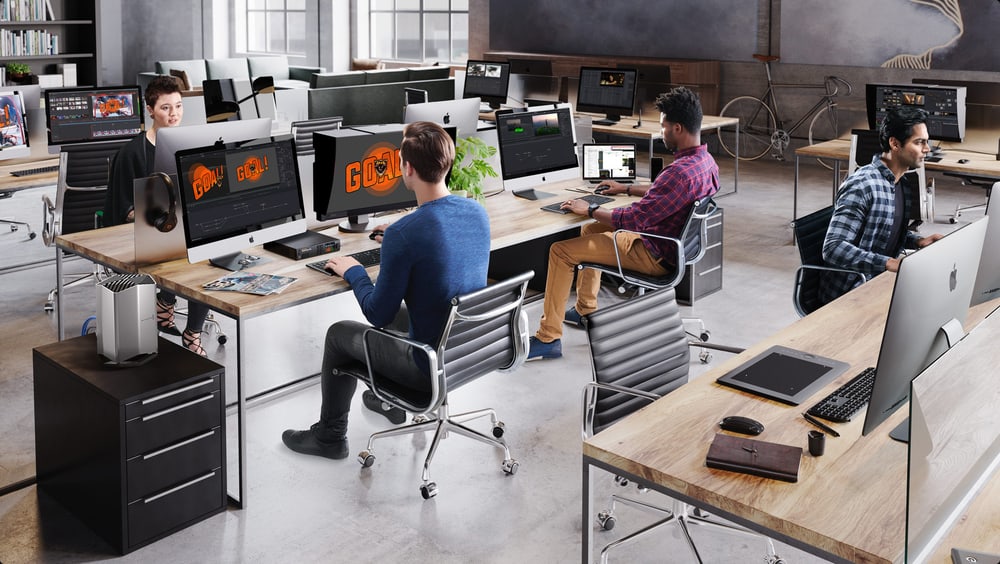
Blackmagic Replay is truly unique because it uses multiple HyperDecks to record to shared storage, while DaVinci Resolve is connected to that same shared storage as a powerful playback engine. This means you can add more recording channels by connecting additional HyperDeck recorders. However, the real power comes from the fact that DaVinci Resolve handles the playback. That’s because it’s not just a playout player, but an exceptionally powerful editor with multi-user collaboration features. Plus, it includes color correction, visual effects, and audio post-production!
PACKAGE CONTENT
- DaVinci Resolve Replay Editor
- Welcome wallet with QR code for software download
SPECIFICATIONS
- Purpose: multicam editing and live replay
- Compatibility: DaVinci Resolve 19 or later
- Connection: USB-C
- Wireless connection: Bluetooth 5.1 LE
- Power: built-in battery with power switch; external power and charging via USB-C
- Maximum power usage: 6 W
- Controls: search dial, speed fader, camera keys 1–16, POI, Run, Dump, Add Mark
- Operating systems: macOS 14.3 Sonoma or later; Windows 10 Creators Update, Windows 11, Windows 11 for ARM; Rocky Linux 8.6
- Dimensions: 380 × 217 × 44 mm
- Weight: 1.62 kg
- Operating temperature: 0 to 40 °C
- Storage temperature: −20 to 60 °C
- Relative humidity: 0–90 %, non-condensing
- Warranty: 1 year limited manufacturer warranty
ARTICLES
Parameters
![]()
![]()
Parameters
| Manufacturer: | Blackmagic Design |
| Category: | Drivers for software |
Main parameters
| Number of control dials | 1 |
| Integrated display | No |
| Colour | Black |
| Connection | USB Type-C · Bluetooth |
| Compatible operating system | Windows · macOS · Rocky Linux |
Other parameters
| Compatibility | Resolve |
Blog and news
Date: 13. 03. 2025, Category: Blog
Blackmagic Design: Replay workflow
Replay workflow with Blackmagic Design With its DaVinci Resolve Replay Editor, Blackmagic Design provides a reliable solution for professional slow…
Date: 06. 09. 2024, Category: Blog
DaVinci Resolve Studio 19.0.1
First update for the recently released DaVinci Resolve 19 speeds up timeline work for complex projects, optimizes preview playback, and improves…
ACCESSORIES (4)
ACCESSORIES (4)
Blackmagic Design DaVinci Resolve Studio - download only
Promotion: -20%
DaVinci Resolve Studio by Blackmagic Design is a professional application for editing,
246.84 €
308.55 €
Backordered 2 pcs
Blackmagic Design DaVinci Resolve Studio
Promotion: -20% ends in: 26d: 07h: 38m
DaVinci Resolve Studio by Blackmagic Design is a professional application for editing,
246.84 €
308.55 €
In stock > 5 pcs
PremiumCord USB-C cable (USB 3.2 generation 2x2, 5A, 20Gbit/s) black, 2m
PremiumCord USB-C cable (USB 3.2 generation 2x2, 5A, 20Gbit/s) black, 2m
11 €
In stock 5 pcs
Blackmagic Design DaVinci Resolve Studio USB dongle version
DaVinci Resolve Studio by Blackmagic Design is a professional application for editing,
309 €
To be sent 1 pcs
Alternative (6)
Alternative (6)
Blackmagic Design DaVinci Resolve Speed Editor
Promotion: -20% ends in: 26d: 07h: 38m
DaVinci Resolve Speed Editor is a compact editing keyboard for DaVinci Resolve with
337.83 €
422.29 €
Backordered > 5 pcs
Blackmagic Design DaVinci Resolve Micro Color Panel
Promotion: -20% ends in: 26d: 07h: 39m
DaVinci Resolve Micro Color Panel is a compact control panel for colour grading in
434.63 €
543.29 €
Backordered 5 pcs
Blackmagic Design DaVinci Resolve Editor Keyboard
Promotion: -20% ends in: 26d: 07h: 38m
DaVinci Resolve Editor Keyboard is a full-size editing keyboard with a metal body,
518.85 €
648.56 €
In stock 3 pcs
Blackmagic Design DaVinci Resolve Micro Panel
DaVinci Resolve Micro Panel is a compact control panel for edit suites and for processing
919 €
on request
Blackmagic Design DaVinci Resolve Mini Panel
Promotion: -20% ends in: 26d: 07h: 38m
DaVinci Resolve Mini Panel is a portable control panel for colour grading in DaVinci
1 789.83 €
2 237.29 €
In stock 1 pcs
Blackmagic Design DaVinci Resolve Advanced Panel
DaVinci Resolve Advanced Panel is a top end control panel for professional color
29 409 €
on request
News, training, and discounts from Syntex
Special offers and discounts for subscribers only · Free audio & video workshops · News and tips from the world of filmmaking
- Show all
Blackmagic Design DaVinci Resolve Replay Editor
Promotion: -20% ends in: 26d: 07h: 38mDaVinci Resolve Replay Editor is a control panel for multicam editing and instant424.95 €531.19 €In stock 1 pcs