
 CZ
CZ SK
SK HU
HU AT
AT DE
DE ES
ES SI
SI HR
HR
Nothing in the basket.

- Search
-
Login

-
0
Comparison
Add products to compare, then they will appear here and you can compare parameters.
-
0
0 €
Blackmagic Design DaVinci Resolve Editor Keyboard
SKU: DV/RES/BBPNLMLEKB
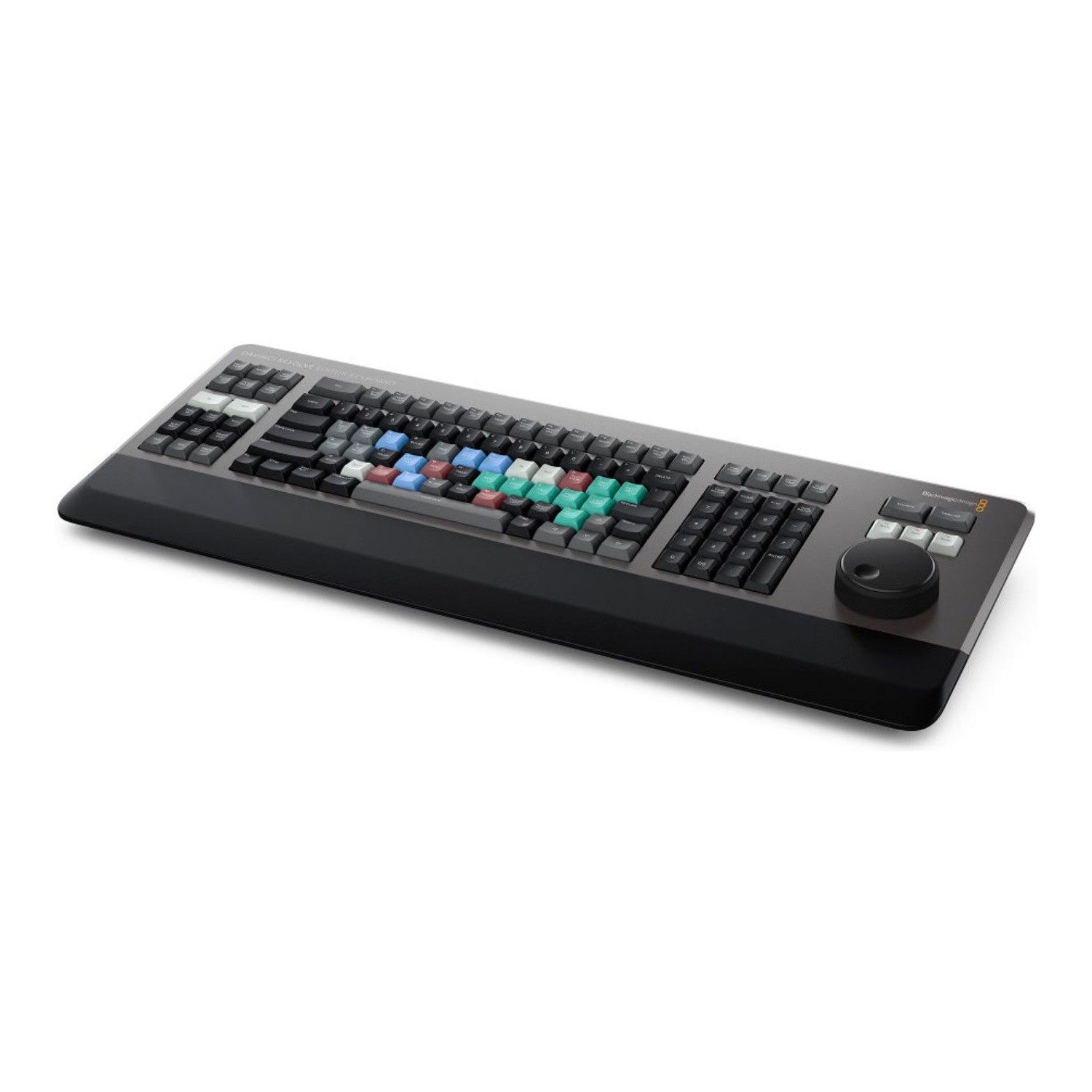
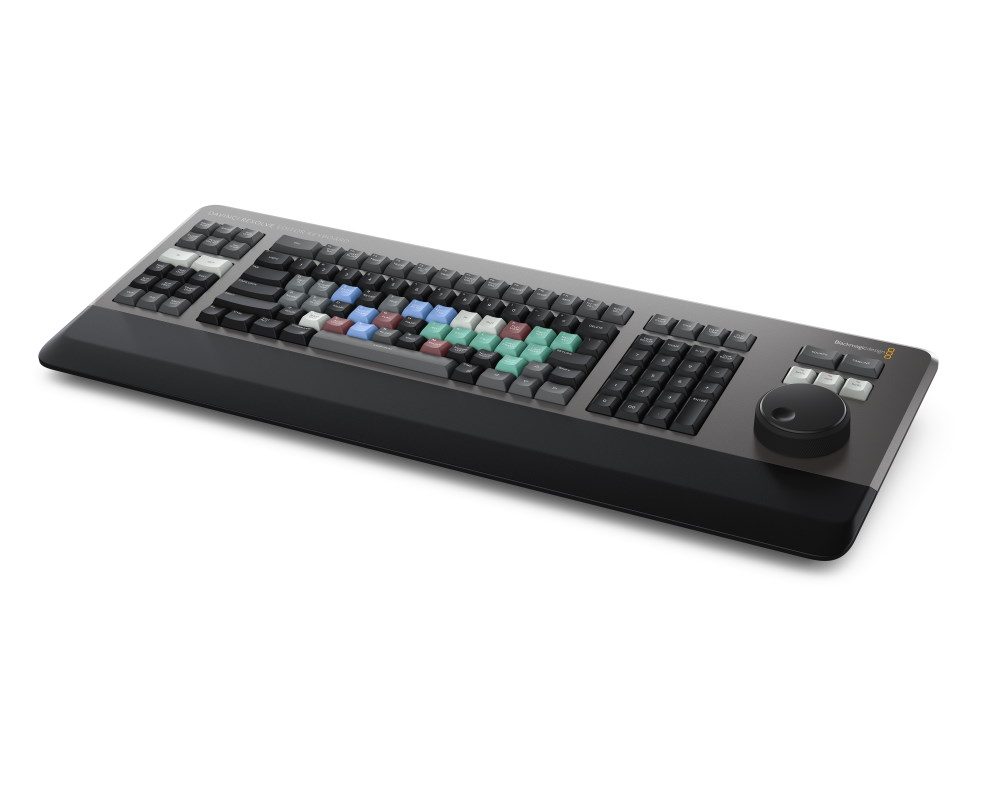
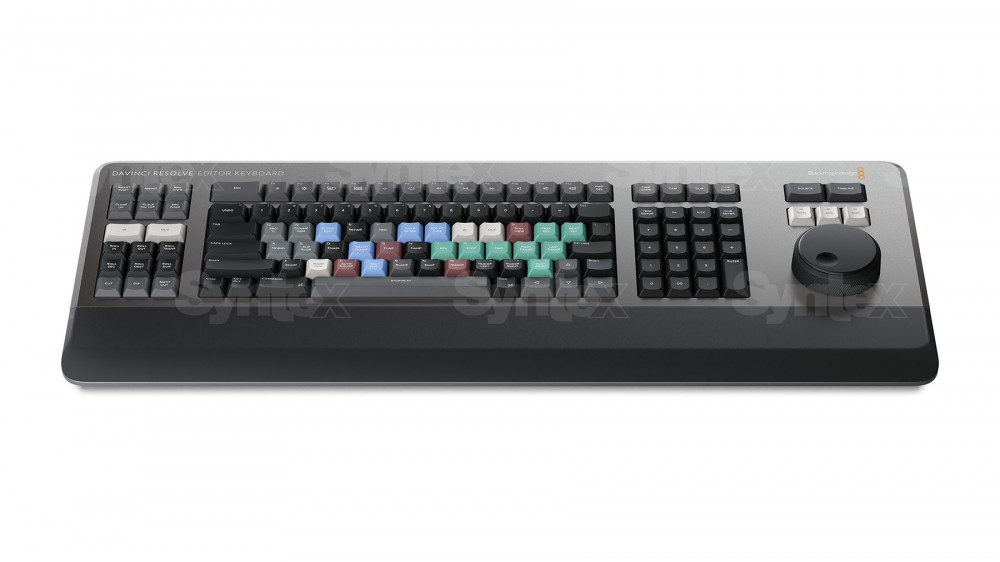
DaVinci Resolve Editor Keyboard is a full-size editing keyboard with a metal body, a traditional QWERTY layout and an integrated search dial with an electronic clutch. Most keys work as a standard USB keyboard, but with the DaVinci Resolve editing functions you work with both hands and much faster than with a mouse. It connects via USB-C and comes with a DaVinci…
649 € with VAT
536.36 € without VAT
Personal pickup: Tomorrow from 09:00
Shipment day: Tomorrow
Shipment day: Tomorrow
In stock 2 pcs
Praha 2 pcs
Praha 2 pcs
Blackmagic Design DaVinci Resolve Mini Panel
2 239 €without VAT 1 850.41 €
Blackmagic Design DaVinci Resolve Micro Panel
919 €without VAT 759.5 €
Blackmagic Design DaVinci Resolve Speed Editor
In stock > 5 pcs429 €without VAT 354.55 €
Blackmagic Design DaVinci Resolve Micro Color Panel
In stock 3 pcs549 €without VAT 453.72 €
Blackmagic Design DaVinci Resolve Replay Editor
To be sent 2 pcs539 €without VAT 445.45 €
Product description
ARTICLES
SPECIFICATIONS
PACKAGE CONTENT
Product description
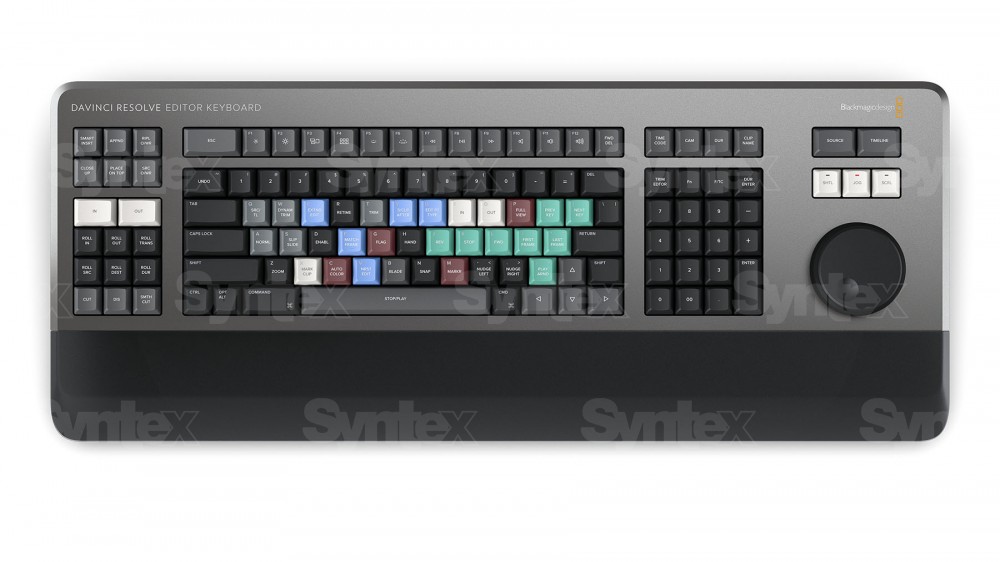
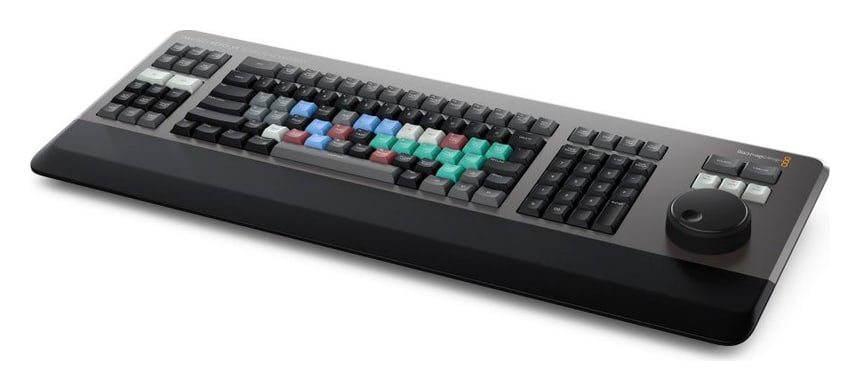
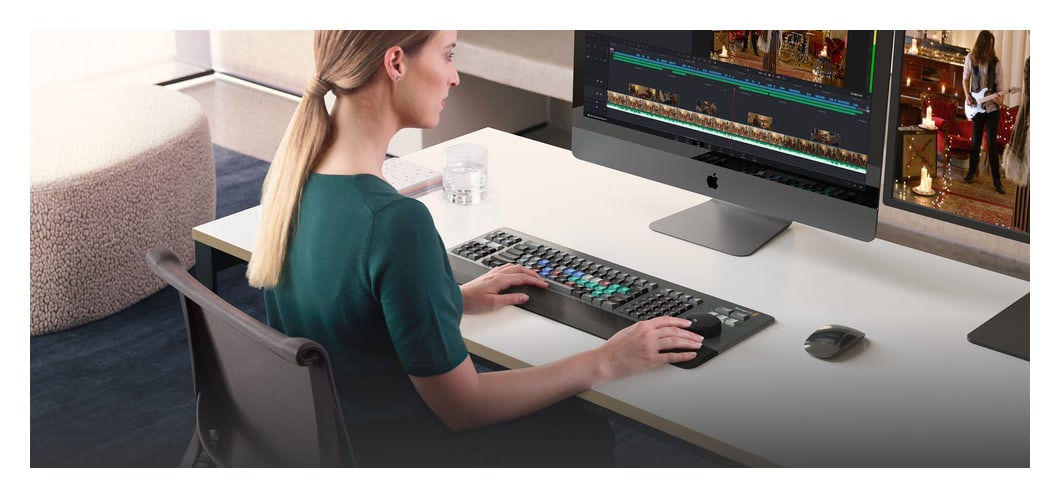
DaVinci Resolve Editor Keyboard is a full-size editing keyboard with a metal body, a traditional QWERTY layout and an integrated search dial with an electronic clutch. Most keys work as a standard USB keyboard, but with the DaVinci Resolve editing functions you work with both hands and much faster than with a mouse. It connects via USB-C and comes with a DaVinci Resolve Studio activation key.
Faster editing without constantly reaching for the mouse
A full-size editing keyboard that combines a traditional QWERTY layout with keys for editing, transport and precise shot search. It connects via USB-C and also works as a standard USB keyboard.
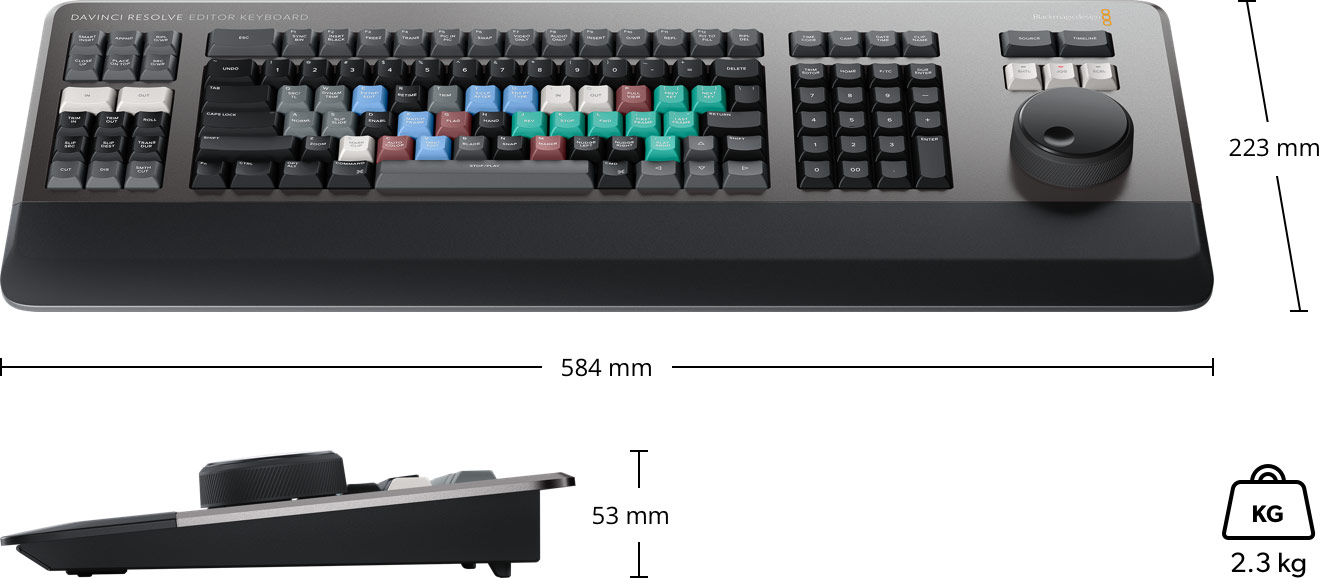
QWERTYSearch dial with clutchTimecode keypad2× USB-ADaVinci Resolve Studio included584 × 223 × 53 mm
Built for all-day work
Metal construction, a tiered key profile, the same key switch type as eSports keyboards certified for over a million operations, and a soft hand rest to reduce fatigue.
Viewer key
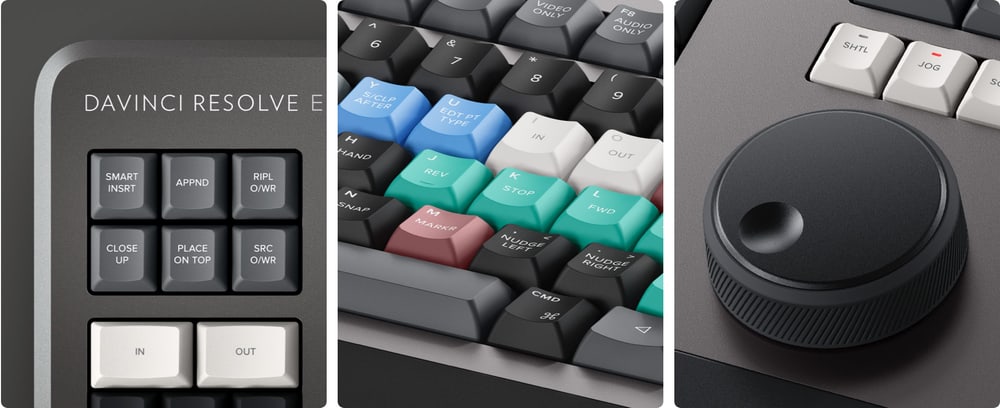
Instantly switches the viewer to full screen – you can even edit in full screen view.
JKL trimming
Besides the search dial, you can also play back and trim the traditional way with the J, K and L keys.
Metal body and durable keys
The keyboard is machined metal, built for professional editors who spend hours at it every day. The keys have a tiered profile, so it is easy to feel your way around, and the key switches are certified for over a million operations.
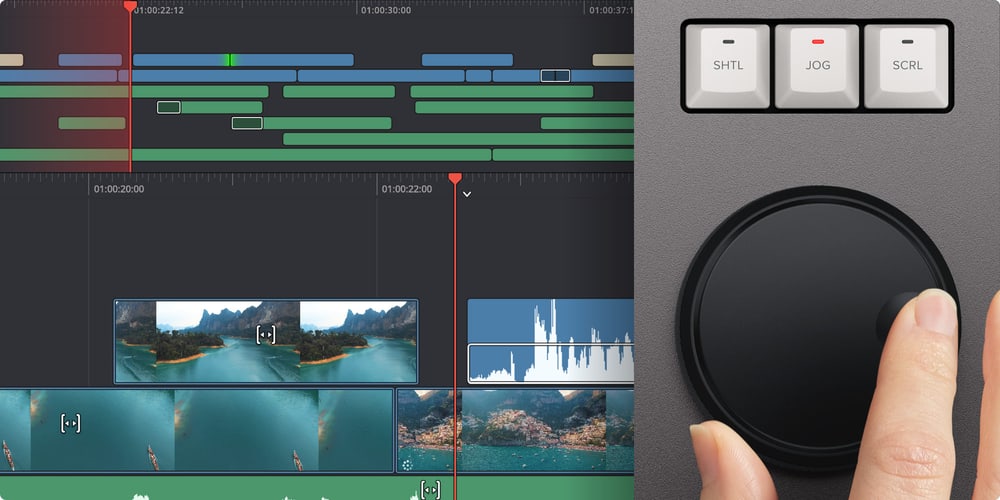
Search dial with electronic clutch
The metal search dial with rubber coating runs on multiple roller bearings. An integrated electronic clutch creates software-controlled end stops for shuttle and position; in jog mode the dial can be spun freely for a natural timeline scroll.
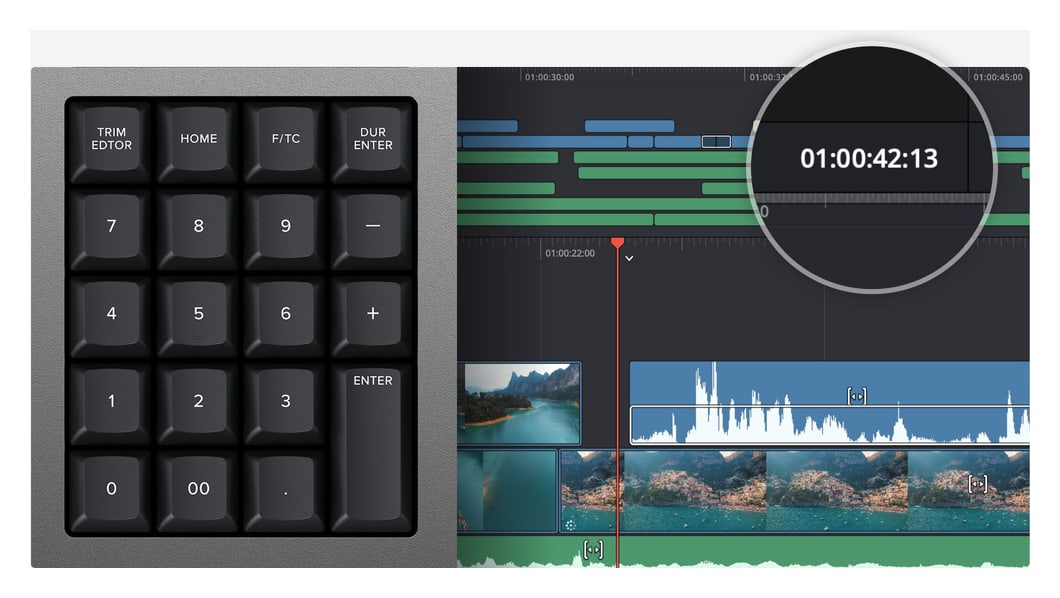
Timecode keypad
The keypad is designed for entering timecode and durations. The F/TC key switches between timecode and frames, a double zero key speeds up longer values, plus and minus enter offsets, and the DUR key sets an exact clip duration.
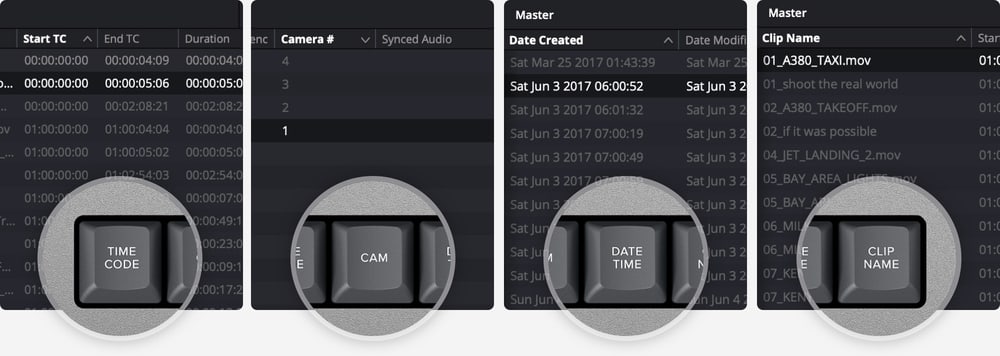
Source tape sorting
The sort keys rearrange the source tape at a single press by time, camera, duration or clip name. Sorting by timecode suits live events shot in time order, sorting by camera suits multi camera shoots.
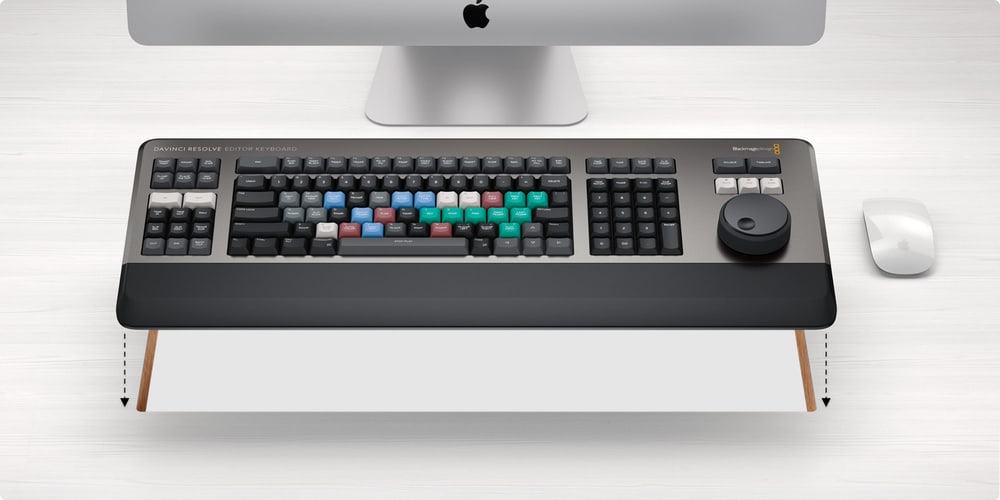
On the desk or inset into a console
The flange between the top surface and the lower chassis lets you install the keyboard in a cutout of a desk or console, where it sits flat with the surface. On a desk, fold out feet increase the keyboard tilt.
Both hands on the edit
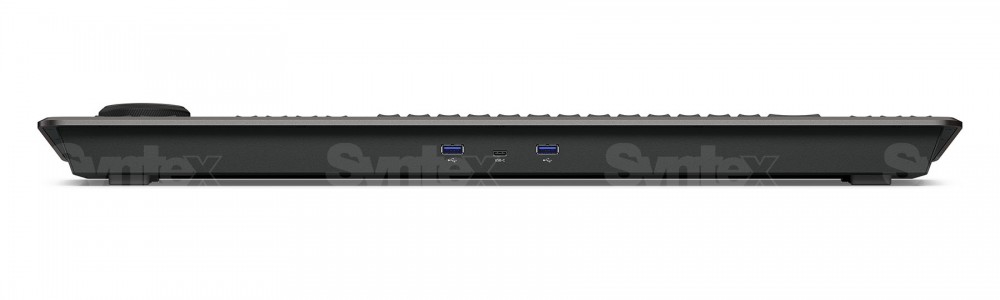
The keyboard keeps the traditional editing features of both the Cut and Edit pages, so an experienced editor feels at home straight away. Two USB-A ports let you connect a mouse or other USB devices directly to the keyboard.
Dimensions and weight
Editor Keyboard measures 584 × 223 mm, is 53 mm high and weighs 2.3 kg.
More information
Both hands stay on the edit
The left side of the keyboard focuses on editing and trimming functions, while the right side features transport controls and the search dial. This allows you to mark points, edit, and trim in real time while searching for clips—exactly the tasks that slow down mouse-based workflows.
Two USB-A ports let you connect a mouse or other USB devices directly to the keyboard.
A Durable Tool for Everyday Post-Production
The keyboard’s all-metal body ensures high operational reliability even during many hours of daily use, while the contoured keys make navigation easier. High-quality switches, the same type found in top-of-the-line eSports keyboards, guarantee maximum reliability.
The scroll wheel is machined from a metal alloy for precise trimming and navigating through footage. Keys, switches, and the wrist rest are available as replacement parts, so the keyboard can be repaired or refurbished even after heavy wear and tear.
PACKAGE CONTENT
- DaVinci Resolve Editor Keyboard
- DaVinci Resolve Studio activation key
SPECIFICATIONS
- Computer interface: USB-C
- USB hub: 2× USB-A for a mouse and other USB devices
- Power usage: max. 8 W via USB-C
- Controls: QWERTY layout, search dial with electronic clutch, timecode keypad, sort keys
- Operating systems: macOS 13 Ventura, macOS 14 Sonoma or later; Windows 10 Creators Update, Windows 11, Windows 11 for ARM; Rocky Linux 8.6
- Dimensions: 584 × 223 × 53 mm
- Weight: 2.3 kg
- Operating temperature: 0 to 40 °C
- Storage temperature: −20 to 60 °C
- Relative humidity: 0–90 %, non-condensing
- Warranty: 1 year limited manufacturer warranty
ARTICLES
Parameters
![]()
![]()
Parameters
| Manufacturer: | Blackmagic Design |
| Category: | Drivers for software |
Main parameters
| Number of control dials | 1 |
| Integrated display | No |
| Colour | Black |
| Connection | USB Type-C · 2× USB Type-A |
| Compatible operating system | Windows · macOS · Rocky Linux |
Other parameters
| Compatibility | Resolve |
Blog and news
Date: 06. 09. 2024, Category: Blog
DaVinci Resolve Studio 19.0.1
First update for the recently released DaVinci Resolve 19 speeds up timeline work for complex projects, optimizes preview playback, and improves…
Date: 06. 05. 2024, Category: Blog
DaVinci Resolve Studio 19 Public Beta 2
Second public beta Blackmagic Design DaVinci Resolve 19 offers a number of fixes and improvements including displaying safe zone guides during…
Alternative (6)
Alternative (6)
Blackmagic Design DaVinci Resolve Speed Editor
DaVinci Resolve Speed Editor is a compact editing keyboard for DaVinci Resolve with
429 €
In stock 2 pcs
Blackmagic Design DaVinci Resolve Micro Color Panel
DaVinci Resolve Micro Color Panel is a compact control panel for colour grading in
549 €
In stock 2 pcs
Blackmagic Design DaVinci Resolve Replay Editor
DaVinci Resolve Replay Editor is a control panel for multicam editing and instant
539 €
To be sent 2 pcs
Blackmagic Design DaVinci Resolve Micro Panel
DaVinci Resolve Micro Panel is a compact control panel for edit suites and for processing
919 €
on request
Blackmagic Design DaVinci Resolve Mini Panel
DaVinci Resolve Mini Panel is a portable control panel for colour grading in DaVinci
2 239 €
on request
Blackmagic Design DaVinci Resolve Advanced Panel
DaVinci Resolve Advanced Panel is a top end control panel for professional color
29 409 €
on request
News, training, and discounts from Syntex
Special offers and discounts for subscribers only · Free audio & video workshops · News and tips from the world of filmmaking
- Show all
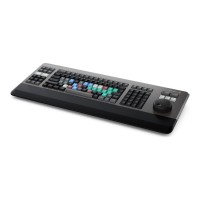
Blackmagic Design DaVinci Resolve Editor Keyboard
DaVinci Resolve Editor Keyboard is a full-size editing keyboard with a metal body,649 €In stock 2 pcs