
 CZ
CZ SK
SK HU
HU AT
AT DE
DE ES
ES SI
SI HR
HR
Nothing in the basket.

- Search
-
Login

-
0
Comparison
Add products to compare, then they will appear here and you can compare parameters.
-
0
0 €
Blackmagic Design Micro Converter SDI to HDMI 12G wPSU (with power supply)
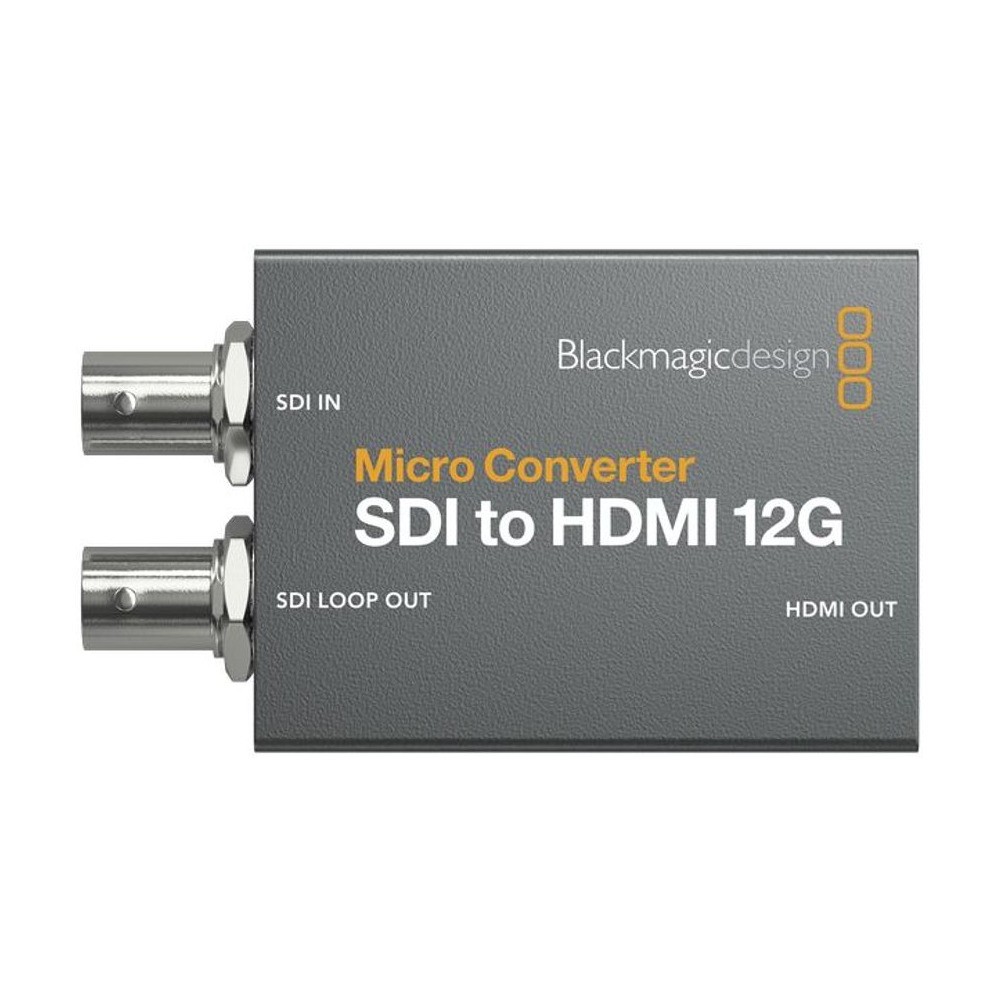
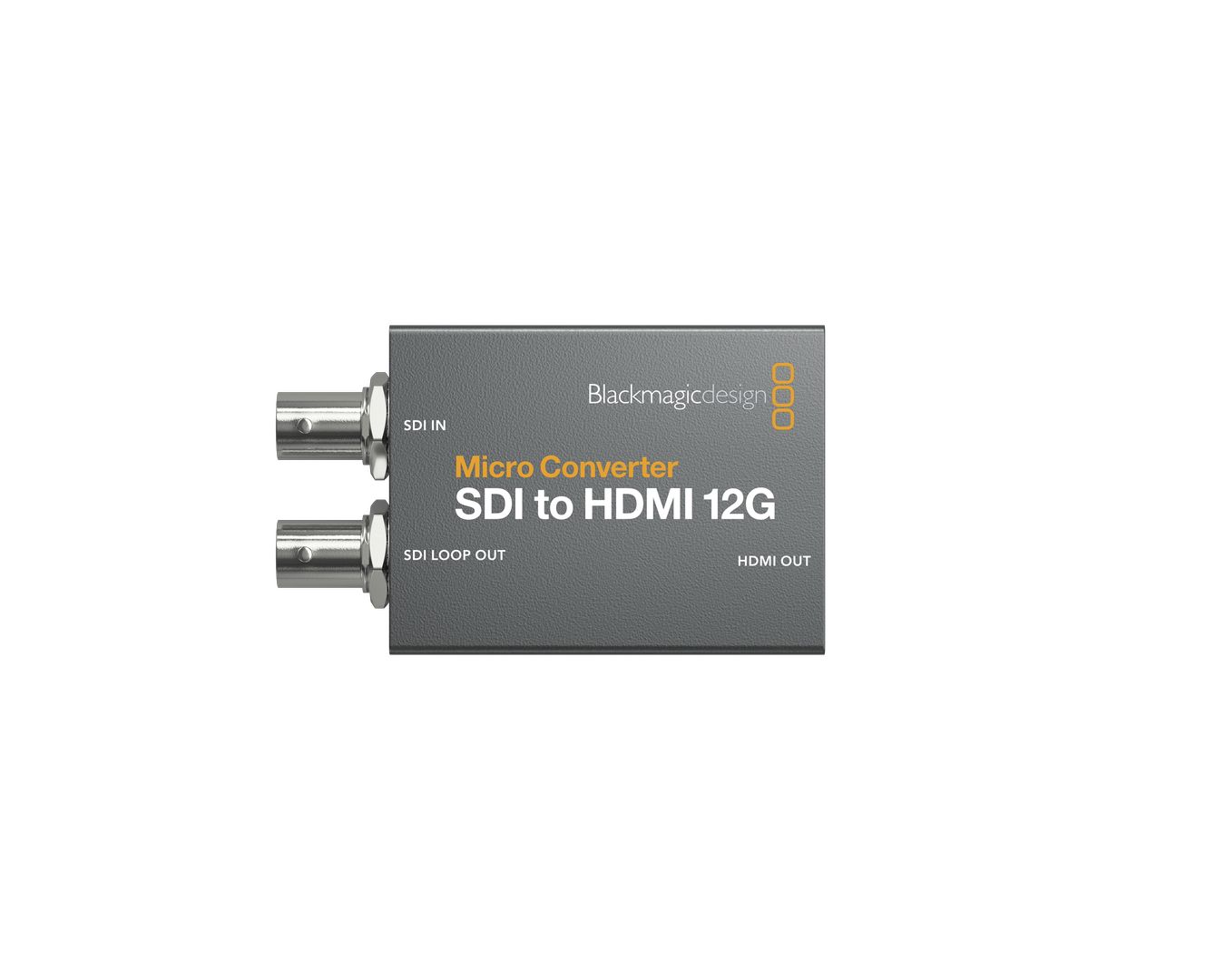
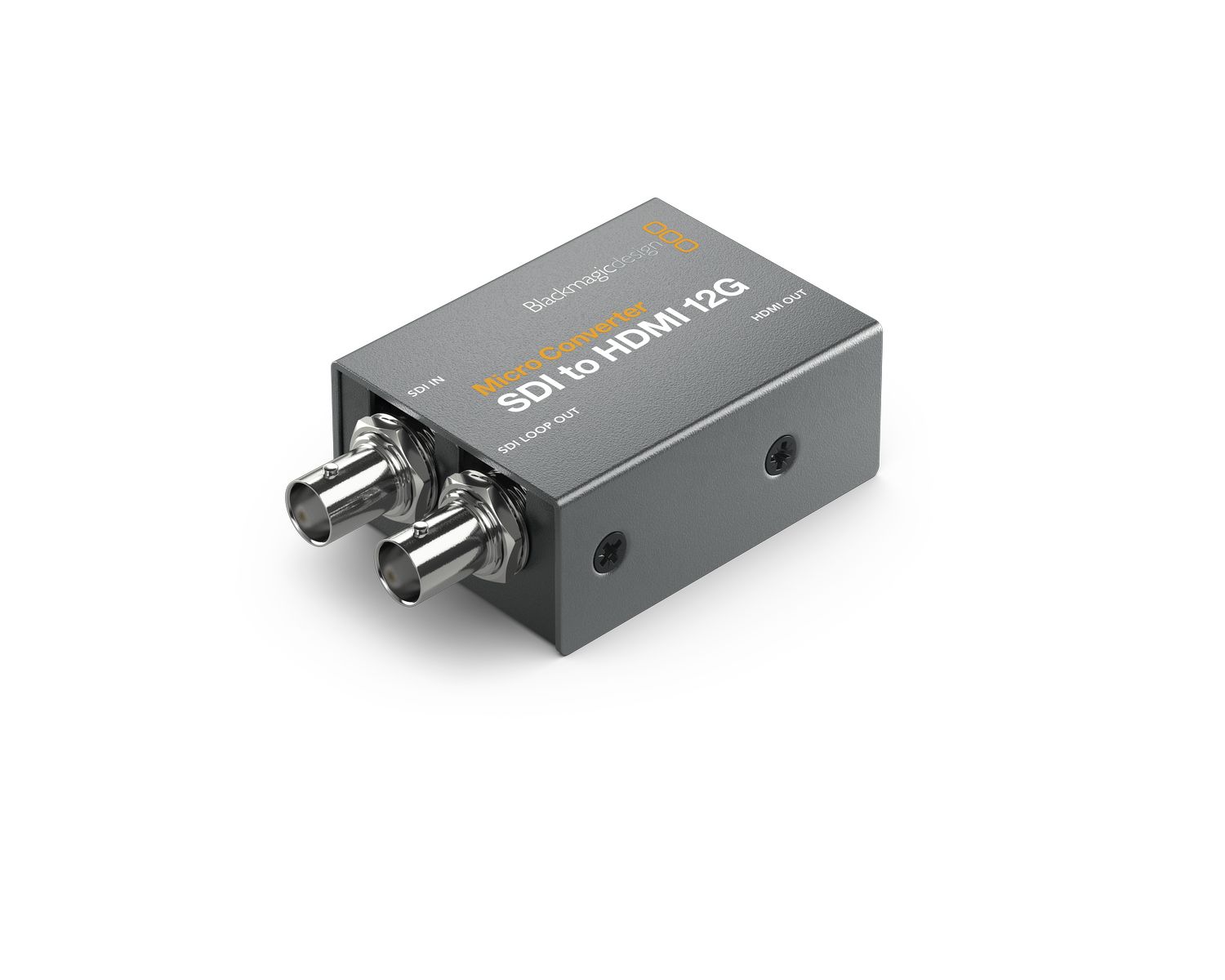
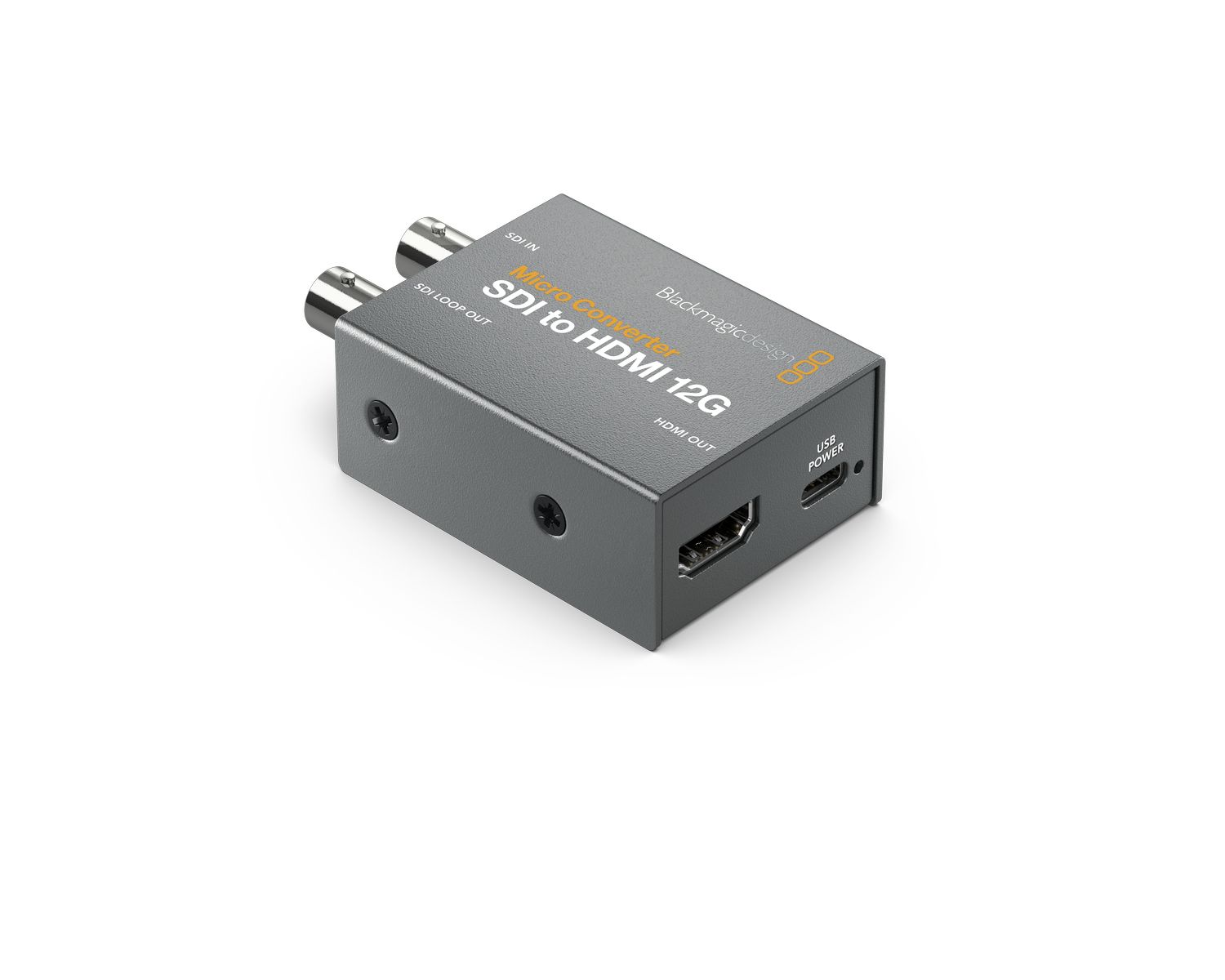
SKU: CONVCMIC/SH12G/WPSU
Blackmagic Micro Converter SDI to HDMI 12G turns a monitor, projector or television with HDMI into a professional preview display for SD, HD, Ultra HD and 4K DCI signals up to 2160p60. It offers a 33 point 3D LUT for color calibration, a 12G-SDI loop output, HDR support and the 4Kp24, 4Kp47.95 and 4Kp48 film formats, and is powered via USB-C. The wPSU version…
172 € with VAT
142.15 € without VAT
Availability
Backordered > 5 pcs
Top accessories for Blackmagic Design Micro Converter SDI to HDMI 12G wPSU (with power supply)
PremiumCord Ultra High Speed HDMI 2.1 cable 8K@60Hz, 4K@120Hz length 2m metallic gold plated connectors
High-end ULTRA HDMI 2.1 interconnect cable for the highest resolution 8K@60Hz and
9.7 €
To be sent > 5 pcs
Infinitek L-4.5CHWS 3m FLEX 12G-SDI cable BNC-BNC
Canare L-4.5CHWS flexible and durable 75 ohm 4,2 mm "Low Loss" koaxial SD/HD/3G/12G-SDI
23 €
To be sent > 5 pcs
PremiumCord Ultra High Speed HDMI 2.1 cable 8K@60Hz, 4K@120Hz length 0.5m metallic gold plated connectors
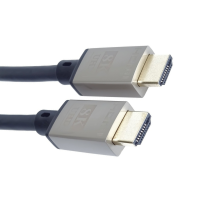
High-end ULTRA HDMI 2.1 interconnect cable for the highest resolution 8K@60Hz and
9.1 €
To be sent 3 pcs
Infinitek L-3.3CUHWS 2m FLEX 12G-SDI cable BNC-BNC
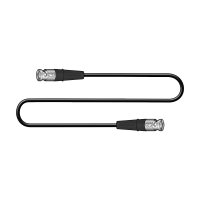
Professional 2 m 12G-SDI interconnect cable for mobile production. The flexible Canare
23 €
on request
Product description
SPECIFICATIONS
PACKAGE CONTENT


Product description
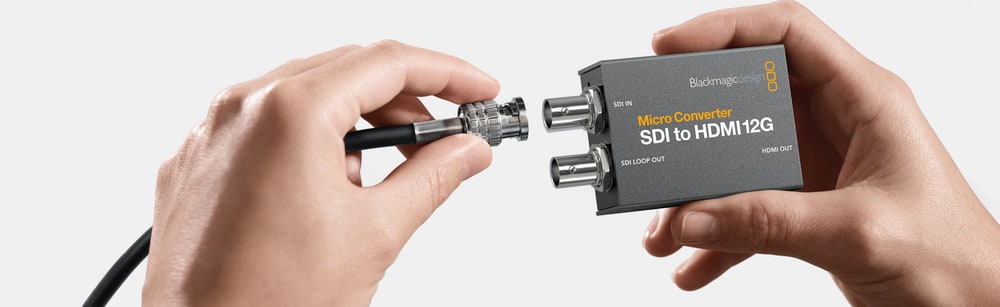
Blackmagic Micro Converter SDI to HDMI 12G turns a monitor, projector or television with HDMI into a professional preview display for SD, HD, Ultra HD and 4K DCI signals up to 2160p60. It offers a 33 point 3D LUT for color calibration, a 12G-SDI loop output, HDR support and the 4Kp24, 4Kp47.95 and 4Kp48 film formats, and is powered via USB-C. The wPSU version includes a universal 100–240 V power supply with socket adapters for most countries.
12G-SDI monitoring over HDMI 2.0
Connect professional SDI equipment to HDMI monitors, projectors and televisions in formats up to 2160p60 and 4K DCI. The SDI loop output with reclocking keeps the original signal available for further equipment.
12G-SDI inputHDMI 2.0 outputUp to 2160p6033 point 3D LUTSDI loop outputWith 100–240 V power supply
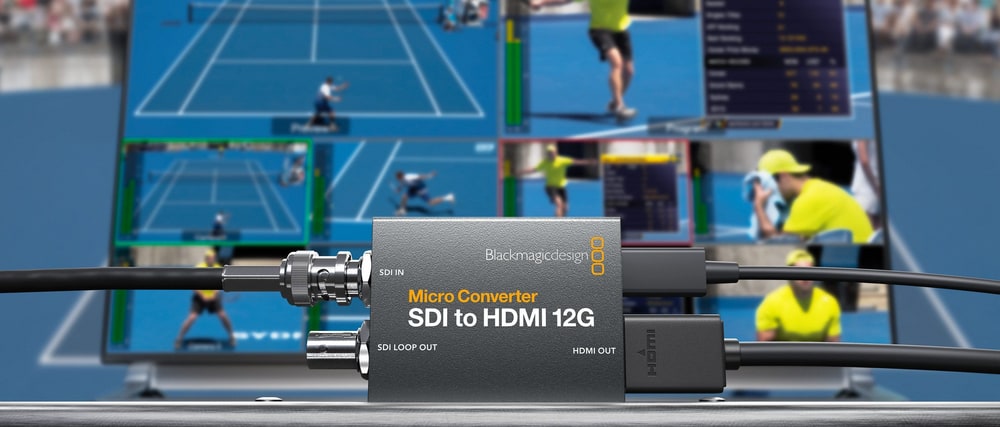
A television or projector as a broadcast monitor
With a 3D LUT, even a low cost computer monitor, television or projector becomes a color calibrated preview – on set, in the control room or in post production.
On-set monitoring
Connect an HDMI display to a professional 12G-SDI camera.
Televisions and projectors
Use big screen HDMI displays for Ultra HD preview.
Color calibration
Load a 33 point 3D LUT for an accurate preview.
Signal distribution
Keep the signal going through the SDI loop output.
Professional monitoring from SDI
The converter accepts SD, HD, 2K, Ultra HD and 4K DCI signals, detects the format and level A or B for 3G-SDI by itself and sends the picture to a full size HDMI 2.0 output. The SDI loop output passes the signal on – to another monitor, a recorder or a switcher.
33 point 3D LUT for true color
In Blackmagic Converters Setup you load a 33 point 3D LUT to calibrate the HDMI output or give it a custom look. The same LUT can also be applied to the 12G-SDI loop output, so the converter works as a 3D LUT processor. You can create your own LUTs in the free version of DaVinci Resolve.
Calibrated HDR monitoring
Simply connect an HDR monitor, projector or television. The converter processes static PQ and Hybrid Log Gamma (HLG) metadata in the VPID according to ST 2108-1, ST 2084 and ST 425 and supports both Rec.2020 and Rec.709 color spaces.
From SD to 4K DCI
Support covers NTSC, PAL, 720p, 1080i, 1080p and 1080PsF, 2K DCI, Ultra HD up to 2160p60 and 4K DCI, including the 4Kp24, 4Kp47.95 and 4Kp48 film rates. The input complies with SMPTE 259M, 292M, 296M, 424M and 425M as well as SMPTE 2081 and 2082.
Small enough to use anywhere
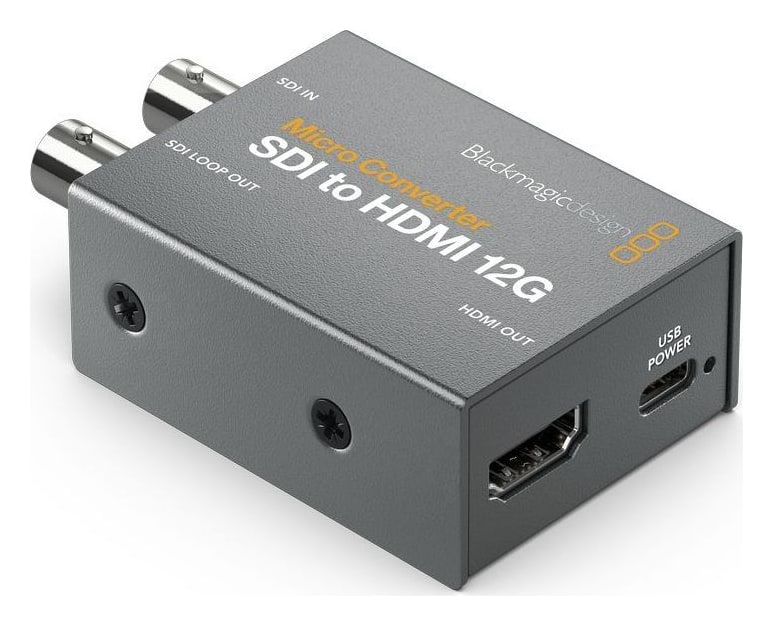
The rugged metal body combines a full size HDMI connector, BNC connectors and USB-C power in an enclosure that fits behind a display or into a compact field kit. That way you can always keep the converter at hand for an unexpected conversion job.
Setup and updates over USB-C
The free Blackmagic Converters Setup utility for macOS and Windows connects to the converter over USB-C: use it to name the converter, load LUTs and update the software.
Power supply included
The wPSU version includes a universal +5 V power supply for 100–240 V mains and socket adapters for most countries, so you can plug the converter in anywhere in the world. It can still be powered over USB-C from a computer, phone charger or power bank.
Connections
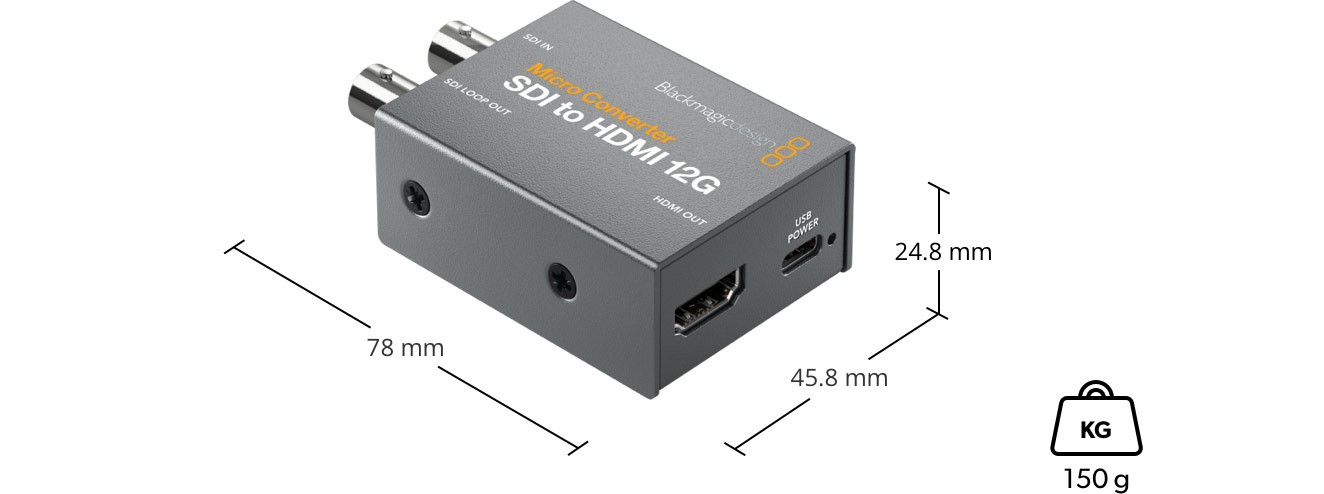
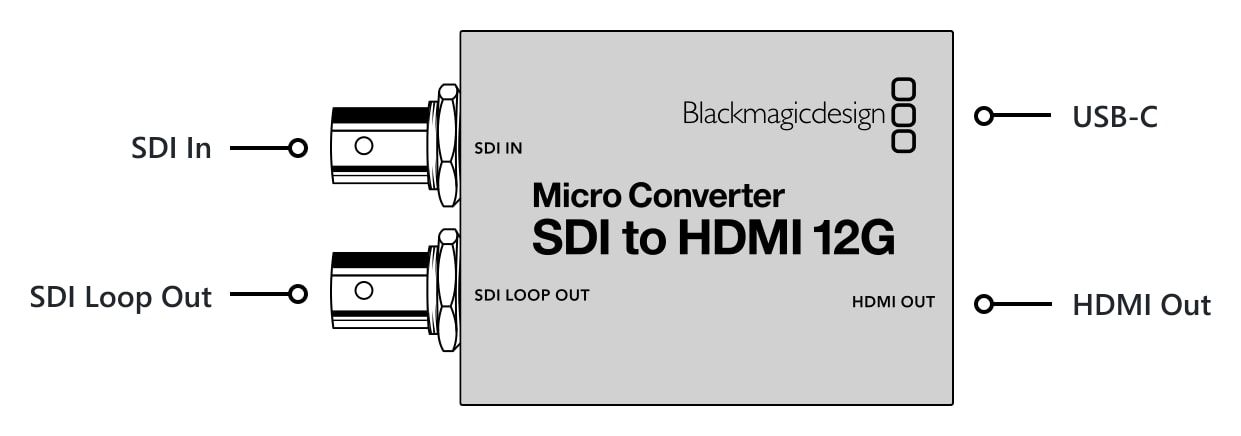
One side has the SDI input and SDI loop output on BNC connectors, the other a Type A HDMI output and a USB-C port for power and setup.
More information
12G-SDI to HDMI conversion in detail
The Micro Converter 12G family of compact video converters lets you use HDMI equipment in professional studio infrastructure built on the SDI standard. The Micro Converter SDI to HDMI 12G is an ideal tool for previewing SD, HD, 4K and Ultra HD video up to 2160p60 on televisions, projectors and other HDMI devices. It supports 33 point 3D LUT correction, for example for monitor calibration, displaying video with LUT correction on the 12G-SDI loop output, and the DCI standards 4Kp24, 4Kp47.95 and 4Kp48.
The new Blackmagic Micro Converter 12G models are compact yet highly durable and feature a 12G-SDI interface supporting all standard SD, HD and Ultra HD formats up to 2160p60. The converters can be powered via USB-C – directly from televisions or laptops – and are available with or without a universal power supply. The electronics ensure full compatibility with modern television standards, and future updates are a matter of course.
Top-quality hardware
Unlike most competing compact converters, Blackmagic Micro Converter models feature high-quality hardware and software and a very rugged metal body. Each converter has high-quality SDI and HDMI connectors, a USB-C interface for power and configuration via the macOS and Windows utility, and LED indicators for power and video status. If required, a set including a universal 100–240 V power supply with four socket adapters is available.
Blackmagic Micro Converter models offer high-quality signal processing, very low SDI jitter for reliable transmission over longer distances, and support for 8 and 10-bit RGB or YUV formats up to 2160p60, including the 1080p24, 1080p47.95, 1080p48, 4Kp24, 4Kp47.95 and 4Kp48 film rates. Embedded audio and timecode are of course supported.
Settings can be changed and the software updated via USB-C with the free utility for macOS and Windows. The software lets you change the converter’s internal name and the level A or B of the 3G-SDI output and, on the bidirectional model, set the camera number within the production infrastructure.
3D LUT correction
The Micro Converter SDI to HDMI 3G/12G and BiDirectional SDI/HDMI 12G models also offer 3D LUT correction for a color-accurate video preview. Users can apply their own corrections, for example when previewing footage on location. LUTs can also be applied to the SDI output, so the Micro Converter SDI to HDMI can work as a 3D LUT processor. The feature can also be used to color calibrate the target monitor or for creative work with the image. 3D LUT files are easy to create with the primary color corrector in the free version of DaVinci Resolve, for example to emulate the look of film stock.
Remote camera control
The Micro Converter BiDirectional SDI/HDMI 3G/12G models support camera control data, so they can be used with Blackmagic Pocket Cinema Camera models and ATEM SDI switchers. ATEM switchers send camera control commands over SDI, and the converter can replicate this data on HDMI. Once the converter, switcher and camera are connected, you set the camera number in the utility and can then remotely control the camera’s color correction, the tally light and recording. The reverse also works: SDI cameras can be connected and controlled from HDMI switchers such as ATEM Mini.
HDR support
Micro Converter 12G models have everything needed for HDR workflows. Simply connect a monitor, projector or television with HDR support and you are ready to work. Static PQ and Hybrid Log Gamma (HLG) metadata are identified from the VPID and handled according to the ST2108-1, ST2084 and ST425 standards. Micro Converter 12G models are fully compatible with ST425, which defines two new bits in the VPID to indicate the SDR, HLG or PQ transfer characteristic. The ST2108-1 standard defines how static and dynamic HDR metadata are transported over SDI. There is also support for ST2082-10 for 12G-SDI signals and ST425 for 3G-SDI signals. Both Rec.2020 and Rec.709 color spaces are supported.
Wide standards support
Further advanced features of the Micro Converter 12G converters include timecode support in SD, HD, Ultra HD and 4K, conversion of timecode from HDMI devices to SDI and reclocking on the SDI output.
The converters support all common formats, including the 12G-SDI standards 2160p23.98, 2160p24, 2160p25, 2160p29.97, 2160p30, 2160p47.95, 2160p48, 2160p50, 2160p59.94, 2160p60, 4Kp23.98 DCI, 4Kp24 DCI, 4Kp25 DCI, 4Kp29.97 DCI, 4Kp30 DCI, 4Kp47.95 DCI, 4Kp48 DCI, 4Kp50 DCI, 4Kp59.94 DCI, 4Kp60 DCI, 4KPsF25 DCI, 4KPsF29.97 DCI and 4KPsF30 DCI.
Micro Converter 12G features
- Miniature design
- Software updates via USB
- 3D LUT correction on the SDI to HDMI models
- HDR metadata support on SDI and HDMI
- Timecode support on 12G-SDI and HDMI
- 12G-SDI technology with reclocking
- Camera control data from ATEM switchers
- Support for all common NTSC, PAL, 720p HD, 1080 HD and 2160 Ultra HD standards
- Available without a power supply or in a set with a power supply
PACKAGE CONTENT
- Micro Converter SDI to HDMI 12G
- Universal +5 V power supply (100–240 V) with socket adapters
SPECIFICATIONS
- SDI input: 1 × SD, HD, 3G, 6G or 12G-SDI
- SDI output: 1 × 12G-SDI loop output
- HDMI output: HDMI 2.0, Type A
- SDI rates: 270 Mb/s, 1.5G, 3G, 6G, 12G
- Auto detection: SD, HD (level A or B for 3G-SDI), 2K DCI, Ultra HD and 4K DCI
- SDI video standards: 525i59.94 NTSC, 625i50 PAL; 720p50, 720p59.94, 720p60; 1080p23.98, 1080p24, 1080p25, 1080p29.97, 1080p30, 1080p47.95, 1080p48, 1080p50, 1080p59.94, 1080p60; 1080PsF25, 1080PsF29.97, 1080PsF30; 1080i50, 1080i59.94, 1080i60; 2Kp23.98 DCI, 2Kp24 DCI, 2Kp25 DCI, 2Kp29.97 DCI, 2Kp30 DCI, 2Kp47.95 DCI, 2Kp48 DCI, 2Kp50 DCI, 2Kp59.94 DCI, 2Kp60 DCI; 2KPsF25 DCI, 2KPsF29.97 DCI, 2KPsF30 DCI; 2160p23.98, 2160p24, 2160p25, 2160p29.97, 2160p30, 2160p47.95, 2160p48, 2160p50, 2160p59.94, 2160p60; 4Kp23.98 DCI, 4Kp24 DCI, 4Kp25 DCI, 4Kp29.97 DCI, 4Kp30 DCI, 4Kp47.95 DCI, 4Kp48 DCI, 4Kp50 DCI, 4Kp59.94 DCI, 4Kp60 DCI
- HDMI video standards: 525i59.94 NTSC, 625i50 PAL; 720p50, 720p59.94, 720p60; 1080p23.98, 1080p24, 1080p25, 1080p29.97, 1080p30, 1080p47.95, 1080p48, 1080p50, 1080p59.94, 1080p60; 1080i50, 1080i59.94, 1080i60; 2160p23.98, 2160p24, 2160p25, 2160p29.97, 2160p30, 2160p47.95, 2160p48, 2160p50, 2160p59.94, 2160p60; 4Kp23.98 DCI, 4Kp24 DCI, 4Kp25 DCI, 4Kp29.97 DCI, 4Kp30 DCI, 4Kp47.95 DCI, 4Kp48 DCI, 4Kp50 DCI, 4Kp59.94 DCI, 4Kp60 DCI
- SDI compliance: SMPTE 259M, SMPTE 292M, SMPTE 296M, SMPTE 424M, SMPTE 425M, SMPTE 2081-1, SMPTE 2081-10, SMPTE 2082-1, SMPTE 2082-10, SMPTE 2084, SMPTE 2108-1
- HDR: static PQ and HLG metadata in the VPID (ST 2108-1, ST 2084, ST 425), Rec.2020 and Rec.709
- Color precision and space: 4:2:2, YUV (SDI and HDMI)
- 3D LUT: 33 point, loaded via Blackmagic Converters Setup; can also be applied to the SDI loop output
- Settings control: macOS and Windows utility over USB
- Operating systems: macOS 10.15 Catalina, macOS 11.1 Big Sur or later; Windows 10 (64-bit)
- Software updates: internal, via USB
- Power and configuration: USB-C
- Maximum power consumption: 4 W
- Operating voltage: 4.4–5.25 V DC
- Power supply: universal +5 V, 100–240 V AC, socket adapters for most countries
- Operating temperature: 0 to 40 °C
- Storage temperature: −20 to 60 °C
- Relative humidity: 0–90%, non-condensing
- Dimensions: 78 × 45.8 × 24.8 mm
- Weight: 150 g
- Warranty: 3-year limited manufacturer’s warranty
WE RECOMMEND
The following accessories go with the Blackmagic Design Micro Converter SDI to HDMI 12G wPSU (with power supply).
HDMI cables – Cables for connecting HDMI inputs and outputs.
- PremiumCord Ultra High Speed HDMI 2.1 cable 8K@60Hz, 4K@120Hz length 0.5m metallic gold plated connectors
- PremiumCord Ultra High Speed HDMI 2.1 cable 8K@60Hz, 4K@120Hz length 2m metallic gold plated connectors
SDI cables – Coaxial cables for carrying SDI signals.
Parameters
| Manufacturer: | Blackmagic Design |
| Category: | Signal converters |
Main parameters
| Other features | SDI LOOP · 3D LUT · auto format adaptation |
| Source | 12G SDI |
| Target | HDMI · HDMI 2.0 |
ACCESSORIES (4)
ACCESSORIES (4)
PremiumCord Ultra High Speed HDMI 2.1 cable 8K@60Hz, 4K@120Hz length 2m metallic gold plated connectors
High-end ULTRA HDMI 2.1 interconnect cable for the highest resolution 8K@60Hz and
9.7 €
To be sent > 5 pcs
Infinitek L-4.5CHWS 3m FLEX 12G-SDI cable BNC-BNC
Canare L-4.5CHWS flexible and durable 75 ohm 4,2 mm "Low Loss" koaxial SD/HD/3G/12G-SDI
23 €
To be sent > 5 pcs
PremiumCord Ultra High Speed HDMI 2.1 cable 8K@60Hz, 4K@120Hz length 0.5m metallic gold plated connectors
High-end ULTRA HDMI 2.1 interconnect cable for the highest resolution 8K@60Hz and
9.1 €
To be sent 3 pcs
Infinitek L-3.3CUHWS 2m FLEX 12G-SDI cable BNC-BNC
Professional 2 m 12G-SDI interconnect cable for mobile production. The flexible Canare
23 €
on request
Alternative (4)
Alternative (4)
Blackmagic Design Micro Converter SDI to HDMI 12G (without PSU)
Blackmagic Micro Converter SDI to HDMI 12G turns a monitor, projector or television
160 €
In stock 2 pcs
Blackmagic Design Micro Converter BiDirectional SDI/HDMI 12G (without PSU)
Blackmagic Micro Converter BiDirectional SDI/HDMI 12G converts SDI to HDMI and HDMI
179 €
To be sent > 5 pcs
Blackmagic Design Micro Converter BiDirectional SDI/HDMI 12G wPSU (with power supply)
Blackmagic Micro Converter BiDirectional SDI/HDMI 12G converts SDI to HDMI and HDMI
192 €
In stock > 5 pcs
Lumantek Mini Converter, 3G/HD/SD-SDI to HDMI with audio de-embed
BAT Converters offer high-quality signal with the lowest jitter. Enjoy long SDI signal
209 €
In stock 3 pcs
News, training, and discounts from Syntex
Special offers and discounts for subscribers only · Free audio & video workshops · News and tips from the world of filmmaking
- Show all
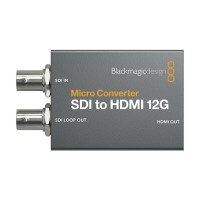
Blackmagic Design Micro Converter SDI to HDMI 12G wPSU (with power supply)
Blackmagic Micro Converter SDI to HDMI 12G turns a monitor, projector or television172 €Backordered > 5 pcs