
 CZ
CZ SK
SK HU
HU AT
AT DE
DE ES
ES SI
SI HR
HR
Nothing in the basket.

- Search
-
Login

-
0
Comparison
Add products to compare, then they will appear here and you can compare parameters.
-
0
0 €
Blackmagic Design HyperDeck Shuttle 4K Pro
SKU: HYPERD/PTSKD
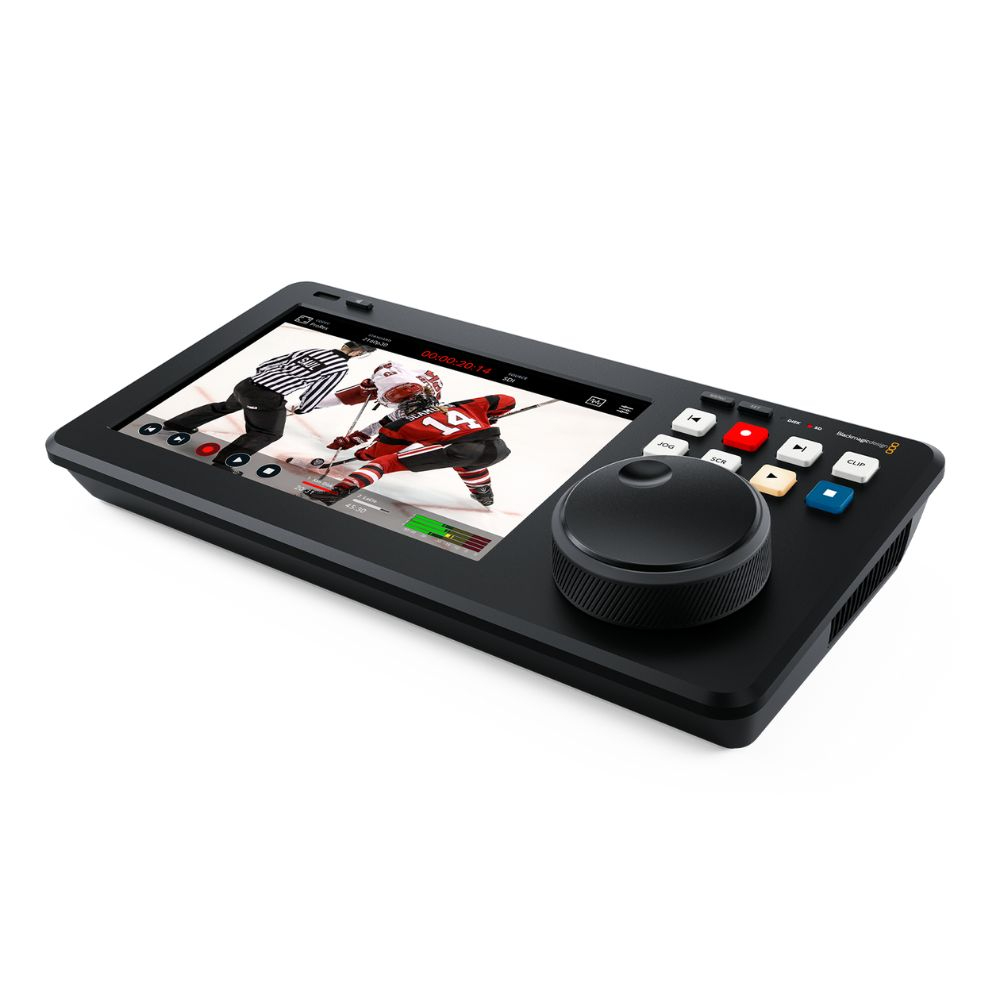
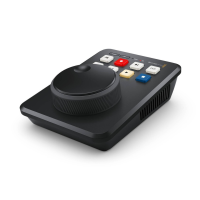
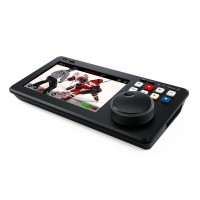
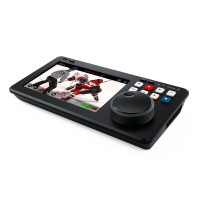
An advanced 4K recorder and player with a 7″ HDR touchscreen, professional scopes, 12G-SDI, HDMI 2.0 and fast 10G Ethernet. HyperDeck Shuttle 4K Pro records to an SD/UHS-II card, an external USB-C disk or optional internal M.2 storage. The large search dial and transport controls make it a desktop clip player for live production.
1 659 € with VAT
1 371.07 € without VAT
Availability
on request
Top accessories for Blackmagic Design HyperDeck Shuttle 4K Pro
Exascend 256GB Catalyst UHS-I SDXC Memory Card
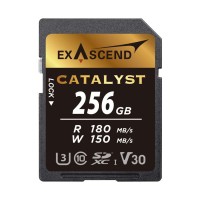
The Catalyst SDXC UHS-I memory card with V30 speed class reads at up to 180 MB/s
118 €
In stock 4 pcs
Exascend 128GB Catalyst UHS-I SDXC Memory Card
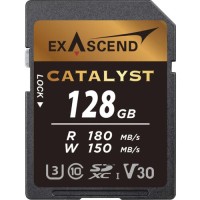
The Catalyst SDXC UHS-I memory card with V30 speed class reads at up to 180 MB/s
78 €
In stock > 5 pcs
Exascend 256GB Essential UHS-II SDXC Memory Card
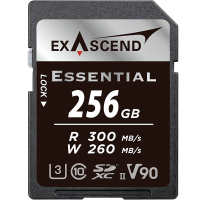
The Essential SDXC UHS-II memory card with V90 speed class reads at up to 300 MB/s
569 €
In stock > 5 pcs
Infinitek L-4.5CHWS Flexible 4K UHD, 12G-SDI Cable, BNC-BNC 2m
Canare L-4.5CHWS flexible and durable 75 ohm 4,2 mm "Low Loss" koaxial SD/HD/3G/12G-SDI
19 €
To be sent > 5 pcs
RØDE HDMI Cable 1.5 m (Black)
RØDE HDMI Cable is a premium HDMI-A to HDMI-A cable with Ethernet measuring 1.5 m.
14 €
In stock 3 pcs
Exascend Explorer Portable SSD 2TB
The Exascend Explorer portable SSD with 2 TB reads and writes at up to 1 700 MB/s
679 €
In stock 1 pcs
Blackmagic Design MultiDock 10G
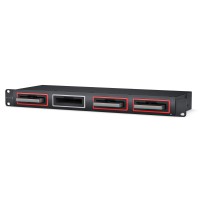
The Blackmagic MultiDock 10G is a 1RU rack dock for four 2.5″ SATA SSDs that you
669 €
on request
Product description
ARTICLES
SPECIFICATIONS
PACKAGE CONTENT
Product description
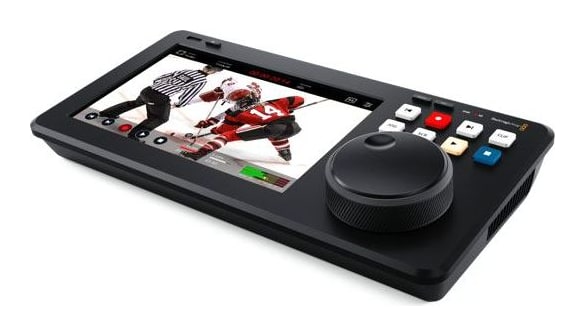
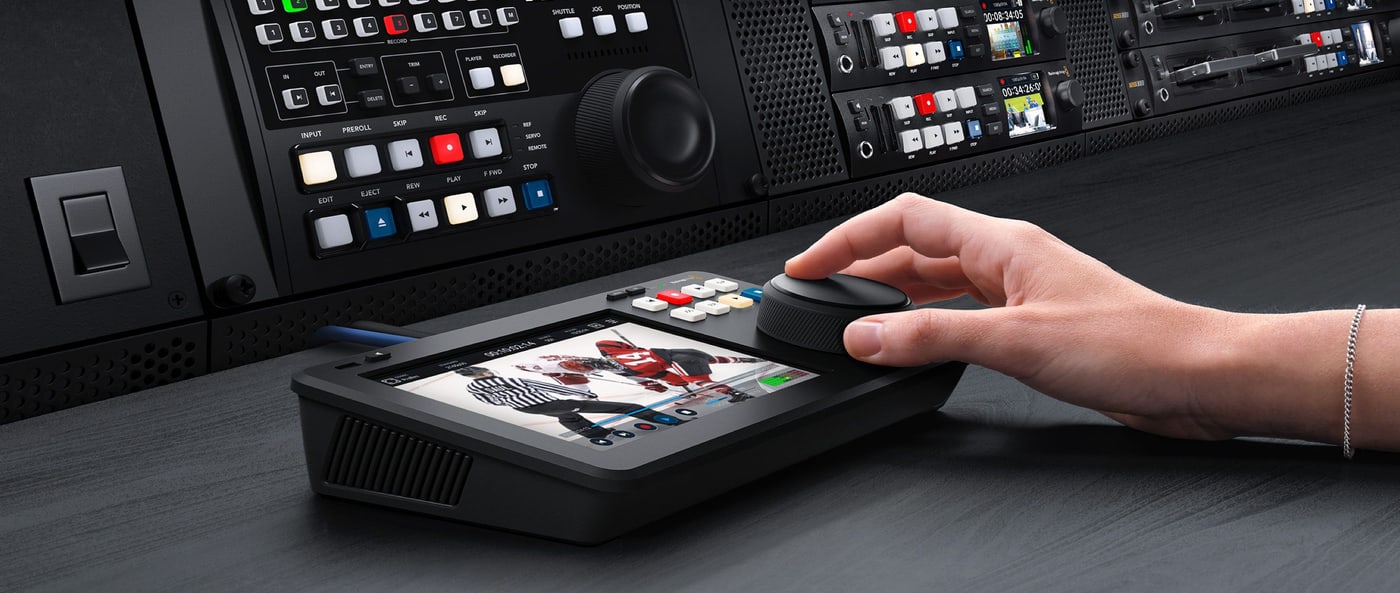
An advanced 4K recorder and player with a 7″ HDR touchscreen, professional scopes, 12G-SDI, HDMI 2.0 and fast 10G Ethernet. HyperDeck Shuttle 4K Pro records to an SD/UHS-II card, an external USB-C disk or optional internal M.2 storage. The large search dial and transport controls make it a desktop clip player for live production.
4K recorder, player and monitor
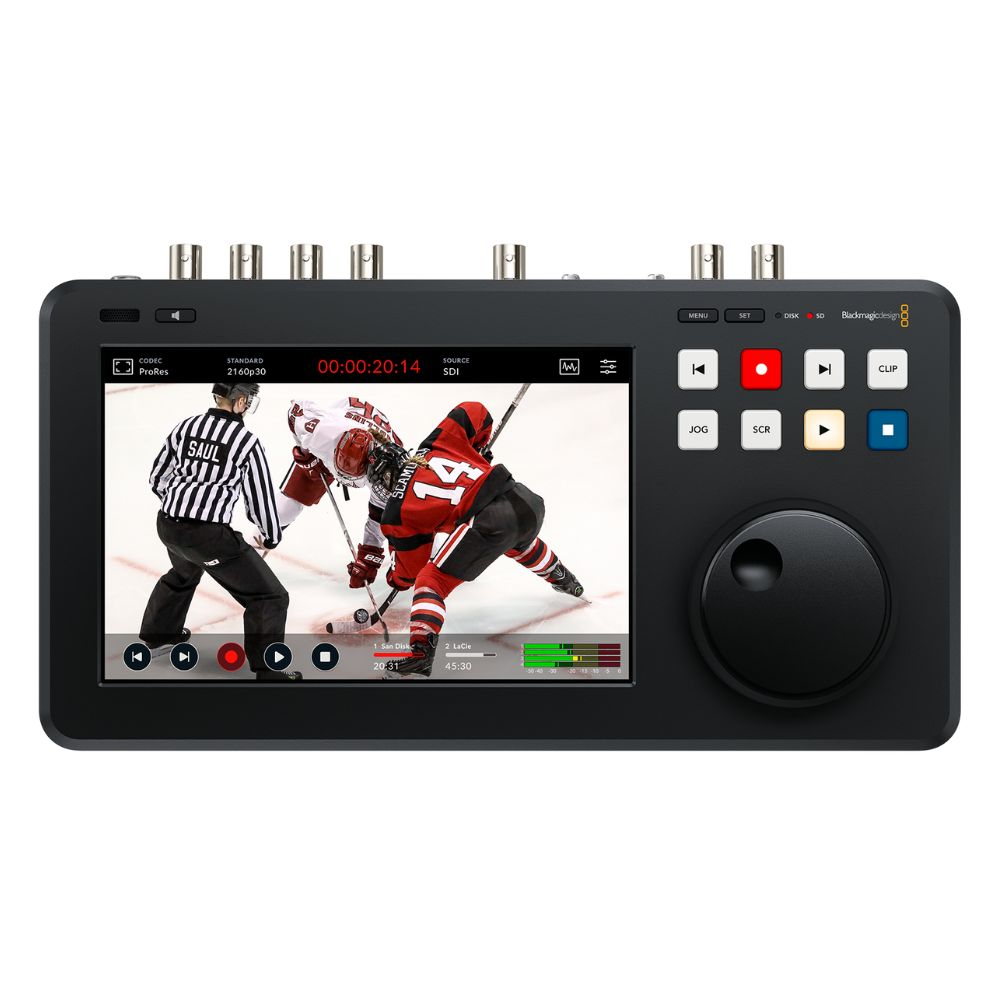
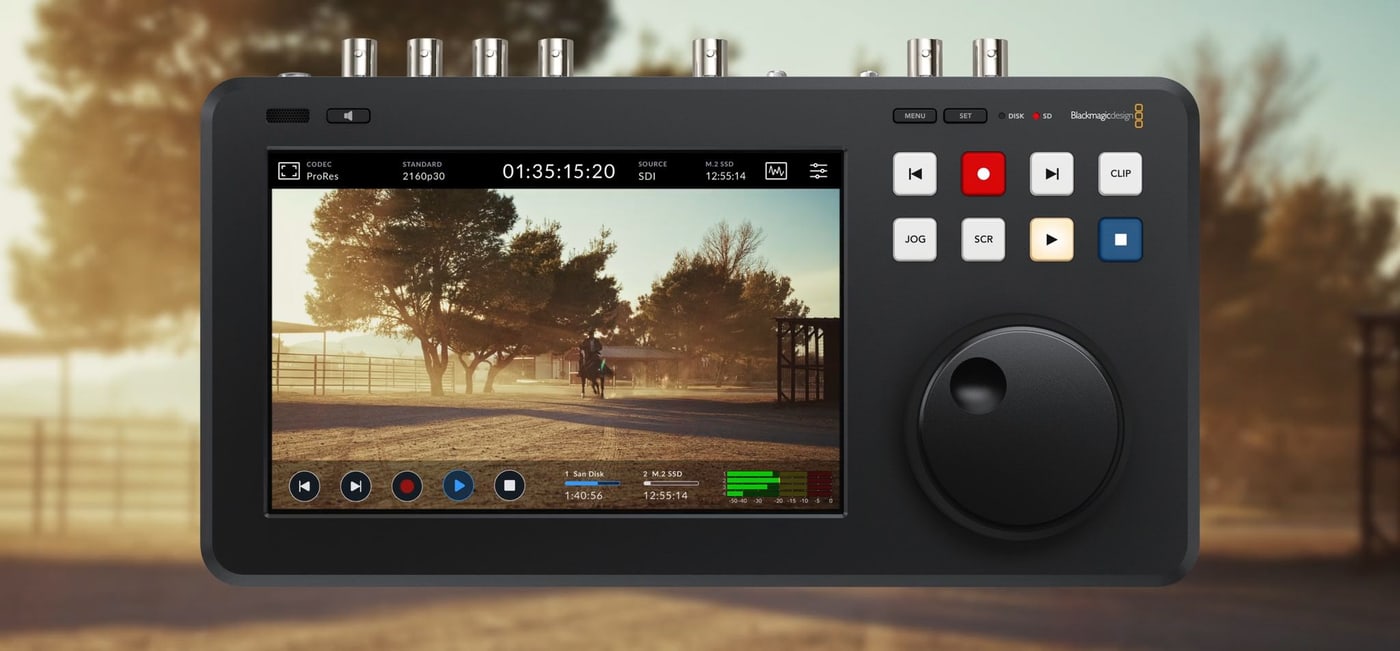
The large 7″ HDR display combines video monitoring, recording status, scopes and touch settings. Transport controls and a large search dial allow fast as well as frame accurate media navigation.
12G-SDI7″ HDR LCD10G EthernetM.2 slotH.265 · ProRes · DNxScopes
Desktop recorder and clip player
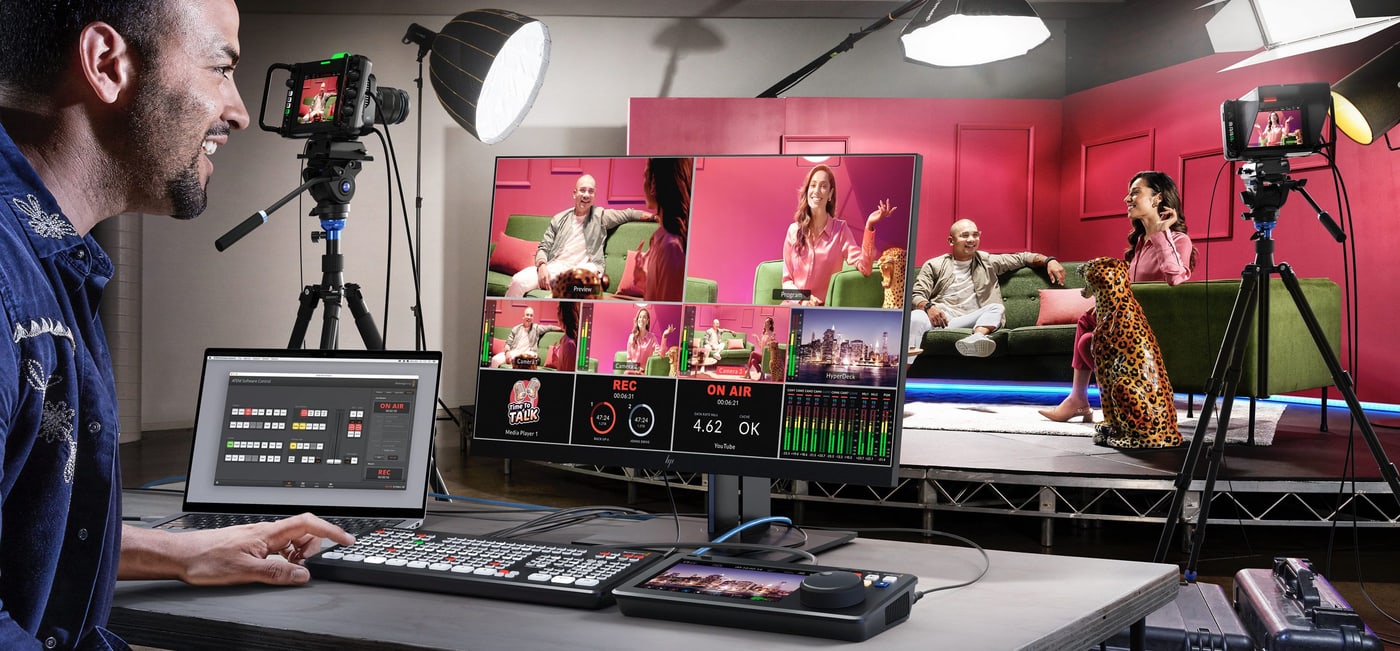
HyperDeck Shuttle is operated with one hand: your palm rests on the search dial and the buttons are under your fingertips. It records masters from the switcher and plays prepared clips into live broadcasts.
Scopes and HDR
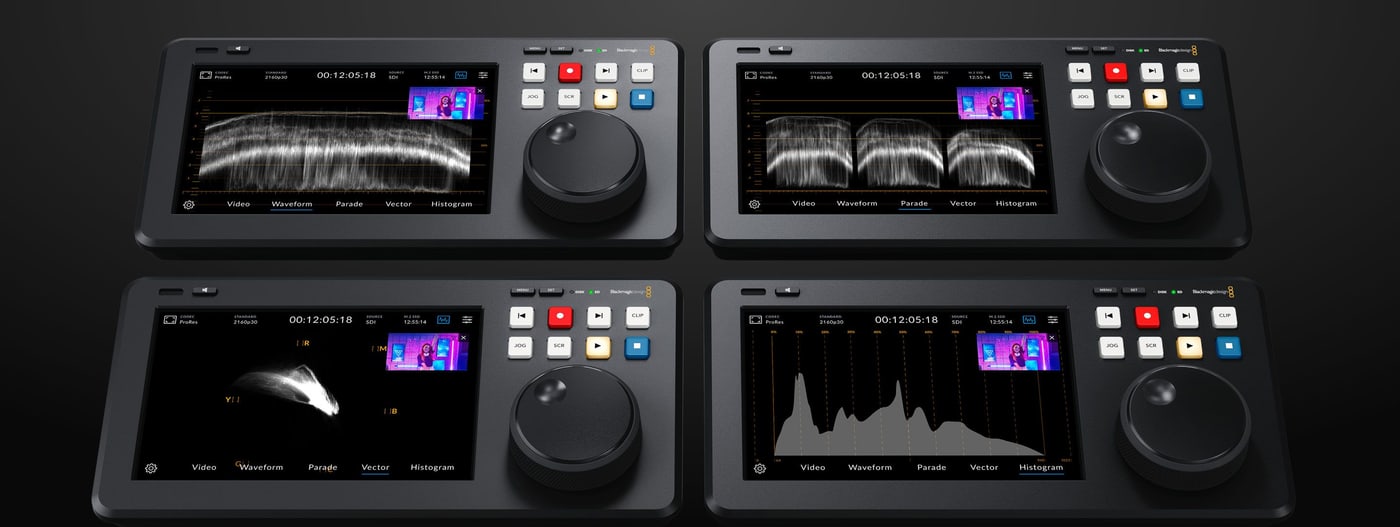
Waveform, RGB parade, vectorscope and histogram right on the 7″ display, with HDR graticules and 3D LUTs.
Record to network or M.2
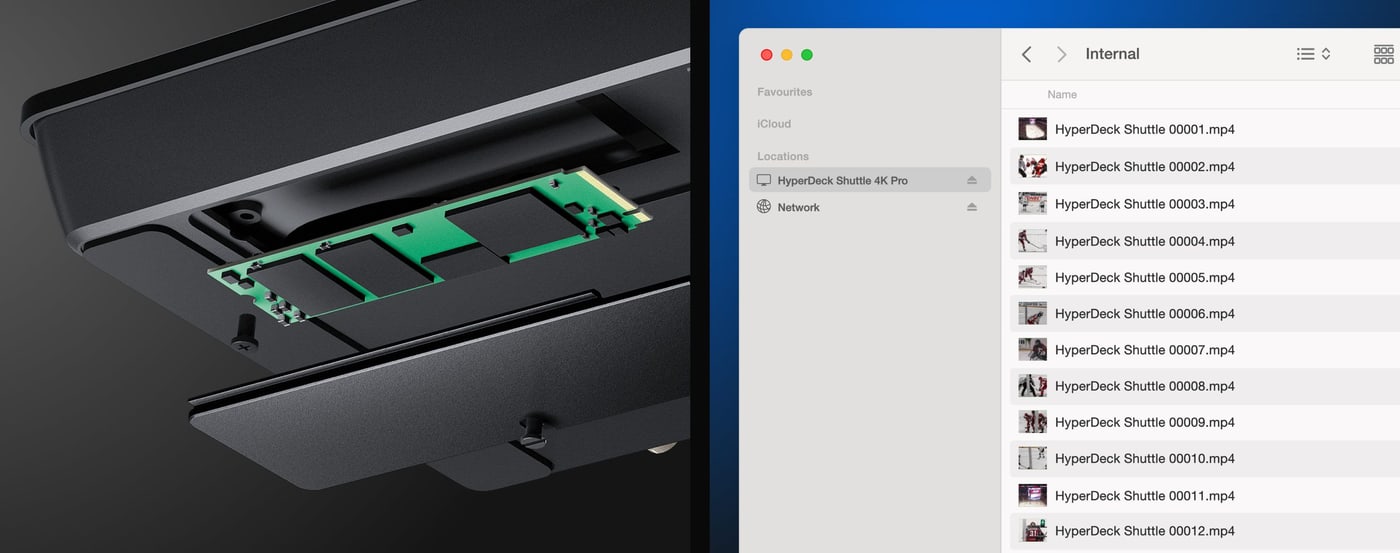
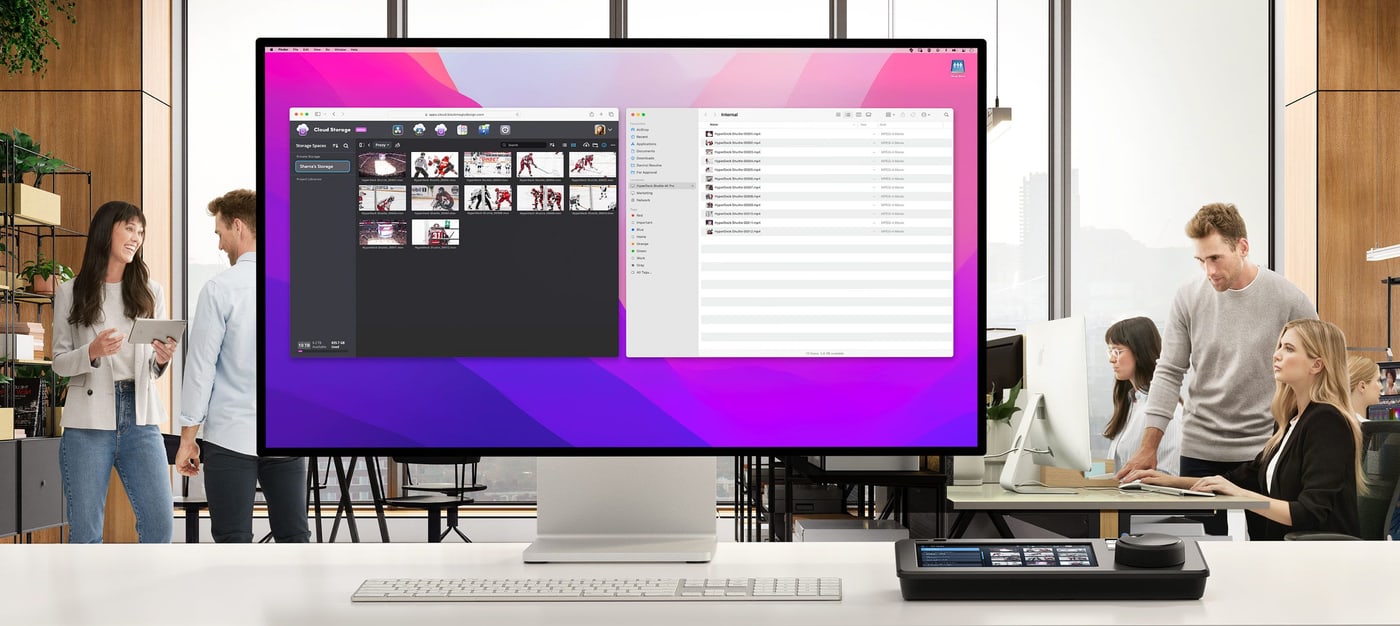
It records to network storage or to an internal M.2 card that editors access over 10G Ethernet.
Fill and key in Ultra HD
It plays ProRes 4444 clips with alpha channel to two 12G-SDI outputs for keying in the switcher.
Built in teleprompter
It reads RTF and TXT scripts, and the search dial scrolls the text like a traditional teleprompter.
Designed for the desktop
HyperDeck Shuttle is operated with one hand: the gentle angle lets your palm rest on the search dial with the buttons right under your fingertips. The metal dial with its soft rubber surface has natural inertia, so you get through long material fast. All video, audio and network connections are on the rear panel.
7″ HDR touchscreen
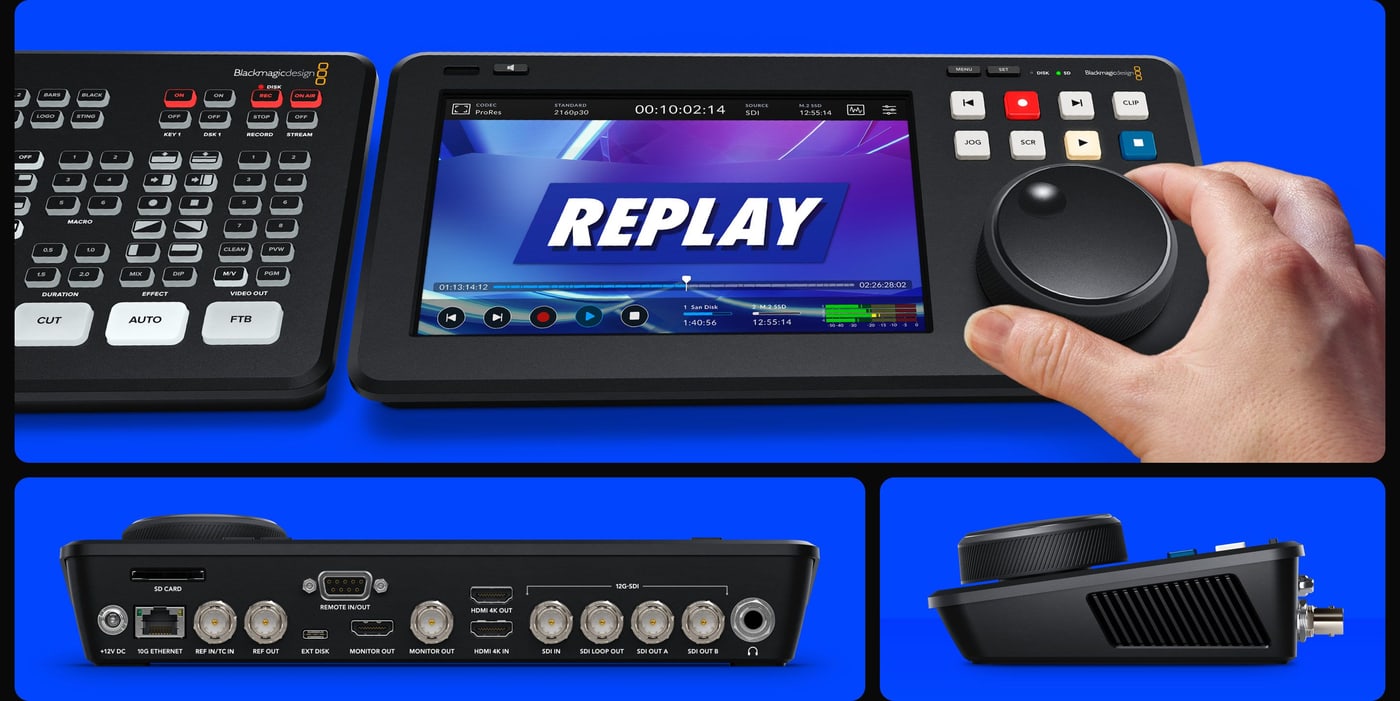
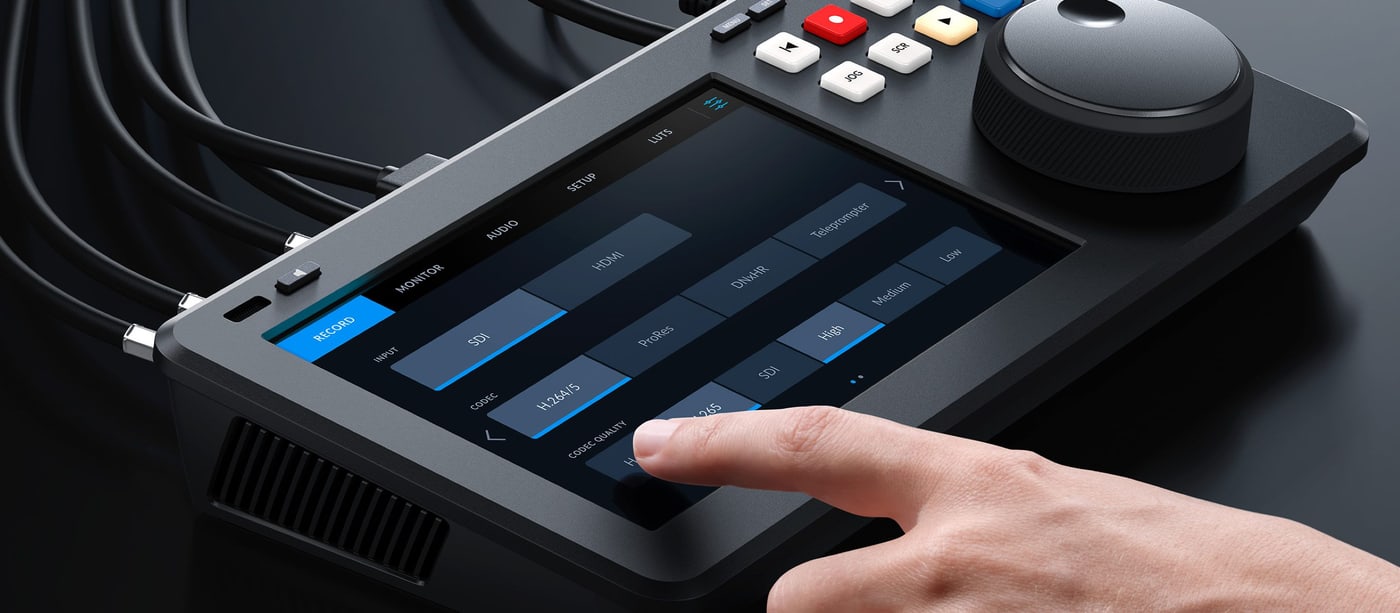
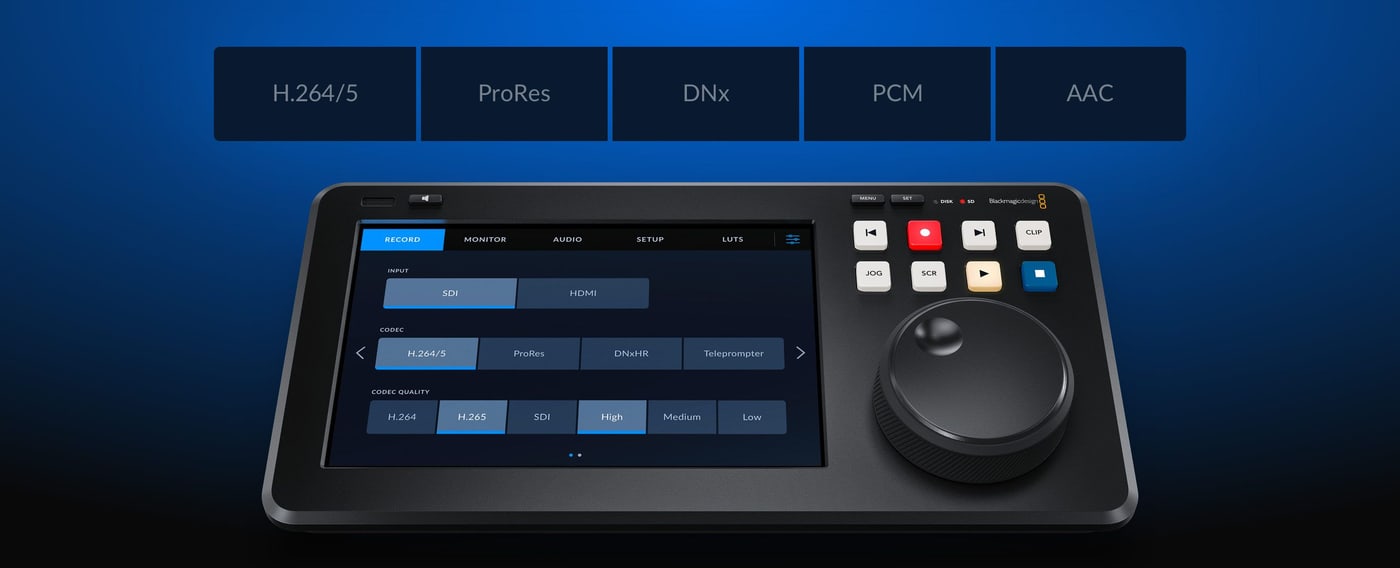
The 4K Pro has a 7″ 1920 × 1200 touch LCD with buttons for playback, pause and record and a mini timeline for scrolling through clips. The HUD overlay shows timecode, media status and audio meters, and on the display you can enable scopes, focus assist and an RGB histogram, and load or save 3D LUTs.
Broadcast recorder controls
Press the record button and the recorder starts recording the input to a file in the format set in the menu. The previous and next clip buttons cue the start of a clip for air, the Clip button stops playback at the end of the clip, and the dial works in jog, scroll and shuttle modes, with shuttle even allowing slow motion playback.
Mastering recorder and clip player
With ATEM Mini switchers it records broadcast masters in ProRes, H.264, H.265 or DNx with PCM or AAC audio, ready for broadcasters and for YouTube. As a player it rolls commercials, promos or music videos into live production, and ATEM switchers control it over Ethernet.
Internal M.2 network storage
The 4K Pro takes an M.2 PCIe NVMe card (60, 80 or 110 mm, up to 16 Gb/s) for cache or internal recording. This turns the recorder into network storage: editors connect over 10G Ethernet and DaVinci Resolve can edit the media while it is still being recorded.
SD cards and external USB-C disks
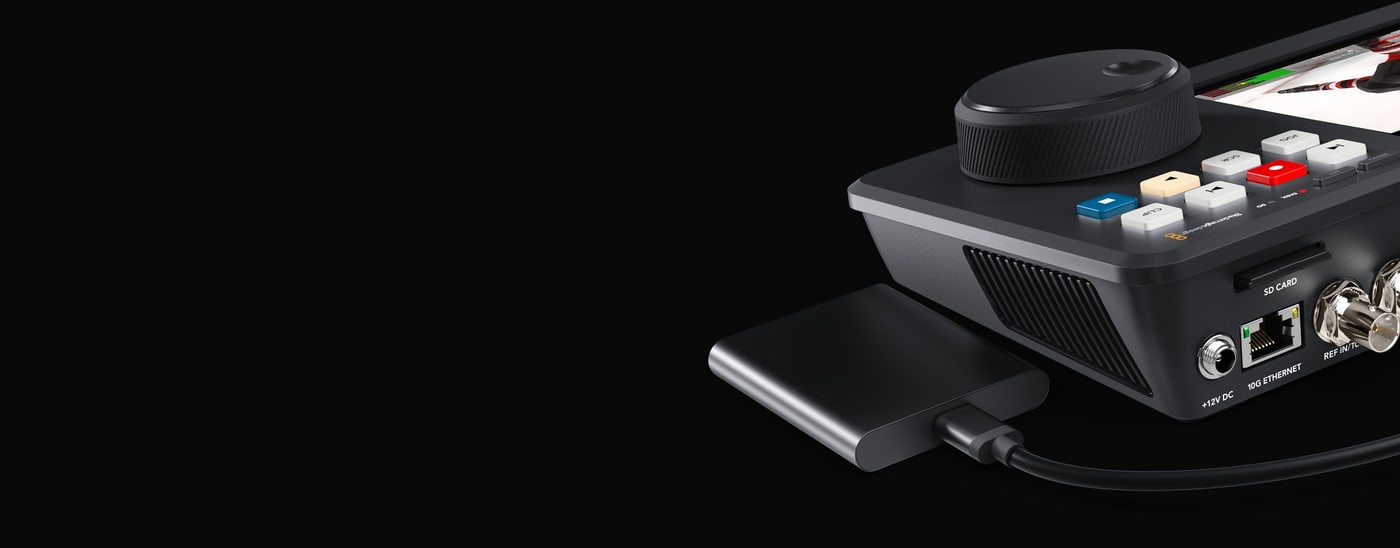
HyperDeck Shuttle records to common UHS-I and UHS-II SD cards and via USB-C to external disks, non-stop when using multiple disks. A disk can be moved straight to the edit suite without copying, and SSDs can be added with a Blackmagic MultiDock 10G. Media is formatted as ExFAT or HFS+.
ProRes, DNx, H.264 and H.265
The 4K Pro records ProRes and DNx up to 2160p60, H.265 in Ultra HD and H.264 up to 1080p60, including H.264 HD proxy files. It also plays ProRes 4444 with automatic routing of fill and key to SDI outputs A and B. Audio is stored as PCM with 2 to 64 channels or as AAC.
Broadcast scopes
Waveform, vectorscope, RGB and YUV parade and histogram in 10-bit quality help ensure compliance with broadcast standards and catch illegal levels. The scopes can be overlaid on live video or shown as a small picture in picture, with HDR graticules when working in HDR.
HDR and wide color gamut
The display covers Rec. 2020 and Rec. 709 and 100% of the DCI-P3 gamut. The SDI and HDMI inputs detect HDR video automatically, files are tagged with the correct HDR information and static PQ and HLG metadata follow ST2084; the scopes switch to HDR graticules for HDR work.
Digital slate and metadata
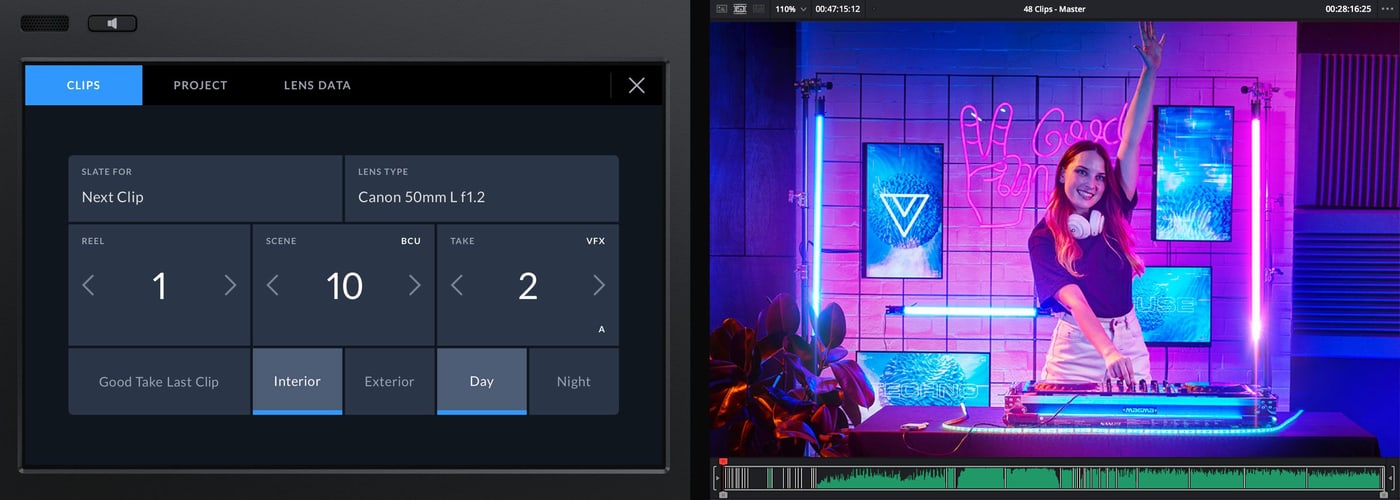
Swipe from the edge of the display to open the digital slate. Take numbers can increment automatically with every recording and reel numbers each time a card is formatted. Metadata is saved with the files and DaVinci Resolve uses it to organize shots.
Blackmagic Cloud and proxy files
With an M.2 card, the Shuttle 4K Pro syncs with Blackmagic Cloud. It also records H.264 HD proxy files that upload while recording, so remote DaVinci Resolve editors get the media before recording has stopped.
RS-422 and 10G Ethernet
The RS-422 in/out connection controls the recorder from broadcast automation using the Sony protocol including the Advanced Media Protocol. 10G Ethernet gives several editors access to the internal storage at once, files transfer via HTTP/S or FTP, and both a text protocol and REST are available for custom automation.
Built in teleprompter
Switch HyperDeck Shuttle to teleprompter mode in the record menu and it reads standard RTF and TXT files. The previous and next clip buttons move between scripts, and pressing jog and scroll together lets you scroll the text with the dial like a traditional teleprompter. Size, color, font weight and alignment are taken from the file.
Connections and controls
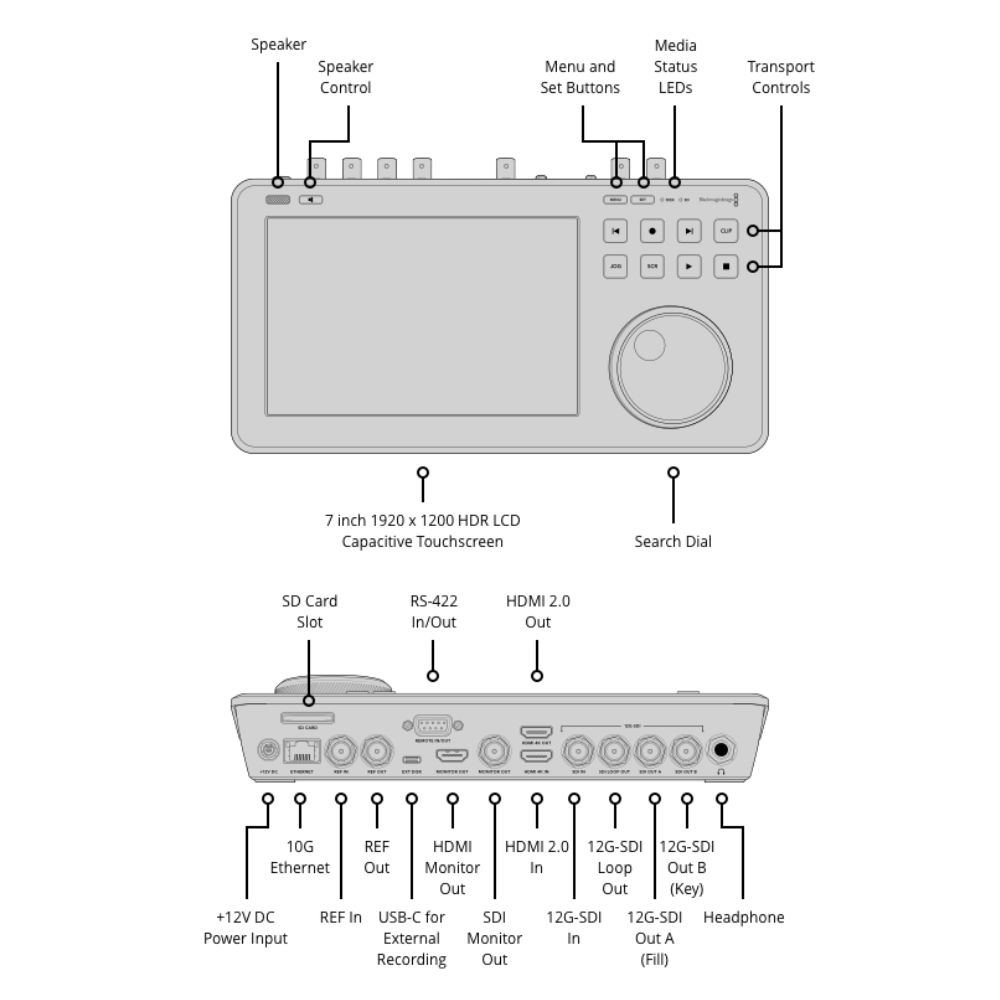
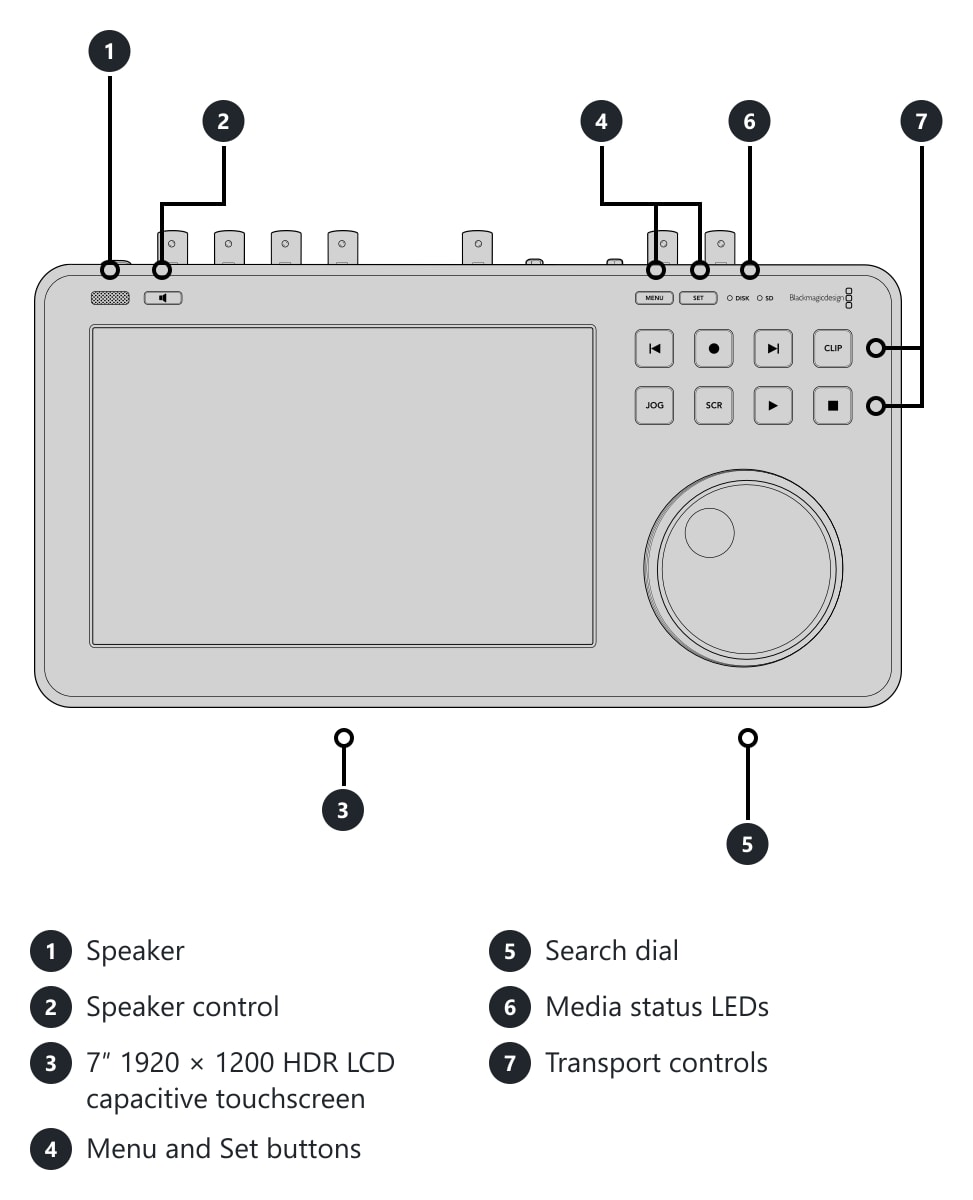
On the top there is the speaker and its control, a 7″ 1920 × 1200 HDR touchscreen, Menu and Set buttons, media status LEDs, transport controls and a search dial.
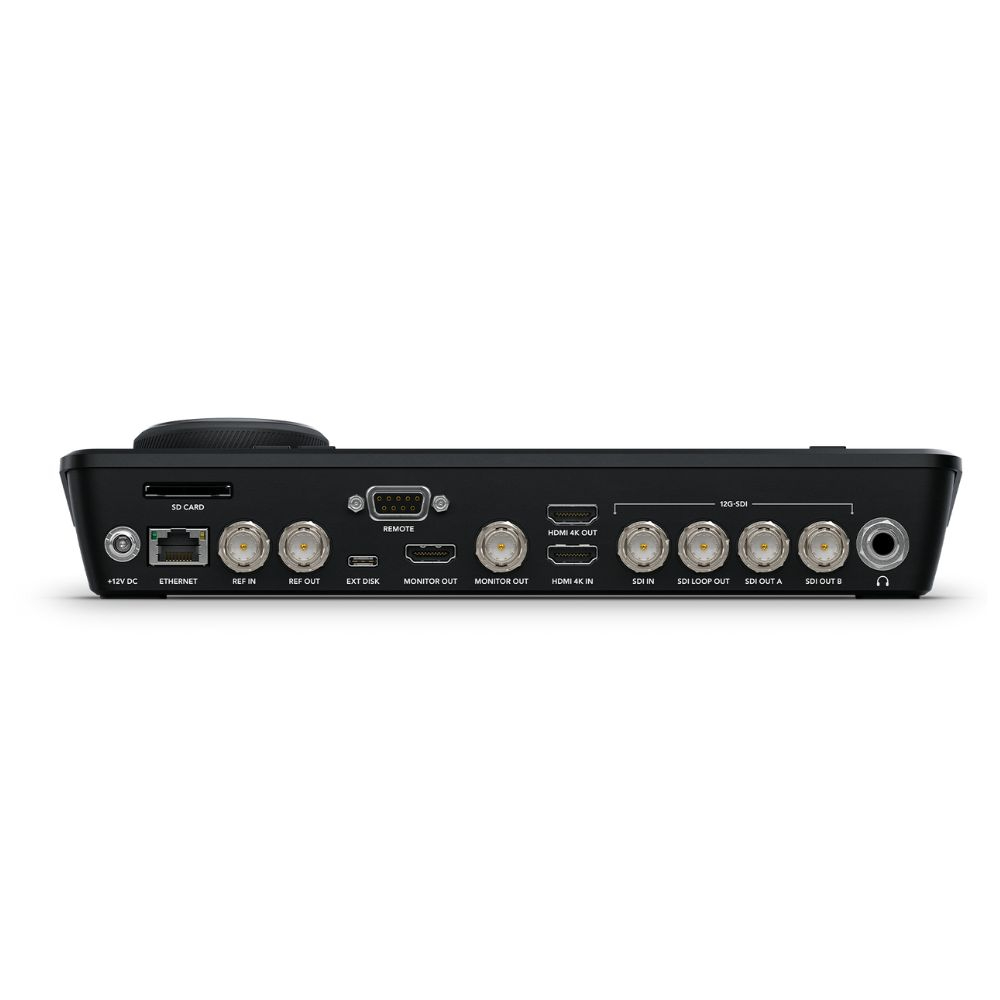
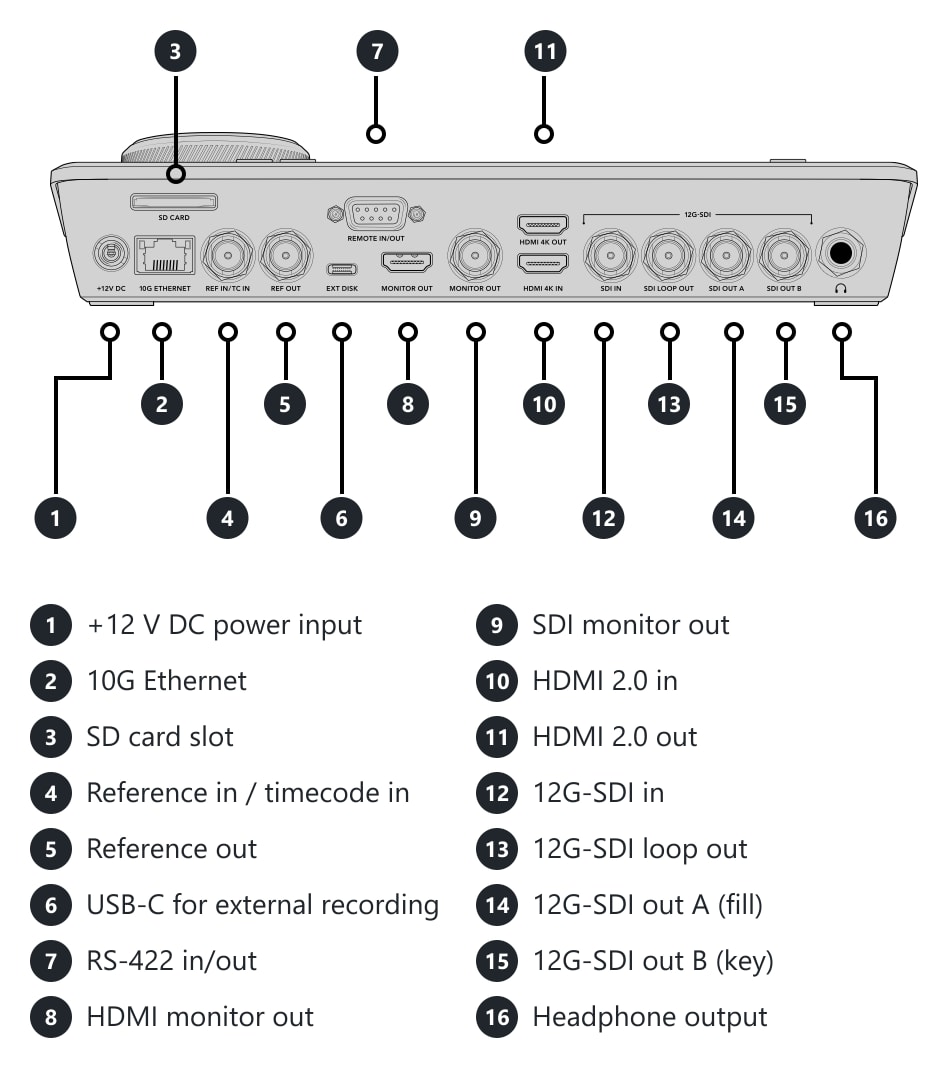
The rear has a +12 V DC power input, 10G Ethernet, SD card slot, reference/timecode input, reference output, USB-C for external recording, RS-422 in/out, HDMI and SDI monitor outputs, HDMI 2.0 in and out, 12G-SDI input and loop output, 12G-SDI outputs A (fill) and B (key) and a headphone output.
Dimensions and weight
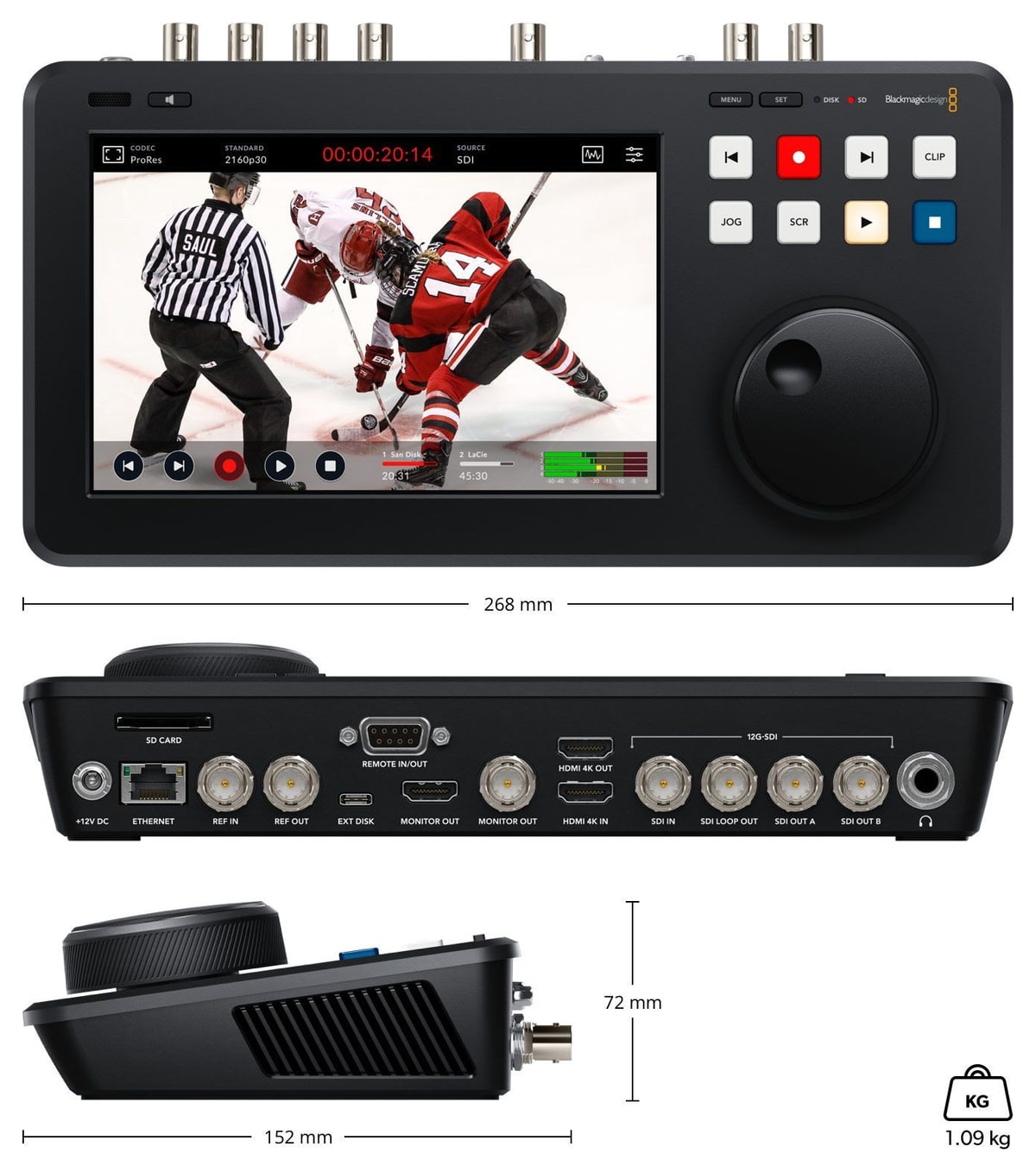
268 × 152 × 72 mm, weight 1.09 kg.
PACKAGE CONTENT
- HyperDeck Shuttle 4K Pro
- 12 V universal power supply with international socket adapters
SPECIFICATIONS
- Display: 7″ 1920 × 1200 HDR LCD capacitive touchscreen
- SDI: 1× input, 1× loop output, 2× output (A and B, fill and key), 1× monitor output 12G-SDI (270 Mb/s, 1.5G, 3G, 6G, 12G)
- HDMI: 1× input, 1× output, 1× monitor output (HDMI 2.0)
- Reference: BNC in (tri-sync, black burst and timecode), BNC out (tri-sync or black burst)
- SDI / HDMI audio: 64 channels embedded in SDI, 8 channels in HDMI; 48 kHz, 24-bit
- Audio output: built in mono speaker, 6.35 mm headphone jack
- Remote control: RS-422 in/out; HyperDeck Ethernet protocol
- Ethernet: 10 Gb/s (RJ-45, 1000/10G BASE-T)
- USB-C: USB-C 3.1 Gen 1 (5 Gb/s) for external disk recording; second USB-C for software updates
- Media: 1× SD card slot (UHS-I, UHS-II); external disk via USB-C; slot for optional M.2 PCIe NVMe card, 60/80/110 mm (up to 16 Gb/s), for cache recording; ExFAT or HFS+
- Video standards: SD (NTSC, PAL), 720p50–60, 1080i50–60, 1080p23.98–60, 1080PsF23.98–30, 2160p23.98–60, 4K DCI up to 30p
- Video codecs: ProRes HQ, 422, LT, Proxy up to 2160p60; ProRes 4444 playback up to 2160p60 (fill and key on SDI outputs A and B); DNxHD 220x, 145, 45 (also MXF) up to 1080p60; DNxHR HQX, SQ, LB (also MXF) for 2160p up to 60p; H.265 High, Medium, Low 4:2:0 10-bit for 2160p up to 60p; H.264 SDI 4:2:2 10-bit, High, Medium, Low 4:2:0 8-bit up to 1080p60
- Audio codecs: AAC 2 channels; PCM 2, 4, 8, 16, 32 or 64 channels
- Video processing: 10-bit 4:2:2; Rec. 601, Rec. 709, Rec. 2020; 33 point 3D LUT on the SDI monitor output
- HDR: HLG, PQ (ST2084)
- Scopes: waveform, RGB parade, vectorscope, histogram (10-bit); picture in picture or overlay with opacity control, standard and HDR graticules
- Control panel: capacitive touchscreen, 11 buttons, search dial
- Teleprompter: RTF and TXT files; output 23.98p to 60p
- Power: 12 V DC input (locking 5.5 mm) for external power supply or battery
- Power usage: max. 60 W
- Installation: desktop design
- Dimensions: 268 × 152 × 72 mm
- Weight: 1.09 kg
- Software: Blackmagic OS, Blackmagic HyperDeck Setup (macOS 15 Sequoia, macOS 26 Tahoe or later, Windows 11)
- Operating temperature: 0 to 40 °C
- Storage temperature: −20 to 60 °C
- Relative humidity: 0–90 % non-condensing
- Warranty: 1 year limited manufacturer warranty
ARTICLES
Parameters
![]()
Parameters
| Manufacturer: | Blackmagic Design |
| Category: | Studio recorders |
Main parameters
| Form factor | Desktop · Monitor/Recorder |
| Format/Codec | DNxHR · DNxHD · ProRes · MOV · MXF · H.265 · H.264 |
| Supported resolution | 4K DCI/24p, 25p, 30p · UHD/50p, 60p · UHD/24p, 25p, 30p · 1080/50p, 60p · 1080/24p, 25p, 30p · 1080/50i, 60i · 720/50p, 60p · 480i/576i |
| Input | HDMI · 12G SDI |
| Recording medium | SSD · SD card |
Other parameters
| Display resolution | 1920x1200px |
| Diagonal | 7" |
| Other features | Remote control · Ethernet · SDI Loop |
| Touchscreen display | Yes |
| Power supply type | Power supply |
| SDR/HDR | HDR |
Blog and news
Date: 07. 04. 2025, Category: Blackmagic Design
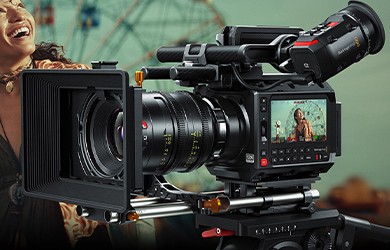
New products from Blackmagic Design!
At the NAB tradeshow, taking place this year from April 4 to 9, Blackmagic Design introduced a number of new products: Blackmagic PYXIS 12K The…
ACCESSORIES (7)
ACCESSORIES (7)
Exascend 256GB Catalyst UHS-I SDXC Memory Card
The Catalyst SDXC UHS-I memory card with V30 speed class reads at up to 180 MB/s
118 €
In stock 4 pcs
Exascend 128GB Catalyst UHS-I SDXC Memory Card
The Catalyst SDXC UHS-I memory card with V30 speed class reads at up to 180 MB/s
78 €
In stock > 5 pcs
Exascend 256GB Essential UHS-II SDXC Memory Card
The Essential SDXC UHS-II memory card with V90 speed class reads at up to 300 MB/s
569 €
In stock > 5 pcs
Infinitek L-4.5CHWS Flexible 4K UHD, 12G-SDI Cable, BNC-BNC 2m
Canare L-4.5CHWS flexible and durable 75 ohm 4,2 mm "Low Loss" koaxial SD/HD/3G/12G-SDI
19 €
To be sent > 5 pcs
RØDE HDMI Cable 1.5 m (Black)
RØDE HDMI Cable is a premium HDMI-A to HDMI-A cable with Ethernet measuring 1.5 m.
14 €
In stock 3 pcs
Exascend Explorer Portable SSD 2TB
The Exascend Explorer portable SSD with 2 TB reads and writes at up to 1 700 MB/s
679 €
In stock 1 pcs
Blackmagic Design MultiDock 10G
The Blackmagic MultiDock 10G is a 1RU rack dock for four 2.5″ SATA SSDs that you
669 €
on request
Alternative (4)
Alternative (4)
Blackmagic Design HyperDeck Studio 4K Pro
The most powerful HyperDeck Studio model records and plays H.264, H.265, ProRes and
1 819 €
In stock 2 pcs
Blackmagic Design HyperDeck Shuttle 4K Pro 2TB
HyperDeck Shuttle 4K Pro with a pre-installed 2 TB M.2 PCIe NVMe card. It combines
3 269 €
In stock 1 pcs
Blackmagic Design HyperDeck Studio HD Pro
The HyperDeck Studio HD Pro offers the same features as the HD Plus, but in a full
1 129 €
on request
Blackmagic Design HyperDeck Shuttle HD
A desktop recorder and player with a large search dial for fast clip browsing. HyperDeck
569 €
on request
News, training, and discounts from Syntex
Special offers and discounts for subscribers only · Free audio & video workshops · News and tips from the world of filmmaking
- Show all
Blackmagic Design HyperDeck Shuttle 4K Pro
An advanced 4K recorder and player with a 7″ HDR touchscreen, professional scopes,1 659 €on request