
 CZ
 SK
 HU
 AT
 DE
 ES
 SI
 HR

Nothing in the basket.

- Search
-
Login

-
0
Comparison
Add products to compare, then they will appear here and you can compare parameters.
-
0
0 €
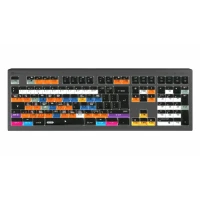
Logic Keyboard Blender 3D PC Nero Line UK


SKU: LKB-BLEN-BJPU-UK
Slimline Logickeyboard designed for Blender. Made for Windows PC. This Logickeyboard is your number one choice when editing in Blender. The shortcut commands labeled on the keys, and their color-coded definitions makes you a Master of controlling Blender in no time. The Logickeyboard is ideal for 3D modeling studios, professional graphics environments, and…
Promotion: -15% ends in: 17d: 16h: 24m
157.18 €
133.44 € with VAT
110.28 € without VAT
Personal pickup within 90 minutes
Shipment day: Today
Shipment day: Today
In stock 1 pcs
Praha 1 pcs
Praha 1 pcs
Top accessories for Logic Keyboard Blender 3D PC Nero Line UK
Logic Keyboard Clear Silicone Skin PC /ALBA

Promotion: -20% ends in: 17d: 16h: 46m
The clear LogicSkin is a silicone keyboard cover that protects the keys without changing
19.28 €
24.08 €
In stock 1 pcs
Logickeyboard LogicLight v2 Black, Retail Pack
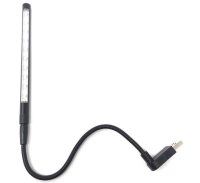
The Logickeyboard LogicLight v2 Lamp (Black) is an LED keyboard lamp designed to
36 €
3-5 days
USB C to A adaptor
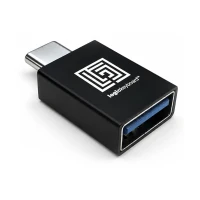
The Logickeyboard USB 3.0 Type-C to USB 3.0 Type-A Adapter is a compact and durable
6 €
3-5 days
Product description
SPECIFICATIONS
PACKAGE CONTENT
Product description
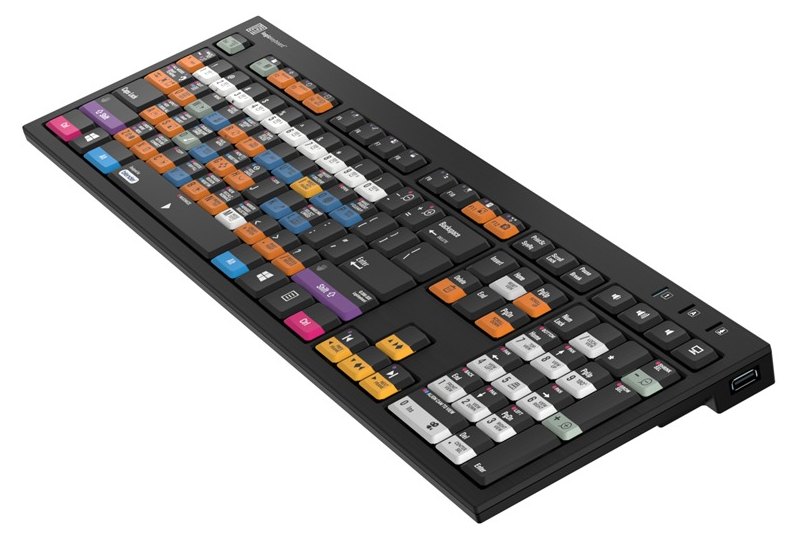
Slimline Logickeyboard designed for Blender. Made for Windows PC. This Logickeyboard is your number one choice when editing in Blender. The shortcut commands labeled on the keys, and their color-coded definitions makes you a Master of controlling Blender in no time. The Logickeyboard is ideal for 3D modeling studios, professional graphics environments, and everyone else working diligently with Blender.
The Logickeyboard NERO Slimline for Blender (Windows) has the program's shortcuts printed right on the keys, with colour-coded definitions. It is ideal for 3D modelling studios, professional graphics environments and everyone who works in the software every day. NERO Slimline is a slim USB keyboard with two built-in USB hubs and flip-out feet.
Every shortcut in sight
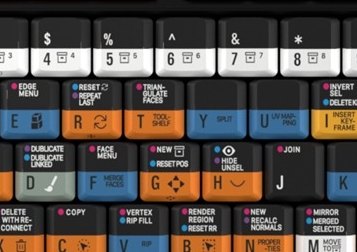
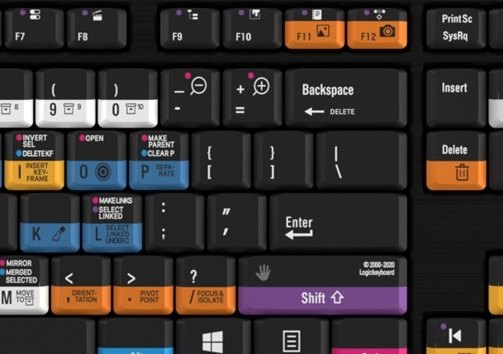
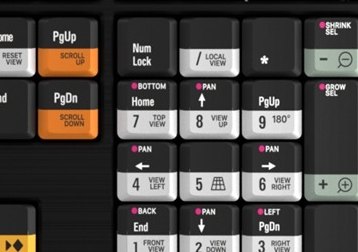
Colour-coded, labelled keys show 140+ shortcuts for Blender. No more hunting through menus or memorising commands.
140+ shortcuts2× USB 2.0 hubFlip-out feetScissor switchesWindows 10/11
Why a shortcut keyboard?
Skip the time-consuming menu navigation and stop memorising commands. Every shortcut you need is right at your fingertips – more productivity, more time for creativity.
Two built-in USB hubs
Connect peripherals such as a jog/shuttle wheel or the LogicLight lamp for dim environments to the two USB 2.0 High-Speed ports.
Comfortable typing angle
With the feet flipped out the keyboard sits at 8.5°, without them at 4.5°. Scissor switches give superior tactile feedback.
Less clicking, more creating
With the Blender shortcuts on the keys you master the program in no time – whether you are just starting out or have used it for years.
Built to last
Designed for reliability and longevity in everyday professional use.
3 LED indicators
Num Lock, Caps Lock and Scroll Lock.
Dimensions
446 × 141 × 23 mm, 840 g, black chassis.
Plug-and-play
Works without drivers – Windows 10/11 (plug-and-play).
Blender shortcut layout. Key colours group related commands, and icons with labels show what each shortcut does.
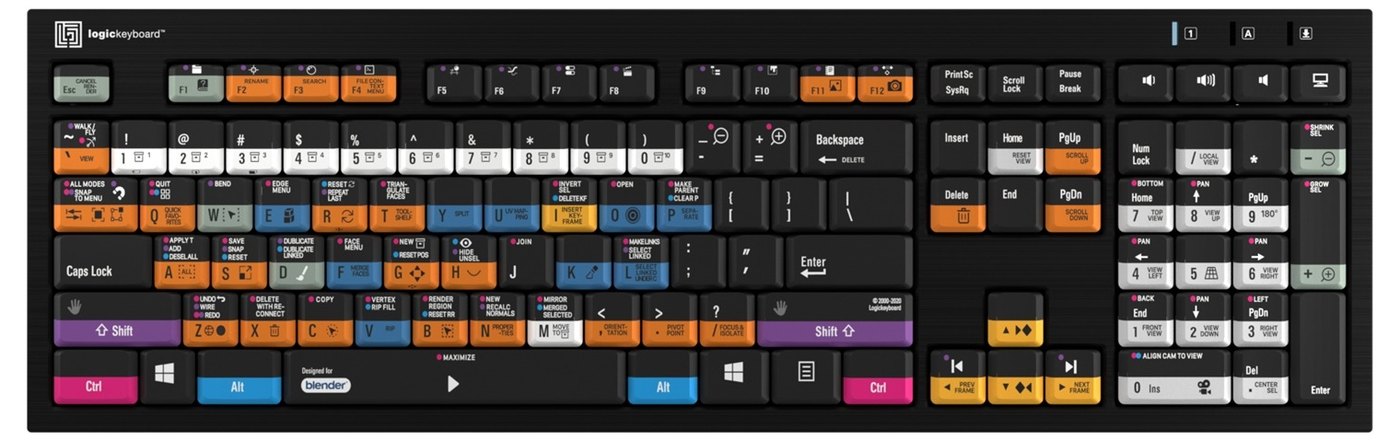
Do you know all the shortcuts? Find the Blender cheat sheet (PDF) from the manufacturer.
PACKAGE CONTENT
- Logickeyboard NERO Slimline keyboard
- product and warranty information
SPECIFICATIONS
- Brand: Logickeyboard
- Model: Blender 3D NERO Slimline Keyboard – Windows
- Manufacturer code: LKB-BLEN-BJPU-UK
- Key layout: British English (UK, ISO)
- Designed for: Blender
- Shortcuts: 140+ intuitive shortcuts
- USB hub: 2× built-in USB 2.0 High-Speed
- Connection: USB wired
- Keys: scissor switches with superior tactile feedback
- Number of keys: 109 (ISO)
- Typing angle: 8.5° with flip-out feet, 4.5° without
- Dimensions: 446 × 141 × 23 mm
- Net weight: 840 g
- LED indicators: 3 – Num Lock, Caps Lock and Scroll Lock
- Build: high quality, robustly built for professional use
- Chassis colour: black
- Compatibility: Windows 10/11 (plug-and-play)
Parameters
Parameters
| Manufacturer: | LogicKeyboard |
| Category: | Drivers for software |
Main parameters
| Operating system | Windows |
Other parameters
| Compatibility | Blender |
ACCESSORIES (3)
ACCESSORIES (3)
Logic Keyboard Clear Silicone Skin PC /ALBA
Promotion: -20% ends in: 17d: 16h: 46m
The clear LogicSkin is a silicone keyboard cover that protects the keys without changing
19.28 €
24.08 €
In stock 1 pcs
Logickeyboard LogicLight v2 Black, Retail Pack
The Logickeyboard LogicLight v2 Lamp (Black) is an LED keyboard lamp designed to
36 €
3-5 days
USB C to A adaptor
The Logickeyboard USB 3.0 Type-C to USB 3.0 Type-A Adapter is a compact and durable
6 €
3-5 days
Alternative (2)
Alternative (2)
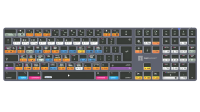
Logic Keyboard Blender 3D TITAN MAC UK
This Logickeyboard is your number one choice when editing in Blender. The shortcut
169 €
on request
Logickeyboard Blender 3D ASTRA 2 MAC UK
The Logickeyboard Blender 3D ASTRA 2 Mac UK is a professional backlit keyboard designed
169 €
3-5 days
News, training, and discounts from Syntex
Special offers and discounts for subscribers only · Free audio & video workshops · News and tips from the world of filmmaking
- Show all
Logic Keyboard Blender 3D PC Nero Line UK
Promotion: -15% ends in: 17d: 16h: 34mSlimline Logickeyboard designed for Blender. Made for Windows PC. This Logickeyboard133.44 €157.18 €In stock 1 pcs
Logic Keyboard Adobe Filmmaker Pr+Ae Astra 2 MAC UK
Backlit Logickeyboard designed for Premiere Pro and After Effects. Made for Mac.169 €3-5 days
Logickeyboard Crystal Clear Skin Apple Full Size ISO
The Logickeyboard Crystal Clear Skin Apple Full Size ISO is an ultra-thin, transparent24 €3-5 days
Logic Keyboard Avid Media Composer Pro TITAN MAC UK
This Logickeyboard is your number one choice when editing in Avid Media Composer.169 €on request
Logickeyboard Reaper Mac ASTRA 2 Keyboard UK
The Logickeyboard Reaper - Mac ASTRA 2 Backlit Keyboard - UK English is a professional169 €3-5 days
Logic Keyboard FL Studio TITAN MAC UK
This Logickeyboard is your number one choice when editing in FL Studio. The shortcut169 €on request
Logic Keyboard Avid Media Composer MacB.Pro skin UK
LogicSkin Silicone Cover Compatible with Avid Media Composer 4-8 MacBook Touch Bar42 €No longer available
Logic Keyboard Maxon Cinema 4D TITAN MAC UK
This Logickeyboard is your number one choice when editing in Cinema 4D. The shortcut169 €on request