
 CZ
CZ SK
SK HU
HU AT
AT DE
DE ES
ES SI
SI HR
HR
Nothing in the basket.

- Search
-
Login

-
0
Comparison
Add products to compare, then they will appear here and you can compare parameters.
-
0
0 €
Datavideo WR-100 remote control for teleprompter
SKU: PNDATWR100
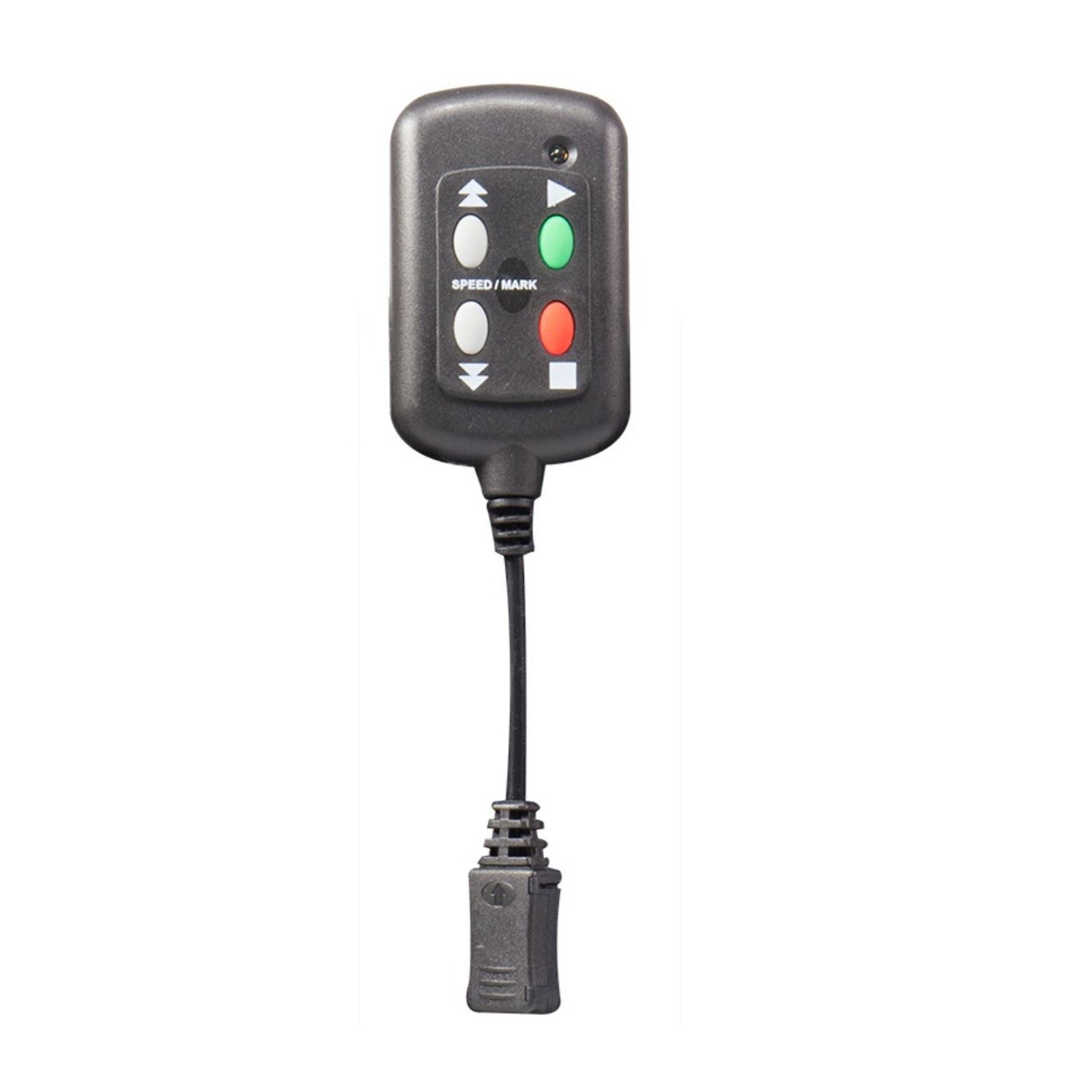
The Datavideo WR-100 is a wired remote for controlling text in the DV Prompter app on a phone or tablet. Press the green button to start or pause script scrolling, the red button to stop it, and the arrow buttons to change reading speed.
20 € with VAT
16.53 € without VAT
Availability
Shipment day: 27. 10.
Shipment day: 27. 10.
To be sent 1 pcs
Bratislava 1 pcs
Bratislava 1 pcs
Top accessories for Datavideo WR-100 remote control for teleprompter
Datavideo WR-150 wired teleprompter remote
Promotion: -60%
The Datavideo WR-150 is a wired remote for the DV Prompter app, letting a presenter
38.57 €
96.5 €
In stock 1 pcs
Product description
SPECIFICATIONS
PACKAGE CONTENT
Product description
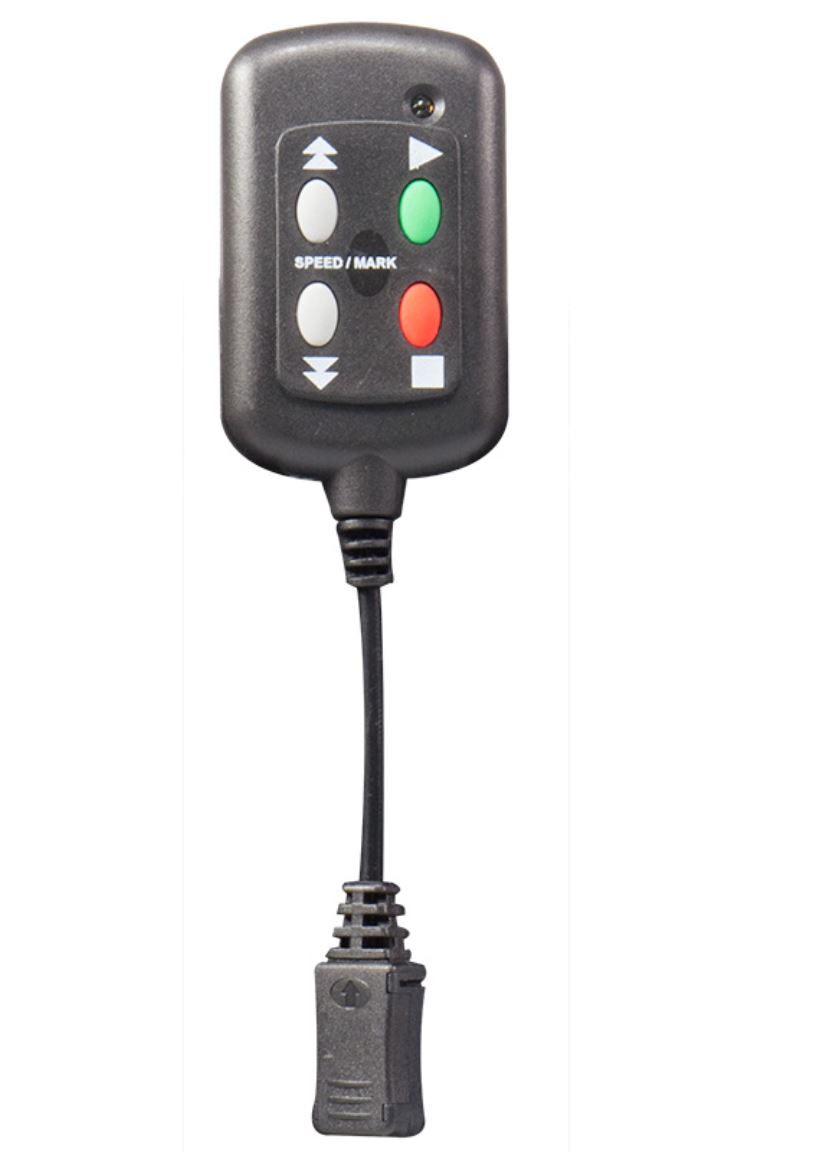
The Datavideo WR-100 is a wired remote for controlling text in the DV Prompter app on a phone or tablet. Press the green button to start or pause script scrolling, the red button to stop it, and the arrow buttons to change reading speed.
Connect the remote to the device’s headset socket and select Wired mode in the app. It is suitable for Android and iOS devices that run the DV Prompter app and accept microphone input through the headset connection. With scrolling paused, the arrow buttons can move between break markers inserted in the script.
WIRED SCRIPT CONTROL
Control text scrolling from the remote
The WR-100 lets a presenter start, pause or stop a script and adjust scrolling speed without touching a phone or tablet. Keep the device mounted in the teleprompter while the controls stay within reach.
Start, pause and stop
The green button starts or pauses script scrolling. The red button stops the scroll and returns control to the app. Use the arrows to increase or decrease scrolling speed.
Navigate with break markers
Break markers inserted in the script let you jump to another section. Pause scrolling, then use the arrows to move quickly forward or back. In DV Prompter, select Wired mode and open the script before use.
Wired connection
Connect the remote to the phone or tablet’s headset socket. The device must support microphone input through that connection and run the DV Prompter app. The WR-100 does not use Bluetooth.
Phone or tablet teleprompter
The compact remote is designed for compatible Android and iOS devices. Datavideo TP-100, TP-300, TP-500 and TP-600 teleprompter kits are supported; phone or tablet compatibility also depends on app availability and the audio input.
PACKAGE CONTENT
- 1× Datavideo WR-100 wired remote with attached cable and headset plug
SPECIFICATIONS
- Type: wired teleprompter remote
- Compatible app: Datavideo DV Prompter
- Connection: headset socket with microphone input
- Controls: start/pause, stop, scrolling speed up/down, break markers
- Compatible platforms: Android and iOS with microphone input through the headset socket
- Compatible teleprompter kits: Datavideo TP-100 / TP-300 / TP-500 / TP-600
- Wireless connection: no Bluetooth
ACCESSORIES (1)
ACCESSORIES (1)
Datavideo WR-150 wired teleprompter remote
Promotion: -60%
The Datavideo WR-150 is a wired remote for the DV Prompter app, letting a presenter
38.57 €
96.5 €
In stock 1 pcs
Alternative (2)
Alternative (2)
Datavideo WR-500 Bluetooth Teleprompter Remote Control
The Datavideo WR-500 remote controls scripts in the dvPrompter Plus app. Start or
200 €
To be sent 3 pcs
Datavideo WR-150 wired teleprompter remote
Promotion: -60%
The Datavideo WR-150 is a wired remote for the DV Prompter app, letting a presenter
38.57 €
96.5 €
In stock 1 pcs
News, training, and discounts from Syntex
Special offers and discounts for subscribers only · Free audio & video workshops · News and tips from the world of filmmaking
- Show all
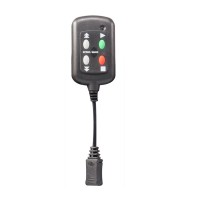
Datavideo WR-100 remote control for teleprompter
The Datavideo WR-100 is a wired remote for controlling text in the DV Prompter app20 €To be sent 1 pcs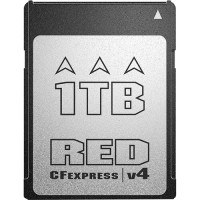
RED Pro CFexpress v4 Type B 1TB Memory Card
The RED PRO CFexpress v4 Type B memory card from RED DIGITAL CINEMA has a capacity529 €No longer available
DJI Care Refresh 1-Year Plan (DJI Mini 4 Pro) EU
The DJI Care Refresh 1-Year Plan for DJI Mini 4 Pro (EU) provides comprehensive protection89 €on request