
 CZ
CZ SK
SK HU
HU AT
AT DE
DE ES
ES SI
SI HR
HR
Nothing in the basket.

- Search
-
Login

-
0
Comparison
Add products to compare, then they will appear here and you can compare parameters.
-
0
0 €
News
Blackmagic Desktop Video 10.4 software includes everything you need to set up your DeckLink, UltraStudio, Intensity and H.264 Pro Recorder for video capture and playback. New version 10.4 adds many new and improved features, including:
– Support for output of 2160p60 via Dual Link 6G-SDI on DeckLink 4K Extreme and UltraStudio 4K.
– Support for output of 2160p60 via HDMI on DeckLink 4K Extreme and UltraStudio 4K.
– Support for 2K DCI 12-bit RGB 4:4:4 on DeckLink 4K Extreme and UltraStudio 4K.
– Support for SDI Level A on all 4K Desktop Video products.
– New Blackmagic Desktop Video utility with dynamic realtime display of video standards on input and output.
– New Media Express that automatically detects video input and creates a project based on that standard.
– Fix for bug where SDI embedded audio is sometimes not printed to tape on certain decks.
– Fix for bug in SD keying on DeckLink Studio 4K.
– General performance and stability improvements for all models.
Date: 02. 04. 2015,
Category: News
FULL ARTICLE
Blackmagic Design released new DaVinci Resolve update! Version 11.3 of the popular color grading software adds:
– ARRI Alexa 65 support
– Sony XAVC Intra encoding (Full version only)
– Panasonic V35 IDT included for ACES workflows
– Support for ACES v1.0
– Support for Avid Media Composer 8.3.1 DNxHR MXF files
– General performance and stability improvements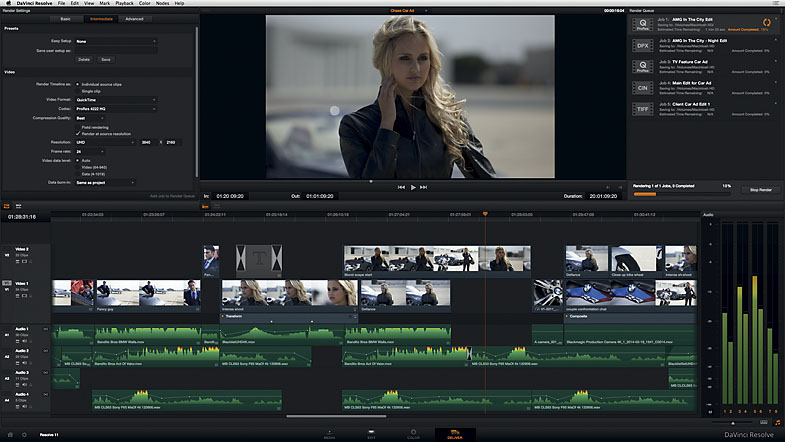
Date: 30. 03. 2015,
Category: News
FULL ARTICLE
Press Release
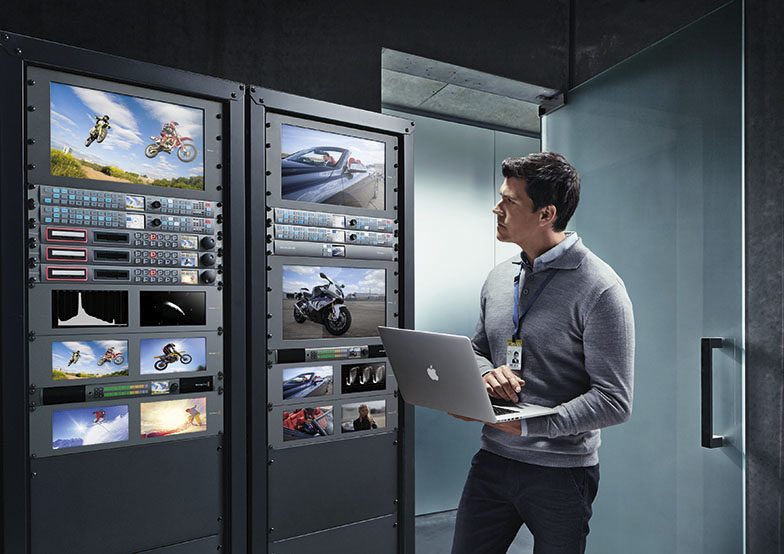
Teranex Express now includes 1089 standards conversions to any SD, HD and Ultra HD format!
Blackmagic Design announced the immediate availability of Teranex 3.2 Update which provides a major update to Teranex Express by adding full motion standards conversions for a total of 1089 real time SD, HD and Ultra HD format conversions. With this new software update and Teranex Express's 12G-SDI technology, now customers can convert between any SD, HD and Ultra HD video format all the way up to 2160p60.
Teranex 3.2 Update is available for download now, free of charge from the Blackmagic Design website.
The new Teranex 3.2 Update provides a massive increase to the number of conversions available on Teranex Express. After installing this update, Teranex Express customers see an additional 862 conversions that include new format and frame rate conversions along with 3:2 pull down detection and removal, all with the legendary Teranex image quality that broadcasters have mandated for years. Customers can now convert virtually any video format into any other video format in real time.
With this new update, Teranex Express solves any conversion needed. SD masters can be up converted to HD, frame rate converted and 2:3 pulldown can be removed all in one step. Cadence can be automatically detected and removed, even from edited content so Teranex Express is now the perfect solution for turning older standard definition broadcast masters into high definition online content for modern internet distribution.
Teranex Express is also the perfect production solution for bridging the HD and Ultra HD worlds, because it supports advanced 12G-SDI technology that’s multi rate so the 12G-SDI connections will switch between all SD SDI, HD-SDI, 3G-SDI, 6G-SDI and 12G-SDI automatically depending on the conversion selected. This means customers can move 720p or 1080p sources to Ultra HD in real time.
Teranex Express is also the perfect product for broadcasters who are interested in moving to high frame rate Ultra HD workflows and who need to bridge between frame rates. Teranex Express easily handles converting a 6G-SDI 2160p30 format video feed to 12G-SDI 2160p60 video feed in real time. In this example, Teranex Express could also up convert from any SD or HD format all the way to 2160p60 in one operation allowing high frame rate Ultra HD systems to take a video feed, completely independent of the source format.
The frame rate conversion and image scaling uses the same advanced patented Teranex algorithms as other Teranex models, giving customers visually transparent conversions between formats. That means customers get extremely high quality de-interlacing, up conversion, down conversion, SD, HD and Ultra HD cross and standards conversions, automatic 3:2 pull down detection and removal, adjustable scaling, aspect ratio conversion, timecode, ancillary data, multi-channel audio and more.
“When Blackmagic Design introduced Teranex Express at NAB 2014 it delivered 178 different real time up and down conversions, which combined with the worlds first 12G-SDI made it a great product,” said Grant Petty, CEO, Blackmagic Design. “However we had secret plans to make Teranex Express much more powerful simply by doing software updates in the future. This new Teranex 3.2 update has lots of extra conversions so now any video format can be converted to any other video format with a massive 1089 SD, HD and Ultra HD standards conversions. It’s like getting a whole new converter for free, just by downloading the new software!”
Availability and Price
Teranex Update 3.2 is available now for download from the Blackmagic Design website free of charge for all Teranex Express customers.
Press Photography
Product photos of the Teranex Express, and all other Blackmagic Design products, are available at www.blackmagicdesign.com/press/images.
About Blackmagic Design
Blackmagic Design creates the world’s highest quality video editing products, digital film cameras, color correctors, video converters, video monitoring, routers, live production switchers, disk recorders, waveform monitors and real time film scanners for the feature film, post production and television broadcast industries. Blackmagic Design’s DeckLink capture cards launched a revolution in quality and affordability in post production, while the company’s Emmy™ award winning DaVinci color correction products have dominated the television and film industry since 1984. Blackmagic Design continues ground breaking innovations including 6G-SDI and 12G-SDI products and stereoscopic 3D and Ultra HD workflows. Founded by world leading post production editors and engineers, Blackmagic Design has offices in the USA, UK, Japan, Singapore and Australia. For more information, please go to www.blackmagicdesign.com.
Date: 27. 03. 2015,
Category: News
FULL ARTICLE
DaVinci Resolve Used to Grade Terrence Malick’s ‘Knight of Cups’ by Modern VideoFilm – Press Release
Press Release
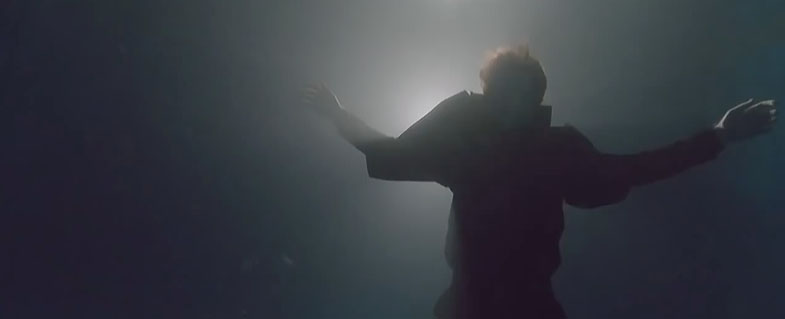
Blackmagic Design announced that DaVinci Resolve was used by Modern VideoFilm colorist Bryan McMahan to grade Director Terrence Malick’s new film, “Knight of Cups.” The film premiered at the 2015 Berlin Film Festival in February and is the fourth collaboration between McMahan and Malick.
Starring Christian Bale, Natalie Portman and Cate Blanchett, the film foll4ows Bale’s character Rick, a screenwriter living in Los Angeles, as he tries to make sense of the strange events happening around him. For “Knight of Cups,” McMahan was tasked with color from dailies to the final DI.
“With the dailies, we wanted to set the look early on, which was then finessed during the final DI,” said McMahan. “Terrence wanted a ‘no look’ look, so nothing processed and nothing warm or cold. He wanted it really natural, like looking through a window. Creating a natural look is often harder to do than creating a specific look, which can be more forgiving.”
McMahan used DaVinci Resolve’s Custom Curves and soft clipping to help deliver a natural look and balance exposure.
“There were a lot of exposure changes throughout scenes, such as shots into the sun or scenes that followed the characters as they walked outside and back inside again,” explained McMahan. “DaVinci Resolve helped me balance out exposure between interior and exterior shots, as well as between the DP’s exposure changes versus the ones I was making. The Custom Curves allowed me to change the slope on dynamics, which made it easier to adjust the curve of the changes within a shot to match closer to what the camera was doing and the way it was shot.”
In addition to unifying exposure, McMahan also found DaVinci Resolve helpful when it came to unifying the different camera formats used to shoot the film. “The film was shot with all different mediums and cameras, so I used DaVinci Resolve to go into the EDL in clip mode and batch the different camera formats together. It was very helpful to jump to DaVinci Resolve’s edit page and be able to group the same type of footage together and give each a size and color.
McMahan concluded, “I love DaVinci Resolve’s node based functions and its multitude of tools. I can separate the RGB channels, focus on enhancements and even get as specific as tweaking certain areas of certain colors. I always look forward to learning new features and ways to do things with DaVinci Resolve.”
Press Photography
Product photos of DaVinci Resolve and all other Blackmagic Design products are available at www.blackmagicdesign.com/press/images.
About Blackmagic Design
Blackmagic Design creates the world’s highest quality video editing products, digital film cameras, color correctors, video converters, video monitoring, routers, live production switchers, disk recorders, waveform monitors and real time film scanners for the feature film, post production and television broadcast industries. Blackmagic Design’s DeckLink capture cards launched a revolution in quality and affordability in post production, while the company’s Emmy™ award winning DaVinci color correction products have dominated the television and film industry since 1984. Blackmagic Design continues ground breaking innovations including 6G-SDI and 12G-SDI products and stereoscopic 3D and Ultra HD workflows. Founded by world leading post production editors and engineers, Blackmagic Design has offices in the USA, UK, Japan, Singapore and Australia. For more information, please go to www.blackmagicdesign.com.
Date: 24. 03. 2015,
Category: News
FULL ARTICLE
Rentex, one of Ametica's largest, most established wholesale providers of audiovisual & production rental equipment, has recently increased its supply of Panasonic AK-HC3800 HD studio cameras to 20 units. Rentex is a longtime leader in the cross-rental market, supplying many of the nation's largest companies, trade shows, meetings and events with complete computer and audio visual rentals and services. Rentex handles a range of Panasonic professional video products that also includes multiple AV-HS450N HD switchers, AW-HE60S HD pan/tilt/zoom cameras and AG-AC160 AVCCAM camcorders.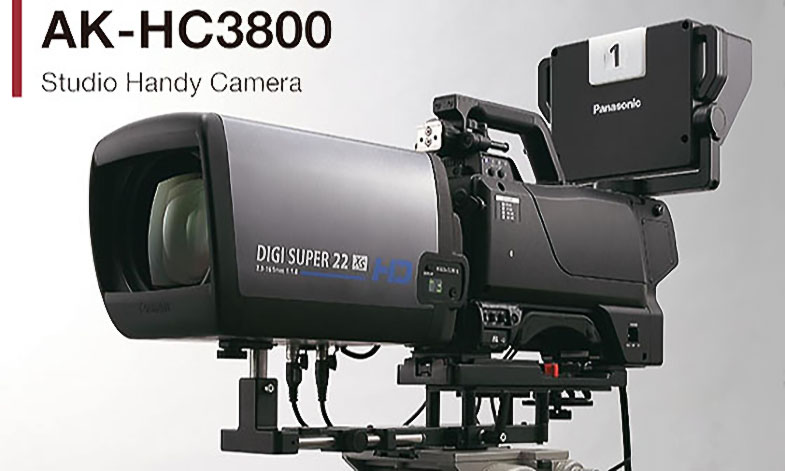
Date: 20. 03. 2015,
Category: News
FULL ARTICLE