
 CZ
CZ SK
SK HU
HU AT
AT DE
DE ES
ES SI
SI HR
HR
Nothing in the basket.

- Search
-
Login

-
0
Comparison
Add products to compare, then they will appear here and you can compare parameters.
-
0
0 €
News
Steinberg announced the availability of the 8.5.10 maintenance update for Cubase Pro 8.5 and Cubase Artist 8.5. It features improved Hover Control design and operation and resolves several issues in different areas of the applications (downloads). Steinberg also released a teaser video for the upcoming WaveLab 9.0, on YouTube. WaveLab 9.0 will be released this Spring.
Date: 16. 02. 2016,
Category: News
FULL ARTICLE
Press Release
Blackmagic Design announced the Sundance hit film “The 4th” was shot using a Blackmagic Pocket Cinema Camera and Blackmagic Cinema Camera EF, and was graded with DaVinci Resolve 12 Studio. The film by director and writer Andre Hyland was shot by DPs Shane Bruce Johnston and Charles J. Gibson and color graded by Mark Todd Osborne at MTO ColorData.
“The 4th” is a comedy that tells the story of a slacker named Jamie who tries to make his way through the Fourth of July while dealing with chain of bad luck and escalating situations. It’s the first full length film by Hyland, who won Sundance acclaim for his 2014 short film “Funnel.” Also starring Hyland, the film explores how a chance encounter can completely change a day’s course of events through the lens of a slacker comedy.
For Johnston and Gibson, the film’s improvisational humor and run and gun style called for a two camera approach, using Blackmagic Design’s Pocket Cinema Camera and Blackmagic Cinema Camera EF. With the cameras, the DPs were able to easily shoot on the go using handheld rigs.
“When we were evaluating gear for the film, it was crucially important that we selected cameras that could produce cinematic images while also being compact enough for guerrilla style shooting,” said Johnston. “With the Blackmagic Design cameras, we achieved our goal of producing an indie film with cinematic moments.”
With Jamie’s journey taking him throughout Los Angeles, the film was shot in a variety of locations, including dark streets and packed cars. The Blackmagic Design cameras allowed Johnston and Gibson to capture the shots they needed, even when they didn’t have a lot of light or were in cramped quarters.
“Both of the cameras worked very well in low light, so we didn’t need to worry about a lighting setup,” said Gibson. “This was especially helpful when we were on sidewalks just working under the streetlights.“
“The Pocket Cinema Camera’s size also came in handy during shoots in the car. Even when there were four actors packed in we were able to use the camera’s flexibility to our advantage and get the shots we needed,” continued Johnston. “For the film’s establishing shot, I was perched about 40 feet up in the air and had to capture a long sequence of Hyland walking toward me from down the street. The shot was a continuous take for more than five minutes and there’s no way I could have pulled it off with a bulkier camera.”
Blackmagic Design’s solutions also helped on the post production side, with Osborne using DaVinci Resolve 12 Studio for the film’s color grading.
“‘The 4th’ was shot in a relatively short period of time so the challenge was to keep all of the scenes balanced and natural looking,” said Osborne. “It’s a slice of life piece so it just needed strong, rich colors and nice skin tones. With DaVinci Resolve 12 Studio, I was able to accomplish the needed balance and look that the film called for.”
Press Photography
Product photos of Pocket Cinema Camera, Cinema Camera and DaVinci Resolve 12 Studio are available at www.blackmagicdesign.com/press/images.
About Blackmagic Design
Blackmagic Design creates the world’s highest quality video editing products, digital film cameras, color correctors, video converters, video monitoring, routers, live production switchers, disk recorders, waveform monitors and real time film scanners for the feature film, post production and television broadcast industries. Blackmagic Design’s DeckLink capture cards launched a revolution in quality and affordability in post production, while the company’s Emmy™ award winning DaVinci color correction products have dominated the television and film industry since 1984. Blackmagic Design continues ground breaking innovations including 6G-SDI and 12G-SDI products and stereoscopic 3D and Ultra HD workflows. Founded by world leading post production editors and engineers, Blackmagic Design has offices in the USA, UK, Japan, Singapore and Australia. For more information, please go to www.blackmagicdesign.com.
Date: 15. 02. 2016,
Category: News
FULL ARTICLE
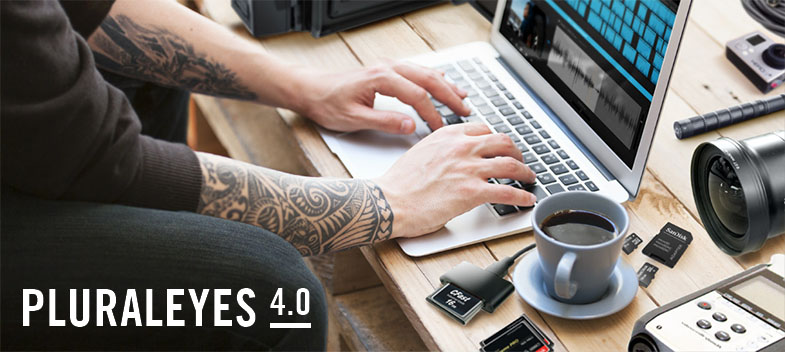
The all new PluralEyes 4.0 includes:
- A new, effortless user experience, with more automation than ever before.
- Instant feedback that lets you know how your sync is going, and includes messages and color coding to indicate any issues.
- The ability to sync with PluralEyes directly in Adobe Premiere Pro, without ever leaving.
- Drag and drop an entire folder of media into PluralEyes, and during a sync it will automatically detect which device the media came from. (Smart Start)
- Automatic Drift Correction, which fixes the mismatch of sound and video in long clips.
- Vertical Track Scaling that allows you to see more detail in your audio waveforms
- Track Comparisons that make it easy to verify your sync
- Keyboard Shortcuts for playback and navigation, based on Premiere Pro’s shortcuts
- Color Coding of clips when exported to Premiere Pro, so that you know what clips need attention.
- Integration with Red Giant Offload (also in Red Giant Shooter Suite)
Date: 12. 02. 2016,
Category: News
FULL ARTICLE
Panasonic unveiled the VariCam LT, representing the next generation of 4K cinema cameras. The VariCam LT camcorder inherits the same Super 35mm sensor and superb imaging capabilities that distinguish the award-winning VariCam 35, but with significant reductions in size, weight and price.
Incorporating this identical imaging “DNA” in a more compact rendition, the VariCam LT (model AU-V35LT1G) delivers 14+ stops of dynamic range with V-Log, and the esteemed cinematic VariCam image quality and color science, as well as the VariCam 35's breakout innovation, dual native ISOs of 800/5000.
Weighing just under six pounds and having superior capability to similar sized cameras, the VariCam LT will be the ideal camera for handheld, SteadiCam, jib, crane, drone, gimbal and overall cinema verité work. The VariCam LT is likewise tailor-made for owner/operators, independent filmmakers, documentary makers and corporate production creators.
The VariCam LT delivers superb image handling in multiple formats ranging from 4K, UHD, 2K and HD, and like the VariCam 35, is fully capable of High Dynamic Range (HDR) field capture. The new 4K camcorder offers Apple ProRes 4444 (up to 30p) and ProRes 422 HQ (up to 60p) support for HD recording, as well as Panasonic’s AVC-ULTRA family of advanced video codecs.
New codecs introduced in the VariCam LT include AVC-Intra LT and AVC-Intra 2K-LT, both designed to offer capture rates up to 240fps in imager crop mode, ideal for sports and other fast motion footage.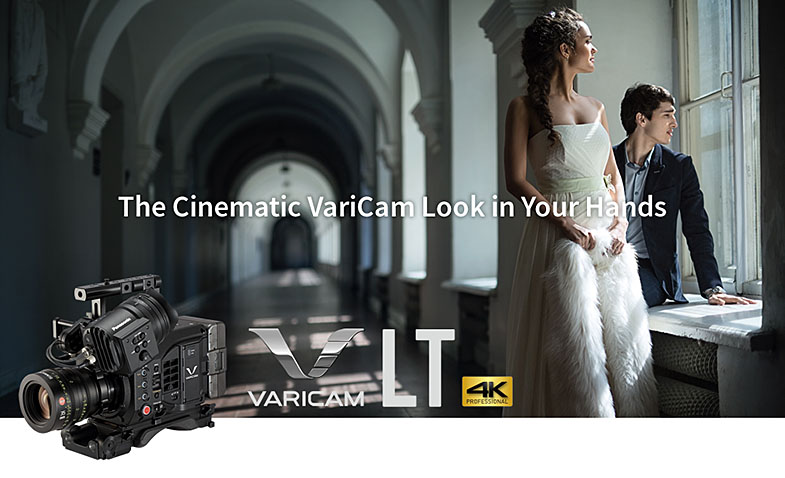
Powerful color management capabilities combined with VariCam’s extended color gamut and support for the Academy Color Encoding System (ACES) workflow allow for full fidelity mastering of original source material. The VariCam LT offers in-camera color grading, with the ability to record an ungraded 4K master along with all on-set grading metadata. A new color processing feature is “V-LOOK,” which acts as a blend of V-Log and video, and allows filmic documentary acquisition without the same need for intense color grading.
The VariCam LT differs from the VariCam 35 in being a one-piece, short-bodied camcorder vs. a two-piece camera head plus recorder. While the VariCam LT does not feature parallel sub-recording, it does have an SD slot for high-resolution proxy recording. Proxy files can be wirelessly uploaded via FTP, which facilitates wireless color grading. Variable frame rates are available with LongG6 recording. There is one expressP2 card for all formats including high frame rate and HD/2K/UHD and 4K recording (the 256GB expressP2 card can record up to 90 minutes of 4K/4:2:2/23.98p content). RAW output from SDI is planned to be supported by a firmware upgrade in early summer 2016.
The VariCam LT features an EF mount (vs. the VariCam 35's PL mount), suitable for the wide array of lenses available for smaller cameras. The EF mount can be switched out to a robust standard PL mount, expanding the range of compatible lenses that can be used. The control panel can be separated from the camera body to facilitate real-time control and easy menu access. The camcorder has a production-tough magnesium body to assure durability and reliability in challenging shooting locations.
Other features new to the VariCam LT are power hot swap, IR shooting (further enhancing the camcorder's extreme low-light capture at ISO 5000), 23.98 PsF output, and image presets as scene files. Among the camcorder's top-level production assets are ND filters (CLEAR, 0.6, 1.2, 1.8), an optional OLED electronic viewfinder (EVF) with optical zoom functionality, 24-bit LPCM audio for in-camera audio master recording, Focus Assist, anamorphic lens de-squeeze, special REC functions (PreRec, interval, one-shot), IP control via Panasonic's AK-HRP200 camera remote controller, and built-in GPS.
Professional interfaces include: 3G-HD-SDI x 3 (SDI-OUT X 2 and VF), LAN, genlock in, timecode in/out, USB2.0 Host and USB2.0 Device (mini B), and three XLR inputs (one 5-pin, two 3-pin) to record four channels of 24-bit, 48KHz audio. In addition, its flexible interfaces allow use of the Panasonic AU-VCVF10G viewfinder, as well as 3rd party viewfinder solutions.
The VariCam LT will be available at the end of March in two packages, suggested list price $18,000 (body only) and suggested list price $24,000 (body + AU-VCVF10G viewfinder).
Date: 11. 02. 2016,
Category: News
FULL ARTICLE
Press Release
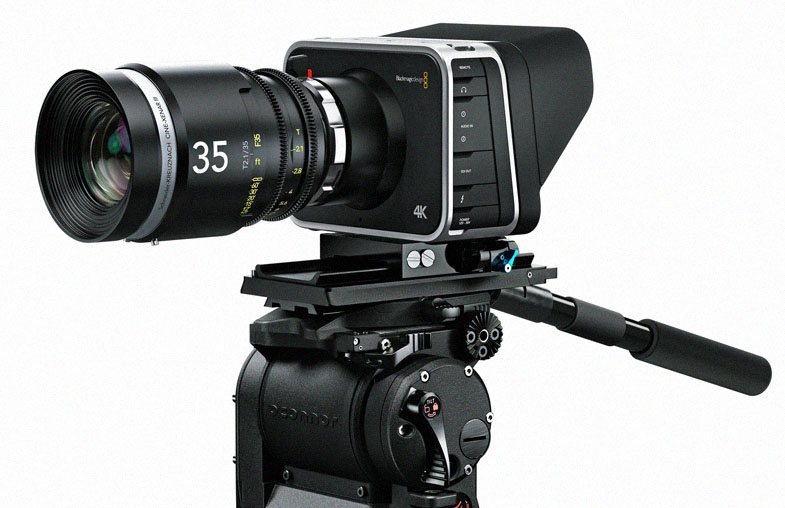
Blackmagic Design has announced its Production Camera 4K digital film camera was one of only two camera packages to be used in the production of “War and Peace,” a new adaptation by the BBC, based on Tolstoy’s classic novel. The six part drama was lensed by director of photography (DP) George Steel, and graded on DaVinci Resolve Studio by colorist Simone Grattarola.
Director Tom Harper reunited with DP George Steel (“The Woman in Black 2: Angel of Death” and “Black Mirror”) and colorist Simone Grattarola (“Peaky Blinders” and “War Book”) to bring to life Andrew Davies’s (“Pride and Prejudice”) adaptation of the epic story, which follows the fortunes of three Russian aristocratic families during the Napoleonic War.
Second unit production was directed and shot by Stephen Hall and included Blackmagic’s Production Camera 4K, shot spherically. A second Production Camera 4K was employed as a ‘grab bag’ setup for the director. “It was worth its weight in gold. In episode one there is a shot of Andrei Bolkonsky outdoors with the fog swirling around him, before it cuts to a close up. That is something we got using the grab bag,” explains Steel.
He continues: “Having a small, handheld camera that matches your primary package, is perfect. It allowed us to react to unexpected moments.” In fact, George shot one of his favorite scenes using this setup. “Without revealing too much, we film a very intimate moment when Jessie Buckley's character deals with the passing of a loved one,” explains Steel. “We didn’t have time in the schedule to shoot it so while everyone stopped for lunch we spent 45 minutes filming.”
The DP was also a little more creative when it came to using aerial shots. A Production Camera 4K was fitted to an optocopter and used to capture elements of dialogue scenes for example. “In one particular scene we see a top down view of a father and son walking through the snow, which starts with an aerial view through the tree line,” according to Steel.
The biggest challenge in delivering the grade was the sheer vastness of it all, according to Time Based Arts colorist Simone Grattarola. “I’ve not previously worked on anything quite as dense or layered as ‘War and Peace’” he reveals. “There is an arc to the narrative and cinematography that we had to understand and evolve over the six episodes.”
“To do that we worked on two episodes at a time, and then once work had finished on episodes three and four, we’d revisit one and two, and then tweak the grade to ensure that arc unfolded as we intended. And that was repeated once episodes five and six were finished. It’s a rare thing in television that you have the opportunity to go back and do this. But it was something we all pushed for with the producers.”
For the battle scenes Grattarola developed a process of crafting a hand tinted feel. “I began by desaturating everything and then made use of parallel layers in DaVinci Resolve to bring back a specific key channel for specific colors and then washed color back in. Resolve allowed me to recreate something from the past using modern techniques to ensure it is timeless.”
“It’s a testament to Tom [the director], who’s done an exceptional job of modernizing the story and making it relevant again,” concludes Steel. “Simone has delivered a sophisticated, yet subtle grade that was in keeping with Tom’s desire for a natural looking aesthetic. Audiences won’t fully appreciate the arc of the story, cinematography and grade until they’ve watched all six episodes.
Press Photography
Product photos of Blackmagic Production Camera 4K and DaVinci Resolve Studio are available at www.blackmagicdesign.com/press/images.
About Blackmagic Design
Blackmagic Design creates the world’s highest quality video editing products, digital film cameras, color correctors, video converters, video monitoring, routers, live production switchers, disk recorders, waveform monitors and real time film scanners for the feature film, post production and television broadcast industries. Blackmagic Design’s DeckLink capture cards launched a revolution in quality and affordability in post production, while the company’s Emmy™ award winning DaVinci color correction products have dominated the television and film industry since 1984. Blackmagic Design continues ground breaking innovations including 6G-SDI and 12G-SDI products and stereoscopic 3D and Ultra HD workflows. Founded by world leading post production editors and engineers, Blackmagic Design has offices in the USA, UK, Japan, Singapore and Australia. For more information, please go to www.blackmagicdesign.com.
Date: 10. 02. 2016,
Category: News
FULL ARTICLE