
 CZ
CZ SK
SK HU
HU AT
AT DE
DE ES
ES SI
SI HR
HR
Nothing in the basket.

- Search
-
Login

-
0
Comparison
Add products to compare, then they will appear here and you can compare parameters.
-
0
0 €
News
Steinberg announced the release of the first Dorico update, version 1.0.10. This update includes more than 200 enhancements and fixes, including substantial performance improvements throughout the application, initial support for VST Expression Maps, new Transpose dialog, and more. Steinberg also released a free 30-day trial version of Dorico. 
Date: 01. 12. 2016,
Category: News
FULL ARTICLE
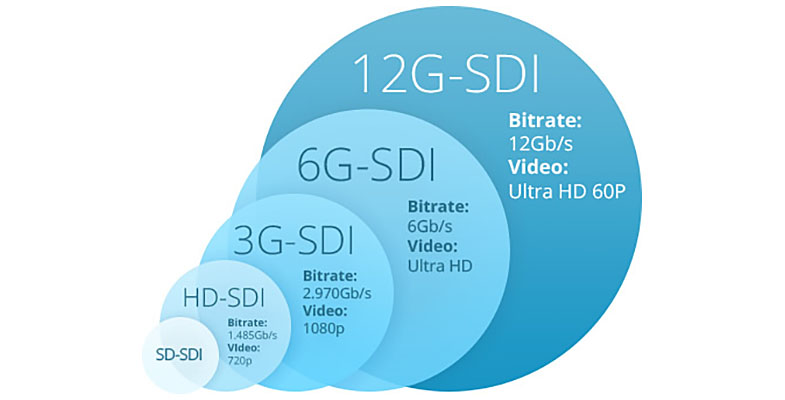
It is important to use a good quality HD cable with 12G-SDI products. As an example, Blackmagic Design uses a Belden 1694A cable when testing their 12G-SDI products, we can recommend Canare L-4.5CHD.
Distance for cable lengths are:
- 3G-SDI – 100 meters
- 6G-SDI – 80 meters
- 12G-SDI – 50 meters
Date: 01. 12. 2016,
Category: News
FULL ARTICLE
Press Release
Blackmagic Design announced that DP and lead producer Joey Fameli used several Micro Cinema Cameras to shoot a recent Arctic Circle expedition. Fameli also uses the Micro Cinema Cameras, along with Pocket Cinema Cameras, Studio Cameras and DaVinci Resolve Studio, to shoot and grade content for Tested, which is a website dedicated to covering ‘anything that’s awesome’ in science, exploration, nature, emerging technology, consumer technology and more.
Tested is Adam Savage’s (“MythBusters”) home on the web, and together with one of the website’s founders Norman Chan, they bring unique stories, videos, podcasts and more to readers. As Fameli explained, “Tested is geared towards a maker culture and encompasses all things in the STEM (science, technology, engineering and mathematics) field. As lead producer, I handle video content for the website, which can range from BTS footage of an experiment, special FX videos and visits to movie sets, build videos that chronicle Savage constructing a project, and even expeditions to the Arctic Circle.”
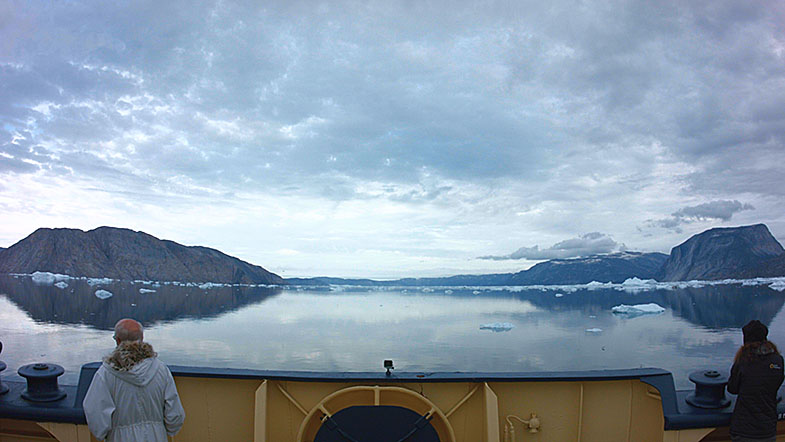
The Tested team was invited by astronaut Chris Hadfield as part of his Generator Arctic team on the Quark Expeditions tour. Traveling aboard the Russian Icebreaker Kapitan Khlebnikov, Fameli and his team spent 18 days sailing through Greenland and the Canadian High Arctic.
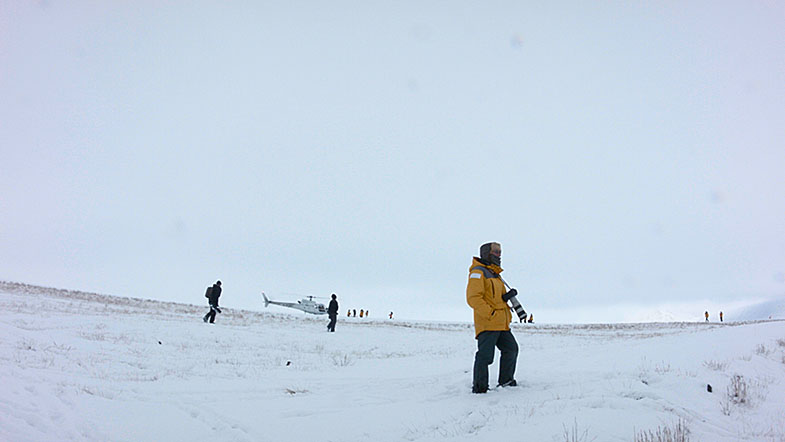
“The Micro Cinema Camera has a very small footprint with substantial battery life for the size, so they were perfect for capturing time-lapse and locked-off shots of the ship and its surroundings as we sailed through the Arctic,” said Fameli. “I mounted a few around the ship, taped hand warmers to the batteries and let them roll. In return, I got great time lapses of helicopters taking off, the ship slowly breaking through the ice, life aboard the legendary Russian ship and endless ice-covered landscapes.
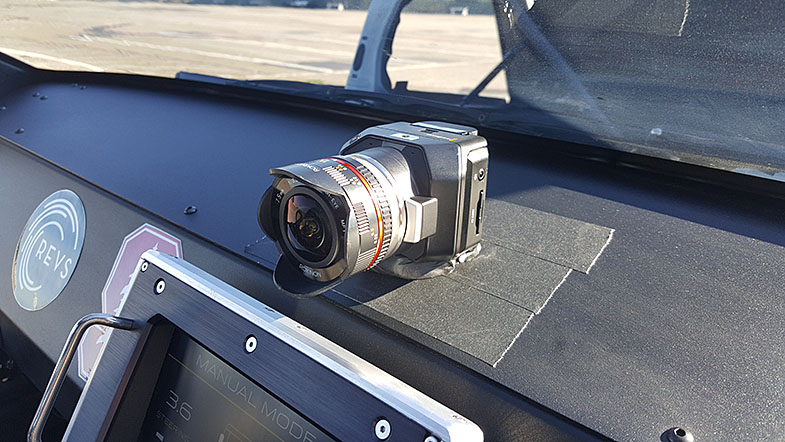
“I also used the Micro Cinema Cameras to capture dash cam footage during a recent self-driving DeLorean shoot,” he continued. “I secured four Micro Cinema Cameras inside the car using gaffer tape and butyl to capture the driver, the passenger, a wide shot and outside the window. It was high noon, so we were dealing with harsh lights and dark shadows, and the cameras captured everything thanks to the quality and dynamic range. All the data was still there in post to bring the image back with DaVinci Resolve Studio.”
According to Fameli, Tested doesn’t shoot with a big crew and often times they have no control over the shooting environment. “Unless we are in the studio, we are usually shooting outdoors,” he explained. “That’s where the Micro Cinema Camera’s dynamic range really comes into play.
“We’ve also been using the Pocket Cinema Cameras for a few years now for a lot of run and gun work, on rigs and handheld, and the same is true for them,” he added. “When traveling as much as we do, you not only need that portability, but also broadcast professional quality that will match with other cameras. I’ve never been a DSLR shooter, as I came up through ENG, but I don't want H.264 footage. I want RAW, ProRes, film dynamic range and color grading all at an affordable price.”
With the Micro and Pocket Cinema Cameras as staples in his arsenal, Fameli again turned to Blackmagic Design when it was time to upgrade Tested’s in-house live studio. “We recently revamped our studio, and whereas before we were using a few different cameras with different color profiles, we knew going into the upgrade that we wanted to give the studio one uniform camera setup and look,” he said. “We decided to go with the Blackmagic Studio Cameras because we needed multiple cameras and knew they could deliver on the price, quality,1080 content platform requirement and they were built for live production, so we can easily push out through SDI to the mixers.”
Fameli concluded, “We are finishing up building out the studio now, but we have big plans for it. We want to not only continue using it for live productions, but also for our build videos, taking advantage of the Studio Camera setup to capture multiple angles and provide our audience with a better viewing experience.”
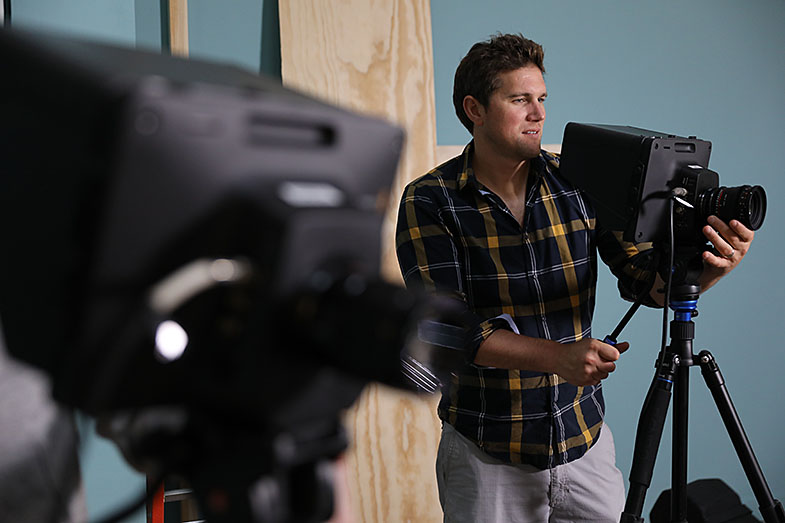
Press Photography
Product photos of all Blackmagic Design products, are available at www.blackmagicdesign.com/press/images.
About Blackmagic Design
Blackmagic Design creates the world’s highest quality video editing products, digital film cameras, color correctors, video converters, video monitoring, routers, live production switchers, disk recorders, waveform monitors and real time film scanners for the feature film, post production and television broadcast industries. Blackmagic Design’s DeckLink capture cards launched a revolution in quality and affordability in post production, while the company’s Emmy™ award winning DaVinci color correction products have dominated the television and film industry since 1984. Blackmagic Design continues ground breaking innovations including 6G-SDI and 12G-SDI products and stereoscopic 3D and Ultra HD workflows. Founded by world leading post production editors and engineers, Blackmagic Design has offices in the USA, UK, Japan, Singapore and Australia. For more information, please go to www.blackmagicdesign.com.
Date: 01. 12. 2016,
Category: News
FULL ARTICLE
The new 1.1.5 software update for Cintel film scanners adds improvements in colorimetry, audio extraction, and stabilization along with new cropping sizes for 2 and 3 perf 35mm to reduce file sizes plus a new light source dimming feature when the film is unloaded. Also included is new focus assist and other general performance enhancements!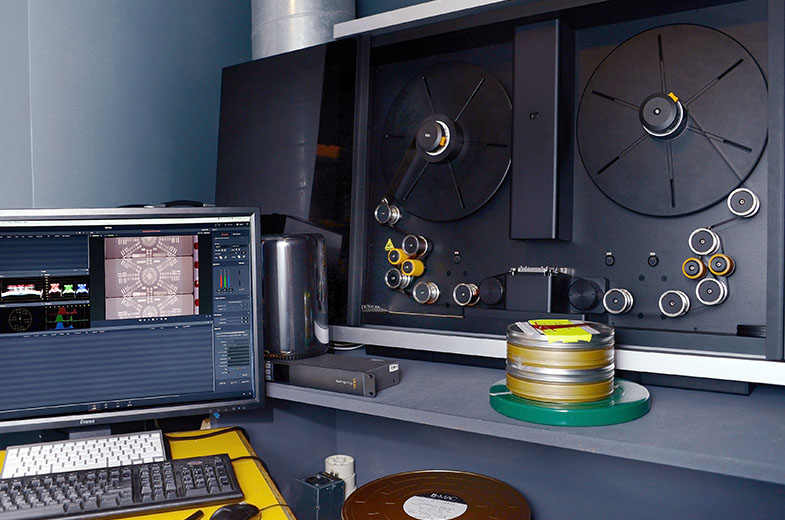
Date: 30. 11. 2016,
Category: News
FULL ARTICLE
Panasonic POVCAM consists of the professional AG-UMR20 HD/4K Memory Card Portable Recorder and optional AG-UCK20 Compact Camera Head. The POVCAM products meet a wide range of professional needs in image production, education, government, and corporate applications. Ships Spring 2017.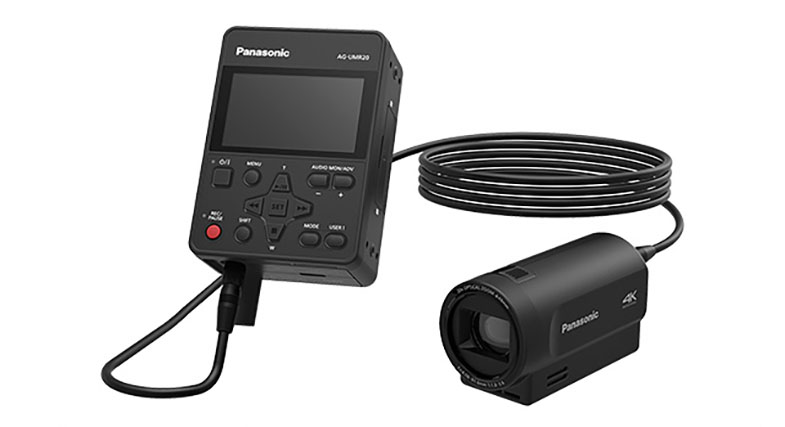
Date: 29. 11. 2016,
Category: News
FULL ARTICLE