
 CZ
CZ SK
SK HU
HU AT
AT DE
DE ES
ES SI
SI HR
HR
Nothing in the basket.

- Search
-
Login

-
0
Comparison
Add products to compare, then they will appear here and you can compare parameters.
-
0
0 €
News
Blackmagic Design has just released Blackmagic Camera Utility 2.0, available for download from their support page (for Mac OS X and Windows). Blackmagic Camera Utility 2.0 provides the following updates:
Blackmagic URSA
- Adds support for Apple ProRes 444 recording in 4K and HD.
Blackmagic Studio Camera 4K
- Performance improvements for optical fiber output.
Blackmagic Studio Camera
- Improves options for overlays settings.
Blackmagic Pocket Cinema Camera
- Improves recording in ProRes LT and Proxy.
Blackmagic Cinema Camera
- Performance enhancements and improvements.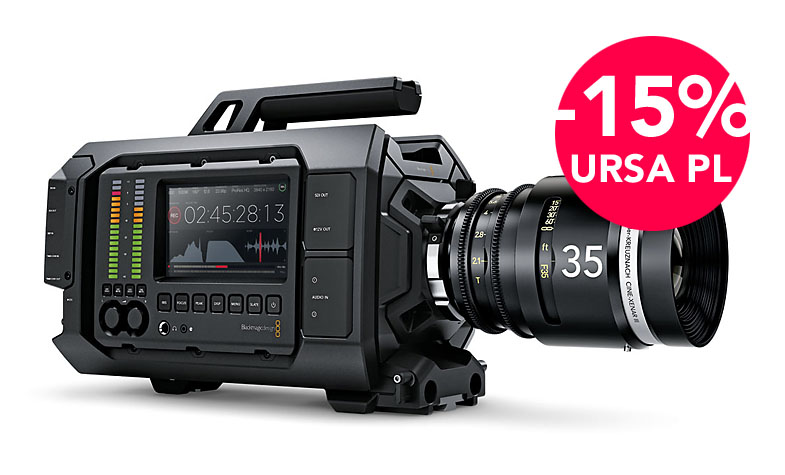
Date: 26. 01. 2015,
Category: News
FULL ARTICLE
LightWave 3D Group, a division of NewTek Inc., updated its flagship 3D modeling , animation, and rendering software LightWave 2015. Version 2015.1 is a free update and includes many fixes to VPR, FiberFX, Surface Editor and other aspects of the program. 2015.1 will install into its own directory, and uses the same license as the 2015; drag-and-drop the license into the interface of 2015.1 when first launching 2015.1.
LightWave 2015.1 Fixes:
Layout:
- Layout crashes loading a 'cyHair' format wig
- FBX importing "Target Cameras" have incorrect rotation values.
Hub
- Hub crash if custom background GUI image used.
Modeler
- Cut Tool crash in Modeler using Edges.
FiberFX
- FiberFX no longer works with bullet guides.
- FiberFX Strand Tool workflow issue making "Fixed Tips" during styling.
- FiberFX crashing when using Bullet.
- FiberFX related crash when clearing an object with FiberFX applied, and then creating a new object.
- FiberFX crash due to mixed meshes.
- FiberFX motion vector data is broken.
- Clicking "Edit" in FiberFX crashes - MAC ONLY.
- Changing FiberFX shadow-type while VPR on crashes.
- "Polygonize Mixed" command in FiberFX doesn't work.
Renderer / VPR
- Option of 'Render Outside Camera' not working for VPR.
- VPR not showing proper shadow density when using transparency.
- VPR does not update in real-time when changing basic color attributes.
- VPR crash when 'Shift-clicking' to get surface with 2 point polygons.
- Fixed a bug in morph surfaces in VPR that could cause a crash due to uninitialized pointers.
- crash if executing shader Lscript UI while VPR evaluates same shader.
- Unseen by Camera items render when PRMBlur is on.
- Motion Blur rendering hidden objects.
- Motion vectors not working for MDD's.
- 2015 does not save proper motion vector data to EXR file format.
- Edge Thickness changes when Stereo is on.
- LW2015 GI render crash with 2 or more bounces.
Buller
- Crash when trying to make fractured geometry a "Parts Body" in Bullet.
Surface Editor
- Node Editor Node thumbnails and Image node thumbnail broken
- Nodal export/import dialogs have a localized file type field
SDK / Scripting
- Bilinear re-sample buffer size issue in SDK.
- ClipMap surface not accessible with Lscript
- "GlobalStore" function is broken on Mac OS systems (Layout)
Miscellaneous
- Save Dialog does not set mesh flags to 'Saved'
- Restore build number to the 2015 About box
- Docs don't launch with F1
- Crash using the nVidia "3D Pro Plug-in"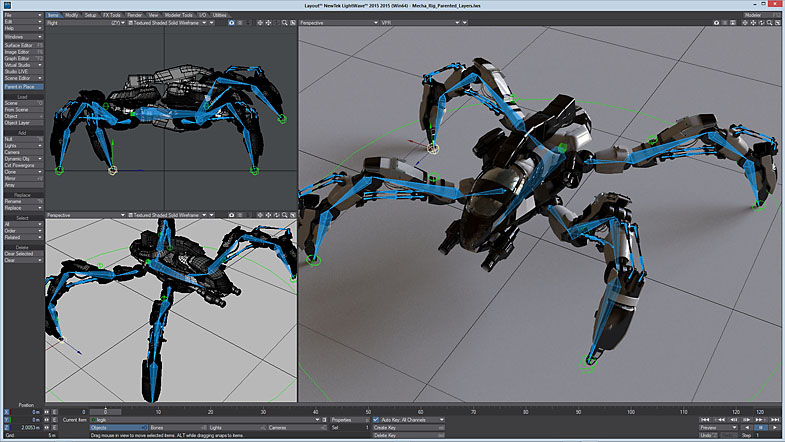
Date: 21. 01. 2015,
Category: News
FULL ARTICLE
Avid's ISIS 5500 collaborative storage system for post-production and broadcast workflows is now qualified for live production with TriCaster routers and 3Play 4800 sports production replay solution. Using ISIS 5500 as the recording drive for live sessions enables media to be immediately available to a variety of devices simultaneously including editors, transcoders and playout. The ISIS 5500 was tested with single and mirrored TriCaster 8000s. The mirrored configuration opens up a number of new workflows providing higher scale and redundancy for multi-screen productions. ISIS enables the mirrored TriCasters to playback the same streams simultaneously. Simply install the ISIS client on NewTek TriCaster or 3Play and configure it to login and mount the required ISIS workspaces. The combination of ISIS 5500 and the NewTek portfolio allows up to 8 streams to be recorded and simultaneously play 2 streams and received 2 channels of graphics simultaneously, with the added benefit of being able to instantaneously share and monetize content. Gigabit Ethernet provides high speed, reliable connectivity between NewTek and ISIS.
Date: 19. 01. 2015,
Category: News
FULL ARTICLE
Press Release
Blackmagic Design announced that DaVinci Resolve was used at Deluxe Creative Services' Company 3 by colorist Stephen Nakamura to grade 20th Century Fox’s epic adventure “Exodus: Gods and Kings.”
Using state of the art visual effects and 3D cinematography by Dariusz Wolski, ASC, acclaimed director Ridley Scott (“Gladiator,” “Prometheus”) brings new life to the story of the defiant leader Moses (Christian Bale) as he rises up against the Egyptian Pharaoh Ramses (Joel Edgerton), setting 400,000 slaves on a monumental journey of escape from Egypt and its terrifying cycle of deadly plagues. The overall look of “Exodus: Gods and Kings” is a departure from what audiences normally associate with an epic Bible film. “The idea is that you’re watching these epic battles and the seas parting, but it's not the same kind of movie as ‘The Ten Commandments’ or ‘Ben Hur.’ It's designed to feel more realistic,” said Nakamura, who noted that the images he had to work with (as is always the case with Wolski's work) "were already beautiful."
In mastering the images separately for 2D and 3D display formats, Nakamura had to always keep in mind the different display characteristics of the two formats in terms of the amount of light that bounces off the screen in areas of the brightest highlights. While the standard for 2D projection is 14 foot lambert (fL), most 3D projection is 3.5 fL, producing a significantly dimmer highlight and much less contrast between the brightest and the darkest imagery that can be displayed.
“When you're working at 3.5 fL, you need to globally pull everything up to get the midtones and shadows feeling like they're in the right place to look as much as possible like the 2D version," Nakamura explained. "But when you do what's necessary to get the midtones and shadows in the right place you can start to clip the highlights. So then you need to isolate those areas of the frame that clip and pull them back down. This can be a time consuming process where you draw Power Windows and build highlight keys or other tools to isolate the highlights and manipulate them without affecting the midtones and shadows." But this time around, Nakamura was pleasantly surprised to find a Highlight and Shadows tool on DaVinci Resolve 11’s Color Match Pallet that lets him bring those highlights into the necessary range for 3.5 fL display without having to create the elaborate secondaries he previously needed.

“I use it all the time now, especially when I'm grading for multiple display formats, such as on ‘Exodus.’ It's pretty incredible,” he continued. “Instead of using all the tricks I had to resort to, I can just dial down the highlight adjustment where I like it and everything else falls into place."
A lot of "Exodus," especially as it gets more intense, was designed to be really desaturated, with a lot of cold tones in the color that was there. "It was something I could apply over the whole image,” the colorist said, "but there were some portions where color, especially the red in blood, was very important to the story.
“You really want to see the color of the blood," he noted, "but once you've pulled the color out of the image, you can't just key portions of the frame where there's blood and pull the color back up," he added, explaining that he used DaVinci Resolve's parallel node function to solve the problem. "I created the desaturation in one node, then keyed the blood in the next node, and then used the parallel node to bypass all the desaturation and color shifts toward blue specifically within the keyed portion of the frame, where the red blood was. Then I could dial that correction up or down until I found where it brought out the color in the blood without looking artificial within the context of the whole shot.”
Nakamura also fine tuned color for some of the day for night sequences by bringing the whole look down, pulling some of the color out and making everything a little blue to indicate moonlight. He used highlight keys to bring the sky down, along with a combination of Power Windows and tracking to bring people, especially faces, slightly up.
“Unless a character is moving around like crazy, you can draw a shape around whatever you want to bring up, it tracks really well and the result is very organic looking,” Nakamura explained. “I also worked with some digital sky replacement elements. The VFX company delivered these as separate elements that matched the daylight surroundings. Rather than having them approximate the final day for night look, the VFX house built skies and other elements that matched the daylight environment. Then I held those pieces in an alpha channel so we could create the day for night all at once in the finishing theater."
For the colorist, "Exodus," like all his work for Scott, was challenging and exciting. "There's no director in the business more attuned to the power of visual storytelling," he summed up.
Press Photography
Product photos of DaVinci Resolve and all other Blackmagic Design products are available at www.blackmagicdesign.com/press/images.
About Blackmagic Design
Blackmagic Design creates the world’s highest quality video editing products, digital film cameras, color correctors, video converters, video monitoring, routers, live production switchers, disk recorders, waveform monitors and real time film scanners for the feature film, post production and television broadcast industries. Blackmagic Design’s DeckLink capture cards launched a revolution in quality and affordability in post production, while the company’s Emmy™ award winning DaVinci color correction products have dominated the television and film industry since 1984. Blackmagic Design continues ground breaking innovations including 6G-SDI and 12G-SDI products and stereoscopic 3D and Ultra HD workflows. Founded by world leading post production editors and engineers, Blackmagic Design has offices in the USA, UK, Japan, Singapore and Australia. For more information, please go to www.blackmagicdesign.com.
Date: 16. 01. 2015,
Category: News
FULL ARTICLE
Press Release
Blackmagic Design announced that the Blackmagic Production Camera 4K was used to shoot Australian new wave band Pseudo Echo’s music video for the title track off their new album “Ultraviolet.” Shot entirely on green screen, Melbourne, Australia based production company Final Focus required a 4K camera that delivered Ultra HD cinematic images at an affordable cost.
“We needed a 4K camera due to the fact that the music video was shot entirely on green screen. This not only helped in regards to the quality of the key, but also gave us the ability to punch in for a closer shot without quality loss since the delivery was HD,” explained Adam Haywood, DP and co owner of Final Focus. “The Blackmagic Production Camera 4K’s images are amazing, and even back in the edit suite, I couldn't believe how good the shots looked.”
The look and feel of the music video was inspired by lead singer Brian Canham’s love for retro and futuristic films and art, and this is a passion he shares with the video’s director Stuart Stanton, also co owner of Final Focus. Brian wanted to explore the idea of people's energy existing beyond death in an ultraviolet realm.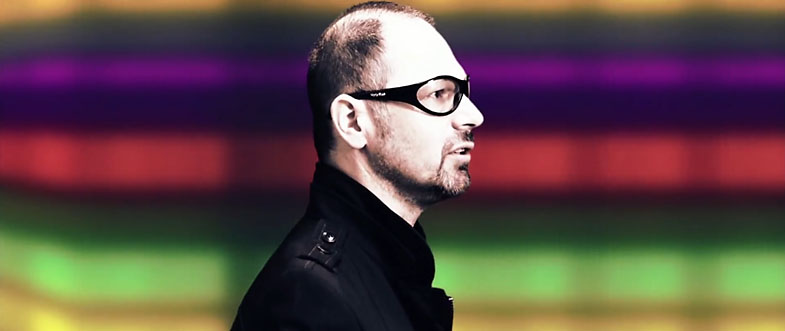
With these factors in mind, Stuart came up with the concept of a celestial character inviting, controlling, evolving and transitioning another version of herself from one dimension to another. Intercut with footage of the band, the music video is a throwback to the world of retro sci-fi, designed to be visually engaging and in line with the energy and vibe of classic Pseudo Echo.
Shot in 4K ProRes, Adam noted that the 4K format was especially advantageous when editing and delivering in HD. “Shooting in 4K is probably the best thing in regards to reframing or cropping shots for more options without having to compromise image quality. The other element is the strength of the ProRes codec, which saves time in the edit suite and which other cameras don’t record in camera,” he said.
Adam added: “The Blackmagic Production Camera 4K marries both these features and combines them in an extremely affordable package, which means we own the camera and the power that comes with it.”
“We wanted a look to match the artwork on our latest album, and we wanted a very modern futuristic look,” said Brian Canham of Pseudo Echo. “The video turned out fantastic. We love the high end look Final Focus achieved using all green screen.”
During post, Adam used a few curves and a little saturation in DaVinci Resolve for color correction and to give the images a final finesse. “When the Blackmagic Production Camera 4K became available, we pretty much purchased it immediately, and we haven’t looked back since. The camera’s images are just amazing to work with,” Adam concluded.
Press Photography
Product photos of Blackmagic Production Camera 4K and DaVinci Resolve are available at www.blackmagicdesign.com/press/images.
About Blackmagic Design
Blackmagic Design creates the world’s highest quality video editing products, digital film cameras, color correctors, video converters, video monitoring, routers, live production switchers, disk recorders, waveform monitors and real time film scanners for the feature film, post production and television broadcast industries. Blackmagic Design’s DeckLink capture cards launched a revolution in quality and affordability in post production, while the company’s Emmy™ award winning DaVinci color correction products have dominated the television and film industry since 1984. Blackmagic Design continues ground breaking innovations including 6G-SDI and 12G-SDI products and stereoscopic 3D and Ultra HD workflows. Founded by world leading post production editors and engineers, Blackmagic Design has offices in the USA, UK, Japan, Singapore and Australia. For more information, please go to www.blackmagicdesign.com.
Date: 14. 01. 2015,
Category: News
FULL ARTICLE