
 CZ
CZ SK
SK HU
HU AT
AT DE
DE ES
ES SI
SI HR
HR
Nothing in the basket.

- Search
-
Login

-
0
Comparison
Add products to compare, then they will appear here and you can compare parameters.
-
0
0 €
News
At Cine Gear Expo 2017 in Hollywood, CA, Panasonic previewed the AU-EVA1, a new 5.7K cine-ma camera positioned between the Panasonic Lumix GH5 4K mirrorless camera and the VariCam LT 4K cinema camera. Compact and lightweight, the AU-EVA1 is tailor-made for handheld shoot-ing, but also well suited for documentaries, commercials and music videos.
The EVA1 contains a newly designed 5.7K Super 35mm-sized sensor for capturing true cinematic images. By starting at a higher native resolution, the 5.7K sensor yields a higher resolving image when down-sampled to 4K, UHD, 2K, and even 720p. The increased color information results in a finer, more accurate finished image.
One of the key features of the VariCam 35, VariCam LT, and VariCam Pure is Dual Native ISO. Utilizing a process that allows the sensor to be read in a fundamentally different way, Dual Native ISO extracts more information from the sensor without degrading the image. This results in a cam-era that can switch from a standard sensitivity to a high sensitivity without an increase in noise, or other artifacts. On the VariCams, Dual Native ISO has allowed cinematographers to use less light on set, saving time and money, as well as allowing for a great variety of artistic choices. The EVA1 will include Dual Native ISO, but the camera is currently being tested to determine final ISO specifi-cations.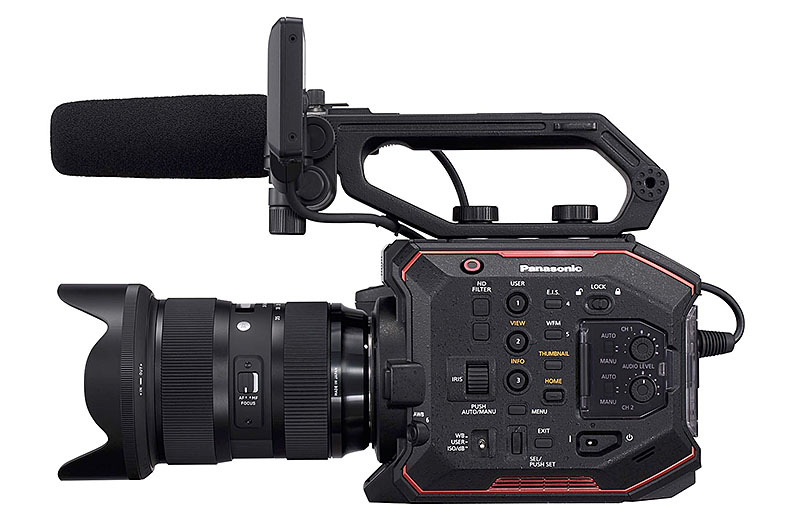
The ability to capture accurate colors and rich skin tones is a must for any filmmaker. Like the VariCam lineup of cinema cameras, the EVA1 contains V-Log/V-Gamut capture to deliver high dynamic range and broad colors. V-Log has log curve characteristics that are somewhat reminiscent of negative film and V-Gamut delivers a color space even larger than film. The EVA1 will also import the celebrated colorimetry of the VariCam line.
Weighing only 1.2 kg (body-only) with a compact form factor (17 x 13.5 x 12.5 cm) and a removable handgrip, the EVA1 can be used for efficient hand-held shooting applications and can also be mounted on a drone, gimbal rig or jib arm for complex yet smooth camera moves. There will also be numerous mounting points and Panasonic is currently working with top accessory makers to allow further customization with the EVA1.
Ideal for indie filmmakers, the EVA1 records to readily-available, lower-cost SD cards. The camera can record in several formats and compression rates, and offers up to 10-bit 4:2:2, even in 4K. For high-speed capture, the EVA1 offers 2K up to 240 fps. In terms of bit rates, you can record up to 400-Mbps for robust recording. A complete breakdown of recording formats will be available at the time of the EVA1's release.
For lensing, the camera utilizes a native EF-mount, giving shooters access to the broad EF lens ecosystem, including dozens of cinema-style prime and zoom lenses from numerous manufacturers. Electronic Image Stabilization (EIS) is employed to compensate for camera shake and blurring, which will help smooth out hand-held or shoulder-mount shots on documentary or run-and-gun projects. Behind the lens mount, an integrated ND filter wheel in 2, 4, and 6 stops allows for precise exposure control. The EVA1 also allows the IR Cut filter to be swung out of the path to the sensor at the push of a button. Unique photographic effects and night vision imagery are possible with this control over infrared.
As a professional video production tool, the EVA1 offers dual balanced XLR audio inputs and 4K-capable video outputs in both HDMI and SDI. In a future firmware upgrade, EVA1 will offer 5.7K RAW output to 3rd party recorders.
The EVA1 will ship this Fall for under 8,000 USD (body only).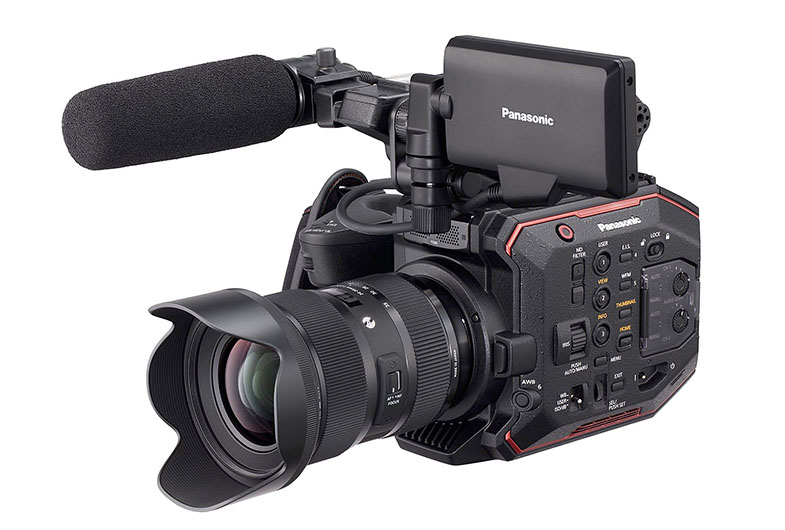
Date: 05. 06. 2017,
Category: News
FULL ARTICLE
The new podcast in the EDIUS Podcast series describes how to ripple markers on the timeline and how to configure the user interface to include a button designed to quickly switch the behavior of timeline markers. Visit podcast.edius.net YouTube channel to watch the ongoing podcast series.
Date: 02. 06. 2017,
Category: News
FULL ARTICLE
Chaos Group releases V-Ray Application SDK, a complete software development kit with high-level API that allows developers to integrate the full power of V-Ray's photorealistic rendering technology into any application. From architecture and design to advertising and visual effects, V-Ray is the most widely used rendering solution in the world. This versatility makes the V-Ray Application SDK suitable for a wide range of design and visualization applications. V-Ray Application SDK Developer licenses are available now, upon request.
Date: 01. 06. 2017,
Category: News
FULL ARTICLE
Panasonic released a new version 7.5 of firmware for Panasonic VariCam 35 and VaiCam HS digital cinema cameras.
Panasonic VariCam 35/HS 7.5 new features:
The lower limit of FPS setting range is extended
When HIGH SPEED is ON, FPS can be set from 1. FPS Setting Range: So far 120-240p / 100-200p / 60-120p / 50-100p. Changed to 1 - 240p / 1 - 200p / 1- 120p / 1 - 100p.
REC CHECK function is added
Playback function of the first or last 5-second footage of the last clip recorded after the power is turned on This is used after it is assigned to a User SW.
The following items are added for assignment to USER1 – 4 in MENU:
– CHECK LAST CLIP START ・Playback of the first 5-sec
– CHECK LAST CLIP END ・Playback of the last 5-sec
DESQUEEZE in playback is supported
Firmware is changed so that not only EE output but also a played clip is shown using DESQUEEZE when MENU -> ANAMORPHIC DESQUEEZE -> DESQUEEZE is ON.
– Varicam HS does not support ANAMORPHIC DESQUEEZE even in EE mode.
– VariCam 35 does not support DESQUEEZE in SUB-playback.
CPS function is disabled
The CPS MENUs are disabled so that the setting, change, etc. of passwords are not allowed. However, if a CPS-encrypted medium is inserted into the camera, these MENUs are shown.
Default setting for monitor output indication of USER CLIP NAME is changed to OFF
OUTPUT SETTINGS Menu
MON OUT INDICATOR ->USER CLIP NAME(TYPE3) ->USER CLIP NAME :OFF
Support for Add/Delete function of SHUTTER and WB via ROP App
Supported App: VARICAM ROP Ver. 1.0.3 or later
Support for connection for network via the access point (Infra mode)
Supported wireless LAN modules are added
AJ-WM50MC (China) Automatic Channel Switching
GW-900D (PLANEX, Japan)
Improvement
The indicator for remaining card capacity is corrected because it has a problem when the format is Long GOP on 23.98p of Frequency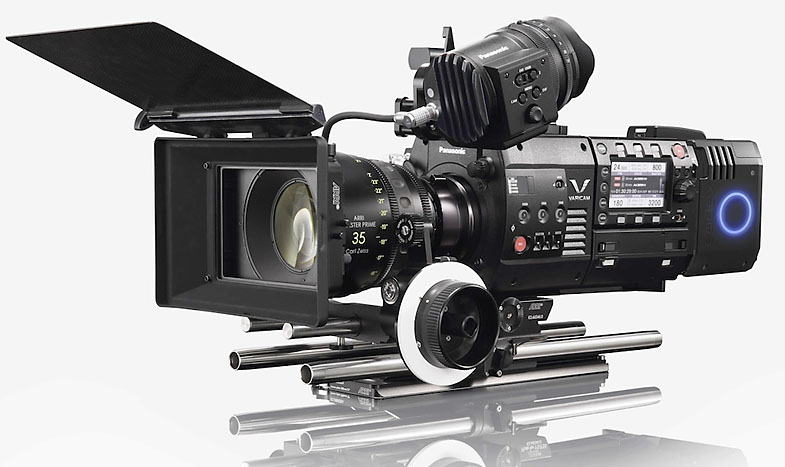
Date: 31. 05. 2017,
Category: News
FULL ARTICLE
NewTek TriCaster TC1 is the culmination of more than a decade of IP video experience for live production, with uncompromising support for 4K UHD switching, live streaming, recording, data-driven graphics, virtual sets, social media publishing and more. Continuing innovation around the iconic product that has defined an industry, TriCaster TC1 supports 16 external inputs of up to 4K UHD 60p resolution without sacrificing functionality. Powered by NewTek's NDI™ technology for IP-based workflows, TriCaster TC1 also offers multiple studio-grade Skype TX channels for adding remote video guests to live shows.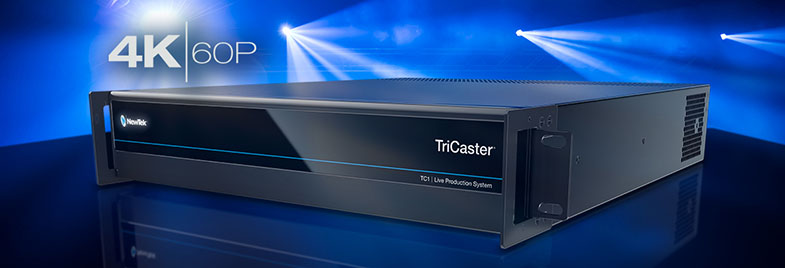
Date: 30. 05. 2017,
Category: News
FULL ARTICLE