
 CZ
 SK
 HU
 AT
 DE
 ES
 SI
 HR

Nothing in the basket.

- Search
-
Login

-
0
Comparison
Add products to compare, then they will appear here and you can compare parameters.
-
0
0 €
Blackmagic Design Ethernet Switch 360P


SKU: DWCSWA/MODC360P
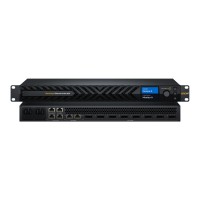
Blackmagic Ethernet Switch 360P is a network switch designed specifically for the film and television industry. This high performance, low latency solution features 16 fast 10G Ethernet ports, 2 extremely fast 100G Ethernet ports and rear Ethernet connections for neat cabling. It is a simple plug and play solution for SMPTE 2110 IP video networks with everything…
3 119 € with VAT
2 577.69 € without VAT
Availability
on request
Top accessories for Blackmagic Design Ethernet Switch 360P
Blackmagic Design 2110 IP Mini BiDirect 12G
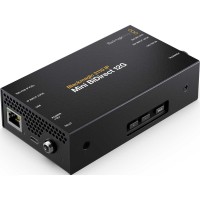
Blackmagic 2110 IP Mini BiDirect 12G connects a camera with an SDI interface to an
569 €
To be sent 2 pcs
Blackmagic Design 2110 IP Converter 4x12G PWR

Blackmagic 2110 IP Converter 4x12G PWR connects four 12G-SDI devices to an SMPTE-2110
2 579 €
In stock 1 pcs
Blackmagic Design Cloud Store Ultra 24TB
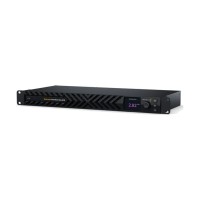
Blackmagic Cloud Store Ultra 24TB is an extremely high-performance network storage
15 189 €
on request
HyperDeck ISO Recorder 100G
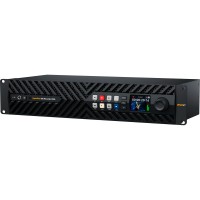
HyperDeck ISO Recorder 100G is a 2RU recorder for live production: it records up
6 529 €
on request
Blackmagic Design 2110 IP Mini IP to HDMI

Blackmagic 2110 IP Mini IP to HDMI converts SMPTE-2110 video and audio to HDMI for
393 €
on request
Product description
ARTICLES
SPECIFICATIONS
PACKAGE CONTENT
Product description
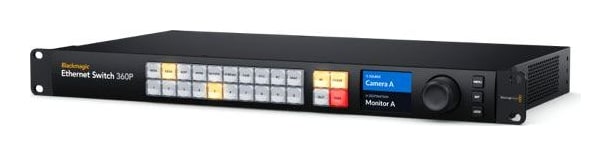
Blackmagic Ethernet Switch 360P is a network switch designed specifically for the film and television industry. This high performance, low latency solution features 16 fast 10G Ethernet ports, 2 extremely fast 100G Ethernet ports and rear Ethernet connections for neat cabling. It is a simple plug and play solution for SMPTE 2110 IP video networks with everything you need for film and television work.
SMPTE 2110 like a Videohub router
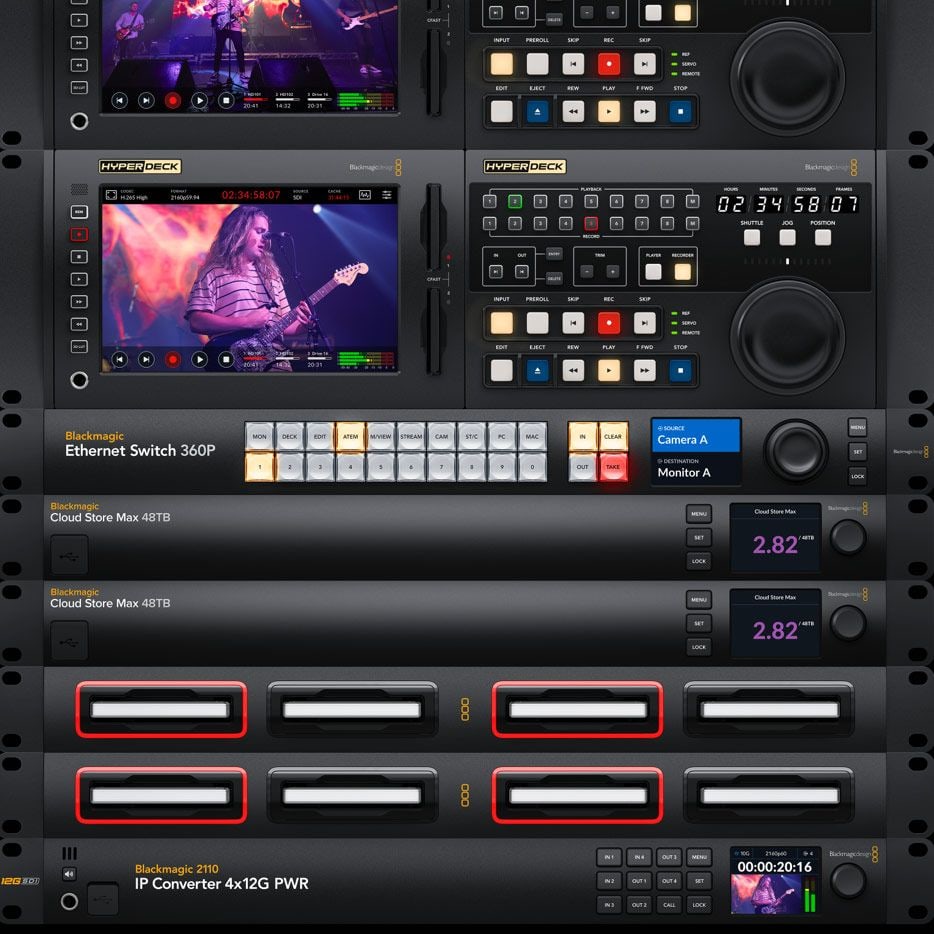
Blackmagic Ethernet Switch 360P has a Videohub style router panel on the front: select a source, press TAKE and the switch sets up the SMPTE 2110 multicast in the background.
16× 10G RJ-452× 100G QSFP28SMPTE 2110NMOSRouter panel1U
SMPTE 2110 routing without an IT technician
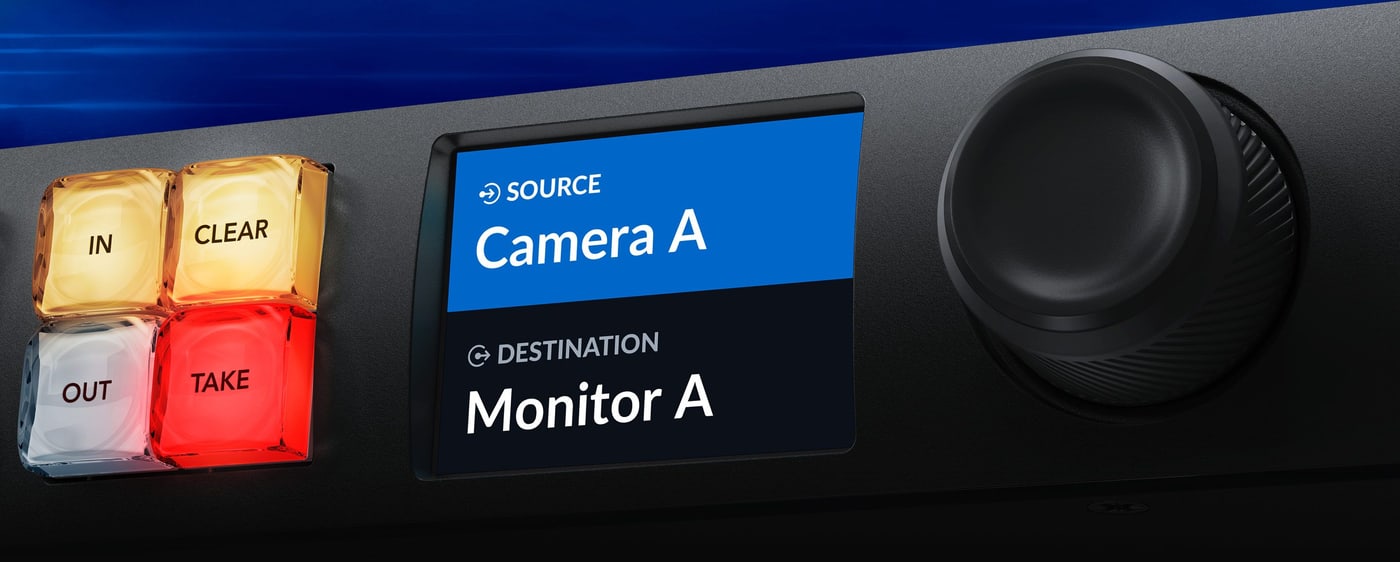
Scroll the IP video sources with the spin knob and confirm the route with the TAKE button. New SMPTE 2110 equipment appears in the list automatically thanks to NMOS.
16 10G ports
Sixteen independent 10G RJ-45 ports for HyperDeck ISO recorders and DaVinci Resolve workstations.
2 100G ports
Two independent QSFP28 ports for HyperDeck ISO Recorder 100G and Blackmagic Cloud Store Ultra.
NMOS and PTP
NMOS IS-04 and IS-05 for automatic device discovery, PTP v2 sync according to ST 2059.
Monitor output
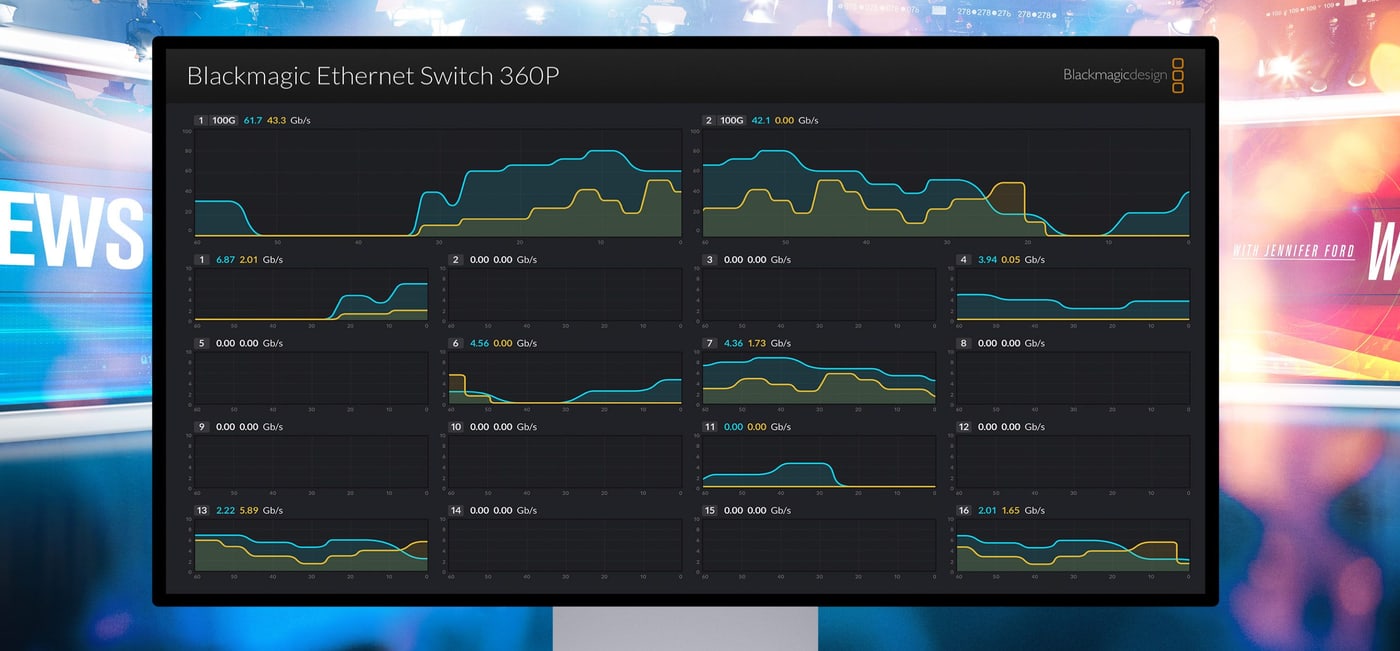
The SDI and HDMI outputs show the link speed and a live data rate graph for every port.
Designed for television
All network connections are on the rear, the same side as the ports on your broadcast equipment, so cables can be loomed neatly with no mess. Blackmagic Ethernet Switch 360P becomes the central point from which you remotely manage all your gear.
Routing IP video from the front panel
The front panel is the same as on Videohub routers, so you route IP video the same way you route SDI. Scroll the sources with the spin knob and confirm the route with the TAKE button; the switch sets up all multicast settings in the background. New SMPTE 2110 equipment appears in the list automatically – that makes SMPTE 2110 truly plug and play.
Router style buttons
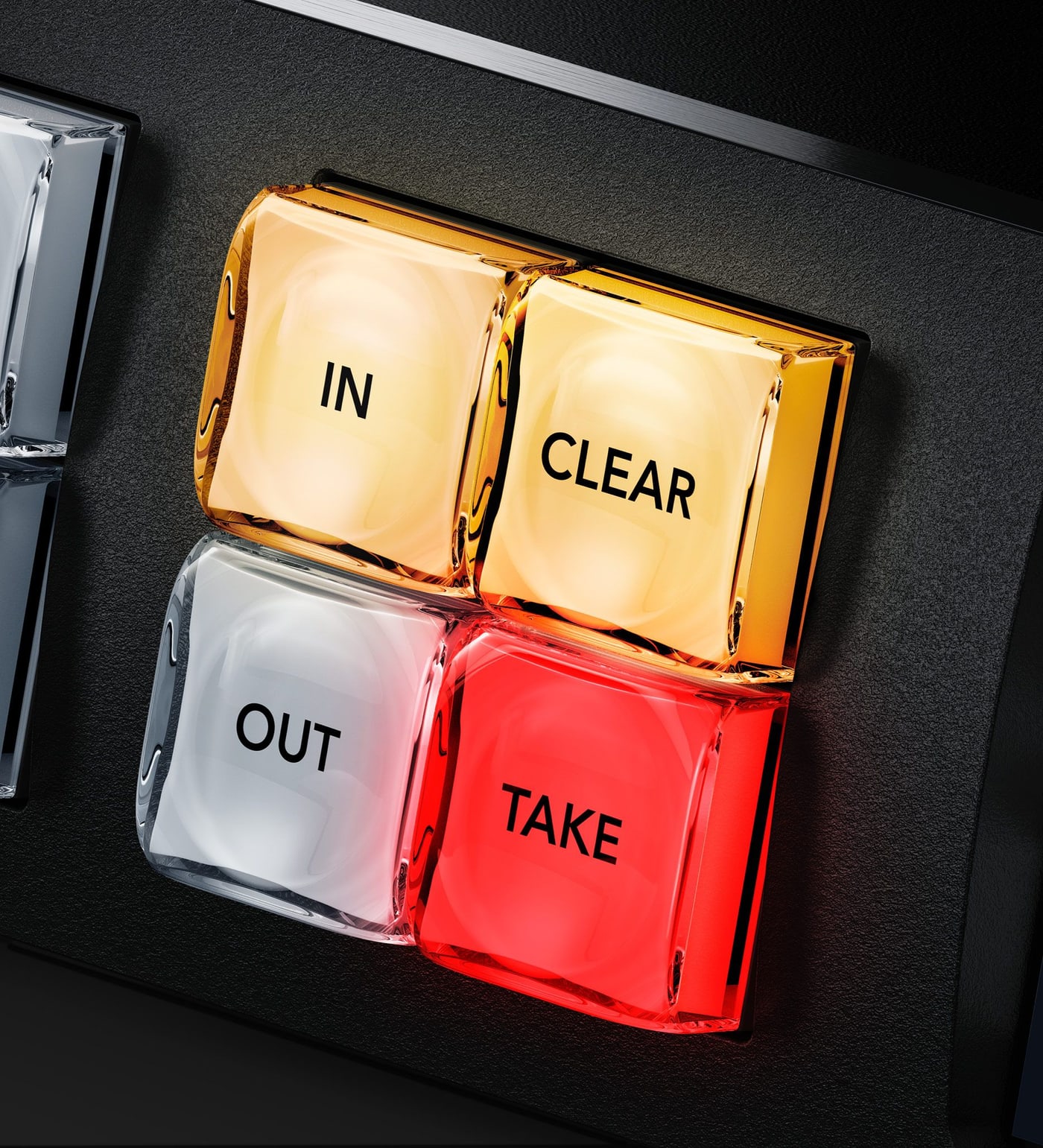
The shortcut buttons allow direct entry of sources and destinations and, together with the 0–9 numeric keypad, multiple labels (Mon 1, Mon 2…). The IN button changes to selecting inputs, OUT to selecting the output, CLEAR disconnects a multicast route and TAKE confirms it – TAKE can be disabled for specific outputs for live routing.
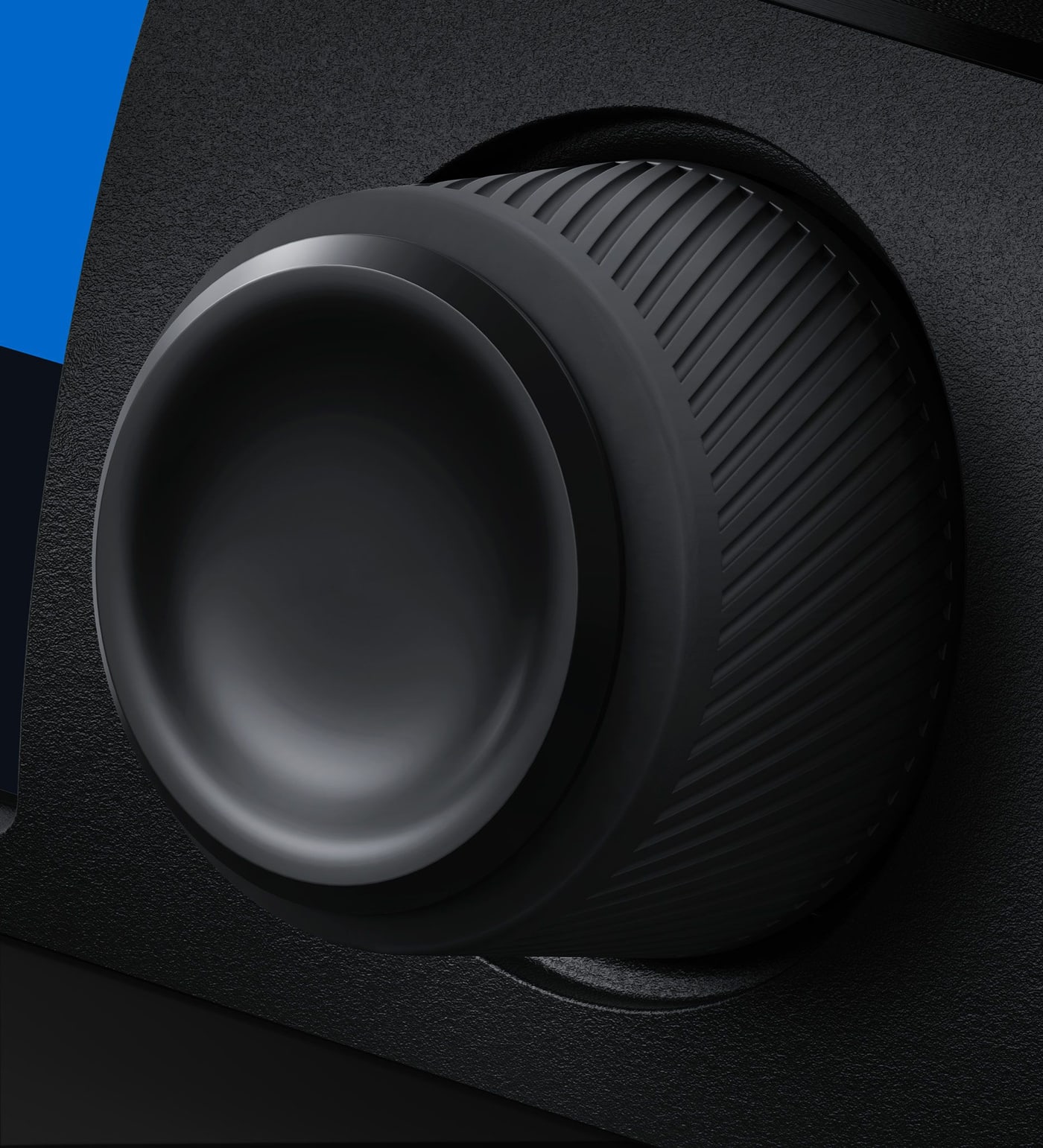
Metal spin knob and display
The machined metal spin knob with a soft rubber coating and electronic clutch scrolls labels in alphabetical order. The LCD shows the connection between inputs and outputs in large labels, provides menus for the switch settings and supports light and dark modes.
16 10G Ethernet ports
Sixteen totally independent 10G ports with standard RJ-45 connectors for 100/1000/10G BASE-T. Build large HyperDeck ISO recorder arrays and connect multiple DaVinci Resolve workstations for editors and colorists.
2 100G Ethernet ports
Two independent 100G QSFP28 ports connect HyperDeck ISO Recorder 100G and Blackmagic Cloud Store Ultra via optical fiber; Cloud Store Ultra has the speed needed for many simultaneous Ultra HD streams in large ISO recording.
Monitor output with port status
The SDI and HDMI monitor output shows each Ethernet connection in a clear status display: link speed, current data transfer speed and a live graph of data rate against port capacity. When recording multiple streams to storage you instantly see any bandwidth issues. The output also shows the custom name of the switch and the names of connected 2110 IP devices.
ISO recording and replay
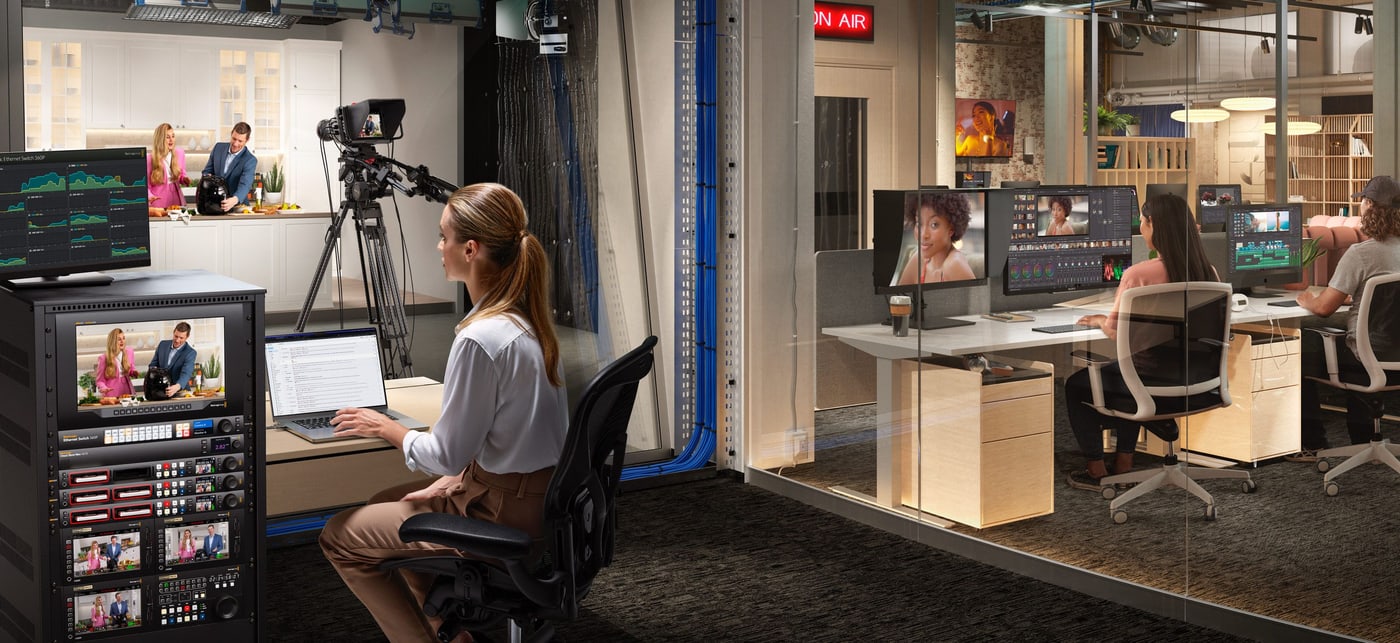
Lots of 10G ports connect HyperDeck ISO recorders and DaVinci Resolve workstations, while the fast 100G ports connect Blackmagic Cloud Store Ultra – a complete ISO recording and replay solution. Small 2110 IP systems for fly-away kits or small OB vans can be built without an IT technician.
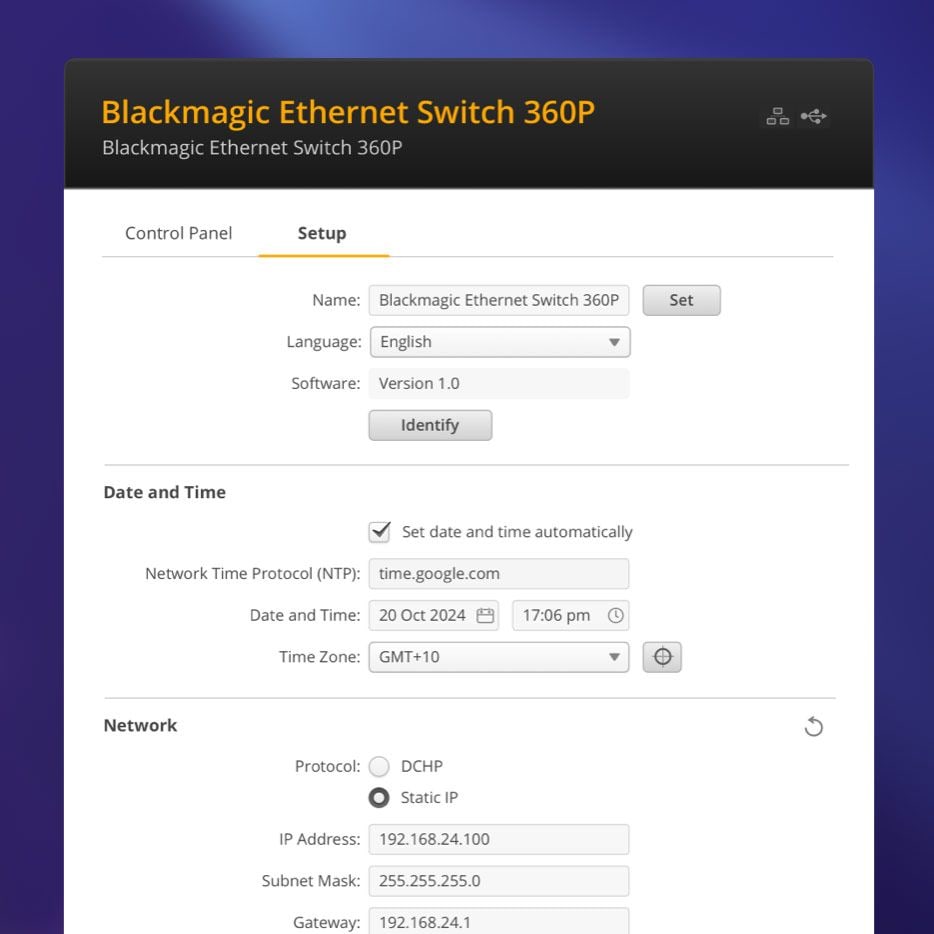
Software for setup and updates
Blackmagic Ethernet Switch utility software for Mac and Windows is free to download. The switch connects to a computer via USB-C and its software is updated with the included updater application.
Connections and controls
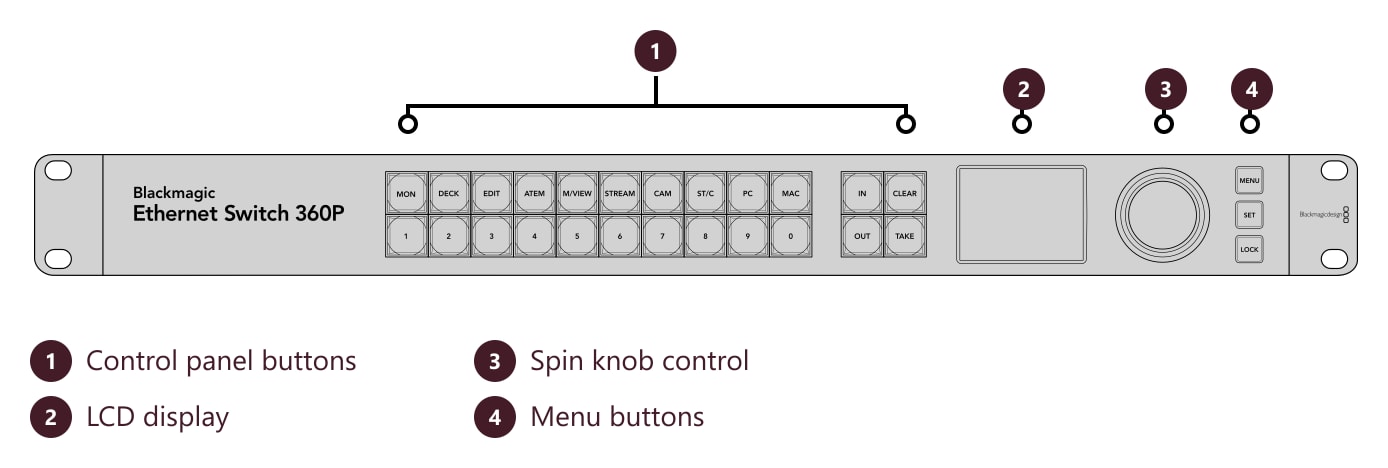
The front panel has the router panel buttons, the LCD display, a spin knob and menu buttons.
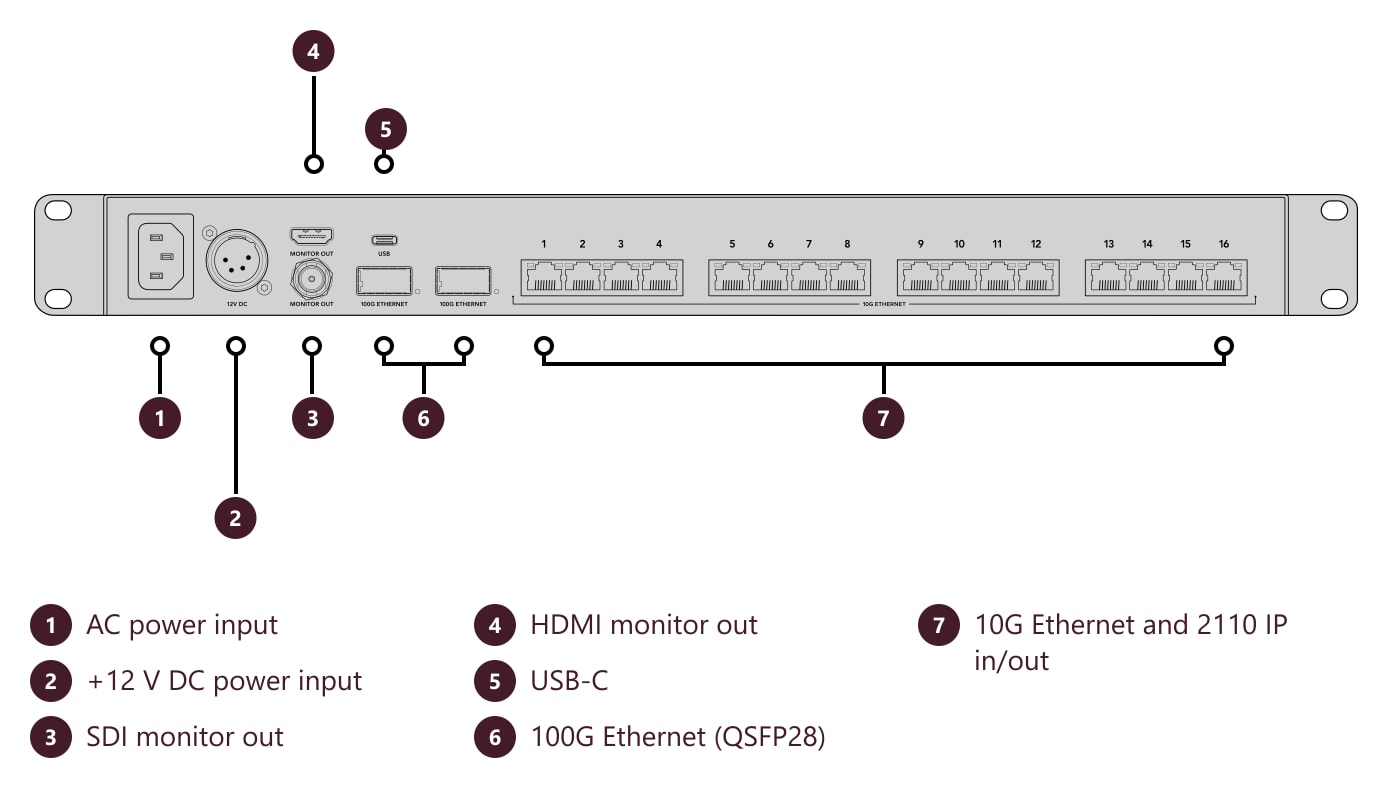
The rear panel has an AC power input, a 12 V DC power input, SDI and HDMI monitor outputs, USB-C, two 100G Ethernet ports and sixteen 10G Ethernet ports.
Dimensions and weight
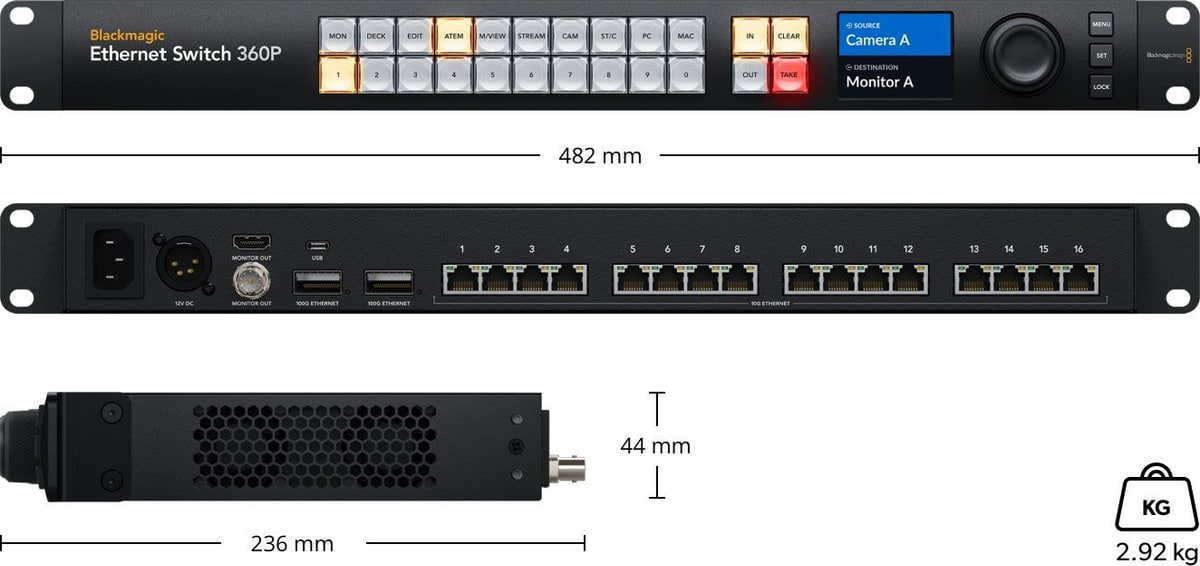
482 × 44 × 236 mm (W × H × D), weight 2.92 kg. 1 rack unit high.
More information
A network designed for the control room
Blackmagic Ethernet Switch 360P is designed specifically for the television industry. All network connections are on the rear, the same side as the network ports on broadcast equipment, so connecting cables is simple. It has 16 totally independent 10G Ethernet ports with standard RJ-45 connectors, and there is room around each connector to unplug cables comfortably.
With so many 10G ports you can build large HyperDeck ISO recorder arrays and connect lots of DaVinci Resolve workstations for editors and colorists. For extreme speed the switch also has two independent 100G Ethernet connections; for large ISO recording and live playback systems you connect Blackmagic Cloud Store Ultra to them, which handles many simultaneous Ultra HD streams.
Self-contained SMPTE 2110 IP systems can be built without an IT technician, because IP video is routed from the control panel with a metal spin knob, a color LCD and shortcut buttons. The HDMI output shows each Ethernet connection in a status display with link speed, current data transfer speed and a live graph for each port.
PACKAGE CONTENT
- Blackmagic Ethernet Switch 360P
- Welcome wallet with QR code for software download
SPECIFICATIONS
- 10G Ethernet: 16× RJ-45 supporting 100/1000/10G BASE-T
- 100G Ethernet: 2× QSFP28
- Monitor outputs: 1× SDI, 1× HDMI (1080p50, 59.94, 60): device name, network connections and network activity
- Computer interface: USB-C
- PTP sync: IEEE 1588-2008 (PTP v2), ST 2059-1, ST 2059-2
- NMOS: IS-04 v1.3.2 (peer-to-peer via mDNS/DNS-SD), IS-05 v1.1.2, BCP-002-01, BCP-004-01
- Display: 2.2″ LCD for video and menu settings
- Control panel: 24 router panel buttons, 3 buttons and spin knob for video and menu control, 2.2″ color display
- Software update: via the included updater application over USB-C
- Operating systems: Mac 13.0 Ventura, Mac 14.0 Sonoma or later, Windows 10 (64-bit), Windows 11
- Power: internal 100–240 V AC 50/60 Hz, IEC C14 input; 1× 4-pin XLR +12 V DC
- Power usage: 100 W
- Installation: 1 rack unit high
- Dimensions (W × H × D): 482 × 44 × 236 mm
- Weight: 2.92 kg
- Operating temperature: 5 to 40 °C
- Storage temperature: −20 to 45 °C
- Relative humidity: 0 to 90% non-condensing
- Warranty: 1 year limited manufacturer warranty
ARTICLES
Parameters
![]()
Parameters
| Manufacturer: | Blackmagic Design |
| Category: | Accessories |
Blog and news

Date: 21. 02. 2025, Category: Blackmagic Design
SMPTE 2110: Video-Over-IP
Blackmagic Design has introduced a new product category that enables signal transmission over Ethernet in compliance with the SMPTE 2110 standard.…
ACCESSORIES (5)
ACCESSORIES (5)
Blackmagic Design 2110 IP Mini BiDirect 12G
Blackmagic 2110 IP Mini BiDirect 12G connects a camera with an SDI interface to an
569 €
To be sent 2 pcs
Blackmagic Design 2110 IP Converter 4x12G PWR
Blackmagic 2110 IP Converter 4x12G PWR connects four 12G-SDI devices to an SMPTE-2110
2 579 €
In stock 1 pcs
Blackmagic Design Cloud Store Ultra 24TB
Blackmagic Cloud Store Ultra 24TB is an extremely high-performance network storage
15 189 €
on request
HyperDeck ISO Recorder 100G
HyperDeck ISO Recorder 100G is a 2RU recorder for live production: it records up
6 529 €
on request
Blackmagic Design 2110 IP Mini IP to HDMI
Blackmagic 2110 IP Mini IP to HDMI converts SMPTE-2110 video and audio to HDMI for
393 €
on request
Alternative (1)
Alternative (1)
Blackmagic Ethernet Switch 820
Blackmagic Ethernet Switch 820 is designed for advanced broadcast systems. It delivers
2 549 €
on request
News, training, and discounts from Syntex
Special offers and discounts for subscribers only · Free audio & video workshops · News and tips from the world of filmmaking
- Show all

Blackmagic Design Ethernet Switch 360P
Blackmagic Ethernet Switch 360P is a network switch designed specifically for the3 119 €on request